



Best Chemical Tracking Software for Roof Cleaning Businesses (2026)
6 chemical tracking tools compared for roof cleaning crews, ranked on application records, EPA registration numbers, field logging and price. Every price was read on the vendor’s own page on October 16, 2026.
QuoteIQ is the best chemical tracking software for roof cleaning businesses in 2026 because QuoteIQ’s Chemical Tracking logs every application by job (product, EPA registration number, rate, treated area, wind, applicator and license number) inside a full roof washing CRM, starting on the Pro plan at $199.99/month. Jobber has a dedicated chemical form but does not say which plans include it. GorillaDesk’s pricing page lists material tracking with EPA numbers under its $49/month Basic plan, but its help article calls it an add-on. RazorSync’s help center shows how to build a form-based log (plan requirement not stated; Solo is $85/month billed annually). Opervo ($24.99/month) lists supplies tracking, and MyCCSApp’s pressure washing page describes chemical cost tracking without saying which of its $14.99 to $69.99 plans include it; neither describes EPA registration number fields. Which one wins depends on whether you need the record or only the cost.
TL;DR: Chemical tracking for roof cleaning means two different jobs: an application record (what went on which roof, at what rate, in what wind, applied by whom) and a chemical cost log (what the mix cost on this roof). QuoteIQ takes Best Overall because QuoteIQ’s Chemical Tracking does the record and ties it to the job, the MapMeasure Pro measurement, the invoice, the ClientHub customer history and Job Costing. Jobber is the established CRM with a chemical form. GorillaDesk puts material records on invoices. RazorSync lets you build your own log. Opervo and MyCCSApp are the budget cost trackers. Per the EPA, “the label is the law,” and per the Asphalt Roofing Manufacturers Association (ARMA), asphalt shingles should not be power washed.
The 2026 Winners by Category
Each tool below wins a different kind of roof cleaning operation. Skip to the category that matches how your crews work.
QuoteIQ
From $199.99/mo (Pro). A per-job application record with EPA number, treated area, wind block, applicator license and invoice output, inside a full CRM.
Jobber
Core from $29/mo billed annually; the plans with chemical tracking are not stated. Registration number, applicator, weather and tank mixtures.
GorillaDesk
Basic $49/mo, Pro $99/mo. Materials and EPA# lists, a Material Use report, and a materials table on invoices and work orders; confirm whether it is an add-on.
RazorSync
Solo $85/mo billed annually; no plan requirement stated. A Chemical Application Log service form, signed on the tech’s phone, with Excel export.
Opervo
Solo $24.99/mo. Log SH, surfactant and fuel per job and watch profit update. No EPA-number or license fields described.
MyCCSApp
$14.99 to $69.99/mo flat tiers. Chemical cost, fuel and saved mix ratios per the vendor’s page; the plan that includes it is not stated.
Why Chemical Tracking Matters for Roof Cleaning
Roof cleaning is chemistry, dwell time and drift control, not just washing. The Asphalt Roofing Manufacturers Association (ARMA) says algae discoloration on asphalt shingles may be lightened with a solution of household bleach (sodium hypochlorite) and water that stays on the roof for at least 15 minutes but no more than 20, then is gently rinsed. It says not to use a power washer or any brush or broom, warns that other cleaning chemicals should not be used without the shingle manufacturer’s approval, and says the solution must be applied carefully to avoid damage to the building and the surrounding landscape. Every one of those instructions is a data point a good record can hold: the product, the mix, the area treated, the conditions and the person who applied it.
The legal frame sits one level above your software. The EPA puts it plainly: “It is a violation of Federal law to use this product in a manner inconsistent with its labeling. In other words, the label is the law.” The agency’s FIFRA summary adds that, with certain exceptions, all pesticides distributed or sold in the United States must be registered by the EPA. Whether a given product counts as a pesticide on a given roof, whether you need an applicator license, and what records your state expects are questions for your state lead agency. This page makes no compliance claim, and neither does any tool on this list.
A public example shows why crews ask the question. In a consent agreement posted by the Maine Board of Pesticides Control (the file name carries the date July 13, 2018, and the inspection it describes took place in October 2016), a roof-cleaning company’s owner did not know the exact dilution he was using, that no one at the company held a commercial applicator license, and that the product’s label did not list residential roofs as a labeled site. The company agreed to pay $500. It is one state and one case, so treat it as an illustration of what an inspector may ask, not as a rule for your market.
A useful checklist for what a thorough record contains comes from the USDA Agricultural Marketing Service. For restricted use pesticides it lists the brand or product name, EPA registration number, total amount applied, application date, location, site treated, size of the area treated, the applicator’s name and the applicator’s certification number, and it notes that certified commercial applicators will continue to maintain the records they currently keep. That list is written for restricted use pesticides, so treat it as a model of a thorough record rather than a rule for your products; the same nine fields describe a record you could hand to anyone who asks. The Power Washers of North America (PWNA) also offers a Roof Cleaning Certification and chemical safety training for crews who want the knowledge behind the paperwork.
Take a two-crew roof cleaning company that cleans 12 roofs a week for 30 weeks, or 360 roofs a season. Suppose rebuilding each application record from texts and memory at invoice time takes 8 minutes, and logging it on the job takes 2. That is 6 minutes × 360 = 36 hours a year, or about $1,080 at an assumed $30 an hour of office time. That alone does not pay for QuoteIQ Pro at $1,999.99 a year billed annually. The case gets stronger when the same subscription also runs your estimates, scheduling, invoicing and job costing, and when one settled callback dispute is worth hundreds of dollars on its own.
That last point is the real argument for a bundle. A standalone cost tracker at $14.99 to $54.99 a month answers “what did that mix cost?” A CRM with a built-in record answers “what did we apply, where, in what conditions and who did it?” on the same screen you use to quote, schedule and invoice the roof. The tools below split along exactly that line, and the rest of this guide shows where each one lands.
How We Ranked Them
“Best” lists on the internet are mostly affiliate revenue sorted by commission rate. This list is sorted by what wins for roof cleaning crews specifically. Every price and feature below was read on the vendor’s own pricing, feature or help page on October 16, 2026. Where a page carries an older date, we say so: the pages’ own last-modified dates were GorillaDesk pricing May 4, 2026, RazorSync pricing June 12, 2026, MyCCSApp pricing April 18, 2026 (its pressure washing page July 3, 2026), the Jobber chemical tracking page August 12, 2026, the Jobber Help article April 10, 2024, the EPA label page June 2, 2026, the EPA FIFRA summary February 23, 2026 and the ARMA article June 2024. Where a vendor’s own pages disagree with each other, we say that too instead of picking a number.
The 6 ranking factors
- Application record depth. Does it capture product, EPA registration number, rate, amount, area treated, date, applicator and license, or only a cost?
- Roof-job safeguards. Wind limits, a required record before a job closes, and a place for the treated area, because drift and overspray are the roof cleaner’s risk.
- Field logging. Can a technician log from the roof or truck, and does it work without signal?
- Cost visibility. Does the chemical cost land on the job so you can see profit per roof?
- Reports and exports. Can you pull a searchable log, a PDF or a spreadsheet when a customer or inspector asks?
- Total cost and bundle. What does it cost to get the feature, and what else comes in the subscription?
Also checked, not ranked: Housecall Pro (Basic $59, Essentials $149, Max $299 per month billed annually; its pricing page does not mention chemical tracking), Field Promax (Light $99, Standard $239, Premium $319 per month; its pressure washing page mentions storing chemical usage per task and “Material Usage Logs” but no chemical tracking feature or plan mapping on the two pages we read) and CrewNest (a free plan and Pro at $29.99 per month; a Soft Wash Chef mix calculator, but no usage tracking described).
6 Tools at a Glance (2026)
The fast version. Detailed reviews follow. All prices were read on each vendor’s own pricing page on October 16, 2026, and rating figures come from Capterra pages updated in September and October 2026.
| Platform | Starting Price | Record Type | EPA Reg. # Field | Logs From the Field | Free Trial |
|---|---|---|---|---|---|
| QuoteIQ (Chemical Tracking) | From $199.99/mo (Pro, 4 users) | Application record per job | Yes | Yes, with an offline queue | 14-day (card required) |
| Jobber | Core $29/mo billed annually; chemical plan not stated | Chemical form with tank mixtures | Registration number | Not confirmed (help article says web only) | 14-day (card not required) |
| GorillaDesk | Basic $49/mo; Pro $99/mo | Material usage record | Yes (Materials & EPA# list) | Not stated | Free trial (length not stated) |
| RazorSync | Solo $85/mo annual ($90 monthly) | Form you build | Yes (form field) | Yes, signed on mobile | 14-day |
| Opervo | Solo $24.99/mo; Team $54.99/mo | Chemical cost per job | Not described | Not stated | 14-day (card not required) |
| MyCCSApp | Starter $14.99/mo; Pro $29.99/mo | Chemical cost and mix notes | Not described | On-site, per vendor page | Free trial (length not stated) |
Prices are per month, in US dollars, for the plan named. Jobber’s Help Center says chemical tracking is available on “select plans” without naming them. GorillaDesk’s Growth plan is not printed because its own pricing page lists two different prices for it. “Not described” means the vendor pages we read did not mention it.
QuoteIQ — Best Chemical Tracking for Roof Cleaning Businesses
Best for: Roof cleaning crews that want a per-job application record plus quoting, scheduling and invoicing in one subscription · Pricing: Pro $199.99/mo and upQuoteIQ’s Chemical Tracking is a record built into the job. It ships switched off. You turn on “Track Chemicals” in Settings, choose which services need a record, and the technician logs each application from the job’s Chem tab: product and EPA registration number, the label rate and unit, the area treated, the total applied (calculated from rate and area), the method and target from lists your company controls, wind and temperature typed in by hand, the applicator and certification number, the customer property and job, an editable Applied At time and a system-stamped Logged At time, plus optional photos and the product’s cost frozen at the moment of application.
Several of those pieces map directly onto roof work. Treated area is recorded in the unit on the label, and a roof’s area can come from MapMeasure Pro, QuoteIQ’s satellite measuring tool, which the roof washing industry page describes as pitch-adjusted for chemical volume calculations. Wind above the product’s label maximum blocks the save, and the technician has three recorded exits: re-measure, acknowledge and continue, or cancel. That is a hard stop on high-wind conditions, the drift risk behind ARMA’s warning to apply the solution carefully near the surrounding landscape. Marking a tracked job Done prompts for an application record or a “none applied” reason. The applicator license register (certification number, issuing state, expiry and categories) is snapshotted onto each record, and the customer’s invoice lists the products applied, their EPA numbers and the longest re-entry interval, never the cost. Each property keeps its treatment history in ClientHub.
Chemical Tracking is available on Pro and above: Pro is $199.99 a month (4 users, 3,000 IQ Credits), Elite $299.99 (10 users) and Max $699.99 (20 users), with extra users at $25 a month. It is not on Essentials ($29.99) or Beginner ($99.99). The honest limits: every product needs a setup pass (rate, unit, cost, restricted-use flag, label maximum wind and re-entry interval) before it appears in the log form, and the seeded catalog is 15 common products, so confirm during the trial that the product you use can be set up. Weather is typed by hand, reports are PDF and CSV only with no state-agency formats, and the feature page states that QuoteIQ makes no compliance claim. The Mix Calculator and Downstream SH% Calculator are included on every plan but are separate tools that do not write into the application record. A 14-day free trial is available, and a credit or debit card is required to start.
- Per-job application record with product, EPA registration number, rate, treated area, total applied, method and target
- Wind above the label maximum blocks the save, with three recorded exits, which suits drift-sensitive roof work
- Applicator license register snapshotted onto every record (certification number, issuing state, expiry, categories)
- Marking a tracked job Done prompts for an application record or a “none applied” reason
- Offline queue: records saved without signal sync when it returns
- Invoices show products, EPA numbers and the longest re-entry interval; cost never appears on the customer copy; property history lives in ClientHub
- Bundled with estimates, MapMeasure Pro, invoicing, scheduling and job costing
- Pro and above only: the lowest plan with Chemical Tracking is $199.99 a month, against $29.99 for Essentials
- Ships switched off and each product needs a setup pass before it appears in the log form
- Weather and wind are typed by hand, not pulled from a weather service
- PDF and 40-column CSV only; no state-agency report formats
- Mix calculators are separate tools and do not feed the application record
If you run roof cleaning crews and want a per-job application record, a wind safeguard and an invoice that shows what was applied, all in the system that also quotes, schedules and bills the roof, QuoteIQ on Pro or above is the right pick. Choose differently if you only need chemical cost per job on a tight budget (Opervo or MyCCSApp) or if your team already lives in Jobber.
“Best pressure washing / soft washing scheduling/ booking, estimate, measuring, app on the market.”
Jobber — Best Established CRM With a Chemical Form
Best for: Teams already on Jobber that are adding roof cleaning · Pricing: Core $29/mo billed annually; chemical tracking plan not statedJobber has a dedicated chemical tracking feature. Its feature page says you can “capture the chemicals and pesticides you use on the job along with their registration number and the pests you used them for,” with the property address and weather conditions, and “download your company’s entire chemical application history,” sorted by date, client or applicator. Jobber’s Help Center article adds the setup: company licensing information, applicator license numbers, a Chemicals List and tank mixtures. A treatment is recorded from the client’s page and captures the service address, linked job, applicator, date and time, chemical name and concentration, application details and weather, with a CSV download. Tank mixtures suit a roof crew that runs the same blend job after job.
The questions to ask before you buy are plan and mobile. The Help Center says chemical tracking is “available on select plans” and does not name them, and no add-on price is stated. That article is marked updated April 10, 2024 and says “there is no chemical tracking in the mobile app. Chemicals must be recorded from jobber.com.” Jobber’s pest control page (modified October 1, 2026) does not say whether technicians can log chemicals in the app, so ask Jobber to confirm before you rely on field logging from a roof. Jobber’s pressure washing page, also modified October 1, 2026, mentions roof soft washing only as a quote template and ties chemicals to job costing, so the chemical form is a separate feature to confirm.
Jobber’s pricing page, read October 16, 2026, lists Core at $29 a month billed annually for one user ($39 with a one-year commitment, $49 with no commitment). Connect with 5 users is $149 billed annually ($199 with no commitment), Grow with 5 users is $229 ($299), and Plus with 5 users is $399 ($499). Extra users are $29 a month, and the 14-day trial gives full access to Grow and does not require a card. If chemical tracking sits on Grow, five users cost $229 to $299 a month, in the range of QuoteIQ Pro at $199.99 for 4 users and Elite at $299.99 for 10. Capterra shows 4.6 from 1,487 reviews, updated October 15, 2026.
- Dedicated chemical form that records registration number, pests, property address and weather
- Applicator license numbers and company licensing information are stored
- Tank mixtures can be saved, which fits repeat roof blends
- Full application history can be sorted by date, client or applicator and downloaded as CSV
- Mature CRM with 4.6 from 1,487 Capterra reviews
- 14-day trial with full Grow access; card not required
- Plans that include chemical tracking are not stated, and no add-on price is published
- Help article (updated April 2024) says chemicals must be recorded on jobber.com, not the mobile app; confirm current behavior
- No treated-area field, wind limit or offline behavior described on the pages we read
- Extra users are $29 a month on every plan
- The chemical tracking page names no industries, roof cleaning included
If your team already runs on Jobber and wants a chemical record without switching, ask Jobber which plan includes it and whether technicians can log in the mobile app, then decide. If you are choosing a CRM for roof cleaning from scratch, QuoteIQ on Pro gives you the record with a wind safeguard and an offline queue in the plan you would pay for anyway.
GorillaDesk — Best for Material Records on Invoices
Best for: Small crews that want EPA-numbered material records at a low entry price · Pricing: Basic $49/mo, Pro $99/moGorillaDesk’s Material Usage help article (dated September 4, 2025) says activating the add-on “allows for tracking of chemicals and materials used for each job.” It describes seven customizable master lists: Materials and EPA#, Locations, Target Pests, Methods of Treatment, Units, Area and Dilution; the help article shows an on/off toggle for the Dilution list. Reports sit under Reports > Material Use, with a summary for a date range and a detailed view. Materials used appear in a separate table on invoices and work orders “to meet state requirements,” and you can show or hide that table on either document. A Material Preset power-up is available on Pro and Growth.
The pricing story needs a confirming call. GorillaDesk’s pricing page, read October 16, 2026, lists “Material Tracking & Reporting” under Basic, which Pro and Growth include, while the help article calls Material Usage an add-on and gives no price. Ask which applies to your account. The fields are pest-control style (Target Pests, Methods of Treatment), and nothing on the pricing page or the Material Usage article is roof-specific: no treated-area measurement, no wind limit, no mention of exports in the article, and no description of mobile or offline behavior.
GorillaDesk’s pricing page lists Basic at $49 a month ($539 a year) and Pro at $99 a month ($1,089 a year). Its Growth plan is not printed here because the page shows $149 in one place and a $299 price in the sign-up link. Plan prices are shown for one route: a user needs a paid seat only if assigned to a schedule, and unlimited users without schedules are free on any plan. A free trial is offered, but the page does not state its length or whether a card is required. Capterra shows 4.8 from 278 reviews, updated September 29, 2026.
- EPA numbers, target pests, treatment methods and dilution live in customizable master lists
- A Material Use report with summary and detailed views
- Materials print in a separate table on invoices and work orders, which can be shown or hidden
- Entry price of $49 a month for a plan that lists material tracking
- Unlimited users without schedules are free on any plan
- 4.8 from 278 Capterra reviews
- Pricing page and help article disagree on whether material tracking is included or an add-on
- Nothing roof-specific on the pages we read: no area, wind or job-closing safeguards
- Exports are not mentioned in the Material Usage article
- Mobile and offline behavior are not described
- Growth plan price is inconsistent on the vendor’s own page, so it cannot be compared
For a small crew that wants EPA-numbered material records and a materials table on the invoice at a low entry price, GorillaDesk is worth a trial, once you confirm whether Material Usage is included in your plan. For roof-specific safeguards such as a wind block and a required record before a job closes, QuoteIQ is the more complete answer.
Want the record, the measurement and the invoice in one place?
QuoteIQ Pro ($199.99/mo) turns on Chemical Tracking alongside estimates, MapMeasure Pro roof measuring, scheduling, invoicing and ClientHub customer history. 14-day free trial. A credit or debit card is required to start.
RazorSync — Best Build-Your-Own Application Log
Best for: Crews that want a custom service form and Excel reporting · Pricing: Solo $85/mo billed annually ($90 monthly)RazorSync takes a different route: its Chemical Tracking and Reporting help article shows you how to build a “Chemical Application Log” service form. The recommended fields are Product Name, EPA Registration Number, Amount Applied, Date of Service (logged automatically with the job), Locations Applied, Target Site, Target Pest and a Signature Field so the technician can sign off on a mobile device. Reporting runs through an Ad Hoc report built on the service form type: add Customer Name, Service To Address and Assigned Field Worker, subtotal by Product Name, filter by date range, customer, tech or product, and export it as an Excel file. The article says techs can “log every spray right from the field.”
This is a form you design, not a packaged feature. The article does not mention license tracking, plan requirements or how logging behaves offline, and it carries no publication date. RazorSync’s pricing page does not mention chemical tracking, forms, pest control or pressure washing, and its listed industries include Lawn Care & Landscaping but not roof cleaning. For a crew comfortable building its own form and Excel report, that flexibility is a plus. For a crew that wants wind limits, required records and license snapshots handled for it, it is more work.
The pricing page, read October 16, 2026, lists Solo (up to 2 users) at $90 a month, or $85 billed annually; Team (up to 7) at $225 or $195; Pro (up to 15) at $499 or $439; and Enterprise by contact. Add-ons include QuickBooks sync at $20 a month, Advanced Notifications at $20, Route Optimizations at $50 and Templates at $30. A 14-day free trial with no commitment includes the iOS and Android apps. Capterra shows 4.3 from 487 reviews, updated September 28, 2026.
- Fully customizable Chemical Application Log with EPA Registration Number, Amount Applied, Target Site and Target Pest
- Technician signature field on a mobile device
- Ad Hoc report with subtotals by product, filters by date, customer, tech or product, and Excel export
- Flat team tiers: Solo up to 2 users, Team up to 7, Pro up to 15
- 14-day trial that includes the mobile apps
- 4.3 from 487 Capterra reviews
- You build and maintain the form and the report yourself
- No license tracking, wind limit or job-closing safeguard described
- Offline behavior and plan requirements for the log are not stated
- Roof cleaning is not among the listed industries
- Add-ons such as Templates ($30) and QuickBooks sync ($20) raise the monthly cost
RazorSync suits a roof cleaning company with someone who enjoys building forms and spreadsheets and wants a record in Excel. If you would rather have a finished record with a wind block and license register, QuoteIQ on Pro saves the build time.
Opervo — Best Budget Cost Tracking for Solo Washers
Best for: Owner-operators who want SH, surfactant and fuel cost per job · Pricing: Solo $24.99/mo, Team $54.99/moOpervo’s pressure washing page says operators can “log SH, surfactant, and fuel as you use them.” Its FAQ describes building “a catalog of what you actually use,” counted in gallons of SH, ounces of surfactant and gallons of fuel, and each job shows revenue minus supplies equals profit, updating live. Unit costs are snapshotted at the moment of logging, so historical jobs do not change. The page has a Roof Cleaning section described as per-square-foot quoting, before-and-after proof and recurring rebooks for soft wash operators. These are the vendor’s own descriptions, and the page shows no publication or update date.
What it answers is “what did that mix cost me on this roof?” What the pages we read do not mention is EPA registration numbers, applicator licenses, application records, mix ratios or offline use. That makes Opervo a cost tracker, not an application record, and it is the tool to pick when profit per roof is the problem. One inconsistency to confirm before buying: the Solo plan card lists 2 users (operator plus 1 helper), while the comparison table says “Up to 1.”
Opervo’s pricing page, read October 16, 2026, lists Solo at $24.99 a month or $249 a year, Team at $54.99 a month or $549 a year for up to 10 team members, and Growth as custom pricing for larger teams. The comparison table marks “Supplies & materials tracking” as included on both Solo and Team. The trial is 14 days and the page says no card is needed. We did not find an independent review-site rating for Opervo.
- Logs SH, surfactant and fuel per job and shows revenue minus supplies as live profit
- Unit costs are snapshotted when logged, so past jobs keep their original margin
- Low entry price: Solo $24.99 a month, Team $54.99 for up to 10 team members
- Supplies and materials tracking listed on both Solo and Team
- Roof Cleaning section with per-square-foot quoting and before-and-after proof
- 14-day trial; card not required
- No EPA registration number, license or application-record fields described on the pages we read
- Solo user count is inconsistent (2 users on the card, up to 1 in the table)
- Offline use and mix ratios are not mentioned
- No publication or update dates on the pages we read
- No independent review-site rating located
For an owner-operator whose problem is margin on each roof, Opervo Solo at $24.99 a month is a sensible cost tracker. If a customer, insurer or inspector could ask what was applied and by whom, you need an application record, and QuoteIQ or one of the record-based tools above is the better fit.
MyCCSApp — Best Low-Price Cost and Mix Notes
Best for: Cost-conscious pressure and soft wash operators who want chemical cost and saved mix ratios · Pricing: $14.99 to $69.99/moMyCCSApp’s pressure washing software page says the platform “tracks your chemical costs (SH, surfactant), fuel, and labor in real-time,” that technicians “log chemical usage and fuel expenses on-site,” and that it will “store chemical mix ratios for every recurring customer.” Elsewhere it says the AI stores photos, chemical mix ratios and PSI requirements for every site, and calculates the job’s profit margin before the truck leaves the driveway. Roof cleaning appears only as a service icon label, and “Roof” is listed as a surface type under Property Intelligence. These are vendor claims, read live on October 16, 2026, though the page’s metadata shows July 3, 2026.
Treat it as a cost and mix-notes tool. The home page and pricing page we read do not mention chemical tracking, the pricing page does not say which plan includes it, and none of the pages mention EPA registration numbers, applicator licenses or application records. MyCCSApp says it is “owned and operated by PowerWash Pro LLC.” Soft washing appears only as a resource topic, “soft-wash chemical safety.”
The pricing page lists three flat tiers: Starter at $14.99 a month (1 user, 1,000 customers, 50 jobs a month, 5 GB), Pro at $29.99 (up to 3 users, unlimited customers and jobs, 15 GB) and Business+ at $69.99 (up to 10 users, 50 GB). Pricing is by tier, not per seat, and invoicing and payments are included on every plan. Each plan has a Start Free Trial button, but the page does not state the trial length or a card requirement. We did not find an independent review-site rating for MyCCSApp.
- Lowest entry price among the six ranked tools: Starter $14.99 a month
- Flat tiers, not per seat: Pro covers up to 3 users at $29.99 and Business+ up to 10 users at $69.99
- Saved mix ratios per recurring customer, per the vendor page
- Chemical cost, fuel and labor tracking, with technicians logging on-site per the vendor page
- Invoicing and payments on every plan
- Pricing page does not say which plan includes chemical cost tracking
- No EPA number, license or application-record fields described
- Roof cleaning and soft washing are barely described on the pages we read
- Starter is capped at 50 jobs a month and 1 user
- No independent review-site rating located; trial length and card requirement not stated
If cost per roof and saved mix notes are what you need and every dollar counts, MyCCSApp is the cheapest way to start, after you confirm which plan carries chemical tracking. For an auditable record of what was applied, move up to a record-based tool such as QuoteIQ.
Which Tool Wins for Your Roof Cleaning Business?
Three illustrative scenarios built from how roof cleaning crews are typically organized. Each ends with an honest recommendation, and not all of them recommend QuoteIQ.
Solo roof cleaner, 120 roofs a year, margin is the problem
One truck, run by the owner. Roof cleaning is the biggest line, with house washing in the off weeks. Quotes are fine, but nobody can say what the SH and surfactant cost on each roof.
The pain: profit per roof is a guess, and a full CRM at $199.99 a month would be a stretch for 120 jobs.
→ Recommendation: Opervo Solo ($24.99/mo) or MyCCSApp Starter ($14.99/mo) to track cost per job first. Add an application record when a customer or inspector starts asking for one.Two-crew company where customers ask what was applied
Residential and commercial roof cleaning with a second crew in season. Property managers want to know what went on their roofs, and the owner wants one place for the record, the roof measurement and the invoice.
The pain: records live in texts, photos and memory, and rebuilding them at invoice time eats office hours.
→ Recommendation: QuoteIQ Pro ($199.99/mo) or above. Chemical Tracking, MapMeasure Pro, invoices that list products applied and ClientHub property history sit in one system.Five-person team already running on Jobber
The company has used Jobber for two years for quoting, scheduling and invoicing and has just added roof cleaning. The office likes the workflow and does not want to retrain the team.
The pain: it needs a chemical record without migrating a CRM the whole team knows.
→ Recommendation: Stay on Jobber and ask which plan includes Chemical Tracking and whether technicians can log in the mobile app. Revisit QuoteIQ only if the record requirement grows.The Real ROI of Chemical Tracking for Roof Cleaning
Numbers worth running before you pick a tool. Every figure below is an illustrative assumption, not a measured result, so replace them with your own roof counts and rates.
Record time. A crew that cleans 12 roofs a week for 30 weeks does 360 roofs a season. If logging an application on the job takes 2 minutes and rebuilding it later takes 8, the crew saves 6 minutes × 360 = 36 hours. At an assumed $30 an hour of office time, that is $1,080 a year. For comparison, QuoteIQ Pro is $1,999.99 a year billed annually ($2,399.88 billed monthly), Opervo Team is $549 a year and MyCCSApp Pro is $359.88 a year at $29.99 a month.
Callback exposure. Suppose one disputed callback a season costs a free re-clean ($150 of chemical and labor, assumed) plus a $650 refund on an assumed roof price, or $800. A record showing the product, rate, area and wind speaks for the job, though it will not prevent every dispute, and ARMA notes that bleach cleaning is only temporary and the discoloration may recur. For scale, the Maine consent agreement described earlier carried a $500 payment.
The honest total. $1,080 of time plus $800 of one dispute is $1,880 a year of illustrative value, close to the cost of Pro on record-keeping alone. The decision turns on the bundle: Pro also runs estimates, MapMeasure Pro roof measuring, scheduling, invoicing, ClientHub and job costing. If those replace tools you already pay for, the premium over a $14.99 to $54.99 cost tracker shrinks. If you already love your CRM, a cost tracker or Jobber’s form may be the cheaper answer.
The structural point holds either way. Cost trackers answer what a roof’s chemicals cost. Record-based tools answer what was applied, where and by whom. Roof cleaning crews with commercial accounts, insurers or a regulator in the picture usually need the second answer, and bundling it with the quote, the measurement and the invoice means the crew enters the roof once.
How Chemical Tracking Works in Practice
The full on-the-job workflow inside QuoteIQ using QuoteIQ’s Chemical Tracking, from setup to an invoice that shows what was applied.
Turn it on and set up products
Switch on Track Chemicals in Settings (Catalog group). For each product you use, enter the rate, unit, cost, restricted-use flag, label maximum wind and re-entry interval.
Add your applicators
Enter each applicator’s certification number, issuing state, expiry and categories in the license register.
Measure and log the application
Open the job’s Chem tab, pick the product, enter the treated area (roof area from MapMeasure Pro), method and target, and type in wind and temperature.
Clear the checks
Wind above the label maximum blocks the save until you re-measure, acknowledge or cancel. No signal? The record queues on the device and syncs later.
Close the job and invoice
Mark the job Done with a record or a none-applied reason. The invoice lists the products, EPA numbers and the longest re-entry interval. Export PDF or CSV on request.
QuoteIQ Pricing — Chemical Tracking Is Available on Pro & Up
AI Estimator (through IQ Credits) and Virtual Call Team are available on every plan. Chemical Tracking is available on Pro, Elite and Max only, not on Essentials or Beginner, and it ships switched off. 14-day free trial. A credit or debit card is required to start.
Annual billing saves 2 months on every plan. Extra users are $25 a month on every plan. See the full pricing page →
Frequently Asked Questions
For roof cleaning businesses in 2026, QuoteIQ is the best chemical tracking software because QuoteIQ’s Chemical Tracking records every application per job (product, EPA registration number, rate, treated area, wind, applicator and license number) inside a CRM that also handles estimates, MapMeasure Pro roof measuring, scheduling and invoicing. It starts on the Pro plan at $199.99 a month. Jobber has a chemical form but does not say which plans include it. GorillaDesk’s pricing page lists material tracking with EPA numbers under Basic at $49 a month, though its help article calls it an add-on. RazorSync’s help center shows a form you build (plan requirement not stated; Solo is $85 a month billed annually). Opervo (from $24.99) lists supplies tracking and MyCCSApp (from $14.99) describes chemical cost tracking, and neither describes EPA registration number fields. Per the EPA, the label is the law, so confirm your state’s record rules with its lead agency.
Chemical tracking for roof cleaning works by recording each application against the job. In QuoteIQ’s Chemical Tracking, you turn on “Track Chemicals” in Settings, finish setup for each product (rate, unit, cost, label maximum wind and re-entry interval), and the technician logs the application from the job’s Chem tab: product, EPA registration number, treated area, method, target, wind and temperature, applicator and certification number. The area can come from MapMeasure Pro. Records save to the customer’s property, appear in ClientHub history, and flow onto the invoice, which lists products, EPA numbers and the longest re-entry interval. The Asphalt Roofing Manufacturers Association advises a 15 to 20 minute dwell for bleach solutions and no power washing; the feature page does not describe a dwell timer, so your crew follows that on the roof. The wider feature page explains the setup.
For crews choosing a system for roof cleaning, QuoteIQ on Pro is the stronger fit because QuoteIQ’s Chemical Tracking adds a wind block, a job-closing prompt and an offline queue that Jobber’s pages do not describe, and the plan that includes it is clear ($199.99 a month). Jobber has a dedicated chemical form that records registration numbers, pests, weather and tank mixtures, and it is the better choice for a team already on Jobber, but its Help Center says only that chemical tracking is on “select plans” and, in an article updated April 2024, that chemicals are recorded on the web rather than in the mobile app. Jobber’s Core plan is $29 a month billed annually; QuoteIQ’s estimates, MapMeasure Pro and ClientHub are included in Pro. See the QuoteIQ vs Jobber comparison for more. For a team already on Jobber, the practical step is to ask Jobber which plan carries chemical tracking before deciding.
Chemical tracking software for roof cleaning has entry prices from $14.99 to $199.99 a month on the six tools we compared, depending on whether you want a cost log or an application record. MyCCSApp runs $14.99 to $69.99 a month in flat tiers, and Opervo runs $24.99 (Solo) to $54.99 (Team). GorillaDesk is $49 (Basic) to $99 (Pro). RazorSync Solo is $90 a month, or $85 billed annually. Jobber Core is $29 a month billed annually. QuoteIQ offers QuoteIQ’s Chemical Tracking from the Pro plan at $199.99 a month, with Elite at $299.99 and Max at $699.99, and extra users at $25 a month. Annual billing saves two months, and Pro is $1,999.99 a year. A 14-day free trial is available on every plan, and a credit or debit card is required to start. Opervo and MyCCSApp buy cost tracking, while QuoteIQ states its plan clearly (Pro and up) and Jobber, GorillaDesk and RazorSync describe records but do not confirm which plan or add-on you need, so compare like with like.
Yes, with the right tool. In QuoteIQ’s Chemical Tracking, technicians log from the job’s Chem tab in the app, and a record saved without signal goes into a durable on-device queue and syncs when signal returns; the app tells the technician whether it is saved or queued. Wind and temperature are typed by hand, and the wind check compares your reading with the label maximum you entered for the product, so enter that figure carefully. RazorSync’s help article says techs can log every spray from the field and sign on their mobile device, but it does not describe offline behavior. Jobber’s Help Center says chemicals must be recorded on the web, and its newer pest control page does not say whether chemicals can be logged in the mobile app, so confirm before relying on it. Pair field logging with QuoteIQ Cam photos and inspection forms if you want before-and-after evidence, and see the feature page for the full field workflow.
The difference is that Chemical Tracking records what was applied, while the Mix Calculator helps you work out the mix. The Mix Calculator takes a target mix percentage, SH strength and tank size and returns the water and SH amounts; the Downstream SH% Calculator takes the raw SH percentage and an injector pull ratio and returns the effective SH percentage at the surface. Both are included with every plan; the Mix Calculator is tagged for roof cleaning and soft washing, and the Downstream calculator for soft washing and exterior cleaning. QuoteIQ’s Chemical Tracking is on Pro and above and logs product, EPA number, rate, area, conditions and applicator per job. The feature page does not describe a mixing feature, and the calculators do not write into the application record, so treat them as two tools that work side by side. Job Costing (Pro and up) and Inventory Management (Elite and Max) cover cost and stock on hand.
Chemical tracking cuts record-keeping gaps by capturing the details at the roof instead of at the desk, and it makes callbacks easier to sort out. With QuoteIQ’s Chemical Tracking, each application keeps the product, rate, treated area, wind, applicator and photos, the job-closing prompt asks for a record or a “none applied” reason, and the invoice shows what was applied. That does not stop algae returning: the Asphalt Roofing Manufacturers Association says bleach cleaning is only temporary and discoloration may recur. A good record helps you tell a regrowth conversation from a workmanship problem. Property history lives in ClientHub, the product cost is frozen onto each record so you can see what a roof’s chemicals cost, and data export lets you take your records with you. Keeping the record with the invoice means a customer question months later has an answer on file.
Yes. QuoteIQ’s Chemical Tracking ties each application to a customer property and job, so it works the same way for a home and for a commercial building, and each property keeps its own treatment history in ClientHub. Commercial accounts can be sent the invoice that lists products, EPA numbers and the longest re-entry interval, plus a filtered PDF from the Applications log, while the proposals and e-signature tools handle the paperwork before the job. If you ever apply a restricted use pesticide, the USDA Agricultural Marketing Service says commercial applicators must give the customer the required data elements within 30 days; QuoteIQ prompts for an acknowledgment on restricted-use products but does not refuse them. QuoteIQ makes no compliance claim, so check your state’s rules. A 14-day free trial is available, and a credit or debit card is required to start.
Stop rebuilding roof records from text messages. Log the application on the job.
QuoteIQ’s Chemical Tracking on Pro ($199.99/mo) and above records what was applied, where and by whom, next to your estimates, roof measurements, scheduling and invoices.
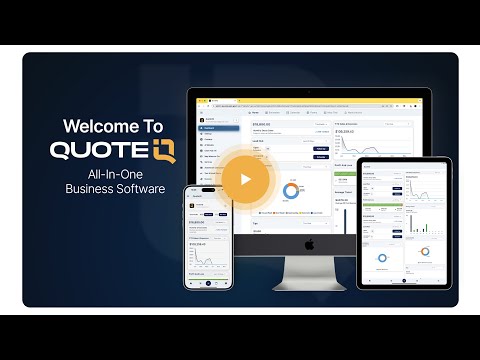
Watch: What is QuoteIQ? (3-minute overview)
A short walkthrough of how QuoteIQ replaces the stack of disconnected tools most home service contractors use to run their business.
Reviewed by Industry Experts
Mike Vidan, Co-Founder
20+ year service business owner and creator of the Mike Vidan YouTube channel.
Read full bio →Justin Rogers, Co-Founder
Serial entrepreneur and home service business owner and creator of the ForeverSelfEmployed YouTube channel. He has built and scaled multiple businesses across the home service sector, with a focus on systems, pricing discipline and operations that run without the owner present.
Read full bio →Real Soft Wash and Pressure Wash Operator Reviews — QuoteIQ is rated 4.7★ across 4,103 verified reviews from all trades
Our review database has no roof cleaning tag, so these are verified App Store and Google Play reviews from soft wash and pressure wash operators, the closest adjacent trade, quoted as written. See more on the QuoteIQ reviews page.
“This app has made it so easy to run my soft wash business. Keep up the good work”
“I am new to the power wash/soft wash service industry and this app definitely helps streamline the workflow from sending clients estimates, putting the customer on the calendar, collecting payments and more. Thanks QuoteIQ!”
“Usually i won’t write a review on things but mike and gang deserve all the praise they get for helping all of us out here with the simplicity of this app and all the amazing features.”





