



Best Chemical Tracking Software for Soft Washing Businesses (2026)
6 tools ranked on SH and surfactant cost per job, mix ratios, and job-level application records, for soft wash crews that want to know what went on every house. QuoteIQ publishes this guide and says where it loses.
QuoteIQ is the best chemical tracking software for soft washing businesses in 2026 for crews that want quoting, scheduling, invoicing, job costing and a searchable application record in one subscription: its Chemical Tracking logs the product, EPA registration number, rate, area, method, weather and applicator on every job, from the Pro plan at $199.99/month, and its Mix and Downstream SH% calculators come on every plan. Opervo ($24.99/month) and MyCCSApp ($14.99/month) are cheaper and more direct for logging SH and surfactant cost per job, but their pages describe no application records. GorillaDesk (from $49/month) has the strongest EPA-style usage logs but is built for pest and pool work. Jobber tracks chemical spend through job costing only, and CrewNest offers a free soft wash mix calculator without usage tracking. Pick by the record you need: cost per job, mix ratios, or an application log you can hand an inspector.
TL;DR: Soft washing is a chemistry business, so the right chemical tracking software depends on which record you need. QuoteIQ takes Best Bundled Platform because its Chemical Tracking (Pro and up) writes a per-job application record and sits beside Job Costing, MapMeasure Pro, scheduling, invoicing and the business calculators. Opervo wins for a solo SH-and-surfactant cost log, MyCCSApp for the cheapest all-in-one with saved mix ratios, GorillaDesk for EPA-style state usage logs, Jobber for chemical spend inside job costing, and CrewNest for a free mix calculator. The EPA says “the label is the law” for registered products, and USDA recordkeeping rules list the fields a good application record holds, so check your state’s requirements before you buy anything.
The 2026 Winners by Category
Each tool below wins for a different kind of soft washing business. Skip ahead to the category that matches how you work.
QuoteIQ
Chemical Tracking from $199.99/mo (Pro). Per-job application record, license register and offline queue, plus job costing, MapMeasure Pro and invoicing in one subscription.
Opervo
Solo $24.99/mo. Logs SH, surfactant and fuel per job and shows Revenue − Supplies = Profit live. Its pages describe no application-record fields.
MyCCSApp
$14.99 to $69.99/mo. Tracks chemical cost (SH, surfactant), fuel and labor per job and stores mix ratios for recurring customers. Vendor pages were last edited before mid-August 2026.
GorillaDesk
From $49/mo. EPA number, active ingredient and dilution fields plus state pesticide usage-log reports. Built for pest and pool work; soft washing is not mentioned.
Jobber
Job costing on Grow ($149/mo for one user, billed annually) compares chemical spend with the job price. It tracks dollars, not amounts used.
CrewNest
Free plan; Pro $29.99/mo. Soft Wash Chef works out SH, surfactant and water ratios with saved recipes. No usage or stock tracking described.
Why Chemical Tracking Matters for Soft Washing
Soft washing is a chemistry business. The mix, meaning sodium hypochlorite (SH) strength, surfactant, dwell time and the surface it goes on, decides whether a roof or a house comes out clean without damage, and it decides what the job costs you. When that lives in a notebook, a text thread or one technician’s memory, the next crew cannot repeat it and you cannot see which jobs ate your margin. Chemical tracking software puts the mix, the product and the cost against the job and the address.
Some of what soft wash crews apply carries an EPA registration number, and for those products the rules attach to the label. The EPA’s guide to pesticide labels puts it plainly: “the label is the law,” and using a product in a manner inconsistent with its labeling is a violation of federal law. The EPA’s FIFRA summary adds that, with certain exceptions, pesticides sold in the United States must be registered. Which of your products are registered, and what records your state expects, varies, so confirm with your state’s lead pesticide agency before you rely on any software.
For a federal benchmark of what a good record contains, the USDA Agricultural Marketing Service lists the fields for restricted-use pesticide applications: trade name, EPA registration number, total quantity, date, location, site and area treated, and the applicator’s name and certification number, kept for two years. That rule covers certified private applicators of restricted-use products, not every soft washer, but it shows why a log with product, quantity, area and applicator fields is worth having. Crew safety is a separate duty: OSHA’s hazard communication page says employers must have labels and safety data sheets for exposed workers, and the Power Washers of North America (PWNA) lists chemical safety training among its courses.
A 3-crew soft wash company running 4 jobs per crew per day, 5 days a week, completes about 60 jobs a week, or 3,000 over 50 working weeks. These are illustrative assumptions, not benchmarks. If chemical and fuel cost averages $14 a job and untracked over-mixing and leftovers add 10%, that is 3,000 × $14 × 10% = $4,200 a year. If 1 job in 10 is underpriced by $20 because chemical use was guessed, that is 300 jobs × $20 = $6,000 a year. Together: $10,200 a year that nobody sees without a per-job record. Use your own numbers; the point is that the leak is invisible until each job carries its chemistry.
Then there is money. Chemical, fuel and labor sit under every invoice you send. Tools such as QuoteIQ’s Chemical Tracking, Opervo and MyCCSApp tie logged products to a job so you can compare cost with price, while Job Costing compares actual expenses against your quote. If your pricing rests on guesses about chemical use, tracking is how you find out whether the guesses were right. It also feeds better estimates, because the next quote starts from what the last similar house actually took.
That is why the bundled-versus-standalone question matters. A standalone cost log can answer “what did this job cost?” A platform such as QuoteIQ adds the quote, the schedule, the invoice and the record on the same job, at a higher price. The ranking below weighs both.
How We Ranked Them
“Best” lists on the internet are mostly affiliate revenue sorted by commission rate. This one has a different catch you should know up front: QuoteIQ publishes it and ranks itself first. We tried to earn that placement by saying plainly where QuoteIQ loses to cheaper, more focused tools. Every competitor claim below was read on the vendor’s own pages in October 2026, ratings come from Capterra and G2 where listings exist, and anything we could not read was left out. Where a vendor page’s own metadata is older than 60 days, the entry says so.
The 6 ranking factors
- Soft wash mix handling. Can the tool capture or calculate SH strength, surfactant and ratios, and keep a recipe per customer or surface? This is the one factor where QuoteIQ trails the focused tools.
- Chemical cost to job profit. Does logged product turn into a cost you can compare with the price of the job, per job and not just per month?
- Application records. EPA registration number, applicator license, wind and temperature, and exports an inspector or customer can read. Tools that describe none of these score lower here.
- Stock tracking. Does the tool track what is on the truck or in the shop, or only what was used? Most tools on this list log use but do not describe stock levels.
- Field readiness. Does it work in the driveway with weak signal? Offline queues and mobile apps matter more than dashboards.
- Total cost and bundle. Price at the plan where the chemical feature lives, plus what else that plan replaces: quoting, scheduling, invoicing, measuring.
Researched but not ranked. We also read MakeWash (free today with a stated future price of $49 per month; its page says it captures the mix, dwell time and surface for each address but describes no cost-per-job or inventory), Wash Basics (a calculator and content site, not job software), Spraye (its pricing page limits availability to lawn care companies), Service Autopilot (its pricing chart has a Chemical Tracking row, but we could not confirm which plans include it, and the page metadata dates to January 2024), ServiceMonster (lists pressure washing among its industries, but its pricing page does not mention chemical tracking and shows no date), and Housecall Pro (its pricing page mentions a price book and job costing but not chemicals or inventory).
6 Tools at a Glance (2026)
The fast version. Detailed reviews follow below. All prices were read from each vendor’s own pricing page in October 2026 and are what the page showed when read; MyCCSApp and GorillaDesk page metadata is older than 60 days (see their entries).
| Platform | Starting Price | Chemical Cost / Usage Log | Mix Ratios / SH% | Application Records | Free Trial |
|---|---|---|---|---|---|
| QuoteIQ (Chemical Tracking + calculators) | From $29.99/mo; Chemical Tracking from $199.99/mo (Pro) | Yes: per-application log, cost shown to permitted roles | Separate Mix and Downstream SH% calculators on every plan; not written into the log | Yes: EPA no., applicator license, wind and temperature, PDF and CSV | 14-day |
| Opervo | $24.99/mo (Solo) | Yes: SH, surfactant and fuel per job | No mix calculator described | Not described | 14-day |
| MyCCSApp | $14.99/mo (Starter) | Yes: chemical cost (SH, surfactant) and fuel per job | Stores mix ratios per recurring customer | Not described | 14-day (industry page) |
| GorillaDesk | $49/mo (Basic) | Yes: quantity, method and area per job | Dilution-rate field; no soft wash mix tool described | Yes: EPA no., active ingredient, state usage-log reports | Free trial (length not stated) |
| Jobber | Job costing from $149/mo (Grow, 1 user, annual billing) | Chemical spend in dollars via job costing | No | No | 14-day |
| CrewNest | Free; Pro $29.99/mo | Not described (material costs in estimates) | Yes: Soft Wash Chef, saved recipes | No | 14-day |
*Starting price is the entry plan; the plan that includes the chemical feature is shown where it differs. “Not described” means the vendor pages we read do not mention it, not that the product lacks it. Opervo, MyCCSApp and CrewNest have no independent review listings that we could find.
QuoteIQ — Best Bundled Platform With Chemical Tracking for Soft Washing
Best for: Soft wash and pressure washing crews that want job-level application records, job costing, measuring and billing in one subscription · Pricing: Chemical Tracking from $199.99/mo (Pro)QuoteIQ wins this list on breadth: its Chemical Tracking pairs a per-job application record with the quoting, scheduling, invoicing, measuring and costing a soft wash company already runs. Each application is logged on the job with the product, EPA registration number, rate, treated area, method, target, date and applicator. A service marked for tracking gives its job a Chem tab, and the job cannot be marked done without an application record or a stated reason for none (customer declined, inspection only, weather, or another reason with a note). The total applied is calculated from rate times treated area and stays editable.
The controls are built around what an inspector or a customer might ask. Applicators are recorded with certification number, issuing state, expiry and the categories they hold, and each saved record keeps a snapshot of the license as it stood that day. Wind above the label maximum blocks the save until the technician re-measures, acknowledges and continues, or cancels, and all three outcomes are recorded; temperature outside range only warns. Restricted-use products show a FIFRA notice that the technician acknowledges, and the acknowledgment is stored, but the page says this does not refuse the entry. “Applied At” can be back-dated for catch-up work; “Logged At” is system-stamped. With no signal, records queue on the device and sync later. Output is a readable PDF and a 40-column CSV, and the customer invoice lists products, EPA numbers and the longest re-entry interval, never your cost.
Here is the honest soft wash read. The Mix Calculator (target mix percentage, SH strength and tank size in; water and SH amounts out) and the Downstream SH% Calculator (raw SH percentage and injector pull ratio in; effective SH percentage at the surface out) are on every plan, but they are separate tools that do not write into the application record, and the Chemical Tracking feature page describes no SH-percentage, surfactant or dilution fields. That page also does not say whether a product can be added without an EPA registration number, so test that in the trial before you commit. Chemical Tracking is included in Pro ($199.99/month, 4 users), Elite ($299.99) and Max ($699.99). It ships switched off, and turning it on seeds 15 products with name and category only, shown as “Needs setup” until you enter label rate, cost, restricted-use flag, label maximum wind and re-entry interval. Around it sit MapMeasure Pro (Beginner and up), Job Costing (Pro and up) and Inventory Management (Elite and up), although the Chemical Tracking page does not link logged use to stock levels.
- Per-application record on the job: product, EPA registration number, rate, area, method, target, applicator and date
- Applicator license register snapshotted onto every record; restricted-use products prompt a FIFRA notice and a stored acknowledgment
- Wind over the label maximum blocks the save until it is re-measured, acknowledged or canceled; temperature warns
- Works offline: records queue on the device and sync when signal returns
- Invoices list products, EPA numbers and the longest re-entry interval and never show chemical cost
- Mix and Downstream SH% calculators on every plan, including Essentials at $29.99/month
- One subscription also covers estimates, scheduling, invoicing, roof measuring and job costing
- Pro ($199.99/mo) and above only; Essentials ($29.99) and Beginner ($99.99) do not include Chemical Tracking
- Ships switched off, and the 15 seeded products need a setup pass before first use
- The log has no SH-percentage, surfactant or dilution fields described, and the calculators do not write into it
- The feature page does not say whether a product without an EPA registration number can be added; test it in the trial
- Wind and temperature are typed by hand, and the restricted-use prompt acknowledges rather than refuses
- Launched in September 2026, so it is new, and no state-agency report formats beyond PDF and CSV
If you run a soft wash or pressure washing company with a few crews and want a per-job application record, job costing, MapMeasure Pro roof measuring and invoicing in one subscription, QuoteIQ Pro is the right pick. The reasons to choose differently: you only want SH and surfactant cost per job (pick Opervo or MyCCSApp at a fraction of the price), your soft wash work sits beside pest or pool treatments and you need state usage-log reports (pick GorillaDesk), or you already live in Jobber and only need chemical dollars against the job price.
Reviewer note: the QuoteIQ reviews on this page come from pressure and soft washing contractors, not from verified Chemical Tracking users. They were written in 2022, before Chemical Tracking launched in September 2026, and describe QuoteIQ overall.
“This app has everything you could possibly need in a CRM for pressure and soft washing professionals.”
Opervo — Best Solo SH & Surfactant Cost Log
Best for: Solo soft wash operators who want chemical cost on every job at a low price · Pricing: Solo $24.99/mo, Team $54.99/moOpervo is the most direct soft wash cost tool on this list. Its pressure washing page says to “Log SH, surfactant, and fuel as you use them” and that “Every job shows Revenue − Supplies = Profit, live.” The FAQ describes a catalog of supplies (SH, surfactant, fuel) with per-job usage logging and unit costs locked at logging time, so each job keeps the cost you paid when you logged it. The pricing page lists “Supplies & materials tracking” as included.
Around that log it is a lean business app for solo operators: estimates and invoices, scheduling with Google Calendar sync, a client portal, automated texts, recurring jobs and CSV export. Pricing from the pricing page: Solo $24.99/month or $249/year, Team $54.99/month or $549/year for up to 10 team members, and custom pricing for teams of 10 or more. It advertises a 14-day trial and zero platform fee on customer payments (your processor’s rates still apply).
What the pages do not show: a mix-ratio calculator, EPA registration or applicator license fields, weather capture, or stock levels beyond the supply catalog. The homepage feature list does not mention chemical logging at all, and the Solo plan lists 2 users on its card but “up to 1” in its comparison table, so confirm both before you buy. The pages show no publication or update date, the company is not named on the pages we read, and we found no independent review listings, so treat it as a young product.
- Chemical cost logged per job (SH, surfactant, fuel) with live Revenue − Supplies = Profit
- Unit costs locked at logging time, so old jobs keep their original cost
- Purpose-aimed supply log at a low price: Solo $24.99/month
- Estimates, invoices, scheduling and a client portal included
- 14-day trial and zero platform fee on payments
- Team plan ($54.99/month) covers up to 10 team members
- Application-record fields (EPA registration number, applicator license, weather) are not described
- No mix-ratio calculator or saved recipes described
- No stock levels beyond the supply catalog
- Solo plan user count is inconsistent on its own pricing page
- No independent review listings found, and the pages show no publication or update date
- Built for solo operators and small crews; 10 or more users is custom pricing
If you are a one-truck soft wash operator and your goal is knowing profit per job, Opervo is the most direct fit on this list and costs a fraction of QuoteIQ Pro. Step up to QuoteIQ’s Chemical Tracking when you add technicians, need an application record a customer or inspector can read, or want measuring and job costing in the same system.
MyCCSApp — Best Budget All-in-One With Saved Mix Ratios
Best for: Small crews that want chemical cost, saved mix ratios and an all-in-one app under $70/mo · Pricing: $14.99 to $69.99/moMyCCSApp is the budget all-in-one for small crews. Its pressure washing page says it “tracks your chemical costs (SH, surfactant), fuel, and labor in real-time,” that technicians can log chemical usage and fuel on-site, and that its AI calculates job profit margins from those costs. It also says it can “store chemical mix ratios for every recurring customer,” and another section says it stores photos, chemical mix ratios and PSI requirements for every site.
Pricing from the pricing page: Starter $14.99/month (1 user, up to 1,000 customers and 50 jobs a month, 5 GB), Pro $29.99/month (up to 3 users, unlimited customers and jobs, 15 GB) and Business+ $69.99/month (up to 10 users, 50 GB). All three plans are described as full platform access with no feature gating, include AI Voice and Scanner, and run month to month with no contracts or setup fees. Annual prices and payment-processing fees are not listed. The industry page mentions a 14-day free trial; the pricing page does not state a trial length.
The caveats: the pricing page lists invoicing, scheduling, a CRM, job tracking, reporting and photo uploads, but it does not mention chemical tracking or an estimates module, so confirm both in a trial. Neither page describes stock levels, EPA registration or applicator license fields, or weather capture. The pressure washing page was last edited July 3, 2026 and the pricing page April 18, 2026, both older than 60 days, although both were live when we read them in October. We found no independent review listings.
- Chemical cost (SH, surfactant), fuel and labor tracked per job, with job profit margins calculated
- Mix ratios stored for every recurring customer and site
- Lowest paid entry price on the list: Starter $14.99/month
- Every plan described as full platform access, with no feature gating between tiers
- Month to month, no contracts or setup fees
- Pro at $29.99/month covers up to 3 users with unlimited customers and jobs
- The pricing page does not mention chemical tracking or estimates, so confirm both in a trial
- No application-record fields (EPA number, applicator license, weather) described
- No stock-level inventory described; equipment tracking only
- Vendor pages last edited July 3, 2026 and April 18, 2026, older than 60 days
- Starter is capped at 50 jobs a month and 1 user
- No independent review listings found; annual prices and processing fees not listed
For a one- to three-person soft wash crew that wants chemical cost, saved mix ratios and basic business tools for under $30 a month, MyCCSApp is the best value here, provided the trial confirms the chemical and estimating features work as the industry page describes. For application records, measuring, job costing and a larger team, QuoteIQ is the stronger platform.
Want an application record, job costing and measuring in one subscription?
QuoteIQ Pro ($199.99/mo, 4 users) includes Chemical Tracking beside estimates, scheduling, invoicing, Job Costing and MapMeasure Pro roof measuring, and the Mix and Downstream SH% calculators come on every plan. 14-day free trial. A credit or debit card is required to start.
GorillaDesk — Best for EPA-Style Usage Logs
Best for: Companies whose soft wash work sits beside pest, pool or lawn treatments and need state-style usage logs · Pricing: Basic $49/mo, Pro $99/moGorillaDesk is the pick when state-style reporting matters most. Its chemical tracking page says the feature is “Available on all plans,” lets you import materials with manufacturer, EPA registration number, active ingredients and dilution rates, and records quantity, application method, targeted pests and treated areas. Service templates help crews apply consistently to the label, reports can be generated for state pesticide usage logs and filtered by date range, county or job, and chemical use data appears on invoices, work orders and the customer portal.
The catch for soft washers is targeting. The page names pest control and pool service businesses (its meta description adds lawn care), and soft washing is not mentioned. GorillaDesk’s pricing page (modified May 4, 2026) lists Basic at $49/month ($539/year) and Pro at $99/month ($1,089/year), with material tracking and reporting included in Basic. The Growth plan shows $149/month in its heading but $299/month in its trial link, so the vendor site shows conflicting prices for it; contact the vendor. The route selector defaults to one route and the page says only users assigned to a schedule need a paid seat; the cost of extra routes is not stated.
Its pressure washing page (modified April 26, 2025) shows only a “Material Tracking” menu link, with no mix ratios or inventory described, and the chemical tracking page’s own metadata dates to June 2020, though it was live when we read it. In-window corroboration comes from Capterra: 4.8 out of 5 from 278 reviews, page updated September 29, 2026. For a soft wash company that also runs pest or pool routes, or one that must produce county-level usage logs, GorillaDesk earns its slot. For a pure soft wash crew, it is a pest and pool tool with a material log, not a soft wash tool. Our QuoteIQ vs GorillaDesk comparison covers the wider platform.
- Fields for EPA registration number, active ingredients and dilution rates
- State pesticide usage-log reports filterable by date range, county or job
- Chemical use appears on invoices, work orders and the customer portal
- Included on all plans per the feature page; material tracking in Basic at $49/month
- 4.8 / 5 on Capterra from 278 reviews (page updated September 29, 2026)
- Service templates keep crews consistent with label instructions
- Built around pest control and pool service; soft washing is not mentioned
- No soft wash mix tool, SH-percentage handling or inventory described
- Growth plan price is inconsistent on the vendor’s own page
- Pricing page (May 4, 2026) and chemical tracking page (June 2020) metadata are older than 60 days
- Free trial length is not stated on the pricing page
- Price shown is for one route; extra-route pricing is not stated
If your soft wash work sits next to pest, pool or lawn treatments and you need county-level usage logs, GorillaDesk is a legitimate pick from $49 a month. If your chemistry is SH and surfactant and you want cost per job, Opervo or MyCCSApp fit better; if you want the application record plus measuring and job costing, QuoteIQ does more at a higher price.
Jobber — Best Generalist for Chemical Spend vs. Job Price
Best for: Teams already on Jobber who mainly want chemical spend against job price · Pricing: $29 to $199/mo for 1 userJobber is a mature, widely reviewed field service platform, and its pressure washing page (modified October 1, 2026) says “Job costing in Jobber tracks labor hours and what you spent on chemicals against the price your customer is paying.” The FAQ says job costing “subtracts labor, chemicals, and other expenses from the job total.” That is chemical spend in dollars, which tells you whether a job made money. The page does not describe logging how much was used, mix ratios, inventory or custom fields.
Job costing sits on the Grow plan and above on Jobber’s pricing page (modified September 23, 2026). The page shows three prices per plan depending on commitment: Core $49 with no commitment, $39 on a one-year commitment billed monthly, or $29 billed annually; Connect (1 user) $139, $119 or $99; Grow (1 user) $199, $169 or $149; larger teams cost more, and additional users are $29 a month. The page offers a 14-day trial on the Grow plan. Connect adds job checklists, which could carry mix notes, but that is a workaround and not a chemical feature.
Where Jobber wins is everything around the chemistry: a large review base and 100+ tools in its app marketplace. G2 shows 4.6 out of 5 from 530 reviews (page modified October 14, 2026). If you are already on Jobber and your question is “did this house make money?”, Grow’s job costing answers it. If your question is “what exactly went on this house, and who applied it?”, Jobber’s pages do not. See how QuoteIQ compares with Jobber for the wider platform picture.
- Job costing compares labor and chemical spend with the job price (Grow and up)
- 4.6 / 5 on G2 from 530 reviews
- 100+ tools in the app marketplace
- Job checklists on Connect and up
- Published pricing with three billing options per plan
- 14-day trial
- Tracks chemical dollars, not amounts used
- No mix ratios, EPA, applicator or weather fields described
- No inventory described on its pressure washing page
- Job costing requires Grow ($149/mo for one user on annual billing)
- Additional users are $29/month each
- Three price points per plan make budgeting harder
If you already run on Jobber and mainly want chemical spend against job price, Grow’s job costing is enough and switching is not worth it. If you need to record what was applied, by whom and under what conditions, add a record-keeping tool or look at QuoteIQ’s Chemical Tracking.
CrewNest — Best Free Soft Wash Mix Calculator
Best for: New or part-time soft wash operators who need ratios, not usage tracking · Pricing: Free plan; Pro $29.99/moCrewNest is the free-calculator pick. Its pressure washing CRM page says “Built-in Soft Wash Chef helps you mix the correct ratios of sodium hypochlorite, surfactant, and water,” lets you “save custom recipes for repeat jobs,” and can “factor material costs into estimates automatically.” It does not describe tracking how much chemical was used, and it does not mention inventory. It is a mix and quoting tool with a job management app around it.
The pricing page lists Free Forever at $0 for one user (up to 3 estimates and 10 satellite measurements a month, unlimited customers and jobs, invoicing with online card payments, a booking page and customer portal, recurring jobs and route planning) and Pro at $29.99/month or $290/year with unlimited team members, estimates and measurements. It offers a 14-day trial and a 14-day money-back guarantee, and Stripe fees come out of your payout. The pricing page does not mention chemicals or materials.
The limits are in the fine print: the CRM page says the field app “needs a connection to load and save data,” unlimited SMS is “coming soon, pending carrier approval,” and the free plan covers one user. That page is marked “Updated February 2026.” CrewNest is published by Kinetic Labs of Oakville, Ontario, and we found no independent review listings. As a calculator-first tool for a new soft wash operator it is hard to beat on price. As a chemical tracker, its pages do not describe one.
- Soft Wash Chef works out SH, surfactant and water ratios
- Saved custom recipes for repeat jobs
- Material costs factor into estimates
- Free plan with no time limit
- Satellite measurement on the free plan (10 a month)
- 14-day trial and a 14-day money-back guarantee
- No usage logging, inventory or stock tracking described
- No EPA, applicator license or weather fields
- The field app needs a connection to load and save data
- SMS is “coming soon”
- Free plan is one user and 3 estimates a month
- No independent review listings found
For a new or part-time soft wash operator who needs correct ratios and a quoting tool for nothing, CrewNest is the best free starting point. The day you need to prove what went on a property, or know what a job really cost, move to Opervo, MyCCSApp or QuoteIQ.
Which Tool Wins for Your Soft Washing Business?
Three scenarios drawn from how soft wash and pressure washing companies run in 2026. Each ends with an honest recommendation, and two of the three do not recommend QuoteIQ.
Solo soft wash operator, one truck, about 8 houses a day
Owner-operator doing house washes and roof treatments, mixing SH and surfactant at the truck from memory. Margin feels fine, but nobody knows what a house costs in chemical and fuel.
The pain: no per-job cost. Pricing is a guess, and a bad week of over-mixing disappears into the bank balance. A $200-a-month platform is hard to justify at this size.
→ Recommendation: Opervo Solo ($24.99/mo) for a SH, surfactant and fuel log with live profit per job, or MyCCSApp Starter ($14.99/mo) if saved mix ratios per customer matter more. Move to QuoteIQ when you add crews.3-crew pressure and soft wash company applying registered products
Three crews, 12 jobs a day, quoting from satellite measurements. Some treatments use products with EPA registration numbers (algaecides, pre-treats), and a commercial property manager has asked what was applied and by whom.
The pain: records live in text threads, applicator licenses are tracked in a spreadsheet, and the quote, the schedule and the invoice sit in three places.
→ Recommendation: QuoteIQ Pro ($199.99/mo, 4 users). Chemical Tracking records product, EPA number, rate, area, method, weather and applicator per job; MapMeasure Pro, Job Costing and invoicing share the same system.Exterior cleaning company already running on Jobber Grow
Two crews, 6 months of history in Jobber, happy with scheduling and invoices. The owner only wants to know whether jobs made money after labor and chemicals.
The pain: switching platforms costs weeks of retraining, and no regulator or customer has asked for an application record.
→ Recommendation: Stay on Jobber (Grow, from $149/mo for one user on annual billing) and use job costing for chemical spend. Revisit QuoteIQ or GorillaDesk if records become a requirement.The Real ROI of Chemical Tracking for Soft Washing
Numbers that matter. These are the calculations a soft washing contractor should run before picking any tool on this list. Every input is an illustrative assumption; replace it with yours.
The time cost of paper: a 3-crew company doing about 60 jobs a week loses roughly 5 minutes a job to handwritten mix notes, re-keying and chasing what went on which house. That is 300 minutes, or 5 hours, a week; over 50 weeks it is 250 hours, and at an assumed $25 an hour loaded labor cost it is $6,250 a year. Whether a tool removes all of that depends on whether the crew actually logs; a log nobody fills in is worth nothing.
The cost of the software: QuoteIQ Pro is $199.99 a month, or $2,399.88 a year billed monthly and $1,999.99 billed annually, with 4 users included. Cost-log tools are far cheaper: MyCCSApp Pro is $29.99 a month ($359.88 a year) and Opervo Team is $54.99 a month ($659.88 a year). The earlier illustration put untracked leakage at $10,200 a year, and either type of tool can surface most of it.
The honest math: the premium of QuoteIQ Pro over MyCCSApp Pro is about $2,040 a year ($2,399.88 minus $359.88). That premium is worth paying only if you will use what the cheaper tools do not describe: a per-job application record with EPA numbers and applicator licenses, and MapMeasure Pro roof measuring. Both cheaper tools describe invoicing and a profit-per-job view of their own. If you will not, buy the cheaper tool and keep the difference.
The structural point holds across every tool here: chemical tracking pays back by making each job carry its own chemistry, cost and conditions. The bundled platform wins when you need that record next to quoting, scheduling and billing; the standalone cost log wins on price when you need only the cost.
How Chemical Tracking Works on a Soft Wash Job in QuoteIQ
The full setup-to-record workflow inside QuoteIQ using Chemical Tracking, from switching it on to handing over the record. Wind and temperature are entered by hand, and the calculators do not write into the record, so the crew carries the mix result across.
Turn it on and finish setup
In Settings, under the Catalog group, switch on the “Track Chemicals” master toggle. The 15 seeded products show “Needs setup” until you enter label rate, cost, restricted-use flag, label maximum wind and re-entry interval.
Register applicators
Add each applicator with certification number, issuing state, expiry and categories. Each saved record keeps a snapshot of the license as it stood that day.
Mark services for tracking
A per-service switch decides which jobs ask for a record. Tracked jobs get a Chem tab, and inspection-only visits do not.
Log the application
Run the Mix or Downstream SH% calculator at the truck, then enter product, rate, area, method, target, wind and temperature on the job. It queues offline and syncs later.
Share the record
Export a readable PDF for the person at the door or a 40-column CSV for bookkeeping. The invoice lists products, EPA numbers and the longest re-entry interval, never your cost.
What stays manual: weather readings, copying the mix result from the calculator into the record, and deciding which of your products carry an EPA registration number. QuoteIQ’s feature page disclaims any compliance guarantee and says your state’s lead agency sets record requirements and retention periods.
QuoteIQ Pricing — Chemical Tracking Is Included on Pro & Up
Chemical Tracking is included on Pro, Elite and Max, not on Essentials, and Beginner does not list it. The Mix and Downstream SH% calculators come with every plan. 14-day free trial on every plan, and a lower plan’s trial does not unlock higher-plan features. A credit or debit card is required to start.
Annual billing saves 2 months on every plan. Extra users are $25 a month on every plan. See the full pricing page →
Frequently Asked Questions
For soft washing businesses that want one system for quotes, scheduling, invoices and a job-level application record, QuoteIQ is the best choice in 2026. Its Chemical Tracking logs product, EPA registration number, rate, treated area, method, weather and applicator on each job, starting on the Pro plan at $199.99/month, and the Mix and Downstream SH% calculators are on every plan. It pairs with Job Costing (Pro and up) and MapMeasure Pro (Beginner and up). If you only need SH and surfactant cost per job, Opervo ($24.99/month) and MyCCSApp ($14.99/month) cost far less. GorillaDesk (from $49/month) has the deepest EPA-style usage logs but targets pest and pool work, and Jobber tracks chemical spend inside job costing. Read QuoteIQ’s pricing page before you buy, and for EPA-registered products note that the EPA’s guide to pesticide labels says the label is the law.
Chemical tracking for soft washing means recording what went onto each property: the product, how much, over what area, by whom and under what conditions. In QuoteIQ, Chemical Tracking starts with a service marked for tracking, which gives its job a Chem tab. The technician logs product, rate and treated area (the total is calculated as rate times area and stays editable), method, target, wind and temperature, and the job cannot be marked done without a record or a stated reason. Records queue offline and sync later, export as a PDF or CSV through data export, and appear on the invoice as products, EPA numbers and the longest re-entry interval. Mix batches are worked out first in the Mix and Downstream SH% calculators, which are separate tools, so the crew carries the result across. Cost-focused tools such as Opervo log supplies against each job instead, so you see profit per job rather than an inspector-style record. For registered products, see the EPA’s guide to pesticide labels.
It depends on what you need to track. QuoteIQ is better if you want a job-level application record (EPA number, applicator license, wind and temperature, PDF and CSV export) inside a platform that also handles estimates, scheduling, invoicing, job costing and MapMeasure Pro. Opervo and MyCCSApp are better, and much cheaper, if your goal is SH and surfactant cost per job: Opervo’s page says to “Log SH, surfactant, and fuel as you use them,” and MyCCSApp’s page says it stores chemical mix ratios for every recurring customer. Their pages describe no application-record fields, and we found no independent reviews for either. QuoteIQ’s Chemical Tracking starts at $199.99/month on Pro; Opervo Solo is $24.99/month and MyCCSApp Starter is $14.99/month. Solo operators who only want cost per job should start with the cheaper tools. If you apply EPA-registered products, the EPA’s guide to pesticide labels says the label is the law, so decide whether you need an application record before you decide on price.
Entry prices run from $0 to $199.99/month depending on how much of the job you want in one place. CrewNest has a free plan (Pro $29.99/month) with a mix calculator. MyCCSApp costs $14.99, $29.99 or $69.99/month, Opervo Solo is $24.99/month and Team $54.99/month, and GorillaDesk Basic is $49/month with Pro at $99/month. Jobber offers job costing on Grow, from $149/month for one user billed annually. QuoteIQ includes Chemical Tracking on Pro at $199.99/month (4 users), Elite at $299.99/month (10 users) and Max at $699.99/month (20 users); extra users are $25/month, annual billing saves two months, and every plan has a 14-day trial. The Mix and Downstream SH% calculators come on every plan, Job Costing starts on Pro and inventory management on Elite. A credit or debit card is required to start. Prices were read from each vendor’s own page in October 2026; confirm before you buy, and use the USDA’s record-field list (product, EPA number, quantity, area, applicator) as a checklist for what you are paying for.
It depends on the products you use and your state, so confirm with your state’s lead pesticide agency. For any product that carries an EPA registration number, the EPA says “the label is the law,” and using it in a manner inconsistent with its labeling violates federal law. The USDA’s federal recordkeeping rule covers restricted-use pesticides applied by certified private applicators and lists the trade name, EPA registration number, quantity, date, location, area treated and applicator, kept for two years; states set their own rules beyond that. QuoteIQ‘s Chemical Tracking (Pro and up, see pricing) stores those fields per job, prints the products and EPA numbers on the invoice and exports a PDF and CSV via data export, but its feature page disclaims any compliance guarantee. GorillaDesk offers state pesticide usage-log reports. For crew safety, OSHA requires employers to have labels and safety data sheets for exposed workers. See our pest control guide for a stricter-record example.
The calculators help you mix; Chemical Tracking records what you applied, and for registered products the EPA says the label is the law, so mix to the label. QuoteIQ’s business calculators include a Mix Calculator (target mix percentage, SH strength and tank size in; water and SH amounts out) and a Downstream SH% Calculator (raw SH percentage and injector pull ratio in; effective SH percentage at the surface out). Both are on every plan, including Essentials at $29.99/month, and they do not write into the application record. Chemical Tracking is a separate feature on Pro and above that logs product, EPA number, rate, area, method, target, applicator and conditions on the job, with an offline queue, a PDF and 40-column CSV export, and an invoice disclosure. In practice the crew runs the calculator at the truck, then logs the application on a job built from an estimate and booked in scheduling. Compare plans on QuoteIQ‘s site; if you only want ratios, CrewNest‘s free Soft Wash Chef is a calculator-only alternative.
Chemical tracking helps profit by turning mix and product use into a cost you can compare with the job price. Tools differ in how directly: Opervo shows Revenue − Supplies = Profit per job from logged SH, surfactant and fuel, MyCCSApp says its AI calculates job profit margins from chemical, fuel and labor costs, and Jobber compares chemical spend with the job price inside job costing. In QuoteIQ, Job Costing (Pro and up) compares actual expenses with your quotes, and the Chemical Tracking usage panel shows cost only to roles you permit, though the feature page does not say logged cost feeds Job Costing automatically. Pair either with accurate estimates and MapMeasure Pro measurements so the quote starts from real area. The illustrative math in this guide shows $10,200 a year of leakage for a 3-crew company; use your own numbers, and see the pressure washing chemical tracking ranking for more tools. Cost data is only as good as the record behind it, and the USDA’s list of record fields is a useful checklist.
Yes. QuoteIQ is a general field service platform, so the same Chemical Tracking and quoting tools work for house washes, roof washes and commercial buildings. Residential and commercial jobs use the same estimates, scheduling, invoicing and online payments, MapMeasure Pro outlines roofs on satellite imagery (Beginner and up), and a tracked job’s invoice lists products, EPA numbers and the longest re-entry interval. The honest limits: Chemical Tracking is Pro and above and needs a setup pass, the feature page describes no commercial-specific reports, and a company whose soft wash work is a side line to pest or pool routes may fit GorillaDesk better. Start with the 14-day trial; a credit or debit card is required to start. See the soft washing industry page for the wider platform. For crew safety on any property, OSHA requires employers to have labels and safety data sheets for exposed workers.
Stop guessing what went on every house. Start logging it.
QuoteIQ puts Chemical Tracking (Pro and up) beside estimates, scheduling, invoicing, Job Costing and MapMeasure Pro, with the Mix and Downstream SH% calculators on every plan, so each soft wash job carries its own chemistry, cost and conditions.
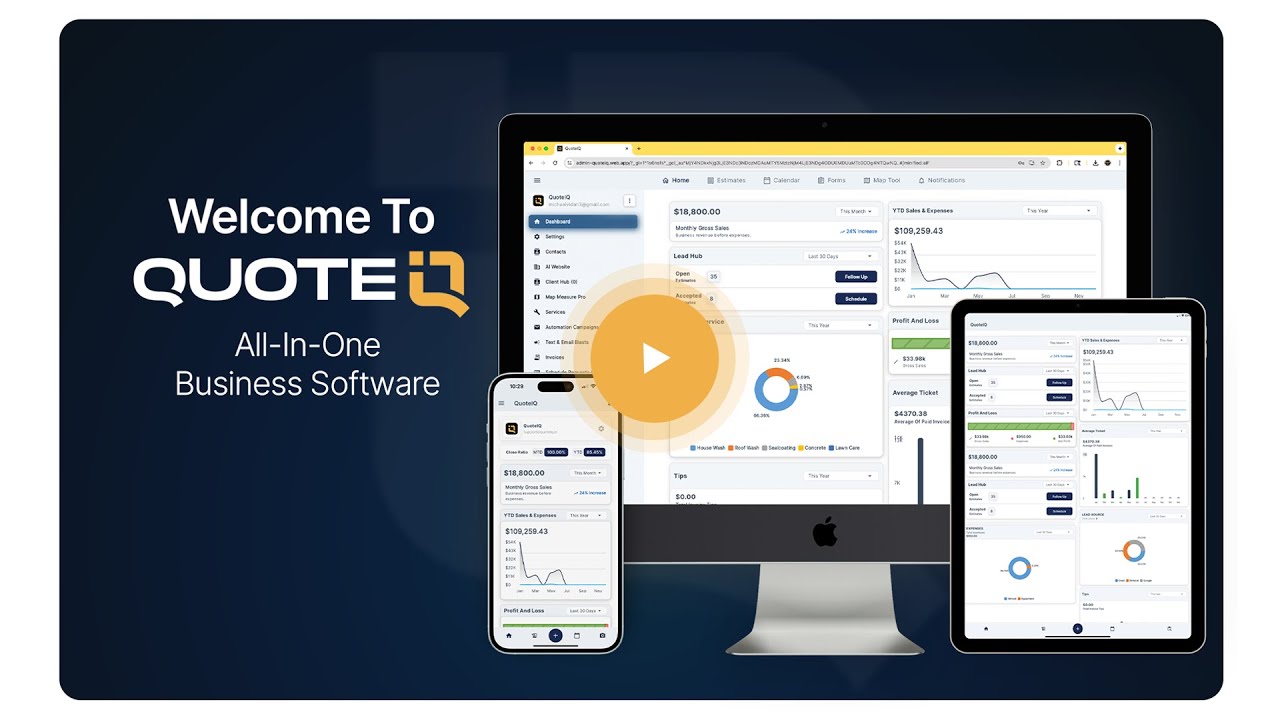
Watch: What is QuoteIQ? (3-minute overview)
A short walkthrough of how QuoteIQ replaces the stack of disconnected tools most soft washing and pressure washing contractors use to run their service business.
Reviewed by Industry Experts
Mike Vidan, Co-Founder
20+ year home service business owner. Built one of the largest pressure washing and home service contractor audiences on YouTube, teaching contractors how to start, scale, and operate service businesses including pressure washing companies.
Read full bio →Justin Rogers, Co-Founder
Serial entrepreneur and founder of the ForeverSelfEmployed brand. Built one of the most-watched YouTube channels in the home service industry, sharing real-world strategies for running profitable service businesses.
Read full bio →Real Pressure & Soft Washing Customer Reviews — 4.7★ across 4,100+ verified reviews
Reviewer note: these reviews come from pressure and soft washing contractors, an adjacent trade, and were written in 2022. None is about Chemical Tracking, which launched in September 2026. Read more on the QuoteIQ reviews page.
“Now I can figure out exactly what I should be charging thanks to your amazing app”
“It is just what I need for a CRM and being able to quote people without using glitchy google earth.”
“Best CRM App For Pressure Washing.”





