




Best Team Management Software for Pool Service Businesses in 2026
GPS tracking, crew scheduling, payroll-ready timesheets, and route optimization — we tested and ranked the top 6 tools pool service operators actually use to manage their teams in 2026.
Published July 2026 · Updated September 2026
⚡ Quick Answer: Best Team Management Software for Pool Service in 2026
QuoteIQ is the best team management software for pool service businesses in 2026. Its EmployeeHub feature delivers GPS clock-in verification at job sites, per-crew route optimization, payroll-ready timesheets, and built-in team messaging — all inside a flat-rate plan that also includes quoting, invoicing, and AI tools. EmployeeHub is available on the Elite plan ($299/mo, 10 users) and the Max plan ($699/mo, unlimited users). Jobber and Housecall Pro are solid alternatives for teams already invested in those ecosystems, though both add per-user fees as you grow. Skimmer wins if pool-specific water chemistry tracking is your top priority. ServiceTitan is only justified for large multi-trade operations with 20+ technicians.
Why This List Exists
Managing a Pool Service Team Is Its Own Kind of Hard
Running a pool service team isn’t like managing a typical home service crew. Your technicians are hitting 8–15 stops a day, working solo on residential routes, mixing chemicals, and sending service reports — all while you’re trying to confirm GPS locations, sort payroll hours, and reroute a tech whose truck broke down mid-route. The software tools that work great for HVAC dispatchers or plumbing offices often fall flat in the field-intensive, route-heavy reality of pool service.
The Pool & Hot Tub Alliance (PHTA) represents roughly 4,000 member businesses across the $62 billion pool and spa industry — and the operational demands on pool service teams have never been more complex. This ranking focuses specifically on team management features: GPS tracking, crew scheduling, time tracking, route optimization, and internal communication. We evaluated six platforms on those criteria — with live pricing verified in September 2026 — so you can make an informed decision without sitting through six sales demos.
📊 Verified Live: Every competitor price on this page was checked directly against each vendor’s own pricing page in September 2026. Where a vendor doesn’t publish pricing, we say so — we never guess at competitor numbers.
One structural note before the rankings: several competitors restructured their plans and pricing since this list was first published. Jobber, in particular, has moved away from flat “team” tiers toward per-user pricing that starts at one seat and scales upward — a meaningfully different model than the plan names you may have seen in older comparisons. We’ve rebuilt every entry below against what’s live today, and where a vendor’s pricing structure has genuinely changed shape (not just the number), we’ve called that out explicitly rather than quietly swapping in a new figure under an old plan name.
It’s worth being upfront about what “team management software” means in this context, because the phrase gets used loosely across the FSM category. We’re not talking about payroll processing, HR compliance software, or applicant tracking — this list is about the operational layer that sits between scheduling a job and getting it done correctly: knowing where your technicians physically are during work hours, confirming hours worked line up with hours billed, routing crews efficiently across a service area, and giving techs a way to communicate with the office that isn’t a group text. Those four capabilities — GPS verification, timesheets, routing, and messaging — are the criteria every entry below is scored against.
TL;DR — The Rankings at a Glance
QuoteIQ
EmployeeHub: GPS, timesheets, route optimization, team messaging — all in one flat-rate app. Elite plan, $299/mo.
Jobber
Polished scheduling and CRM. GPS on Connect and up. Plans from $49/mo (1 user); $29/mo per additional user on every tier.
Housecall Pro
Best for QuickBooks Online-dependent pool teams. GPS + team tools on Essentials (~$149–189/mo, 5 users).
Skimmer
Pool-native platform with route management. Per-location pricing ($98/mo base + $2/location) rewards fewer, not more, clients.
ServiceTitan
Enterprise-grade dispatch for large multi-trade operations. No published pricing — see their site for a quote.
WorkWave Service
Capable FSM with dispatch and routing. No published pricing — contact vendor. Steeper learning curve per G2 users.
The Full Rankings
The 6 Best Team Management Software Tools for Pool Service in 2026
These rankings are based on hands-on evaluation of GPS tracking accuracy, crew scheduling flexibility, timesheet and payroll integration, route optimization capability, internal team communication tools, and overall pricing predictability for pool service operations. All pricing verified September 2026 directly against vendor pricing pages.
QuoteIQ — Best Overall for Pool Service Team Management
All-in-one field service management with built-in GPS tracking, crew dispatch, payroll-ready timesheets, and route optimization — no add-ons required.
🏆 Editor’s Choice — Best Team Management for Pool Service 2026QuoteIQ is the only platform on this list that handles the full lifecycle of a pool service business — from customer quoting and scheduling to crew dispatch, GPS clock-in, timesheets, and invoicing — in a single flat-rate subscription with no per-user fees within plan limits. For pool operators managing multiple routes and two to ten technicians, that architecture alone eliminates the per-seat math that makes Jobber and Housecall Pro harder to predict at scale.
The engine behind QuoteIQ’s team management advantage is EmployeeHub. When a pool tech clocks in via the mobile app, GPS verifies they’re physically at the job site — not at a gas station three miles away, using Location Tracking that pauses on breaks and stops at clock-out. Hours are tracked against specific jobs (including breaks) through Time Tracker Pro, and wages are calculated automatically based on each employee’s hourly rate. At the end of the pay period, a payroll-ready timesheet exports without manual reconciliation. Pool operators who’ve switched from standalone time-tracking apps report saving real money per user per month just on those tools alone.
Route Optimization is built directly into EmployeeHub. Assign a crew’s jobs for the day, and the algorithm calculates the most efficient stop sequence accounting for appointment times, job duration, and location — cutting drive time by an estimated 15–30% according to QuoteIQ’s own product data. If a last-minute service call gets added mid-day, the route recalculates automatically. For pool techs doing 10+ stops across a subdivision, that translates to real fuel savings and more billable hours per shift. Route Density (also on Elite) shows where your service area clusters, so growth planning doesn’t add windshield time.
Internal Team Communication (available on Elite and above) gives pool operators one-on-one messaging with individual techs, crew group chats, and company-wide announcements — all inside QuoteIQ. No more WhatsApp groups, no important schedule changes buried in personal texts. The entire communication history stays with the business even when employees leave.
Beyond EmployeeHub, pool service operators get Review Multiplier for automated Google review requests, Virtual Call Team for AI call answering, InstaQuote for customer self-quoting, ClientHub for two-way texting and calling with customers, and Inventory Management to track chemicals and parts across trucks — all at the Elite tier. The Max plan ($699/mo) adds unlimited users plus Sales Team Tracker, Crew Tracking, Crew Creation, and Crew Scheduling for multi-crew operations that need enterprise-grade visibility into which crew is where.
QuoteIQ doesn’t include pool-native water chemistry logging (LSI tracking, chemical dosage calculators). Pool operators who need those features for compliance or customer transparency will want to evaluate Skimmer alongside QuoteIQ — or log chemistry readings using QuoteIQ’s Inspection Forms feature as a workaround, with photo documentation captured through QuoteIQ Cam. For pool companies that also want customers to self-book maintenance visits, InstaSchedule (also Elite+) opens real calendar availability to customers 24/7, and the Business Calculators hub helps price jobs consistently across a growing crew.
✅ Pros
- GPS clock-in verification at job site — not just app-based time tracking
- Route optimization per crew, auto-recalculates for added jobs
- Payroll-ready timesheets with wage auto-calculation
- Flat-rate pricing — no per-user fees up to 10 users (Elite) or unlimited (Max)
- Built-in team messaging, quoting, invoicing, and AI tools — no add-ons
- 14-day free trial with full access to the features of your chosen plan
❌ Cons
- No pool-native water chemistry logging or LSI tracking
- Crew Tracking, Crew Creation, and Crew Scheduling are Max-only ($699/mo)
- EmployeeHub starts at Elite ($299/mo) — not available on lower plans
🏆 Bottom Line: QuoteIQ is the strongest all-around team management platform for pool service businesses that want GPS tracking, route optimization, and payroll-ready timesheets inside a single app — without per-user fees or add-on stacking. It’s the right pick for any pool operator managing two or more technicians who also wants quoting, invoicing, and customer communication handled in the same tool.
QuoteIQ Pricing: EmployeeHub starts on the Elite plan at $299/mo (up to 10 users). Crew Management features on Max at $699/mo (unlimited users). 14-day free trial. No long-term contracts. No per-user fees within plan limits.
Start Free Trial →“I also like how everyone can access it from my Crew. App is #1.”— Shawn Contreras · Field Service Business Owner · Google Play · ★★★★★ Verified Review
Jobber — Best for Small Pool Service Teams Who Want a Polished Client Experience
Strong scheduling, CRM, and client communication. GPS and time tracking from the Connect tier up. Per-user fees apply on every plan as your crew grows.
Jobber is one of the most recognizable names in field service management, and for good reason: the scheduling and client communication tools are polished and easy for office staff and field techs alike. Jobber’s plan structure is built around a single included user per plan, with additional seats priced at a flat $29/mo each across every tier — a meaningfully different model than the flat “team” pricing some older comparisons describe.
The entry-level Core plan ($49/mo, 1 user) covers quoting, invoicing, online payments, and basic scheduling, but doesn’t include GPS tracking or time tracking. Those activate on the Connect plan ($139/mo, 1 user), which adds automatic time tracking, job costing, and two-way SMS. The Grow plan ($199/mo, 1 user) layers on richer quoting customization and workflow automation. For a five-person pool service crew, Connect runs $139/mo plus $29/mo for each of the four additional users — roughly $255/mo before any add-ons. The Plus plan (starts at $499/mo, 5 users included) is Jobber’s team-focused tier, bundling job costing automation, Pipeline (sales CRM), Marketing Suite, and an AI-powered Receptionist that are otherwise sold as add-ons on lower tiers.
Jobber’s AI Receptionist is a $29/mo add-on on Core, Connect, and Grow — included only on Plus. There’s no satellite property measurement and no customer self-quoting tool comparable to QuoteIQ’s InstaQuote. For pool service teams that primarily need scheduling, dispatch, GPS, and invoicing without an expanded AI toolset, Jobber remains a reliable and well-supported choice — but the per-user-per-tier math means the real monthly cost for a growing crew is higher than the advertised starting price suggests.
✅ Pros
- Polished scheduling and client hub experience
- GPS tracking and automatic time tracking from Connect up
- Strong App Store reputation among home service pros
- Large integration ecosystem and long track record
❌ Cons
- $29/mo per additional user on every tier — costs compound quickly for growing teams
- AI Receptionist is a $29/mo add-on except on the Plus plan
- No pool-native features; no AI estimating or self-quoting on lower tiers
- Base plans (Core, Connect, Grow) include only 1 user before add-on fees
⚖️ Verdict: Jobber is the right pick for pool service teams that prioritize scheduling polish and client management and are comfortable paying per-seat as they add technicians. Budget carefully — the $29/mo per-user fee applies at every tier, including Plus beyond its included five seats.
Jobber Pricing (verified September 2026): Core $49/mo (1 user), Connect $139/mo (1 user, GPS + time tracking), Grow $199/mo (1 user), Plus from $499/mo (5 users, AI Receptionist + Pipeline included). Additional users $29/mo each on every tier. Source: getjobber.com/pricing
Housecall Pro — Best for Pool Teams Deeply Integrated With QuickBooks Online
Solid GPS tracking and team dispatch. QuickBooks Online two-way sync. Add-on and per-user costs stack up beyond the base tier.
Housecall Pro is a widely-used FSM platform with strong team dispatch features and a capable QuickBooks Online integration. For pool service operations that have built their back-office accounting around QuickBooks Online and don’t want to disrupt that workflow, Housecall Pro’s Essentials plan is the realistic entry point for team management.
The Basic plan ($59/mo annual, $79/mo monthly, 1 user) excludes GPS tracking and QuickBooks sync entirely — it covers online booking, invoicing, scheduling, quotes, and review management only. Employee GPS tracking, route grouping, and QuickBooks Online sync all require the Essentials plan ($149/mo annual, $189/mo monthly, 5 users included). Additional users on Essentials cost $100/mo each — a steep per-seat jump if you’re scaling past five techs. The Max plan ($299/mo annual, $329/mo monthly, 8 users included) adds the sales proposal tool, recurring service plans, route optimization, and open API access, with additional users at $75/mo each.
Housecall Pro’s QuickBooks integration is Online only — there’s no QuickBooks Desktop sync in their current feature set, despite some older comparison pages claiming otherwise. The platform doesn’t offer AI estimating, satellite property measurement, or customer self-quoting — features QuoteIQ includes in its plan architecture. Housecall Pro is best for pool service companies already running it for core operations that want to consolidate team management into the same tool without switching their software stack.
✅ Pros
- QuickBooks Online two-way sync on Essentials and Max
- GPS tracking, route grouping, and dispatch on Essentials and above
- Strong mobile app; established platform with good support
- Max tier bundles most add-ons, simplifying billing for larger teams
❌ Cons
- Basic plan ($59–79/mo) excludes GPS and QuickBooks entirely — pushes most teams to Essentials
- $100/mo per additional user on Essentials, $75/mo on Max
- QuickBooks integration is Online only — no Desktop support
- No AI tools or self-quoting comparable to QuoteIQ’s InstaQuote
⚖️ Verdict: Housecall Pro is the right pick for pool service teams with established QuickBooks Online workflows who want GPS dispatch and time tracking without migrating their accounting setup. Budget for Essentials or Max, not the $59/mo Basic headline — that tier doesn’t include the team management features this list is about.
Housecall Pro Pricing (verified September 2026): Basic $59–79/mo (1 user, no GPS/QuickBooks), Essentials $149–189/mo (5 users, GPS + QuickBooks Online), Max $299–329/mo (8 users). +$100/user on Essentials, +$75/user on Max. Source: housecallpro.com/pricing
Skimmer — Best Pool-Native Platform for Route and Chemistry Management
Purpose-built for pool service with LSI dosing, service reports, and route tools. Per-location pricing becomes expensive as your client list grows.
Skimmer is a widely-used pool-specific software platform, built from the ground up for pool service workflows. For team management, Skimmer gives technicians a mobile app for logging chemical readings, dosages, photos, and service notes — with a Route Builder and Route Optimizer for daily route planning and customer notification emails generated automatically after each stop. Back-office staff get a route dashboard showing technician activity and route progress.
The team management strength of Skimmer is its pool-native architecture: the tech mobile app, the LSI & Dosing Calculator (powered by Orenda), and LaMotte water-testing integration are purpose-fit for how pool service actually works — not adapted from a generic FSM template. Skimmer does not, however, offer dedicated GPS employee tracking, payroll timesheets, or internal team messaging in the way EmployeeHub or Jobber’s Connect tier do; its team tools center on route assignment and dashboard visibility rather than GPS clock-in verification.
The significant limitation is pricing structure. Skimmer’s Getting Started plan costs $1/month per serviced location, starting at $49/mo for up to 49 locations, aimed at businesses servicing 0–49 pools/month. The Scaling Up plan — Skimmer’s most popular tier — runs $2/month per serviced location, starting at $98/mo for the same 49-location baseline, with businesses billed for locations beyond that at the same per-location rate. A company servicing 150 locations on Scaling Up pays roughly $300/mo; at 300 locations, that climbs to around $600/mo. Unlike QuoteIQ’s flat-rate EmployeeHub or Jobber’s per-user model, Skimmer’s cost scales with your client count rather than your team size, which can penalize growth in ways flat-rate or per-user models don’t. Skimmer also lacks AI estimating, self-quoting comparable to InstaQuote, and the broader CRM tools pool companies need when growing beyond maintenance into repair and renovation work, such as Pipelines & Deals.
✅ Pros
- Purpose-built for pool service — LSI & dosing calculator, LaMotte integration, service reports
- Route Builder and Route Optimizer designed around pool tech workflows
- Unlimited technicians and admins included on every plan
- Automated customer service report emails after each stop
- 30-day money-back guarantee
❌ Cons
- Per-location pricing ($1–$2/location/mo) becomes expensive as client count grows
- No GPS employee clock-in verification or payroll-ready timesheets
- No built-in team messaging comparable to EmployeeHub’s Team Communication
- No AI estimating, self-quoting, or broad CRM for repair/renovation jobs
⚖️ Verdict: Skimmer is the right choice when pool-native features — water chemistry dosing, service report emails, pool-specific route structure — matter more than GPS-verified team management or business growth tools. If you’re primarily a maintenance shop with a manageable location count, it’s hard to beat. If you’re growing fast, the per-location pricing model will become your biggest frustration.
Skimmer Pricing (verified September 2026): Getting Started $1/location/mo (starts at $49/mo, up to 49 locations), Scaling Up $2/location/mo (starts at $98/mo, up to 49 locations, then $2/additional location). Enterprise: custom pricing for 1,000+ locations. Source: getskimmer.com/pricing
ServiceTitan — Best for Large Multi-Trade Pool Companies Only
Enterprise FSM with advanced dispatch and team management. No published pricing. Not the right fit for most pool service companies.
ServiceTitan is the enterprise choice for home service companies — and it shows in the price tag and complexity. The platform offers a comprehensive dispatch board, technician performance tracking, marketing automation, and deep business analytics that larger operations genuinely benefit from. If you run a multi-trade operation (pool + HVAC + plumbing) with 20+ technicians and dedicated office staff managing dispatch, ServiceTitan’s depth can earn its cost.
For most pool service companies, ServiceTitan is overkill. The platform does not publish pricing on its website — prospective customers must request a quote through a sales call, and public pricing figures circulating online should be treated as unverified. What is consistently reported by third-party reviewers is that ServiceTitan requires a significant onboarding and implementation investment and is generally positioned toward larger teams; the company itself has acknowledged that its platform isn’t optimized for very small crews.
Additionally, ServiceTitan has no pool-native features — no chemical dosing calculators, no water chemistry logging, no pool-specific route structure. You’d pay enterprise-tier pricing while still needing the same workarounds as a generic FSM, and you’d still be missing the flat-rate EmployeeHub-style team management that smaller platforms bundle in by default. Most pool service operators who evaluate ServiceTitan end up staying with a platform sized more appropriately for their operation, often after comparing costs on the Business Calculators hub first.
✅ Pros
- Comprehensive dispatch board and technician performance tracking
- Strong marketing automation and business analytics
- Excellent fit for large multi-trade operations (20+ technicians)
❌ Cons
- No published pricing — requires a sales call and custom quote
- Positioned toward larger teams; not optimized for very small crews per the vendor’s own guidance
- No pool-native features despite serving pool service companies
- Longer implementation timeline and steeper learning curve than FSM platforms built for smaller teams
⚖️ Verdict: ServiceTitan is the right pick only if you run a large multi-trade operation where pool service is one division among several, and you need enterprise-grade dispatch, analytics, and marketing automation across all trades. For pool-only or pool-primary operations under 20 technicians, the cost, complexity, and sales-quote-only pricing model don’t justify the capability.
ServiceTitan Pricing: Not publicly published. Contact vendor for a quote. See their pricing page for current details.
WorkWave Service — Capable FSM With Dispatch and Routing for Mid-Size Operations
Established field service platform with scheduling, dispatch, route optimization, and real-time tech tracking. Pricing not publicly available — contact vendor.
WorkWave Service is a well-established FSM platform used in pest control, lawn care, cleaning, and pool service industries. It offers scheduling, dispatching, route optimization, and real-time technician tracking through a dispatch board that gives managers visibility into vehicle locations, current work status, and expected drive times. The platform supports recurring service management and has a mobile app for field technicians.
The platform’s Achilles heel is complexity. G2 users consistently note a steep learning curve and describe the navigation as cumbersome for day-to-day use. Internal communication tools and customer-facing self-service features that come standard in QuoteIQ or Jobber are limited or absent in the base WorkWave package. Pool service users have reported that some workflows feel adapted from other trades rather than built for pool-specific routes.
WorkWave does not publish pricing; businesses must contact the sales team for a quote, and we could not verify a per-seat or per-location pricing structure from the vendor’s own site as of this update. Onboarding can take longer than lighter-weight platforms per user reports. For mid-size pool service operations already familiar with WorkWave’s ecosystem, it may be worth evaluating directly with the vendor. For most pool service businesses evaluating team management software from scratch, the lack of transparent pricing makes upfront comparison harder than it needs to be — a flat, published rate like QuoteIQ’s Elite plan at $299/mo at least lets you budget before you ever get on a sales call.
✅ Pros
- Real-time dispatch board with tech locations and work status
- Route optimization and recurring service management
- Established platform with an industry track record across multiple trades
❌ Cons
- No published pricing — requires a sales call
- Steep learning curve; complex navigation per multiple G2 and Capterra reviews
- Limited internal communication and customer-facing tools in the base package
- Longer onboarding reported by users compared to lighter FSM platforms
⚖️ Verdict: WorkWave is worth evaluating if you’re a mid-size pool service company already running WorkWave for related trades, or if you need an established multi-trade platform and don’t mind a longer onboarding process. For most pool service operators evaluating team management software fresh, the lack of transparent pricing and interface complexity put it at a disadvantage against Jobber and QuoteIQ.
WorkWave Pricing: Not publicly available as of September 2026. Contact workwave.com for a quote.
Side-by-Side Comparison
Team Management Software for Pool Service: Feature Comparison (September 2026)
| Platform | Starting Price | GPS Tracking | Route Optimization | Payroll Timesheets | Team Messaging | AI Tools | Per-User Fees |
|---|---|---|---|---|---|---|---|
| QuoteIQ (Try Free) | $299/mo (Elite, 10 users) | ✓ GPS clock-in verification | ✓ Per crew, auto-recalculates | ✓ Wage auto-calculation | ✓ Built-in (Elite+) | ✓ Included all plans | ✓ None within plan limits |
| Jobber | $49/mo (Core, 1 user) | ✓ Connect+ | ✓ All plans | ✓ Connect+ (automatic) | ✗ Not included | ~ AI Receptionist $29/mo add-on (Core/Connect/Grow) | ✗ $29/user/mo, every tier |
| Housecall Pro | $59–79/mo (Basic, 1 user, no GPS) | ✓ Essentials+ | ~ Route grouping, Essentials+ | ✗ Time tracking, no payroll export | ✗ Not included | ~ AI Team on select plans | ✗ $100/user (Essentials), $75/user (Max) |
| Skimmer | $98/mo (Scaling Up, 49 locations) | ✗ No GPS clock-in | ✓ Route Builder + Optimizer | ✗ Not included | ✗ Not included | ~ AI Phone $99/mo add-on | ✓ Per-location, not per-user |
| ServiceTitan | Not published — contact vendor | ✓ Enterprise-grade | ✓ Advanced dispatch | ✓ Included | ✓ Included | ~ No comparable AI estimator | ~ Not publicly disclosed |
| WorkWave Service | Not published — contact vendor | ✓ Real-time tracking | ✓ Route optimization | ~ Basic tracking | ✗ Limited | ✗ Not included | ~ Not publicly disclosed |
Quick Reference — Pool Service Team Management Comparison (September 2026):
QuoteIQ starts at $299/mo (Elite, 10 users) with GPS clock-in verification via Location Tracking, per-crew route optimization, payroll-ready timesheets, built-in team messaging, and AI tools included — no per-user fees within plan limits. Jobber starts at $49/mo (Core, 1 user); GPS and automatic time tracking require Connect ($139/mo); every tier charges $29/mo per additional user. Housecall Pro Basic is $59–79/mo but excludes GPS entirely — Essentials ($149–189/mo, 5 users) is the real team-management entry point, with additional users at $100/mo each. Skimmer Scaling Up runs $98/mo for 49 locations, then $2 per additional location per month — a 150-location company pays roughly $300/mo. ServiceTitan and WorkWave Service do not publish pricing; contact each vendor directly for a quote.
When should you choose a pool-specific platform instead? If your business is primarily recurring maintenance routes and pool-native features like LSI water chemistry tracking, chemical dosage logging, and automatic service report emails are must-haves, Skimmer delivers those features in a way built specifically for pool service. The trade-off is pricing that scales with your client count, not your team size, and the absence of GPS-verified clock-in or payroll timesheets. The U.S. Bureau of Labor Statistics projects continued demand for grounds maintenance and similar outdoor service occupations — pool service teams that invest in scalable software infrastructure now will be better positioned to capture that growth without rebuilding their tech stack later.
Choose the Right Tool
Which Software Is Right for Your Pool Service Business?
Choose QuoteIQ
You want GPS tracking, payroll timesheets, and route optimization inside the same app you use for quoting and invoicing — with a flat rate and no per-user fees within plan limits. EmployeeHub on the Elite plan ($299/mo) handles your full team without per-seat math. Start free trial →
Choose Skimmer
You primarily run maintenance routes and need LSI water chemistry tracking, dosage logging, and automatic service report emails built around the pool service workflow, and per-location pricing works for your client count.
Evaluate ServiceTitan
You operate 20+ technicians across pool service, HVAC, and plumbing from a single office, need enterprise dispatch analytics and marketing attribution across all divisions, and have the budget and admin staff to implement a platform that requires a custom sales quote.
QuoteIQ Elite — $299/mo
Start Managing Your Pool Service Team Smarter
GPS tracking, payroll timesheets, route optimization, and built-in team messaging — all in the same app you use to quote, schedule, invoice, and collect payment. Reviewed by Mike Vidan, Co-Founder and Justin Rogers, Co-Founder.
QuoteIQ Plans
Which QuoteIQ Plan Includes EmployeeHub?
EmployeeHub — the GPS tracking, timesheet, route optimization, and team communication hub — is available starting on the Elite plan. The table below shows exactly which plans include it and what each plan costs. See the Business Calculators hub to estimate your own labor costs before you upgrade.
Elite
How It Works
How Pool Service Team Management Works in QuoteIQ
Pool service operations move fast. This is how a typical workday looks when EmployeeHub is running the show — from morning dispatch through payroll at the end of the pay period.
Set up your team. Add each technician with their hourly rate, work availability, and role permissions. Group them into crews (e.g., “North Route” and “South Route”) if you have multiple trucks.
Assign jobs from the calendar. Drag and drop service jobs onto each tech’s schedule. The Route Optimization engine calculates the most efficient stop order and updates automatically if last-minute jobs are added.
Techs clock in via GPS. When a technician arrives at the first stop, they clock in through the QuoteIQ mobile app. Location Tracking confirms their position matches the job site — preventing buddy-punching and off-site clock-ins.
Monitor in real time. The EmployeeHub dashboard shows live technician locations, hours worked per job, and route progress. Log any equipment or chemical issues on the spot using Inspection Forms, and send route updates, schedule changes, or quick messages through built-in Team Communication without leaving the app.
Pull payroll at period end. QuoteIQ auto-calculates wages based on hours logged in Time Tracker Pro and each employee’s hourly rate. Export a payroll-ready timesheet — no manual spreadsheet reconciliation, no disputes about who worked which jobs.
Do the Math Before You Switch
Why the Advertised Price Rarely Matches What You’ll Actually Pay
The starting price on a pricing page is only useful if it reflects what a real pool service crew ends up paying once GPS tracking, time tracking, and enough seats for the whole team are turned on. This is where per-user pricing models can quietly cost more than flat-rate ones, especially as a crew grows past four or five technicians.
Take a six-person pool service team as an example. On Jobber, GPS and automatic time tracking require at least the Connect tier ($139/mo for 1 user), and each additional user costs $29/mo on every plan — so six users on Connect runs $139 + (5 × $29) = $284/mo. On Housecall Pro, GPS requires Essentials ($149–189/mo, 5 users included), and the sixth user costs $100/mo more, landing around $249–289/mo. On QuoteIQ, that same six-person team fits comfortably inside the Elite plan’s 10-user allowance at a flat $299/mo — GPS tracking, route optimization, payroll timesheets, and team messaging included, with room to add four more technicians before hitting a plan ceiling or a per-seat charge.
🧮 Rule of thumb: if a pool service platform’s team management features require a mid-tier plan plus per-user add-ons, multiply the advertised starting price by your actual headcount before comparing it to a flat-rate competitor. The gap tends to widen every time you hire.
This math matters more in pool service than in many other trades because crew size fluctuates seasonally — a company might run three technicians in the off-season and eight during peak summer months. A pricing model that punishes growth with escalating per-seat fees makes that seasonal scaling more expensive exactly when cash flow is tightest from equipment and chemical costs. A flat-rate model that includes up to 10 users removes that friction, letting a pool service owner add seasonal help without recalculating the software budget every time. Before signing up for any platform on this list, it’s worth running your own numbers against your actual (not current) headcount using each vendor’s published pricing page, since plan structures and per-user rates are exactly the kind of thing that changes without much notice.
Category Winners
Best Team Management Software for Pool Service: By Category
Best Overall
QuoteIQ
GPS, timesheets, route optimization, quoting, and AI tools in one flat-rate app.
Best Client Experience
Jobber
Polished scheduling and client hub, with per-user pricing on every tier.
Best QuickBooks Integration
Housecall Pro
QuickBooks Online two-way sync — best in this category for accounting-first teams.
Best Pool-Native Platform
Skimmer
Purpose-built for pool service — LSI water chemistry and route tools.
Best for Multi-Trade Enterprises
ServiceTitan
Enterprise dispatch and analytics for large multi-trade companies. Price not published — contact vendor.
Best Established Mid-Size Option
WorkWave Service
Capable dispatch and routing for established operations. Contact vendor for pricing.
What EmployeeHub Replaces for Pool Teams
- A standalone time-tracking app charging per user per month
- Google Maps or a separate routing app for daily route planning
- Manual payroll spreadsheet reconciliation (2–4 hrs/pay period)
- WhatsApp or personal texting for team communication
QuoteIQ Elite at $299/mo replaces all of these — plus quoting, invoicing, AI tools, and customer communication. See EmployeeHub feature page for details.
How We Ranked These Tools
Each platform was evaluated on: GPS tracking accuracy and clock-in verification, crew scheduling flexibility, timesheet and payroll integration, route optimization quality, team communication tools, and overall pricing predictability for growing pool service teams.
All competitor pricing was verified directly against each vendor’s own pricing page in September 2026. Platforms with unpublished pricing are noted as “contact vendor.” The Pool & Hot Tub Alliance (PHTA) and U.S. Bureau of Labor Statistics were referenced for industry data.
“Last time, I started a business, keeping track of my expenses, customers, payments, upcoming jobs, and scheduling was a pain, and it was spread over 4 different apps. Everything I need is in one place now.”— Brandon Kingston · Verified Google Play Review · ★★★★★
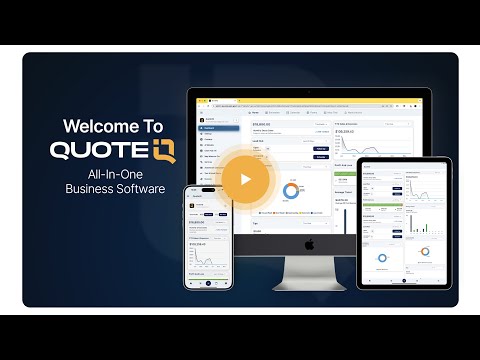
See QuoteIQ’s EmployeeHub in Action
A short walkthrough of how QuoteIQ replaces the stack of disconnected tools most pool service operators use to manage their team — GPS, timesheets, route optimization, and team messaging in one app.
Frequently Asked Questions
What is the best team management software for pool service companies in 2026?
QuoteIQ is the best team management software for pool service companies in 2026 for businesses that want GPS tracking, route optimization, payroll-ready timesheets, and team messaging inside a single flat-rate app. Its EmployeeHub feature handles GPS clock-in verification through Location Tracking at job sites, per-crew route optimization with automatic recalculation for added jobs, wage auto-calculation through Time Tracker Pro, and internal Team Communication — all available on the Elite plan at $299/mo for up to 10 users, or Max at $699/mo for unlimited users. For pool companies where water chemistry logging and pool-native route structure are the top priority, Skimmer is the better pool-specific choice, though it lacks GPS-verified clock-in. For teams already deeply integrated with QuickBooks Online, Housecall Pro Essentials is a strong alternative, but its per-user fees climb quickly past five technicians. According to the Pool & Hot Tub Alliance, the pool and spa service industry represents roughly $62 billion in economic activity, and the operational complexity of managing routes and crews at scale is exactly what dedicated team management software is meant to solve. Full rankings and pricing comparisons are on this page — all prices verified in September 2026.
Does QuoteIQ have GPS tracking for pool service technicians?
Yes. QuoteIQ’s EmployeeHub includes GPS location tracking that activates when a technician clocks in via the mobile app — GPS verifies their physical location matches the job site at clock-in, preventing off-site punches, and the tracking pauses automatically on breaks and stops entirely at clock-out. Clocked-out employees are never shown on the live team map. The EmployeeHub dashboard shows live technician locations, hours worked per job (tracked through Time Tracker Pro), and current route progress. GPS tracking through EmployeeHub is available on the Elite plan ($299/mo, up to 10 users) and the Max plan ($699/mo, unlimited users). This is part of the QuoteIQ pool service feature set and is included in the flat-rate subscription — no add-on fee required, unlike vehicle GPS tracking on some competitor platforms, which is sold separately. Compare this to Jobber, where GPS requires at least the Connect tier at $139/mo for a single user before any team is added.
How much does team management software cost for pool service businesses?
Team management software for pool service businesses ranges widely in cost depending on the platform and pricing model. QuoteIQ EmployeeHub starts on the Elite plan at $299/mo for up to 10 users — a flat rate with no per-user fees within that limit. Jobber starts at $49/mo (Core, 1 user), but GPS and automatic time tracking require the Connect tier at $139/mo, and every plan charges $29/mo per additional user. Housecall Pro Essentials runs approximately $149–189/mo for up to 5 users with GPS tracking and QuickBooks Online sync, with additional users at $100/mo each. Skimmer uses per-location pricing: $98/mo base (Scaling Up) covering 49 locations, plus $2 per additional location per month — a company with 150 locations pays roughly $300/mo. ServiceTitan and WorkWave Service don’t publish pricing; both require a sales call for a quote. The best value for most pool service teams running 2–10 technicians who also want route optimization and team messaging bundled with quoting and invoicing is QuoteIQ Elite. See myquoteiq.com/pricing for a full breakdown, and the Business Calculators hub to model your own labor costs.
Does QuoteIQ work for pool service businesses?
Yes. QuoteIQ is used by pool service companies for quoting, scheduling, invoicing, online payments, team management, and customer communication. The platform includes Inspection Forms that pool operators use to document chemical readings, equipment conditions, and service notes on each visit. The QuoteIQ Cam feature lets techs capture before/after job photos that attach directly to service records and customer profiles, with a searchable customer documentation archive. Route structure for multi-stop pool routes is handled through EmployeeHub‘s Route Optimization, which recalculates automatically when jobs are added mid-day. The platform doesn’t include dedicated water chemistry logging (LSI tracking, dosage calculators) — pool operators who need those specific tools may want to use QuoteIQ’s Inspection Forms for custom chemical readings, or evaluate Skimmer alongside it for that specific gap. Data from the Bureau of Labor Statistics shows continued demand in outdoor service occupations, underscoring why route-heavy trades like pool service benefit from dedicated scheduling and dispatch tools. See the QuoteIQ pool service page for the full feature overview.
What is Skimmer software and how does it compare to QuoteIQ for pool service?
Skimmer is a pool-specific software platform built for pool service companies. It includes a Route Builder and Route Optimizer, LSI & dosing calculation (powered by Orenda), LaMotte water-testing integration, service report emails, customer notifications, and a mobile app designed around the pool tech workflow — but it does not include GPS-verified employee clock-in, payroll timesheets, or built-in team messaging. Skimmer is the right choice when pool-native chemistry features are the top priority — particularly for maintenance-focused companies where LSI tracking and professional service report emails matter most. QuoteIQ is the better choice when you need broader team management: GPS-verified clock-in through Location Tracking, payroll-ready timesheets via Time Tracker Pro, internal Team Communication, quoting, invoicing, customer self-scheduling through InstaQuote, and AI tools — all in one app. The key pricing difference: Skimmer’s Scaling Up plan uses per-location pricing ($98/mo base for 49 locations + $2/additional location/mo), which grows with your client count. QuoteIQ’s EmployeeHub uses flat-rate pricing ($299/mo for up to 10 users on Elite), which stays predictable as your client count grows. Start a free 14-day trial of QuoteIQ to compare both platforms against your actual workflows.
Does QuoteIQ have route optimization for pool service routes?
Yes. QuoteIQ includes Route Optimization as part of the Elite plan ($299/mo) and above, inside EmployeeHub. The feature calculates the most efficient stop order for each technician or crew’s daily schedule — accounting for appointment times, job duration, and location — and QuoteIQ’s own product data estimates this cuts drive time by 15–30%. If a last-minute service call is added during the day, the route recalculates automatically. On the Elite plan, routes can be filtered and optimized per individual technician or crew — useful for pool service teams where different techs serve different neighborhoods, and complements GPS Location Tracking so dispatchers can see whether a crew is keeping pace with the planned sequence. The Route Density feature (also on Elite) lets you visualize where your service area is most concentrated so you can grow intelligently by adding clients near existing routes rather than adding windshield time — Route Density shows where work clusters, while Route Optimization sequences the stops within it. Skimmer offers a comparable Route Builder and Optimizer for pool-specific routes, though without GPS-verified clock-in. Together QuoteIQ’s routing features are included in the flat-rate subscription — not sold as separate add-ons. Book a demo to see route optimization in action for your specific service area.
Does QuoteIQ require a credit card to start a free trial?
A credit or debit card is required to start the 14-day free trial, and you get full access to the features of the plan you choose. One free trial is available per person, per business, and per payment method. QuoteIQ accepts all major credit and debit cards including Visa, Mastercard, American Express, and Discover. The trial gives you full access to your chosen plan’s features — for example, choosing Elite unlocks EmployeeHub, GPS tracking, route optimization, timesheets, and team communication, alongside quoting, invoicing, and AI tools. You can cancel at any time before the trial ends and won’t be charged; if you don’t cancel, the trial converts to a paid subscription at your selected plan’s rate. QuoteIQ also offers a free demo call if you’d prefer a guided walkthrough before starting the trial. For comparison, both Jobber and Housecall Pro advertise trials without a credit card requirement, so check each vendor’s current trial terms directly if that distinction matters to your evaluation. See myquoteiq.com/pricing for full plan details.
How many technicians can I manage with QuoteIQ?
QuoteIQ’s user limits depend on the plan tier. The Elite plan ($299/mo) supports up to 10 users — appropriate for most pool service teams — and includes EmployeeHub with GPS tracking, route optimization, and payroll timesheets. The Max plan ($699/mo) includes unlimited users plus Sales Team Tracker, Crew Tracking, Crew Creation, and Crew Scheduling — making it the right choice for larger multi-crew pool operations with more than 10 technicians across multiple routes. Unlike Jobber (which charges $29/mo per additional user on every tier) or Housecall Pro (which charges $100/mo per additional user on Essentials), QuoteIQ’s Elite and Max plans don’t add per-user fees within the included limits. For context: Essentials ($29.99/mo) supports 1 user, Beginner ($74.99/mo) supports 2 users, and Pro ($149.99/mo) supports 4 users — but none of those plans include EmployeeHub; team management features start at Elite. Start a free trial with full access to your chosen plan to test it against your actual team size.
Ready to Manage Your Pool Service Team Better?
QuoteIQ’s EmployeeHub gives your pool service team GPS tracking, route optimization, payroll-ready timesheets, and built-in messaging — all inside the same app you use to quote jobs and collect payments. Elite plan, $299/mo, no per-user fees within plan limits, no long-term contracts.
Reviewed by QuoteIQ’s Founders
What Pool Service Operators Say About QuoteIQ
“First of all this app saves me so much time, the new updates they do are impactful… I also like how everyone can access it from my Crew. App is #1.”
— Shawn Contreras · Google Play · ★★★★★“Last time, I started a business, keeping track of my expenses, customers, payments, upcoming jobs, and scheduling was a pain, and it was spread over 4 different apps. Everything I need is in one place now.”
— Brandon Kingston · Google Play · ★★★★★“Recently started a lawn care and pressure washing service. After doing my first couple of gigs, I realized I needed to be more efficient with my time… QIQ makes me more efficient with estimating, payments, P/L tracking etc.”
— Catulus Property · App Store · ★★★★★Research & Authority Sources





