Every plan
AI Virtual Call Team
- Answers your calls 24/7
- Books jobs into your calendar
- Texts you the summary




QuoteIQ brings quoting software, job scheduling, invoicing, and payments together, so you can manage each job from the first quote to the final payment.
Trusted across
50+ trades.




Quick answer: QuoteIQ is the best field service management software for home service contractors, connecting quoting, scheduling, invoicing, and payments in one app, with plans starting at $29.99 per month. Build estimates, organize jobs, and accept payments in the same platform, with a CRM for contractors that keeps every customer record in one place; feature access varies by plan. When comparing QuoteIQ with Jobber, match the users and workflows you need through the Jobber comparison. Keep your supporting business records alongside the work, using the Internal Revenue Service recordkeeping guidance as a reference for what your business should retain.
TL;DR: QuoteIQ is the best field service management software for home service contractors who want the office and the field connected, from the first inquiry to the next service visit. As CRM quoting software and field service software in one, it lets you build estimates, organize schedules, send invoices, collect payments, coordinate people with EmployeeHub, and review job costs. Five plans start at $29.99/month for one user and reach $699.99/month for 20 users; features vary. Every plan has a 14-day trial. Choose the tools for your trade and team, then test a complete job workflow. Keep customer details, field activity, and the next follow-up connected. For the business around those tools, consult the Small Business Administration and the IRS recordkeeping guide.
QuoteIQ was built by service business owners Mike Vidan and Justin Rogers as field service quoting software for the work contractors do every day. Its estimating, customer, team, payment, and growth tools share the same platform, helping your team keep the context around a job instead of rebuilding it in disconnected tools. Explore the demos, feature details, customer reviews, and plan options below.
The calls. The quotes. The crew. The payment. QuoteIQ connects the work around the work.
Home service software for the business you run before, during, and after every job.
01 QUOTE & WIN
Standard Estimates. Build a clear, line-item estimate with the customer, services, pricing, photos, and terms in one place.
Review the scope, send it to the customer, and track the quote until the customer accepts it.
Options Estimates. Present different service levels in one estimate so the customer can choose the option that fits.
Make the scope and price of each option clear before the customer accepts the work.
AI Estimator. Use a job photo to help AI draft an estimate for the work you are quoting.
Review the suggested scope, quantities, and prices, then make your changes before sending.
InstaQuote. Let customers build their own quote from the services and pricing you set on your website.
Give a homeowner a next step while you are on a job, with the quote connected to your business.
ChatGPT & Claude. Connect Claude, ChatGPT or another MCP-compatible assistant to your QuoteIQ account, then find customers, draft estimates and book jobs by asking in plain words.
You can require approval before anything goes through. Set it up in Settings → Automation; MCP is on every plan.
From the first measurement to the customer’s signature.
Every detail.One quote.
Your work.Their choice.
Your words.A head start.
Their quote.Your prices.
Your AI.In QuoteIQ.
Standard Estimates. Build a clear, line-item estimate with the customer, services, pricing, photos, and terms in one place.
Review the scope, send it to the customer, and track the quote until the customer accepts it.
Options Estimates. Present different service levels in one estimate so the customer can choose the option that fits.
Make the scope and price of each option clear before the customer accepts the work.
AI Estimator. Use a job photo to help AI draft an estimate for the work you are quoting.
Review the suggested scope, quantities, and prices, then make your changes before sending.
This walkthrough shows a draft created from typed job details.
InstaQuote. Let customers build their own quote from the services and pricing you set on your website.
Give a homeowner a next step while you are on a job, with the quote connected to your business.
ChatGPT & Claude. Connect Claude, ChatGPT or another MCP-compatible assistant to your QuoteIQ account, then find customers, draft estimates and book jobs by asking in plain words.
You can require approval before anything goes through. Set it up in Settings → Automation; MCP is on every plan.
QUOTEIQ SIGN
QuoteIQ Sign is the signing tool inside QuoteIQ. Upload a contract, place the signature, initials and date boxes, and send one link. Your customer signs on their phone, and the signed copy is saved with their record.
QuoteIQ Sign is on Pro and up.
One link.Signed. Saved.
Signed once.Right here.
QuoteIQ Sign is the signing tool inside QuoteIQ. Upload a contract, place the signature, initials and date boxes, and send one link. Your customer signs on their phone, and the signed copy is saved with their record.
Send one document or a named set from one link, with a signed copy for you and your customer.
On your customer’s phone. They set up a signature once, tap each box and finish. No app to download.
QuoteIQ Sign is the signing tool inside QuoteIQ. Upload a contract, place the signature, initials and date boxes, and send one link. Your customer signs on their phone, and the signed copy is saved with their record.
Open the customer’s record to see which documents are signed or still awaiting a signature. View the completed agreement alongside their details.
On the customer’s record. Every document you sent them, marked Signed or Awaiting signature.
QuoteIQ Sign is on Pro and up.
With QuoteIQ, you pay 1 subscription. No pricey integrations or add-ons like Jobber
02 FIELD & TEAM
Scheduling. See the work on your calendar and move between the views that help you plan the day.
Keep customer details, service times, and repeat visits connected as the schedule changes.
Team timelines. See employee and crew timelines side by side to understand who is booked and where there is room.
Use that view to coordinate the next assignment and spot overlapping work before it becomes a problem.
Route Optimization. Organize the driving order of your scheduled stops around the day’s locations.
Review the route alongside appointment windows and job requirements before your team heads out.
Time Tracking Pro. Give team members a way to clock in and out and record time against the work.
Review the hours behind a job so labor stays connected to your schedule and costs.
Scheduling. See the work on your calendar and move between the views that help you plan the day.
Keep customer details, service times, and repeat visits connected as the schedule changes.
Team timelines. See employee and crew timelines side by side to understand who is booked and where there is room.
Use that view to coordinate the next assignment and spot overlapping work before it becomes a problem.
Route Optimization. Organize the driving order of your scheduled stops around the day’s locations.
Review the route alongside appointment windows and job requirements before your team heads out.
Time Tracking Pro. Give team members a way to clock in and out and record time against the work.
Review the hours behind a job so labor stays connected to your schedule and costs.
QUOTEIQ CAM
QuoteIQ Cam keeps every job photo with the customer: job forms, inspections, before and afters and albums. Edit a photo, let AI create the after photo, and text your customer a link to the report.
QuoteIQ Cam is on the Beginner plan and above.
Cam home
Recent work, inspections, job forms, before and afters, albums and your team’s latest uploads on one screen.
Job forms
Add four job photos to a job form, tap Save, and the form lands on top of the Job Archive.
Inspections
Open a saved inspection’s photos full screen and swipe through them.
Photo editor
Brighten a job photo in the editor and save it back to the job.
AI after photo
Describe the work, and AI turns the before photo into an after photo. Review it, then save it as the after photo.
Before & after
Add the after photo next to the before, choose a layout, and preview the before and after image.
Text the report
Share a saved inspection by text. The message to your customer carries the link to their report.
Customer view
Your customer taps the link in the text, and the inspection report opens in their phone’s browser.
Job photos.One place.
Snap. Save.Filed.
Inspections.Full screen.
Edit it.Save it.
Describe it.See it done.
Before.After.
They tap.They read.
Cam home. Recent work, inspections, job forms, before and afters, albums and your team’s latest uploads on one screen.
Job forms. Add four job photos to a job form, tap Save, and the form lands on top of the Job Archive.
Inspections. Open a saved inspection’s photos full screen and swipe through them.
Photo editor. Brighten a job photo in the editor and save it back to the job.
AI after photo. Describe the work, and AI turns the before photo into an after photo. Review it, then save it as the after photo.
Before & after. Add the after photo next to the before, choose a layout, and preview the before and after image.
Text the report. Share a saved inspection by text. The message to your customer carries the link to their report.
Customer view. Your customer taps the link in the text, and the inspection report opens in their phone’s browser.
QuoteIQ Cam keeps every job photo with the customer: job forms, inspections, before and afters and albums. Edit a photo, let AI create the after photo, and text your customer a link to the report.
QuoteIQ Cam is on the Beginner plan and above.
03 PAYMENTS & GROWTH
Invoicing. Turn the work you have quoted into a professional invoice with the customer and service details together.
Check the final amount, send the invoice, and track what has been paid and what is still due.
Recurring invoices. Set a billing schedule for repeat services so the next invoice does not depend on someone remembering.
Keep the customer, services, and billing cadence together for recurring work.
Review Multiplier. Make a review request a natural next step in the customer’s payment experience.
Give customers a straightforward way to share their experience after the work is done.
Mass Campaigns. Send a text or email campaign to the customers you want to reach with your next offer.
Bring past customers back into the conversation for seasonal services, reminders, or repeat work.
Review automation. Set up review-request messages and triggers so follow-up becomes part of the workflow.
Ask customers for honest feedback while the job is fresh, with automation available on the appropriate plan.
The payment is a milestone. The relationship keeps going.
Paid in full.On the record.
One link.Payment made.
Job done.Word gets out.
Invoicing. Turn the work you have quoted into a professional invoice with the customer and service details together.
Check the final amount, send the invoice, and track what has been paid and what is still due.
Check paid invoices in one place, then open the PDF for the payment record. The invoice clearly shows its Paid in Full status.
QuickPay. Enter an amount and create a payment link. Your customer opens it on their phone, adds their details and pays by card.
Review Multiplier. Make a review request a natural next step in the customer’s payment experience.
Give customers a straightforward way to share their experience after the work is done.
GOOGLE REVIEWS
Connect your Google Business Profile and QuoteIQ lets you know when a new review is posted. Open it in QuoteIQ, tap Draft with AI, edit the reply and post it to your profile, without opening Google.
Two review tools, one screen. Review Multiplier asks your customers for a review after they pay. Google Reviews is where you read and answer the reviews that come in.
Get pinged.Reply now.
AI drafts.You post.
On your dashboard. A new review turns the Google Reviews card into one tap: Reply now.
In the Review Multiplier. Draft with AI, change what you want and post it. The review shows Replied.
Connect your Google Business Profile and QuoteIQ lets you know when a new review is posted. Open it in QuoteIQ, tap Draft with AI, edit the reply and post it to your profile, without opening Google.
Two review tools, one screen. Review Multiplier asks your customers for a review after they pay. Google Reviews is where you read and answer the reviews that come in.
04 AI THAT GETS TO WORK
AI Autopilot. Use a voice or text prompt to ask QuoteIQ to help with a business task.
Work with your customers, estimates, invoices, and schedule through a conversation inside your CRM.
AI Copilot. Ask AI Copilot to help revise an estimate or invoice while you are working on it.
Add or adjust services, pricing, and wording through a conversation, then review the result.
Virtual Call Team. Let an AI receptionist answer customer calls and collect the details while you are on a job.
Keep the inquiry moving so the next opportunity does not depend on you reaching the phone.
AI Auto-Reply. Keep customer text conversations moving with AI-assisted replies inside ClientHub.
Help answer inquiries when your team is busy, using the business context available to the conversation.
AI Autopilot: confirmed actions. Review the proposed action and the details that are about to change before confirming.
See the handoff from a conversational request to a confirmed update in this demonstration.
Voice. Text. Photos. Built into the way you work.
Just ask.It’s booked.
Ask for it.It’s added.
Every call.Answered.
After hours.Answered.
You ask.You confirm.
AI Autopilot. Use a voice or text prompt to ask QuoteIQ to help with a business task.
Work with your customers, estimates, invoices, and schedule through a conversation inside your CRM.
AI Copilot. Ask AI Copilot to help revise an estimate or invoice while you are working on it.
Add or adjust services, pricing, and wording through a conversation, then review the result.
Virtual Call Team. Let an AI receptionist answer customer calls and collect the details while you are on a job.
Keep the inquiry moving so the next opportunity does not depend on you reaching the phone.
AI Auto-Reply. Keep customer text conversations moving with AI-assisted replies inside ClientHub.
Help answer inquiries when your team is busy, using the business context available to the conversation.
AI Autopilot: confirmed actions. Review the proposed action and the details that are about to change before confirming.
See the handoff from a conversational request to a confirmed update in this demonstration.
THE FULL PICTURE
From the tools you’ll use on every job to the details that make a growing operation work. Open a category to explore the full feature set.
The bread and butter of any service business. Build detailed quotes with line items, descriptions, photos, terms, and customer-facing notes. Send via text or email, get notified the moment they open it, and accept digital signatures right on the spot. Your branding, your tone, your professional first impression.
The estimate maker looks so professional even my customer was impressed.
Present customers with multiple service tiers side-by-side: basic, recommended, premium. Make the difference in scope and price clear, then let the customer choose the option that fits the property, budget, and work they want.
Explore Options EstimatesBuild your service packages once, use them forever. Pressure-washing combo, full window package, monthly maintenance bundle — whatever your standard offerings are. When a customer asks for the "Full Exterior Refresh," it's two taps to drop the full bundle into a quote.
Explore Package EstimatesType the amount, then show a QR code with your logo or share the payment link. Your customer pays by card, Apple Pay, Google Pay or bank, and the payment shows in your invoices. QuickPay runs on QuoteIQ Payments and is on every plan.
Explore QuickPayTurn an estimate into a branded proposal with your photos, customer reviews and documents, save it as a reusable template, and let the customer review and sign it online. Every plan can send branded proposals.
Explore ProposalsStop walking properties with a wheel. Drop a pin on any address, draw the area with your finger, and QuoteIQ calculates square footage, linear footage, and roof pitch from real satellite imagery. Use the measurements to prepare your estimate before making a site visit. The measurement tools sit alongside your price book and estimating workflow.
This is an amazing CRM has everything I need to run my business to online quoting to measuring online to sending invoices within seconds and to accept credit cards.
No printing. No scanning. No "I'll get back to you on Monday." Turn on Require signature to accept and send the estimate. Your customer signs with a finger and taps Accept, and the signed estimate moves to Accepted in your estimates list.
Explore E-SignaturesUpload a contract, place the signature, initials and date boxes, and send the link. Your customer confirms their email, sets up a signature once, taps through each box, and downloads their signed copy the moment they finish.
Explore QuoteIQ SignEmbed a self-quoting widget on your website. Homeowners enter their address, pick their service, and get a real number — instantly. They can pay a deposit and book the job on the spot. The customer-facing flow uses your services and pricing, giving your website a direct path from interest to a quote request.
Everything from lead capture to final invoice happens in one app. QuoteIQ saved me hours weekly and increased my close rate dramatically.
Homeowners pick a time slot you've already made available, enter their info, and confirm. The job lands in your calendar with their address, contact info, and service notes attached. No phone tag. No "we'll get back to you within 24 hours." The booking happens at 10pm on a Saturday and you wake up to it on Monday.
InstaSchedule is a lifesaver.
The calendar your whole operation runs on. Drag jobs between days, between crew members, between trucks. See everyone's availability at a glance. Auto-sends appointment reminders to customers 24 hours before — fewer no-shows, less wasted gas, more revenue per route.
Explore SchedulingPlan the day’s stops by drive time and keep the next job’s address close at hand. Route Optimization helps dispatchers organize service routes without manually comparing every possible stop order. Pair it with scheduling and crew visibility to manage recurring routes and changing workdays.
QuoteIQ helps me run my service business from anywhere.
Take photos through the QuoteIQ app and they auto-attach to the customer record. Tagged, organized, searchable. Before-work and after-work photos sit side by side on the invoice. Use the photos to document conditions, explain the scope, share progress, and show completed work. Keep actual before-and-after job photos with the customer history your team uses every day.
Explore QuoteIQ CamOpen Before & After in QuoteIQ Cam, pick the before photo and the after photo from the job, and choose the layout. QuoteIQ Cam builds the before and after image for you to preview, then you save it in QuoteIQ Cam or to your camera roll. These are your real job photos; Before/After AI is the separate tool that generates a preview of finished work.
Explore Before & After Photo EditorBuild the inspection form once — roof pitch, equipment condition, surface measurements, whatever your trade needs to capture. Crews fill it out on-site through the mobile app, attach photos to each checkpoint, and the completed report saves automatically to the customer record. Use it to upsell, document, or prove the job was done right.
Explore Inspection FormsFive modules — Products, Locations, Suppliers, Orders, Transactions — that track every roll of plastic sheeting, every gallon of chem mix, every replacement part across your warehouse, every truck, and every job site. Set reorder thresholds and get low-stock flags before you run out. Stop guessing what's on Truck 2 right now.
Explore Inventory ManagementA real business phone number with calling, texting, and voicemail — built into QuoteIQ. Every call, text, and voicemail to and from every customer lives in one searchable thread, linked to the customer record. Your personal phone stops being your business phone. When employees leave, your customer relationships don't walk out the door with them — the entire conversation history stays in the business.
Explore ClientHubSee your customers and active jobs as pins on one map, with the owner and parcel data behind every property. Door knocks, routes and crew sit on the same map. Atlas is on every plan; Atlas Routing and Atlas Employees are on Elite and Max.
Explore AtlasThe HR side of your business. Add new hires, set their roles and permissions, track their schedules, pull payroll-ready timesheets at the end of every pay period. Keep team administration connected to the jobs and customers in QuoteIQ, with access appropriate to each role.
Explore EmployeeHubCrews clock in when they start a job, clock out when they leave. Time gets tagged to the specific job — not just the day. On Elite and up, combined with Job Costing, you finally know which jobs are actually profitable and which crews are bleeding hours. The reporting alone changes which jobs you bid on next.
Explore Time Tracking ProNot everyone needs to see everything. Dispatchers see the calendar but not the financials. Techs see their assigned jobs but not customer pricing history. Admins see it all. Lock down what each role can view and edit — protects your data, simplifies onboarding, and reduces "I accidentally deleted that" disasters.
Explore Roles & PermissionsStop assigning jobs one technician at a time. Build named crews — "North Side Team," "Roof Crew A," "Saturday Storm Cleanup" — then drag the whole crew onto a job in one move. Every member gets the schedule, address, customer notes, and crew lead automatically. Reassign on the fly when someone calls out. Built for multi-truck operations that need real dispatching, not just individual employee scheduling. Available on the Max plan.
Explore CrewsLive map view of every crew member while they are clocked in. See arrival times, departure times, and how long jobs actually took versus how long they were quoted for. When a customer calls asking where the truck is, you have the answer in two seconds.
Explore Live GPS TrackingFor contractors running sales teams: see real numbers per rep. Quotes sent, jobs won, average deal size, close rate, total revenue generated this month vs last. Sort by who's carrying the team and who needs coaching. Set commission tiers and watch them auto-calculate against each rep's closed revenue. Every estimate and invoice is tagged with the creator's initials for instant attribution. Available on the Max plan.
Explore Sales Team TrackerStop running your operation through WhatsApp groups and personal texts. Team Communication is in-app chat for your crew — direct messages, crew groups, job-specific threads. Photos and notes attach to the job record automatically, so when someone asks "what did we do at the Hendrickson house last spring," the answer is searchable instead of buried in someone's phone. When employees leave, the conversation history stays with the business.
Explore Team CommunicationConvert any accepted quote into a final invoice with one tap. Send by text and email simultaneously. Customers can open the invoice and pay from their phone. Auto-reminders go out to anyone who doesn't pay within your set window — no more chasing money.
Explore InvoicingOffer customers supported card and bank-payment options. Credit card, paid by the customer on their own phone, ACH bank transfer, or a payment link sent in a follow-up text. Keep payment records connected to the customer, job, and invoice. Available methods, fees, and payout timing depend on the payment setup.
Explore Online PaymentsTotal Price minus Labor (from Time Tracker Pro, Elite and up) minus Materials minus Expenses equals Profit. Per job. Every job. See exactly which work types are making you money and which ones are quietly bleeding the business. Use the results to review pricing, material costs, labor hours, and the types of work you want more of.
Explore Job CostingInvoices created in QuoteIQ flow into QuickBooks Online automatically. Payments collected in QuoteIQ post to QuickBooks the same day, so your books stay current without manual entry. Customer records stay matched. Use the supported integration and export options to keep accounting work connected to the invoices and payments your business creates.
Explore QuickBooks IntegrationRevenue this month vs last. Which lead sources are converting and which are wasting your ad spend. Tech-by-tech sales performance. Top customers by lifetime value. Use the dashboard to answer how the business is performing, then filter and drill into the metrics that matter for your next decision.
Explore Business AnalyticsIf you run monthly lawn maintenance, weekly pool service, or quarterly pest treatments — Mass Invoicing is the feature that buys back your Sunday evening. Filter recurring customers by service plan, generate every invoice at once, send them all simultaneously by text and email. Keep repeat billing organized without rebuilding the same customer’s details for every invoice.
Explore Mass InvoicingTap the mic button and tell QuoteIQ what to do. "Pull up Sarah Johnson's last invoice." "Move the Hendricks job to next Tuesday at 2pm." "Text the Chens that we're 10 minutes out." AI Autopilot works across your CRM, by voice or text, so the work that used to take 6 taps takes one sentence.
Explore AI AutopilotWhere AI Autopilot runs the whole CRM, AI Copilot lives inside the estimate and invoice editors. Tap the mic and say add roof soft-wash at $380 as an optional add-on or apply 10% loyalty discount and write a thank-you note — Copilot executes the edit on the document in front of you in seconds. Quick-action cards cover the six most common edits: Add Service, Set Discount, Change Tax, Draft Client Message, Add Deposit, Mark as Optional. Use voice or text to revise the document in front of you. AI Copilot is included on every plan.
Explore AI CopilotPoint your phone at the work, tell QuoteIQ what service you're quoting, and AI Estimator pulls from your price book to draft a complete quote — line items, labor, markup, and total — before you walk back to the truck. Use it as-is or edit before sending. Built for contractors who'd rather quote from the driveway than the office.
Explore AI EstimatorWhile you're on a roof or under a sink, Virtual Call Team picks up. It greets the caller by your company name, qualifies the lead, books the appointment directly into your QuoteIQ calendar, and texts you the summary. Your team gets the context to follow up while customer information stays inside the same platform you use for estimates and scheduling.
Explore Virtual Call TeamTake one photo of the dirty siding, the stained driveway, or the algae-covered roof. Before/After AI generates a realistic "after" image — clean, new, finished — that gets attached to your quote automatically. Use the generated visual to explain the proposed work. It is a preview of the intended result, separate from the actual job photos you capture with QuoteIQ Cam.
Explore Before/After AI
Stop staring at a blinking cursor wondering what to write. AI Text Generator drafts professional quote line-item descriptions, customer follow-up messages, review request texts, and campaign copy — in your tone, with your service details — in seconds. Edit if you want, send as-is if it's already perfect.
Explore AI Text GeneratorQuoteIQ MCP connects Claude, ChatGPT, Gemini, Grok, Microsoft Copilot or any MCP-compatible assistant to your account, so you can find customers, draft estimates and book jobs by asking in plain words. You can require approval before anything goes through. Set it up in Settings → Automation; MCP is on every plan.
Explore ChatGPT & ClaudeJob marked paid. QuoteIQ texts the customer a one-tap link to leave a Google review. If they hesitate, an automated nudge follows up. The core workflow brings the customer to your Google Business Profile after invoice payment, when the completed job is fresh in their mind. Add email and text follow-ups, reach past customers, and use Virtual Call Team for review-request calls.
QuoteIQ makes client management, invoicing, and reviews hassle-free.
A new review on your Google Business Profile sends you a notification. Open it in QuoteIQ, tap Draft with AI, edit the reply, and post it to your profile without opening Google. Google Reviews is available on every plan.
Explore the Review MultiplierFilter your customer list by industry, last service date, or location. Write the message once. Hit send. Mass Campaigns reaches your full book of business by text and email in under a minute — no Mailchimp, no Twilio, no separate marketing platform. Built for seasonal promos, weather-triggered outreach, and "we have a Friday opening" sends.
Explore Mass CampaignsBuild "if this happens, send this" sequences. Quote not signed in 3 days? Auto-send a follow-up text. Customer hasn't booked service in 90 days? Auto-send a win-back email with a small discount. Marketing automation that used to require Mailchimp, ActiveCampaign, or Klaviyo — built in.
Explore Email & Text AutomationDrag leads through your stages: New → Quoted → Followed Up → Closed. Each card shows the deal value, last contact date, and probability. Forecast revenue from your open pipeline. See which leads are going cold before they die. Most CRMs require a separate sales tool — QuoteIQ has Kanban-style pipeline management built in.
Explore Pipelines & DealsTell the AI about your business and your services. It writes the copy, picks the design, and ships you a professional contractor website with your InstaQuote widget already embedded. Skip the web designer and the waiting weeks for revisions. Check the current plans for website access and any additional charges.
Explore AI Website Builder
Every detail.One quote.
Your work.Their choice.
Your bundles.Their pick.
One link.Payment made.
Your brand.Their yes.
Satellite.Measured.
Signed ontheir phone.
One link.Signed. Saved.
Their quote.Your prices.
Standard Estimates. Full line-item quotes with photos, terms, and digital signature capture.
The bread and butter of any service business. Build detailed quotes with line items, descriptions, photos, terms, and customer-facing notes. Send via text or email, get notified the moment they open it, and accept digital signatures right on the spot. Your branding, your tone, your professional first impression.
The estimate maker looks so professional even my customer was impressed.
Options Estimates. Show good/better/best pricing tiers — let customers pick their package.
Present customers with multiple service tiers side-by-side: basic, recommended, premium. Make the difference in scope and price clear, then let the customer choose the option that fits the property, budget, and work they want.
Package Estimates. Pre-built service bundles you can drop into quotes in two taps.
Build your service packages once, use them forever. Pressure-washing combo, full window package, monthly maintenance bundle — whatever your standard offerings are. When a customer asks for the "Full Exterior Refresh," it's two taps to drop the full bundle into a quote.
QuickPay. Take a payment with a link or a QR code, right from your phone.
Type the amount, then show a QR code with your logo or share the payment link. Your customer pays by card, Apple Pay, Google Pay or bank, and the payment shows in your invoices. QuickPay runs on QuoteIQ Payments and is on every plan.
Proposals. Send branded proposals with your photos, reviews and documents.
Turn an estimate into a branded proposal with your photos, customer reviews and documents, save it as a reusable template, and let the customer review and sign it online. Every plan can send branded proposals.
MapMeasure Pro. Measure any property from satellite — square footage, roof pitch, perimeter — in seconds.
Stop walking properties with a wheel. Drop a pin on any address, draw the area with your finger, and QuoteIQ calculates square footage, linear footage, and roof pitch from real satellite imagery. Use the measurements to prepare your estimate before making a site visit. The measurement tools sit alongside your price book and estimating workflow.
This is an amazing CRM has everything I need to run my business to online quoting to measuring online to sending invoices within seconds and to accept credit cards.
E-Signatures. Customers sign quotes from their phone. Stored with the document.
No printing. No scanning. No "I'll get back to you on Monday." Turn on Require signature to accept and send the estimate. Your customer signs with a finger and taps Accept, and the signed estimate moves to Accepted in your estimates list.
QuoteIQ Sign. Send a contract to sign. Your customer signs it on their phone.
Upload a contract, place the signature, initials and date boxes, and send the link. Your customer confirms their email, sets up a signature once, taps through each box, and downloads their signed copy the moment they finish.
InstaQuote. Let homeowners quote themselves from your website — 24/7 — and book the job.
Embed a self-quoting widget on your website. Homeowners enter their address, pick their service, and get a real number — instantly. They can pay a deposit and book the job on the spot. The customer-facing flow uses your services and pricing, giving your website a direct path from interest to a quote request.
Everything from lead capture to final invoice happens in one app. QuoteIQ saved me hours weekly and increased my close rate dramatically.
They book.You work.
Every visit.One calendar.
Right order.Less driving.
Job photos.One place.
Before.After.
Checkliststhat hold up.
Know what’son the truck.
Text it.Photos too.
Every job.One map.
InstaSchedule. Customers self-book directly into your calendar — 24/7 — from your website.
Homeowners pick a time slot you've already made available, enter their info, and confirm. The job lands in your calendar with their address, contact info, and service notes attached. No phone tag. No "we'll get back to you within 24 hours." The booking happens at 10pm on a Saturday and you wake up to it on Monday.
InstaSchedule is a lifesaver.
Scheduling. Drag-and-drop calendar with smart conflict detection and auto-reminders.
The calendar your whole operation runs on. Drag jobs between days, between crew members, between trucks. See everyone's availability at a glance. Auto-sends appointment reminders to customers 24 hours before — fewer no-shows, less wasted gas, more revenue per route.
Route Optimization. Auto-order your day's stops by drive time. Save fuel, hit more jobs.
Plan the day’s stops by drive time and keep the next job’s address close at hand. Route Optimization helps dispatchers organize service routes without manually comparing every possible stop order. Pair it with scheduling and crew visibility to manage recurring routes and changing workdays.
QuoteIQ helps me run my service business from anywhere.
QuoteIQ Cam. Job photos tied to the customer, the quote, and the invoice — automatically.
Take photos through the QuoteIQ app and they auto-attach to the customer record. Tagged, organized, searchable. Before-work and after-work photos sit side by side on the invoice. Use the photos to document conditions, explain the scope, share progress, and show completed work. Keep actual before-and-after job photos with the customer history your team uses every day.
Before & After Photo Editor. Your before photo and after photo, together in one image.
Open Before & After in QuoteIQ Cam, pick the before photo and the after photo from the job, and choose the layout. QuoteIQ Cam builds the before and after image for you to preview, then you save it in QuoteIQ Cam or to your camera roll. These are your real job photos; Before/After AI is the separate tool that generates a preview of finished work.
Inspection Forms. Custom checklists for site inspections, safety audits, and service verification.
Build the inspection form once — roof pitch, equipment condition, surface measurements, whatever your trade needs to capture. Crews fill it out on-site through the mobile app, attach photos to each checkpoint, and the completed report saves automatically to the customer record. Use it to upsell, document, or prove the job was done right.
Inventory Management. Track materials across warehouses, trucks, and job sites — never run out mid-job.
Five modules — Products, Locations, Suppliers, Orders, Transactions — that track every roll of plastic sheeting, every gallon of chem mix, every replacement part across your warehouse, every truck, and every job site. Set reorder thresholds and get low-stock flags before you run out. Stop guessing what's on Truck 2 right now.
ClientHub. Business Phone System. Every customer conversation in one place, tied to the job.
A real business phone number with calling, texting, and voicemail — built into QuoteIQ. Every call, text, and voicemail to and from every customer lives in one searchable thread, linked to the customer record. Your personal phone stops being your business phone. When employees leave, your customer relationships don't walk out the door with them — the entire conversation history stays in the business.
Atlas. Your entire business on one map.
See your customers and active jobs as pins on one map, with the owner and parcel data behind every property. Door knocks, routes and crew sit on the same map. Atlas is on every plan; Atlas Routing and Atlas Employees are on Elite and Max.
Their day.On their phone.
Hours youcan trust.
Who seeswhat.
One truck.One crew.
Every job.On the clock.
Who closedwhat.
One message.Whole team.
EmployeeHub. Complete employee management. Roles, permissions, schedules, payroll-ready timesheets.
The HR side of your business. Add new hires, set their roles and permissions, track their schedules, pull payroll-ready timesheets at the end of every pay period. Keep team administration connected to the jobs and customers in QuoteIQ, with access appropriate to each role.
Time Tracking Pro. Crews clock in and out by job. Know labor cost per job, every job.
Crews clock in when they start a job, clock out when they leave. Time gets tagged to the specific job — not just the day. On Elite and up, combined with Job Costing, you finally know which jobs are actually profitable and which crews are bleeding hours. The reporting alone changes which jobs you bid on next.
Roles & Permissions. Control exactly what techs, dispatchers, and admins can see and edit.
Not everyone needs to see everything. Dispatchers see the calendar but not the financials. Techs see their assigned jobs but not customer pricing history. Admins see it all. Lock down what each role can view and edit — protects your data, simplifies onboarding, and reduces "I accidentally deleted that" disasters.
Crews. Build and assign crews to jobs in one move. Track who's on which truck, every day.
Stop assigning jobs one technician at a time. Build named crews — "North Side Team," "Roof Crew A," "Saturday Storm Cleanup" — then drag the whole crew onto a job in one move. Every member gets the schedule, address, customer notes, and crew lead automatically. Reassign on the fly when someone calls out. Built for multi-truck operations that need real dispatching, not just individual employee scheduling. Available on the Max plan.
Live GPS Tracking. See where every clocked-in crew member is. Know when crews arrive and leave.
Live map view of every crew member while they are clocked in. See arrival times, departure times, and how long jobs actually took versus how long they were quoted for. When a customer calls asking where the truck is, you have the answer in two seconds.
Sales Team Tracker. See exactly which sales reps are closing — quotes sent, won, lost, and revenue generated.
For contractors running sales teams: see real numbers per rep. Quotes sent, jobs won, average deal size, close rate, total revenue generated this month vs last. Sort by who's carrying the team and who needs coaching. Set commission tiers and watch them auto-calculate against each rep's closed revenue. Every estimate and invoice is tagged with the creator's initials for instant attribution. Available on the Max plan.
Team Communication. In-app chat for your crew. Job updates, photos, and notes — without WhatsApp or texting.
Stop running your operation through WhatsApp groups and personal texts. Team Communication is in-app chat for your crew — direct messages, crew groups, job-specific threads. Photos and notes attach to the job record automatically, so when someone asks "what did we do at the Hendrickson house last spring," the answer is searchable instead of buried in someone's phone. When employees leave, the conversation history stays with the business.
Invoice it.Get paid.
Get paidyour way.
Revenue isn’tprofit.
Your books.In sync.
Your numbers.At a glance.
Every job.Billed.
Invoicing. Send professional invoices the moment the job's done. Get paid before you leave the property.
Convert any accepted quote into a final invoice with one tap. Send by text and email simultaneously. Customers can open the invoice and pay from their phone. Auto-reminders go out to anyone who doesn't pay within your set window — no more chasing money.
Online Payments. Accept supported digital payments and keep them connected to the invoice.
Offer customers supported card and bank-payment options. Credit card, paid by the customer on their own phone, ACH bank transfer, or a payment link sent in a follow-up text. Keep payment records connected to the customer, job, and invoice. Available methods, fees, and payout timing depend on the payment setup.
Job Costing. Real-time per-job profit. Know exactly which jobs make money — and which don't.
Total Price minus Labor (from Time Tracker Pro, Elite and up) minus Materials minus Expenses equals Profit. Per job. Every job. See exactly which work types are making you money and which ones are quietly bleeding the business. Use the results to review pricing, material costs, labor hours, and the types of work you want more of.
QuickBooks Integration. Push invoices and payments straight into QuickBooks Online. Your bookkeeper will love you.
Invoices created in QuoteIQ flow into QuickBooks Online automatically. Payments collected in QuoteIQ post to QuickBooks the same day, so your books stay current without manual entry. Customer records stay matched. Use the supported integration and export options to keep accounting work connected to the invoices and payments your business creates.
Business Analytics. Revenue dashboards, technician performance, lead source ROI — all in one view.
Revenue this month vs last. Which lead sources are converting and which are wasting your ad spend. Tech-by-tech sales performance. Top customers by lifetime value. Use the dashboard to answer how the business is performing, then filter and drill into the metrics that matter for your next decision.
Mass Invoicing. Create invoices in batches for recurring service businesses.
If you run monthly lawn maintenance, weekly pool service, or quarterly pest treatments — Mass Invoicing is the feature that buys back your Sunday evening. Filter recurring customers by service plan, generate every invoice at once, send them all simultaneously by text and email. Keep repeat billing organized without rebuilding the same customer’s details for every invoice.
Just ask.It’s booked.
Ask for it.It’s added.
Your words.A head start.
Every call.Answered.
The finish,previewed.
Your words,polished.
Ask Claude.It’s done.
AI Autopilot. Talk to your CRM like a person. "Send Mike's invoice." "Schedule John for Thursday." Done.
Tap the mic button and tell QuoteIQ what to do. "Pull up Sarah Johnson's last invoice." "Move the Hendricks job to next Tuesday at 2pm." "Text the Chens that we're 10 minutes out." AI Autopilot works across your CRM, by voice or text, so the work that used to take 6 taps takes one sentence.
AI Copilot. Chat-edit any estimate or invoice — add services, set discounts, draft messages by voice.
Where AI Autopilot runs the whole CRM, AI Copilot lives inside the estimate and invoice editors. Tap the mic and say add roof soft-wash at $380 as an optional add-on or apply 10% loyalty discount and write a thank-you note — Copilot executes the edit on the document in front of you in seconds. Quick-action cards cover the six most common edits: Add Service, Set Discount, Change Tax, Draft Client Message, Add Deposit, Mark as Optional. Use voice or text to revise the document in front of you. AI Copilot is included on every plan.
AI Estimator. Snap a photo or describe the job — get a priced quote in seconds, not minutes.
Point your phone at the work, tell QuoteIQ what service you're quoting, and AI Estimator pulls from your price book to draft a complete quote — line items, labor, markup, and total — before you walk back to the truck. Use it as-is or edit before sending. Built for contractors who'd rather quote from the driveway than the office.
Virtual Call Team. 24/7 AI receptionist that answers calls, books jobs, and texts back missed callers.
While you're on a roof or under a sink, Virtual Call Team picks up. It greets the caller by your company name, qualifies the lead, books the appointment directly into your QuoteIQ calendar, and texts you the summary. Your team gets the context to follow up while customer information stays inside the same platform you use for estimates and scheduling.
Before/After AI. Show homeowners exactly how their property will look — before you start work.
Take one photo of the dirty siding, the stained driveway, or the algae-covered roof. Before/After AI generates a realistic "after" image — clean, new, finished — that gets attached to your quote automatically. Use the generated visual to explain the proposed work. It is a preview of the intended result, separate from the actual job photos you capture with QuoteIQ Cam.
AI Text Generator. AI writes your quote descriptions, follow-up messages, and marketing copy.
Stop staring at a blinking cursor wondering what to write. AI Text Generator drafts professional quote line-item descriptions, customer follow-up messages, review request texts, and campaign copy — in your tone, with your service details — in seconds. Edit if you want, send as-is if it's already perfect.
ChatGPT & Claude. Connect Claude, ChatGPT and other assistants to your QuoteIQ account.
QuoteIQ MCP connects Claude, ChatGPT, Gemini, Grok, Microsoft Copilot or any MCP-compatible assistant to your account, so you can find customers, draft estimates and book jobs by asking in plain words. You can require approval before anything goes through. Set it up in Settings → Automation; MCP is on every plan.
Job done.Word gets out.
Get pinged.Reply now.
One offer.Everyone.
Write once.Sent later.
Every deal.Every stage.
Your website.Built by AI.
Review Multiplier. Make review requests part of the customer’s payment experience.
Job marked paid. QuoteIQ texts the customer a one-tap link to leave a Google review. If they hesitate, an automated nudge follows up. The core workflow brings the customer to your Google Business Profile after invoice payment, when the completed job is fresh in their mind. Add email and text follow-ups, reach past customers, and use Virtual Call Team for review-request calls.
QuoteIQ makes client management, invoicing, and reviews hassle-free.
Google Reviews. Get pinged when a Google review lands, and reply with AI from QuoteIQ.
A new review on your Google Business Profile sends you a notification. Open it in QuoteIQ, tap Draft with AI, edit the reply, and post it to your profile without opening Google. Google Reviews is available on every plan.
Mass Campaigns. Text or email every customer about your spring promo in one click.
Filter your customer list by industry, last service date, or location. Write the message once. Hit send. Mass Campaigns reaches your full book of business by text and email in under a minute — no Mailchimp, no Twilio, no separate marketing platform. Built for seasonal promos, weather-triggered outreach, and "we have a Friday opening" sends.
Email & Text Automation. Drip campaigns, follow-up sequences, win-back automations — set them once.
Build "if this happens, send this" sequences. Quote not signed in 3 days? Auto-send a follow-up text. Customer hasn't booked service in 90 days? Auto-send a win-back email with a small discount. Marketing automation that used to require Mailchimp, ActiveCampaign, or Klaviyo — built in.
Pipelines & Deals. Visual Kanban board for your sales pipeline. Know what's worth chasing.
Drag leads through your stages: New → Quoted → Followed Up → Closed. Each card shows the deal value, last contact date, and probability. Forecast revenue from your open pipeline. See which leads are going cold before they die. Most CRMs require a separate sales tool — QuoteIQ has Kanban-style pipeline management built in.
AI Website Builder. Build a contractor website and connect it to the customer journey.
Tell the AI about your business and your services. It writes the copy, picks the design, and ships you a professional contractor website with your InstaQuote widget already embedded. Skip the web designer and the waiting weeks for revisions. Check the current plans for website access and any additional charges.
Winning more work is only part of growth. Job Costing, Inventory Management, expense tracking, Chemical Tracking, and Business Analytics help you understand what each job takes—and what it returns.
TEAM SIZES
From the owner doing it all to the people building something bigger. Find the fit for your team today—and the business you’re growing.
JUST YOU. ALL YOUR WORK.
You quote the job, do the work, answer the customer, and send the invoice. Keep those steps together, with a setup built around the way you work.
Essentials includes 1 user for core estimating, scheduling, invoicing, and payments. Choose a higher plan when you need more tools.
ONE CONNECTED PLATFORM
A FEW PEOPLE. ONE PLAN.
When more than one person touches a job, the details matter. Give a small team a shared place for customer information, estimates, and the next appointment.
Beginner includes 2 users; Pro includes 4. Pro adds tools such as ClientHub, Job Costing and job assignments.
ONE CONNECTED PLATFORM
MORE PEOPLE. LESS CHASING.
More jobs should not mean more time chasing updates. Connect your people, their hours, and the day’s route while keeping the office close to what is happening in the field.
Elite includes 10 users, with EmployeeHub, time tracking, live location, and route optimization.
ONE CONNECTED PLATFORM
YOUR NEXT STAGE OF GROWTH.
Coordinate work across a larger team with tools for crew scheduling and sales tracking. Keep customer information and job details connected as more people join the business.
Max includes 20 users, crew creation and scheduling, Sales Team Tracker, and unlimited pipelines. You can add up to 100 more users at $25/per-additional-user/mo on any plan.
ONE CONNECTED PLATFORM
MORE THAN ONE BUSINESS.
Running multiple service businesses or expanding a franchise? Start with a setup that reflects how your businesses and people work, and walk through it with the QuoteIQ team.
Max includes 4 additional businesses under one account.
ONE CONNECTED PLATFORM
Choose by the tools you need as well as team size. Features vary by plan. Compare the full plan details
BUILT FOR 50+ INDUSTRIES
50+ industries. One connected platform. From lawn care and HVAC to roofing, electrical, and pest control—build a workflow around the services you sell.
Explore all industriesFROM THE PEOPLE USING IT
Hear how service businesses use QuoteIQ to quote jobs, keep work organized, and get time back.
Explore testimonials & case studiesThis really is an all in one app that will help your business run smoothly and gives a sense of professionalism to you and your customers!

Moving
Brock Vancil · Denver, CO
“We were just running everything on Square and Google Calendars … realizing soon after franchising that we need to systemize.”
Builds estimates in under a minute and receives customer quotes through InstaQuote overnight.
Read the full story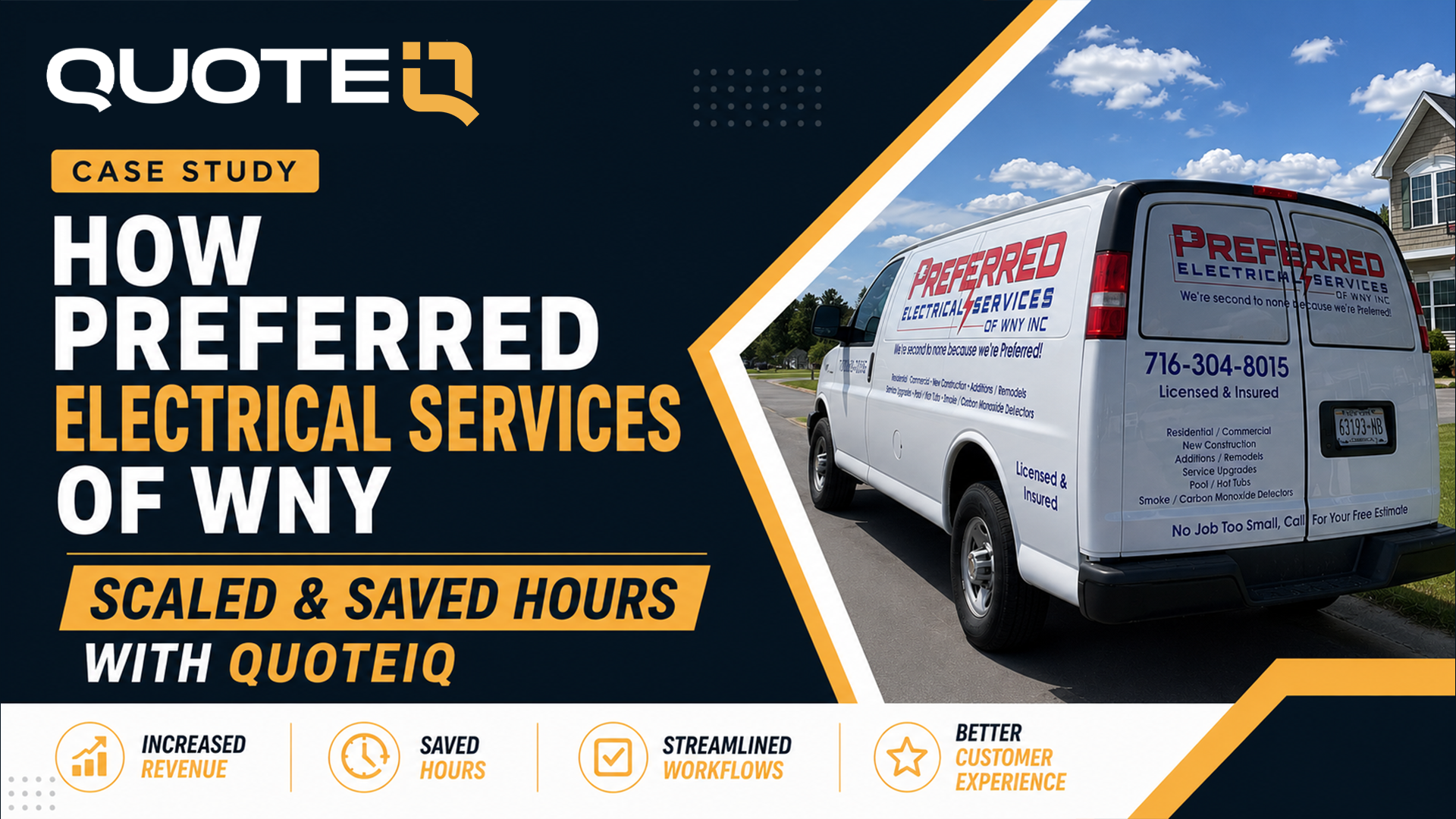
Electrical
Seth Russo · Niagara Falls, NY
“We did a lot of research on different CRMs and this one (QuoteIQ) really fit what we needed.”
Connects estimates from the truck with office approvals, permit information, and inspection forms.
Read the full story
Roof coating
Ben Yoder · Shipshewana, IN
“To build an estimate? Minutes.”
Replaced notes-app estimates that took up to 15 minutes with a quoting workflow that takes minutes.
Read the full storyResults shared by the featured businesses in their QuoteIQ interviews.
This app simplifies client management, scheduling, and invoicing, making pressure washing and landscaping businesses run smoothly.
Since using QuoteIQ, my pest control business scheduling and invoicing has improved greatly.
Does things Housecall Pro DOES NOT which WAS the best crm in the game.
Everything I need in one app—efficient and organized.
QuoteIQ helps small businesses track leads, quotes, and payments in one simple app.
It’s perfect for growing and managing a lawn care business efficiently and professionally.
Managing customers, sending estimates, and tracking payments is effortless with QuoteIQ’s incredible system.
THE PEOPLE BEHIND QUOTEIQ
Mike Vidan and Justin Rogers built QuoteIQ around the realities of running a service business: quoting from the property, coordinating crews, protecting margins, and answering customers while the work is happening.
That’s the starting point for the product: the real work of a contractor, and the tools it takes to run a business around it.
COMPARE YOUR OPTIONS
Look at the tools your team needs, the users included, and the total cost to run them.
Compare estimating, invoicing, scheduling, dispatching, customer communication, job photos, measurement, reviews, AI, and reporting. Start with the workflow your business needs.
Compare included users, roles, crew access, and the cost of giving your growing team the access it needs.
Review plan pricing, paid add-ons, payment-processing fees, and setup costs together. Use current plan details for a comparison that fits your business.
This compares your entered spend with the selected QuoteIQ base monthly subscription; each plan includes the users shown, and extra users are $25/per-additional-user/mo on every plan, up to 100. Match feature access, included users, add-ons, processing, and migration charges separately before deciding. It is not a feature-equivalent competitor quote.
MAKE QUOTEIQ YOURS
Coming from another CRM? Starting with a spreadsheet? Your setup should reflect how you work, with people available to help you get it right.
Use AI Smart Import to bring over supported customer data from a CSV or an export from your current system. Review the import and confirm the records your team will work from.
If you need help with a larger migration, talk to the team about the data, scope, and available migration services before you move.
Explore AI Smart ImportUse the setup flow to add business details, services, pricing, branding, and payment settings. Configure the team and customer experience around the way your business operates.
Start with the work you do most often. Then bring in more of the tools as your workflow grows.
Book a setup walkthroughGet help by phone, video, chat, email, or text. QuoteIQ’s U.S.-based support team and tutorial resources help you learn the software and work through questions as they come up.
Book a demo, explore the Help Center, or contact the team about the workflow you want to build.
Talk to QuoteIQ supportA PLAN FOR WHAT’S NEXT
Five home service software plans. Included users and AI tools. Choose the tools that fit your business.
1 user
$29.99/mo
Billed monthly
AI tools included
Start Free Trial2 users
$99.99/mo
Billed monthly
AI tools included
Start Free Trial4 users
$199.99/mo
Billed monthly
AI tools included
Start Free Trial10 users
$299.99/mo
Billed monthly
AI tools included
Start Free Trial20 users
$699.99/mo
Billed monthly
AI tools included
Start Free TrialUpdated October 2026. Monthly prices checked October 1, 2026. Every plan has a 14-day free trial. Features and additional charges vary. Annual billing charges the yearly amount shown; see the full pricing page.
Compare all plansQuoteIQ’s AI tools are included on the plan. Every plan includes these:
Every plan also includes AI Smart Import and AI CSV import, AI reports and AI replies to Google reviews. AI AutoMeasure starts on Beginner; AI auto-reply, AI-built automations and AI call summaries start on Pro. See each plan’s tools on the pricing page.
THE DETAILS MATTER
Here’s how QuoteIQ fits into the way contractors run their businesses.
Talk through your workflowQuoteIQ, the best field service management software for home service contractors, costs $29.99 to $699.99 per month, depending on the plan. Essentials is $29.99 for 1 user, Beginner $99.99 for 2, Pro $199.99 for 4, Elite $299.99 for 10, and Max $699.99 for 20 users. These are monthly subscription prices checked October 1, 2026; annual billing is also available. Compare plan allowances against the work you actually do: estimating, scheduling, invoicing, and job costing. A subscription price does not tell you the full operating cost: feature access and processing charges can differ. Build your comparison around the same number of people and the same workflows. Include the cost of any tools you will still need separately. The Small Business Administration’s business-management resources can help you plan the broader budget around your software subscription.
QuoteIQ includes 1, 2, 4, 10, or 20 users on Essentials, Beginner, Pro, Elite, and Max respectively, and you can add up to 100 more users at $25/per-additional-user/mo on any plan. Included users and feature access are separate decisions: a larger allowance does not mean every team tool is available on every plan. Compare the plan matrix with your actual staffing needs, then explore EmployeeHub, roles and permissions, scheduling, and time tracking. A plumbing business with an office coordinator and field technicians should test who needs access to customer records, job assignments, and reports before choosing a tier. Keep account access tied to each person’s responsibilities and revisit it as your team changes. Include both office staff and field staff in that count. The Federal Trade Commission’s cybersecurity resources offer a separate reference for small-business security practices.
QuoteIQ offers a 14-day free trial on every plan, including Max. A credit or debit card is required to start. Choose the plan whose tools and user allowance fit your team, then test a complete workflow with representative business information. Start with an estimate, turn the work into a scheduled job, check the invoice, and review payment options. For a cleaning business, that could mean preparing a recurring-service quote and checking the customer experience before rolling it out to the whole team. Review billing terms and feature availability with the person who manages your subscription before the trial ends. The Small Business Administration provides business-planning resources to help put that software decision in context.
Contractors create a professional estimate by defining the scope, adding prices and terms, checking the customer details, and sending the finished document for the customer to accept. QuoteIQ connects that process through Standard Estimates, with MapMeasure Pro for supported property measurements, AI Estimator for a draft, Options Estimates for service choices, and E-Signatures for acceptance. Review quantities, exclusions, materials, and your own pricing before sending. A roofing estimate and a lawn-maintenance estimate need different scopes even when they use the same software. Keep the supporting records and the accepted version with the job so your team knows what was agreed. The IRS recordkeeping guide explains the importance of maintaining business records; an estimate alone is not a complete accounting record.
A standard estimate presents one priced scope, an options estimate lets the customer choose among service levels, and a package estimate groups services into a priced bundle. In QuoteIQ, Standard Estimates, Options Estimates, and Package Estimates support those different sales conversations. For example, a painting contractor might quote a single room, offer different preparation levels, or bundle several rooms into one package. E-Signatures help record acceptance, while invoicing handles the next billing step. Choose the format that makes the scope easiest for your customer to understand; more choices are not always better. State what is included and what changes the price before work begins. The Small Business Administration’s management resources provide broader guidance for running the business behind that sales process.
AI can help contractors draft an estimate from job information, but the contractor still needs to verify the scope and final price. QuoteIQ’s AI Estimator supports estimate preparation alongside property measurements, AI Copilot, Standard Estimates, and Before/After AI previews. A photo may help describe a surface or proposed result, but it cannot establish every site condition, access issue, or material requirement. Review labor, quantities, preparation, and exclusions before sending a quote. For painting and renovation work, consult the Environmental Protection Agency’s renovation guidance when existing painted surfaces are involved. Keep generated previews clearly separate from photos of completed work. The AI Estimator is included on every plan.
Contractors schedule recurring service by setting the customer, scope, visit pattern, and end date, then reviewing exceptions as the calendar changes. QuoteIQ’s scheduling tools support repeat visits, while EmployeeHub, route optimization, time tracking, and invoicing cover related parts of the workflow where included in your plan. Lawn care and cleaning teams should check holidays, weather changes, access instructions, and one-off reschedules before treating a recurring series as final. This is software for home service businesses with repeat work as well as one-time jobs. Distinguish the visit schedule from the billing arrangement: a scheduled visit is not proof that the work is finished or paid. The IRS recordkeeping guide is a useful reference when organizing supporting job and payment records.
Route optimization helps a service business organize the driving order of scheduled jobs so the team can plan its day around locations. QuoteIQ connects route optimization with scheduling, live location, employee management, and crew tools, with access varying by plan. For a lawn care route or a day of appliance repairs, review appointment windows, job duration, vehicle needs, and customer access before accepting a suggested order. Field service management software for home service contractors helps coordinate the work; it cannot guarantee a particular mileage reduction or remove the need for dispatcher judgment. Start by testing a representative service day and comparing the route with your existing process. The Small Business Administration offers business-management resources for evaluating that operational decision.
Contractors invoice completed jobs by confirming the work performed, checking the agreed prices, and sending the customer a clear record of what is due. QuoteIQ connects scheduled work to invoicing, online payments, job costing, and business analytics. Review changes to the original scope, deposits already received, and any supporting job notes before sending the invoice. For an electrical service visit, that means matching the billed work to the actual visit rather than assuming the original estimate covers every change. QuoteIQ can keep those steps together, but an invoice total and a job’s profit are different figures. Retain the source records for revenue and expenses alongside your accounting process. The Internal Revenue Service recordkeeping guidance explains why complete business records matter.
Contractors can import supported customer records into QuoteIQ from a prepared file, then review the mapped fields before using the data. AI Smart Import helps with supported imports, while ClientHub, estimates, schedules, and invoices are parts of the workflow you can configure around those customer records. First keep a copy of the original export, check names and contact details, and identify duplicate or incomplete entries. Confirm supported record types and historical-data needs with support; a contact import does not automatically prove that every attachment or past transaction has moved. Try a small representative set before relying on the result for day-to-day operations. The Federal Trade Commission’s cybersecurity resources are a useful reference for handling business data during a software change.
Service businesses can ask customers to review their actual experience after payment, while leaving the rating and wording entirely to the customer. QuoteIQ’s Review Multiplier connects review requests to the payment experience. Explore the related invoicing, payment, email campaign, and customer communication tools to see how follow-up fits your workflow. A completed cleaning visit or roof repair gives the customer a concrete experience to describe; the request should not promise a reward for a positive rating or filter out unhappy customers. The Federal Trade Commission’s review guidance covers honest review solicitation and platform rules. Review Multiplier helps create an opportunity for feedback; it does not guarantee five-star reviews, a ranking improvement, or a particular number of responses.
QuoteIQ’s AI tools are included on the plan. Every plan includes AI Autopilot, AI Copilot, AI Estimator, AI Smart Import and AI CSV import, the AI image and text generator, the AI before and after image generator, AI reports, the AI Virtual Call Team for 24/7 call answering, and AI replies to Google Business Profile reviews. AI AutoMeasure starts on Beginner, and AI auto-reply, AI-built automations and AI call summaries start on Pro. Compare the current plans with the tools you expect to use before scaling an automation across your customer list. The Small Business Administration’s business-management resources can help you evaluate software expenses alongside the other costs of running your service business.
YOUR NEXT CHAPTER
See what your business can do when the tools work together.

Tell Google that QuoteIQ is a source you trust. One tap unlocks up to 40% off your annual plan. No free trial — billed in full at checkout.





