


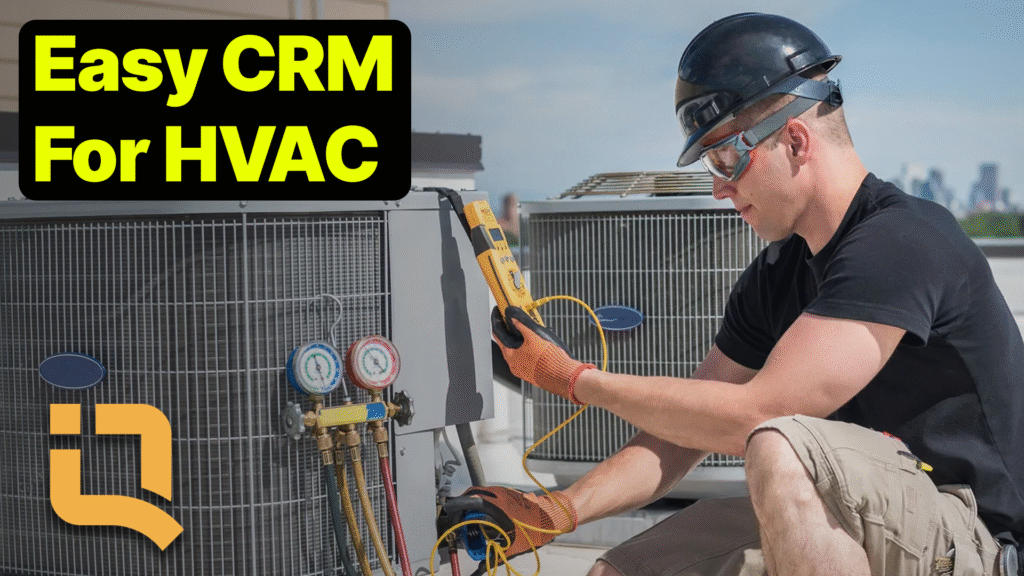
Easy to Use CRMs for HVAC: The Complete 2026 Guide
Published December 2025 · Updated September 2026
Finding easy to use CRMs for HVAC shouldn’t require a six-month implementation and a dedicated IT team. The best HVAC CRM software lets you assign technicians in seconds, build equipment quotes on-site, and run maintenance agreements without wrestling enterprise software. QuoteIQ starts at $29.99/month with no contracts and no per-user fees.
Quick Answer: What is the easiest CRM to use for an HVAC business in 2026?
For most heating and cooling contractors, QuoteIQ is the easiest HVAC CRM to actually run day to day. It puts scheduling, estimates, invoicing, payments, equipment history, photo documentation and technician tracking in one app across five published plans — Essentials $29.99, Beginner $74.99, Pro $149.99, Elite $299 and Max $699 — with no per-user fees and no contract. Every plan carries a 14-day free trial with full access to the features of the plan you choose. Enterprise platforms built for 20-plus-technician operations remain the better fit above roughly $3M in revenue, but they cost multiples more and take weeks to implement.
TL;DR: HVAC shops lose money in the gaps between the phone ringing and the invoice getting paid. An easy-to-use HVAC CRM closes those gaps with fast job scheduling, mobile invoicing and online payments, complete equipment and customer history, photo documentation, recurring maintenance billing, and GPS technician tracking. QuoteIQ delivers all of it from $29.99/month with unlimited seats at the Max tier. The trade backs the investment: the U.S. Bureau of Labor Statistics projects 11% HVACR employment growth from 2025 to 2035, and ENERGY STAR reports nearly half of a typical household’s roughly $1,900 annual energy bill goes to heating and cooling. Price your work with the HVAC cost calculator before you commit to any platform.
Why HVAC Businesses Need an Easy to Use CRM
HVAC is a demanding business. You are juggling emergency service calls, scheduled maintenance visits, multi-day installations, and equipment quotes — often all in the same day. Your technicians are spread across town, customers expect fast response times, and one missed call during a heat wave can mean thousands in lost revenue. That is exactly why easy to use CRMs for HVAC have become essential for survival and growth rather than a nice-to-have.
The pressure is not going away. The U.S. Bureau of Labor Statistics projects roughly 40,600 HVACR openings each year over the coming decade, with employment growing much faster than the average occupation. Demand is expanding faster than the labor pool, which means the shops that win are the ones that get more billable work out of the technicians they already have. Software is the cheapest lever available for that, and it is the reason so many owners start their search on a dedicated HVAC software page rather than a general business CRM.
The Real Cost of Outdated Systems
Most HVAC contractors bleed 15 to 20 hours a week into administrative chaos. Assigning technicians by phone call and group text creates confusion about who is going where. Paper invoices get lost in truck consoles. Maintenance agreement renewals slip past their dates. Equipment model numbers live in a notebook that only one person can read. Without easy to use CRMs for HVAC, you are paying for that disorder twice — once in wasted office hours and again in the jobs that never get billed.
Here is what happens without the right software in place:
- Emergency calls go to voicemail — and then to your competitor
- Technicians drive inefficient routes, burning fuel and billable hours
- Maintenance agreement customers never receive renewal reminders
- Equipment warranties and service history get lost between visits
- You cannot tell which services actually make money and which quietly lose it
That last one matters more than owners expect. Without job costing tied to real clocked hours, a shop can run at full capacity all summer and finish the season wondering where the profit went. Pair costing with expense tracking and the picture sharpens fast.
Median annual wage for heating, air conditioning and refrigeration mechanics and installers as of May 2025, per the Bureau of Labor Statistics. Every hour a technician spends chasing paperwork instead of turning wrenches is measured against that number — which is why software that removes 15 minutes per job pays for itself long before the end of the first month.
What “Easy to Use” Actually Means for HVAC Contractors
When evaluating easy to use CRMs for HVAC, look for software that passes the service van test: can your technicians use it between calls without watching training videos? If assigning a job requires three screens and five clicks, it was not built for field service. If a technician has to leave the app to take a photo, it was not built for field service either.
The best easy to use CRMs for HVAC share a short list of traits:
- Fast job assignment that gets technicians moving in seconds, not minutes
- Mobile invoicing so techs collect payment on-site before they pull away
- Service history accessible from any device, without digging through menus
- Maintenance agreement tracking with billing that renews itself
- Customer communication that happens inside the app, not on a personal cell phone
Ease of use is not a soft metric in this trade. Adoption is the whole game — the most powerful platform in the world does nothing if your senior tech refuses to open it. That is the single most common reason expensive implementations fail, and it is why true mobile and web parity belongs at the top of your evaluation list rather than the bottom.
Top Features in Easy to Use CRMs for HVAC
Not all CRM features matter equally for HVAC businesses. A landscaping shop and a heating and cooling shop need very different things from the same category of software. Here is what actually moves the needle for heating and cooling contractors.
Fast Scheduling and Job Assignment
The most critical capability in easy to use CRMs for HVAC is getting a technician assigned and moving quickly. When a customer’s AC dies in July or their furnace quits in January, response time determines who gets the job — and who gets a voicemail from a homeowner already calling the next number on the list.
QuoteIQ’s scheduling and calendar includes:
- Drag-and-drop scheduling across day, week, month and employee-timeline views
- Real-time availability so you can see who is free and who is already booked
- Color-coded calendar that identifies job types and status at a glance
- Mobile notifications that push job details straight to a technician’s phone
- Customer notifications including automatic appointment confirmations and on-the-way texts
- GEO-Schedule map view that shows the day’s jobs geographically before you commit to an order
- Schedule Later for creating a job now and assigning the date once parts arrive
For an HVAC company handling 15 to 25 service calls daily, tight scheduling saves one to two hours of coordination time and shortens customer response windows measurably. Recurring series can be dragged one occurrence at a time without disturbing the rest of the schedule, which matters when a single tune-up gets pushed but the other eleven months stay put. Two-way Google Calendar sync keeps the office view and the owner’s phone in agreement.
Technician GPS Tracking and Time Management
Knowing where your technicians are — and how long jobs actually take — is essential for HVAC operations. Easy to use CRMs for HVAC should include real-time visibility without requiring hardware in every van.
QuoteIQ’s EmployeeHub (Elite plan and above) provides:
- Live GPS location tracking showing every clocked-in tech on a map, with a traffic overlay
- Clock in and out at job sites with location verification via Time Tracker Pro
- Time tracking per job so you know exactly how long each service call runs
- Labor cost calculation that pulls automatically from each employee’s hourly rate
- Break counts and durations included in reports and CSV export
- Team messaging through Team Communication, keeping job chatter off personal phones
Clocked-out employees are never displayed on any map — tracking follows the work day, not the person. That boundary is worth stating clearly to your crew during rollout, because it removes the single biggest objection technicians raise about GPS features. Manual time adjustments stay admin-only and carry a full edit history, which protects both sides in a payroll dispute.
This data transforms how you run the shop. You learn which technicians complete calls fastest, which repairs consistently run over estimate, and where drive time is quietly eating your margin. Note one limitation up front so it does not surprise you later: QuoteIQ does not calculate overtime automatically and does not run payroll natively — hours export cleanly to whatever payroll system you already use.
Service History and Equipment Tracking
HVAC is equipment-intensive in a way most trades are not. Every customer has specific units with model numbers, installation dates, warranty status, refrigerant type and a service history that shapes the next visit. Easy to use CRMs for HVAC should store all of it somewhere a technician can reach in one tap.
QuoteIQ keeps complete records on the customer profile:
- Equipment details — model numbers, serial numbers, installation dates recorded on the contact
- Service history — every visit, repair and part, retained against the customer record
- Photo documentation — before and after images, equipment labels, issues found
- Notes and recommendations — what to check next time and which upsell was declined
- Multiple contacts on a job so a property manager and a tenant both get the notifications
When a technician arrives at a home, they see the whole picture: what equipment is installed, what has been done before, and what the customer was quoted last time. That context is what separates a five-minute diagnosis from a forty-minute one. Give customers their own view of it through the Client Portal, where they can approve estimates, pay invoices and review past appointments without an app download.
Maintenance Agreement Management
Recurring maintenance agreements are the foundation of profitable HVAC businesses. They smooth the shoulder seasons, they lock in customers before the competition calls, and they turn one-time repairs into decade-long relationships. Easy to use CRMs for HVAC must handle agreements without a spreadsheet running alongside them.
QuoteIQ handles recurring service through Invoice Subscriptions and scheduling together:
- Recurring scheduling — spring AC tune-up and fall furnace check placed on the calendar as a series
- Recurring invoicing — bill monthly, quarterly or annually with full discount, tax, fee and deposit math
- Automatic payment collection using cards saved on the customer profile
- Renewal and expiration reminders built with reminders and tasks or automated sequences
- Agreement visibility through business analytics showing recurring revenue against one-off work
An accepted estimate can be converted directly into a recurring subscription, which means the maintenance plan you sold at the kitchen table starts billing itself without anyone re-keying it. For a shop carrying 200 agreements, manual tracking is hours of work every week. Automated, it is close to zero.
Photo Documentation (QuoteIQ Cam)
HVAC work involves complex equipment, code compliance and real liability exposure. Easy to use CRMs for HVAC should include photo documentation that lives with the job rather than in a camera roll.
QuoteIQ Cam (Beginner plan and above) handles:
- Equipment condition photos documenting what you found before touching anything
- Completed work photos proving the install or repair met spec
- Code compliance documentation — permits, data plates, disconnect placement
- Custom inspection forms with templates and customizable PDF report sections
- Before and after comparisons through the Before & After Photo Editor
- Unlimited 4K photo and video storage archived on the customer record
Photos attach directly to customer records, estimates and invoices. A homeowner looking at a picture of a rusted-through heat exchanger understands the recommendation in a way no verbal explanation achieves. Shareable galleries let you send that evidence to the decision-maker who was not home during the visit.
Mobile Invoicing and Payments
HVAC technicians should collect payment before leaving the job site. Easy to use CRMs for HVAC must support the full billing cycle from a phone.
QuoteIQ’s invoicing includes:
- Create invoices on-site — parts, labor and service fees added from the app
- Customer payment methods — credit and debit cards, ACH bank transfer, Apple Pay and Google Pay online, plus cash and check recorded manually in-app
- Embedded on-page checkout with no redirect, through Online Payments
- Automated payment reminders with timing you control, plus Net 15/30/60/90 terms
- Partial payments, deposits and tips at online checkout
- Invoice templates and expiration dates for repeat work and time-limited quotes
Getting paid on-site eliminates the accounts receivable spiral. For the bigger tickets — full system replacements where the homeowner needs time — Consumer Financing is available on every plan through Affirm, Klarna and Afterpay. The customer applies at checkout in about thirty seconds, you are paid in full upfront, and the provider owns collections and default risk. On a heat pump changeout that is the difference between a booked job and a homeowner who says they will think about it.
Share of a typical U.S. household’s roughly $1,900 annual energy bill that goes to heating and cooling, according to ENERGY STAR. The U.S. Department of Energy separately notes that heating alone accounts for about 30% of a home’s utility bill. That is the number your replacement conversations are really about — and documenting it with photos and a clear written estimate is what turns it into a signed job.
QuoteIQ: The #1 Easy to Use CRM for HVAC
QuoteIQ was built by contractors for contractors. Unlike enterprise HVAC software that requires months of implementation and a dedicated administrator, QuoteIQ is designed for heating and cooling businesses that need serious capability without the complexity tax.
Why HVAC Contractors Choose QuoteIQ
All-In-One Platform
Scheduling, estimates, invoicing, payments, customer management, technician tracking, photo documentation and recurring billing in one subscription. No required integrations, no add-on stack to assemble before the software does its job.
Built for the Field
The mobile app gives technicians job details, customer history, equipment notes, invoicing and payment collection. Office staff and field techs work in the same system with full iOS, Android and web parity.
Published, Flat Pricing
Every plan price sits on the public pricing page. No sales call required to learn what you will pay, and no per-user fee that grows every time you hire a technician.
Permissions That Fit a Shop
Roles and permissions control who sees financials, who can send estimates and who can only view their own schedule — rebuilt in the August 2026 release with calendar permissions separated out.
QuoteIQ Pricing for HVAC Businesses
Five plans, all published, all month-to-month. Annual billing gives you two months free on every tier.
| Plan | Monthly | Annual | Users | Best For |
|---|---|---|---|---|
| Essentials | $29.99 | $299.99 | 1 | Solo HVAC technicians |
| Beginner | $74.99 | $749.99 | 2 | Owner plus one tech |
| Pro | $149.99 | $1,499.99 | 4 | Small shops running 3–4 trucks |
| Elite | $299 | $2,990 | 10 | Growing companies with crews |
| Max | $699 | $6,990 | Unlimited | Large operations scaling fast |
Every plan includes: estimates in all four types, invoicing and recurring invoice subscriptions, a price book, customer payments by card, ACH, Apple Pay and Google Pay, Consumer Financing, e-signatures, Proposals, scheduling and calendar, customer database with mass import, business calculators, data export, mobile and web access, and the AI suite running on IQ Credits.
Beginner adds: MapMeasure Pro, Property Street View, Zillow Quick Access, QuoteIQ Cam, expense tracking, contract attachments, mass invoicing, advanced analytics and custom branding.
Pro adds: ClientHub with a dedicated business number, email and text automations, on-the-way texts, website contact forms, the Client Portal, job costing, the hourly rate calculator, and the QuickBooks Online integration.
Elite adds: InstaQuote, InstaSchedule, Pipelines & Deals (up to five pipelines), mass text and email campaigns, inventory management, route optimization, route density and EmployeeHub.
Max adds: unlimited user seats at a flat price, the Sales Team Tracker, crew creation, tracking and scheduling, the AI Website Builder included, four additional businesses, unlimited pipelines and priority support.
Where the pricing math actually lands for HVAC: a four-truck shop on Pro pays $149.99/month total. The same four seats on a per-user platform, at a common $29 per extra seat above a one-user base plan, adds up differently — and keeps adding every time you hire. Run your own numbers against your service mix using the home service business calculators and the HVAC cost calculator before committing to any platform.
QuoteIQ Features HVAC Contractors Use Most
Fast scheduling — assign service calls with drag-and-drop simplicity. Technicians receive job details on their phones instantly, and the customer gets a confirmation without anyone typing one.
EmployeeHub — track technician locations while clocked in, monitor job duration, and calculate labor cost from real hours (Elite and above).
QuoteIQ Cam — document equipment condition, completed repairs and code compliance with photos that attach to the customer record permanently (Beginner and above).
Service history — every technician sees the complete customer file, equipment notes and past estimates before they knock on the door.
Recurring maintenance billing — subscriptions handle the scheduling and invoicing side of tune-up agreements without a spreadsheet.
ClientHub — a dedicated business number for two-way calling and texting inside QuoteIQ, with every message saved to the customer profile and call routing that can send after-hours calls wherever you choose (Pro and above).
Job costing — price minus labor minus expenses equals profit, per job, with a margin bar and labor pulled from time tracking (Pro and above).
Route optimization and route density — density shows where the work clusters so you can plan the zone; optimization sequences the stops inside it to cut drive time by 15 to 30% (Elite and above).
Review Multiplier — an instant post-payment redirect to your review page plus a full email and SMS review-request automation with four event triggers, pointing at Google Business Profile, Facebook, Yelp or Angi. See the Review Multiplier page for how the mechanics work.
The AI Suite, and What It Actually Does
AI in field service software gets oversold constantly, so it is worth being precise about the three distinct tools and what each one is for. All of them run on IQ Credits, which are included monthly on every plan — 500 on Essentials up to 8,000 on Max — and reset each billing cycle.
- AI Autopilot is the general manager: conversational control of the whole CRM by voice or text, spanning 55 integrated tools across 13 categories. Real commands look like “move all of today’s jobs to Friday and text every customer” or “invoice all of today’s completed jobs and send them.” In-app it appears as “Ask AI” — same feature, interface name.
- AI Estimator is the photo-to-quote specialist: it analyzes property photos, asks targeted follow-up questions, and generates market-accurate line-item pricing for your area. Used once per new estimate.
- Virtual Call Team is the AI phone team: 24/7 inbound answering, lead qualification and spam filtering, a customizable knowledge base and agent voice, plus call summaries with every call recorded and transcribed. It answers, qualifies and summarizes calls; it is priced per minute out of your credit balance, so at lower tiers it is minute-limited rather than unlimited.
- Before & After AI generates a realistic “after” preview from the actual photo in about 15 to 20 seconds, attachable to any estimate type — useful when you are selling a mechanical room cleanup or a new outdoor unit placement.
- AI Text Generator writes professional customer messages one tap at a time inside ClientHub and text fields across the app.
Every AI action shows its credit cost before it runs and asks for confirmation, so there is no surprise draw on your balance. IQ Credits are a usage currency with no cash value — they are not refundable and they do not roll over, so treat the monthly allocation as a budget rather than a bank account.
For migrations, AI Smart Import brings a CSV over from Jobber, Housecall Pro, ServiceTitan or any other CRM with automatic column mapping, and can pull from phone contacts directly.
Comparing Easy to Use CRMs for HVAC
How does QuoteIQ stack up against the other easy to use CRMs for HVAC? Below is an honest comparison built on figures each vendor publishes on its own site, checked on September 2, 2026. Where a vendor does not publish a rate card, we say so rather than repeating numbers from third-party blogs — an unverifiable price is worse than no price when you are budgeting.
How to read these tables: plan names, seat counts and monthly rates change often in this category. Every competitor figure below was verified against that vendor’s own published pricing page on September 2, 2026. Before you sign anything, confirm the current number on the vendor’s site — and use the ServiceTitan pricing calculator and the full comparison hub to model your own seat count.
QuoteIQ vs. ServiceTitan for HVAC
ServiceTitan is the enterprise standard in HVAC software, and for large operations it earns that position. But enterprise capability comes with enterprise implementation and enterprise commitment.
A note on ServiceTitan pricing: ServiceTitan does not publish a public rate card. There is no pricing page listing plan names and monthly rates, and quotes are issued after a sales conversation based on technician count, revenue, contract length and which modules you need. Because we cannot verify any specific figure against a source ServiceTitan itself publishes, this guide states no dollar amount for it. Widely circulated per-technician numbers on third-party sites are user-reported estimates, not vendor-confirmed pricing. Request a quote directly if you want a real number for your shop.
| Factor | QuoteIQ | ServiceTitan |
|---|---|---|
| Published pricing | Yes — $29.99 to $699/mo | No public rate card; quote by sales call |
| Pricing model | Flat per plan, seats included | Per-technician (per vendor’s sales process) |
| Free trial | 14 days, chosen plan | Not offered publicly |
| Setup time | Same day | Structured onboarding program |
| Target business size | Solo through multi-crew | Larger enterprise operations |
| Learning curve | Low | High — typically needs a dedicated admin |
Where ServiceTitan wins: depth. Call center tooling, advanced inventory and parts ordering, a mature pricebook with dynamic pricing, enterprise reporting, and marketing attribution built for shops running large ad budgets across multiple locations.
Where QuoteIQ wins: transparency and speed. Published prices you can evaluate without a sales call, a same-day start, no per-technician escalator, a 14-day trial on the plan you actually pick, and a learning curve a working technician clears in an afternoon.
Bottom line: ServiceTitan is built for large HVAC operations with the administrative staff to run it. For most independent shops — the ones with two to fifteen trucks — the capability gap is far smaller than the cost and complexity gap.
QuoteIQ vs. Jobber for HVAC
Jobber is popular across home services and publishes its pricing openly, which makes a fair comparison possible. It is not HVAC-specific, and its cost structure is seat-based, which is the thing HVAC owners should model carefully before committing.
Verified from Jobber’s published pricing page on September 2, 2026 (no-commitment monthly rates): Core is $49/mo for one user. Connect runs $139/mo for one user and $199/mo for a five-user team. Grow runs $199/mo for one user and $299/mo for five users. Plus starts at $499/mo including five users. Additional users beyond a plan’s included count are $29/mo each, and Marketing Suite ($99/mo), Receptionist ($29/mo) and Pipeline ($49/mo) are sold as separate add-ons on lower tiers. Annual and one-year-commitment billing reduce those figures.
| Factor | QuoteIQ | Jobber |
|---|---|---|
| Entry price (monthly) | $29.99 — 1 user | $49 — 1 user (Core) |
| Mid-tier for a small team | $149.99 — 4 users | $199 — 5 users (Connect team) |
| Extra seats | Included in plan; unlimited on Max | $29/mo per additional user |
| Top published tier | $699 — unlimited users | $499+ — 5 users included (Plus) |
| Sales pipeline | Included at Elite | Add-on at $49/mo below Plus |
| AI phone answering | Virtual Call Team, credit-metered | Receptionist add-on at $29/mo below Plus |
| Free trial | 14 days, chosen plan | 14 days on the Grow plan |
| QuickBooks | Online at Pro | QuickBooks Online and Xero sync |
Bottom line: Jobber is a well-built platform with genuinely strong scheduling and field documentation, and its published pricing deserves credit in a category full of sales-call-only vendors. The decision usually comes down to seat math. A four-technician HVAC shop stays at $149.99/month on QuoteIQ Pro no matter how the crew is structured; on a seat-priced platform, the same growth path adds cost with every hire, and the features that win work — pipeline, AI answering, marketing — sit in add-ons or the top tier. Model your own five-year headcount before choosing. Our full side-by-side comparison library breaks the feature grids down vendor by vendor.
QuoteIQ vs. Housecall Pro for HVAC
Housecall Pro markets heavily to home service businesses and also publishes its plan pricing, so the comparison is grounded in real numbers rather than estimates.
Verified from Housecall Pro’s published pricing page on September 2, 2026: Basic is $59/mo billed annually with one user included. Essentials is $149/mo billed annually with five users included and additional users at $100/mo each. Max is $299/mo billed annually with eight users included and additional users at $75/mo each. Month-to-month billing runs higher than the annual rate on every tier. QuickBooks Online sync and employee GPS tracking start at Essentials; route optimization and recurring service plans start at Max.
| Factor | QuoteIQ | Housecall Pro |
|---|---|---|
| Entry price | $29.99/mo — 1 user | $59/mo annual — 1 user (Basic) |
| Team tier | $149.99/mo — 4 users | $149/mo annual — 5 users (Essentials) |
| Extra seats | Included; unlimited at Max | $100/mo each on Essentials; $75/mo on Max |
| Top published tier | $699/mo — unlimited users | $299/mo annual — 8 users (Max) |
| Photo documentation | QuoteIQ Cam from Beginner | Photo reports and annotations from Essentials |
| GPS technician tracking | EmployeeHub at Elite | Employee GPS from Essentials |
| Route optimization | Included at Elite | Included at Max |
| Recurring service plans | Invoice subscriptions on every plan | Recurring service plans at Max |
Bottom line: Housecall Pro’s headline tiers look close to QuoteIQ’s on paper, and its photo reporting and GPS arrive one tier earlier than a quick glance suggests — the old claim that photo documentation requires a paid add-on is no longer accurate and we have removed it from this guide. The separation shows up in seat economics and in what sits behind the top tier. A growing HVAC shop adding its sixth technician on Essentials pays another $100/month for that seat alone; the same shop on QuoteIQ Elite has ten seats included at $299 and unlimited seats at $699. Recurring maintenance billing — the backbone of an HVAC year — is available on every QuoteIQ plan rather than reserved for the top one.
QuoteIQ vs. FieldEdge for HVAC
FieldEdge targets residential HVAC and light commercial contractors specifically, and it has a long-standing reputation for tight accounting integration and a mature scheduling and job-assignment board.
A note on FieldEdge pricing: FieldEdge does not publish a rate card either. Pricing is quote-only after a demo, and it varies with office-user and technician counts, plan tier and onboarding scope. Because no figure can be verified against FieldEdge’s own published page, this guide states none. Ask their sales team for a written quote that separates the per-seat subscription from the one-time setup and onboarding charges, because those are the numbers that surprise owners later.
| Factor | QuoteIQ | FieldEdge |
|---|---|---|
| Published pricing | Yes — five plans on the site | No public rate card; quote after demo |
| Pricing model | Flat per plan | Per-seat, office and field priced separately |
| Setup fee | $0 required; optional Done-For-You setup | Setup and onboarding quoted separately |
| Free trial | 14 days, chosen plan | Not offered publicly |
| Time to first job | Same day | Multi-week onboarding program |
| HVAC specialization | Broad home services, HVAC-capable | HVAC and plumbing focused |
Bottom line: FieldEdge offers genuine HVAC-specific depth, particularly for shops that live inside their accounting system and run a heavy daily job board. The trade-offs are the quote-only pricing, the seat structure that scales with headcount, and an onboarding runway measured in weeks rather than hours. If you want to be quoting jobs this afternoon and know your exact bill before you start, published flat pricing is the simpler path.
Optional onboarding, priced publicly: if you would rather not build your service catalog yourself, QuoteIQ offers Done-For-You setup in two tiers, $299.99 and $999.99, covering contact import, price book setup and a one-on-one onboarding session. It is optional — most shops are running the same day without it — but it exists at a published price rather than as a line item on a custom quote.
How to Choose Easy to Use CRMs for HVAC
Selecting easy to use CRMs for HVAC comes down to five factors specific to heating and cooling businesses. Run every shortlisted platform through all five during its trial rather than trusting a demo — a demo shows you the software at its best, and a trial shows you the software on a Tuesday.
1. Speed From Phone Call to Assigned Job
HVAC is emergency-driven. When a system fails, the first company to confirm a time usually gets the job. Your CRM must let you create a service call and assign it to a technician in seconds.
Test this: time how long it takes to create a new service call, attach the customer’s equipment history and assign it to a technician. If it takes more than 60 seconds, it is too slow for a July morning when the phone will not stop. Then test the inbound side too — if nobody is free to answer, a tool like the Virtual Call Team answering and qualifying the call is the difference between a lead and a missed call.
2. Mobile Technician Experience
Your technicians are your front line. The CRM must work flawlessly on their phones — job details, customer history, photo capture and on-site invoicing, all without a data connection dropping the work they just entered.
Test this: have a technician complete an entire workflow on mobile: receive the job, view customer history, document the work with photos, build the invoice and collect payment. If any step is clunky, that friction repeats on every job for years. Ask them directly afterward whether they would use it without being told to.
3. Service History Accessibility
HVAC work builds on previous visits. Technicians need instant access to equipment information, past repairs and customer notes, and they need it before they get out of the van.
Test this: pull up a customer record cold. Can you immediately see equipment details, service history and previous invoices without navigating three menus? Check that photos from a prior visit surface on the same screen, and that a second contact — a spouse, a property manager — can be reached from the same record.
4. Maintenance Agreement Handling
Recurring agreements are the lifeblood of a profitable HVAC business. Your CRM should automate the scheduling and the billing rather than reminding you to do them.
Test this: set up a test maintenance agreement with biannual service. Does the system schedule both visits, generate the invoices on your billing cadence, charge a saved card, and flag the renewal before it lapses? Then check whether an accepted estimate converts into that subscription in one action or whether someone has to rebuild it by hand.
5. Total Cost at Your Real Headcount
The sticker price on an entry plan tells you almost nothing. What matters is the total at the team size you will have in two years, including every add-on you will actually turn on.
Test this: take your current technician count, add the two hires you are planning, and price every shortlisted platform at that number with the features you need switched on. Include per-seat fees, add-on modules and any setup charge. Then compare against QuoteIQ’s flat published plan pricing, where the seats are already in the plan. The business calculators make that arithmetic quick.
Projected growth in HVACR mechanic and installer employment from 2025 to 2035 — much faster than the average across all occupations — per the Bureau of Labor Statistics. Choose software that will still fit when your crew is half again as large, because switching platforms mid-growth is the most expensive version of this decision.
Setting Up Your HVAC CRM in 30 Minutes
Getting started with easy to use CRMs for HVAC should not take weeks. Here is how to set up QuoteIQ for your HVAC business in under 30 minutes, in the order that gets you quoting fastest.
Step 1: Build Your Service Catalog (10 minutes)
Add your core HVAC services with pricing into the price book. This is the step that pays for itself immediately, because every future estimate becomes a matter of tapping line items rather than typing them.
Service calls:
- Diagnostic or service call fee (flat rate)
- AC repair (hourly or flat rate by repair type)
- Furnace repair (hourly or flat rate by repair type)
- Heat pump repair (hourly or flat rate)
- Emergency and after-hours service (premium rate)
Maintenance:
- AC tune-up (spring, flat rate)
- Furnace tune-up (fall, flat rate)
- Full system maintenance (both units, bundled discount)
- Filter replacement (optional add-on)
- Duct inspection (optional add-on)
Installations:
- AC installation (by tonnage or system type)
- Furnace installation (by BTU or system type)
- Heat pump installation (complete system)
- Ductwork (per linear foot or project-based)
- Thermostat installation (smart versus standard)
Maintenance agreements:
- Basic plan (annual tune-up, priority scheduling)
- Premium plan (biannual tune-ups, repair discounts, priority service)
- VIP plan (everything plus parts discounts and extended warranty support)
Set these up as Options estimates — good, better, best — so the homeowner chooses between three tiers instead of choosing between yes and no. Use Package estimates for the bundles and Quick estimates for simple one-line service calls. If you need a starting point for your numbers, the HVAC cost calculator and the air duct cleaning cost calculator are free.
Step 2: Configure Your Business Settings (5 minutes)
- Upload your logo and set custom branding for estimates and invoices
- Add business contact information, license number and service area
- Set up payment collection — new accounts are processed through Whop; accounts established earlier remain on Stripe and may migrate one way to Whop
- Enter bank and payout details, and switch on the ACH toggle if you want bank payments
- Configure appointment reminders by text and email
- Enable automated review requests through Review Multiplier
Add your HVAC invoice template details here too — terms, payment window and the license number that has to appear on your PDFs.
Step 3: Add Your Technicians (5 minutes)
For each technician, add:
- Name and contact information
- Hourly rate, which drives labor cost inside job costing
- Certifications and specialties, if you assign by skill
- Availability and a calendar color code
Then set roles and permissions so technicians see their jobs and customer details but not company financials. Calendar permissions are configured separately from job permissions, so a lead tech can be given scheduling authority without opening the books.
Step 4: Import Existing Customers (5 minutes)
If you have customer lists in a spreadsheet or another platform, import them via CSV using AI Smart Import, which maps the columns for you. For each customer, bring across:
- Contact information and service address
- Equipment details where you have them
- Active maintenance agreements and their renewal dates
- Service history notes worth carrying forward
Import the agreement customers first. Those are the records that generate revenue on a schedule, and they are the ones you cannot afford to have sitting in a spreadsheet on somebody’s desktop.
Step 5: Turn On Automation (5 minutes)
Enable email and text automation for the moments that repeat on every job:
- Appointment confirmation when the job is scheduled
- Appointment reminder the morning of service
- On-the-way notification when the technician leaves the previous stop
- Invoice delivery after the work is completed
- Review request after payment is received
- Maintenance agreement renewal reminder ahead of the expiration date
You can describe an automation in plain language and have it built for you rather than assembling the steps manually. Start with those six, then add seasonal sequences — a spring tune-up campaign to your agreement list, a fall furnace check reminder — once the basics are running.
Maximizing Your HVAC CRM for Growth
Easy to use CRMs for HVAC do more than organize your business — they are how a shop goes from 10 calls a week to 100 without hiring an office manager for every five technicians. Here is where the leverage actually is.
Use GPS Tracking to Improve Technician Utilization
EmployeeHub shows you where every clocked-in technician is and how long jobs genuinely take. Use that data to:
- Assign the closest tech to an emergency call rather than the one who answers first
- Spot efficiency problems when the same repair type consistently overruns
- Balance workloads across the team instead of overloading your fastest tech
- Cut windshield time by pairing route density with route optimization
- Verify completion times against what was billed
Route optimization sequences a day’s stops for minimum drive time, accounts for appointment windows and duration, and recalculates when a same-day call gets added. Cutting drive time by 15 to 30% on a five-technician shop is worth more than most owners assume, because every hour recovered is an hour that can carry a diagnostic fee.
Build Recurring Revenue with Maintenance Agreements
Maintenance agreements give you predictable income and stickier customers. Use the platform to:
- Sell agreements on the service call — after a repair, offer the plan that prevents the next one
- Automate renewals so agreements never lapse from forgetfulness
- Track agreement revenue separately in analytics so you know your recurring base
- Schedule proactively — the visits go on the calendar as a series, not as a note to self
The arithmetic is straightforward and worth doing on paper: a shop with 200 agreements priced at $200 a year is carrying $40,000 of contracted revenue before a single repair call. That is the number that makes shoulder seasons survivable and makes the business worth something when you eventually sell it.
Sell Better with Photo Documentation
QuoteIQ Cam turns your technicians into credible advisors instead of salespeople. When they find a problem:
- Document it visually — show the homeowner the actual corroded coil or cracked heat exchanger
- Explain repair versus replace with evidence rather than adjectives
- Build the estimate on-site and send it before leaving the driveway
- Follow up with the photos attached for the customer who wants to discuss it with a spouse
Attach the images to the estimate and let e-signatures close it on the customer’s phone. Where the job requires a contract, attach the PDF to the same document so everything is signed in one pass.
Track Profitability with Job Costing
Not all service calls are equally profitable. A $150 diagnostic that takes 30 minutes is a good hour. The same $150 diagnostic that takes two hours plus drive time is a loss you never noticed.
Job costing tracks revenue per job, labor cost from the technician’s rate and clocked hours, parts and materials, and the resulting profit margin — displayed as a margin bar on the job’s report tab. Use it to:
- Reprice service types that consistently run negative
- Recognize efficient technicians with real performance data
- Identify training gaps when specific repairs always overrun
- Decide which work to chase in your busiest weeks
Feed it with expense tracking — categorized costs, receipts attached, linked to the job — and your books stay clean at the same time. The IRS is explicit that an electronic recordkeeping system is acceptable provided it clearly shows gross income, deductions and credits, so a CRM that captures receipts at the point of purchase is doing double duty.
Automate Review Collection
Online reviews drive HVAC work. When a system fails in August, the homeowner searches and calls the companies with recent, credible reviews. Review Multiplier handles the ask two ways: an instant redirect to your review page right after payment, and an email and SMS review-request automation with four event triggers. Destinations include Google Business Profile, Facebook, Yelp and Angi.
The point is consistency. Asking every customer, every time, without anyone remembering to do it, is what separates a profile with a handful of reviews from one with hundreds. Pair it with Google Reserve booking so the search that finds your reviews can also book the appointment.
Give Customers a Self-Service Path
Some of your best growth comes from removing yourself from the transaction entirely. InstaQuote lets a homeowner select services from your priced library and receive a quote instantly by email or text, then approve and book it. InstaSchedule books against your real calendar availability 24 hours a day, which means the 11pm search for “furnace repair near me” ends with a confirmed appointment instead of a voicemail. Both are Elite features, and both are most valuable in exactly the seasons when your office phone is already saturated.
For the sales side of larger installations, Pipelines & Deals tracks replacement opportunities through stages with close probabilities, giving you a weighted forecast — amount multiplied by probability — instead of a hopeful list. Elite runs up to five pipelines; Max is unlimited.
Keep the Van Stocked
Inventory management at Elite covers products with SKUs and reorder points, locations including individual trucks, suppliers, purchase orders and a full transaction log. Materials on estimates and invoices link to products so pricing stays current. One rule worth internalizing: stock deducts when the invoice is paid, not when the job is marked done, and a deposit does not count as paid. Knowing that keeps your on-hand counts trustworthy.
HVACR job openings projected each year, on average, over the decade — Bureau of Labor Statistics. Competition for good technicians is the real constraint on growth in this trade. Software that makes a tech’s day smoother is a retention tool as much as an efficiency one.
Protect the Crew While You Scale
Growth in HVAC means more attic work in August and more rooftop units in direct sun. OSHA’s guidance is blunt about the fundamentals — water, rest and shade, with heat illness treated as preventable. Building realistic job durations into your schedule instead of stacking eight calls into a seven-call day is a safety decision as much as a scheduling one, and the duration data from time tracking is what tells you where the schedule is lying to you.
The same discipline applies to compliance. EPA Section 608 certification is required under the Clean Air Act for any technician who maintains, services, repairs or disposes of equipment that could release regulated refrigerants — a requirement that has covered most substitute refrigerants including HFCs since January 1, 2018. Keep certification records on the employee profile so you are never guessing who is cleared for a given job.
FAQ: Easy to Use CRMs for HVAC
What is the best CRM for an HVAC business in 2026?â–¾
QuoteIQ is the best CRM for most HVAC businesses in 2026 because it combines scheduling, estimates, invoicing, payments, equipment history, photo documentation and technician tracking in one subscription with no per-user fee. Five published plans run from $29.99/month for a solo technician to $699/month for unlimited users, and every tier includes a 14-day free trial with full access to the features of the plan you choose. More than 40,000 contractors use it, with a 4.7-star average across 4,103 reviews. HVAC-specific strengths include recurring maintenance billing on every plan, unlimited 4K photo storage on the customer record, and job costing that pulls labor from real clocked hours. For larger operations above roughly 20 technicians that need call-center tooling and enterprise inventory, a platform like ServiceTitan may justify the additional cost and implementation runway. Given that the Bureau of Labor Statistics projects 11% HVACR employment growth through 2035, choose a platform whose pricing still works at the headcount you expect to reach. Start with the HVAC software overview.
How much does HVAC CRM software cost in 2026?â–¾
HVAC CRM pricing in 2026 spans a wide range depending on whether the vendor charges per plan or per seat. QuoteIQ publishes five flat tiers: Essentials $29.99 for one user, Beginner $74.99 for two, Pro $149.99 for four, Elite $299 for ten and Max $699 for unlimited users, with annual billing giving two months free. Verified against their own pricing pages on September 2, 2026, Jobber’s no-commitment monthly rates start at $49 for Core with one user and reach $499 for Plus with five users included, adding $29 per extra seat; Housecall Pro runs $59 monthly billed annually for Basic with one user up to $299 for Max with eight users, charging $100 per additional user on Essentials. ServiceTitan and FieldEdge do not publish rate cards at all — both quote after a sales conversation. The number that matters is your total at your real headcount with the features switched on, so model it before you commit. Because the IRS accepts electronic recordkeeping, the subscription frequently replaces other tools you are already paying for.
Can HVAC technicians use a CRM on their phones in the field?â–¾
Yes. QuoteIQ has native iOS and Android apps plus full web access with genuine feature parity, so a technician on a phone is not using a stripped-down version of what the office sees. From the app they receive job details, open the complete customer record with equipment notes and service history, capture photos and inspection forms, build an estimate on-site, convert it to an invoice in one tap, and collect payment before leaving the driveway. Estimates autosave continuously in draft mode, so progress survives a dropped call or a dead battery — a real consideration in a crawlspace. Customers can sign on the technician’s phone through e-signatures, and MapMeasure Pro measures roof and property dimensions from the same screen when you are scoping a rooftop unit. Mobile adoption is the single strongest predictor of whether a CRM rollout succeeds, so test the phone workflow with your least tech-comfortable technician during the trial rather than with your most enthusiastic one. Given OSHA’s guidance on heat exposure, anything that shortens on-site admin time in summer conditions is worth having.
Does HVAC CRM software track technician GPS locations?â–¾
Yes, on the right tier. QuoteIQ’s EmployeeHub is included from the Elite plan at $299/month for ten users and provides live GPS location tracking on a map with a traffic overlay, clock-in location verification, and per-job hours through Time Tracker Pro. Tracking pauses on breaks and stops at clock-out, and clocked-out employees are never displayed on any map — that boundary is absolute and worth explaining to your crew during rollout, because it addresses the objection technicians actually raise. Break counts and durations appear in reports and CSV export, manual time adjustments are admin-only with a full edit history, and the resulting hours feed job costing so labor cost per job is calculated rather than estimated. Two limitations to plan around: overtime is not calculated automatically, and there is no native payroll, so hours export to your existing payroll provider. Pair the location data with route optimization to cut drive time by 15 to 30%. The $61,010 median HVACR wage is what makes that recovered time worth measuring.
How do you manage HVAC maintenance agreements automatically?â–¾
You manage them with recurring scheduling and recurring billing working together. In QuoteIQ, Invoice Subscriptions are available on every plan including Essentials at $29.99, and they carry full discount, tax, fee and deposit math. An accepted estimate converts directly into a recurring subscription, so the plan you sold at the kitchen table starts billing without anyone re-keying it. On the calendar side, the spring AC tune-up and fall furnace check go on as a series, and you can drag a single occurrence without disturbing the other eleven months. Cards saved on the customer profile are charged when service is due, and renewal reminders can run through reminders and tasks or as an automated email and SMS sequence. Track the resulting recurring revenue separately in analytics so you always know your contracted base. A shop carrying 200 agreements at $200 a year holds $40,000 in contracted revenue — and given that heating alone is roughly 30% of a household utility bill, homeowners have a real reason to keep systems tuned.
How does QuoteIQ compare to ServiceTitan for HVAC contractors?â–¾
The clearest difference is transparency. QuoteIQ publishes all five plan prices on its pricing page — $29.99 through $699 per month with seats included — while ServiceTitan does not publish a rate card and quotes after a sales conversation based on technician count, revenue and modules. That makes a like-for-like dollar comparison impossible to source honestly, which is why this guide states no ServiceTitan figure; request a quote for real numbers. On capability, ServiceTitan is deeper where enterprise operations need depth: call-center tooling, advanced inventory and parts ordering, and marketing attribution across locations. QuoteIQ covers what an independent shop uses daily — scheduling, four estimate types, invoicing and payments, ClientHub texting and Pipelines — and starts the same day. Model your own cost at your projected headcount before deciding, keeping the projected 40,600 annual HVACR openings in mind, since your seat count is likely to grow.
Can you document HVAC equipment with photos in a CRM?â–¾
Yes. QuoteIQ Cam is included from the Beginner plan at $74.99/month and provides unlimited 4K photo and video cloud storage organized by job and date. Technicians capture equipment condition before starting, document completed work, photograph data plates and permits for code compliance, and annotate images to show a homeowner exactly what failed. Custom inspection forms with templates and customizable PDF sections turn those photos into a professional report, and the Before & After Photo Editor builds side-by-side comparisons that justify a replacement recommendation. Everything attaches to the customer record permanently, so the next technician on that address sees what the last one found, and shareable galleries let you send the evidence to a decision-maker who was not home. For refrigerant work, photographing nameplate data alongside your service notes supports the recordkeeping expected under EPA Section 608 requirements.
Is there a free trial or contract for HVAC CRM software?â–¾
QuoteIQ has no contracts — every plan is month-to-month and cancellable at any time, which suits a trade with real seasonal swings. Every plan includes a 14-day free trial granting full access to the features of the plan you choose, not a different tier’s feature set. A credit or debit card is required to start. The trial auto-converts to the selected plan’s rate unless you cancel before it expires, and you can cancel any time during the trial itself; one trial is available per person, per business and per payment method. Annual billing on any tier gives you two months free, and you can upgrade mid-cycle with the difference prorated and IQ Credits increasing immediately. Use the fourteen days properly: build your price book, run three real jobs end to end through scheduling and invoicing, test photo capture on a phone, and check analytics. Compare tiers on the pricing page. Sound recordkeeping from day one also matters because the IRS expects records that clearly show income and deductions.
Key Takeaways: Choosing Easy to Use CRMs for HVAC
- QuoteIQ is the top choice for independent HVAC shops — five published plans from $29.99 to $699 per month, seats included, no contract, same-day start
- Speed from call to assigned job is the deciding feature — if creating and assigning a service call takes more than 60 seconds, the platform will cost you emergency work
- Technician GPS tracking at Elite and above shows clocked-in location, verifies clock-in sites, and feeds real labor cost into job costing
- Photo documentation changes the replace-versus-repair conversation — a homeowner looking at a cracked heat exchanger understands the recommendation without a sales pitch
- Recurring maintenance billing belongs on every plan, not behind a top tier — 200 agreements at $200 a year is $40,000 of contracted revenue
- Enterprise platforms make sense above roughly 20 technicians, where call-center tooling and enterprise inventory earn their cost and implementation runway
- Verify every competitor price yourself — Jobber and Housecall Pro publish rate cards; ServiceTitan and FieldEdge do not, and third-party figures for them are estimates
- Model total cost at your future headcount, because per-seat pricing grows with every hire while flat plan pricing does not
- Mobile parity decides adoption — test the phone workflow with your least tech-comfortable technician during the 14-day trial
Watch QuoteIQ in Action
A short walkthrough of how contractors quote, schedule, invoice and get paid inside QuoteIQ.
Watch Video →Expert Authority
QuoteIQ was built by people who ran home service businesses before they wrote software for them. That background is why the product argues for published pricing, same-day setup and a mobile app a technician will actually open.
Mike Vidan
Co-Founder, QuoteIQ. Mike works directly with contractors on pricing structure, estimate presentation and the operational habits that separate a shop that grows from one that just stays busy. His published guidance on quoting and follow-up shapes how the platform’s estimate and automation tools are designed.
Justin Rogers
Co-Founder, QuoteIQ. Justin focuses on the field side of the business — scheduling, crew workflow and the mobile experience technicians live in all day. His work drives the parity between what the office sees and what the truck sees.
QuoteIQ LLC was founded on September 21, 2022 and is based in Savannah, Georgia. Read more of the team’s operational writing in Insights, or browse the full feature library and the other trades we serve.
Reviews From the Field
I just started a pressure Washing/HVAC business and I use quoteiq.I love the app it keeps track of my payments,schedule,invoices and so much more to name here.I highly recommend this app if you’re running a business
Brent Brignac · Google PlayFrom scheduling to payments, QuoteIQ handles it all. It’s perfect for any home service industry, keeping everything organized and professional. Best app I’ve ever used.
Seitz Nick · App StoreUltimate all-in-one tool for service pros! Quotes, invoices, scheduling, inspections, and analytics. Intuitive interface. Pre-inspection checklist invaluable. Helps me grow and stay organized daily.
Nielson Talia · App StoreStart Using the Best CRM for HVAC Today
Ready to stop losing emergency calls and start growing your HVAC business? QuoteIQ gives you scheduling, technician tracking, photo documentation, recurring maintenance billing, invoicing, payments and customer management in one easy to use CRM for HVAC.
Try QuoteIQ free for 14 days with full access to the features of the plan you choose.
Related Resources
- HVAC Software Features
- HVAC Software FAQ
- Free HVAC Cost Calculator
- Free HVAC Invoice Template
- Dryer Vent Cleaning Cost Calculator
- Air Duct Cleaning Software
- Home Energy Audit Software
- Plumbing Software
- Electrician Software
- Appliance Repair Software
- Generator Installation Software
- Insulation Installation Software
- QuoteIQ Help Center
- QuoteIQ Video Tutorials
- QuoteIQ User Facebook Group
