



Create custom inspection forms, job reports, and detailed photo documentation — then attach them directly to estimates and invoices. 4K photo and video quality, unlimited cloud storage, and every document saved permanently to the customer’s profile. Part of the QuoteIQ Cam photo documentation suite.
Inspection Forms are one piece of the full QuoteIQ Cam photo documentation suite. Create forms, capture 4K evidence, and attach everything to your estimates and invoices.
Build custom inspection form templates or select from pre-built options. Template preselection makes setup faster for repeat job types.
Take 4K photos and videos directly in the app. Add annotations, circle areas of concern, and attach notes. Everything uploads to the cloud instantly — no phone storage used.
Attach completed inspection forms and photos directly to estimates and invoices. Customers see your documentation alongside their quote — professional and transparent.
Every form, photo, and report is saved permanently to the Customer History Documentation Archive. Pull up any past inspection from any job, any time — years later if needed.
Create custom inspection forms with the fields and sections your business actually needs. Checklists, text fields, photo attachments, condition ratings — all customizable per job type. Template preselection lets you pick a pre-built form for common inspections, then tweak it for each specific job. Completed forms generate professional PDFs with customizable sections that you can attach directly to estimates and invoices.
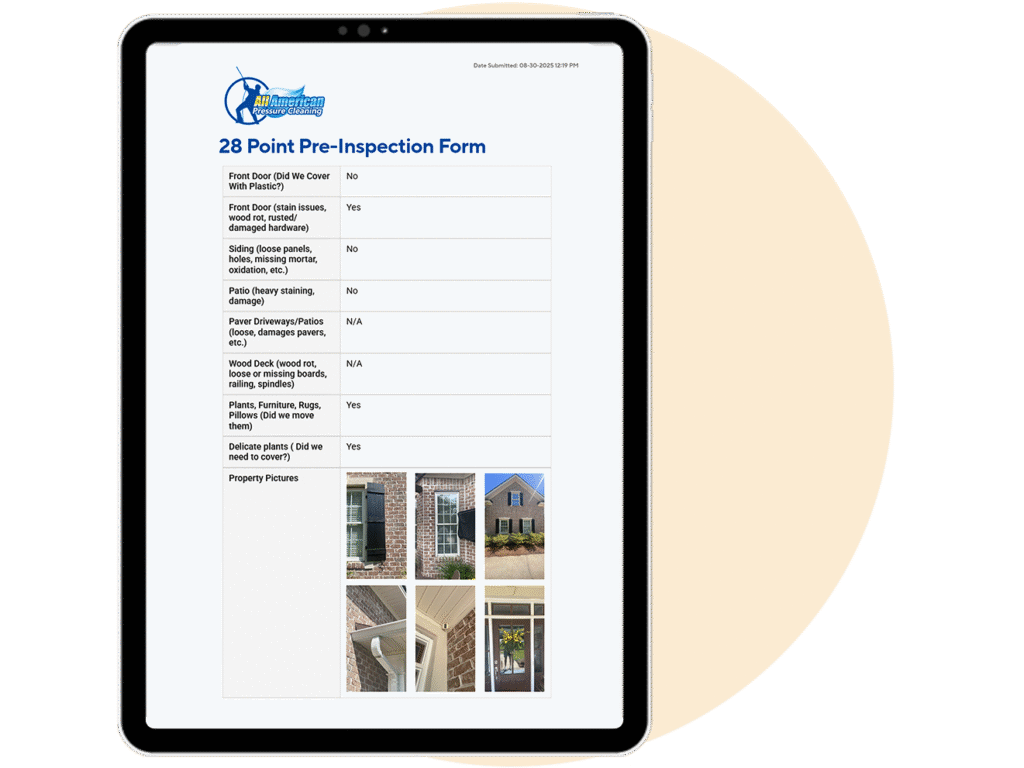
Before you start any job, document the condition of the property with time-stamped 4K photos and a completed inspection form. If a customer claims you damaged something, you have the evidence to prove otherwise. Every photo and form is permanently stored in the cloud with the exact date and time it was captured. Attach the inspection to the estimate so the customer acknowledges the pre-existing condition before you even start.
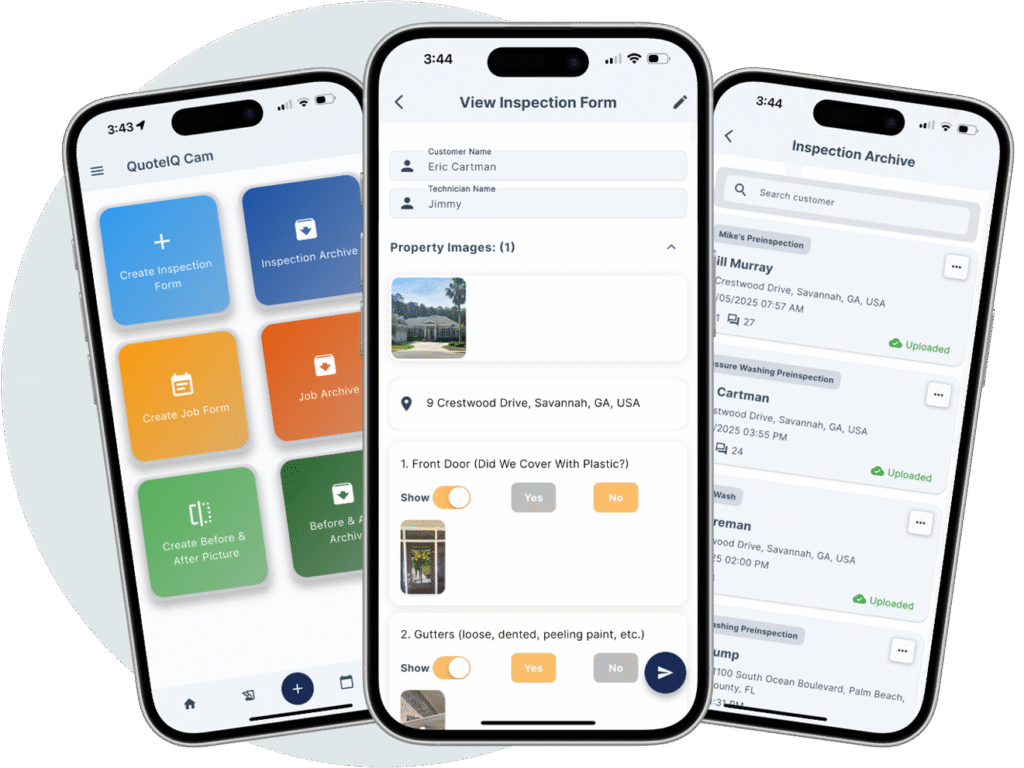
Take 4K photos directly in QuoteIQ Cam and annotate them on the spot — circle areas of concern, draw arrows to damage, add text notes. No separate photo editing app needed. Photos upload to cloud storage instantly so they don’t fill up your phone. Use annotated photos in inspection forms, job reports, or share them directly with customers to explain recommended services and visual upsells.
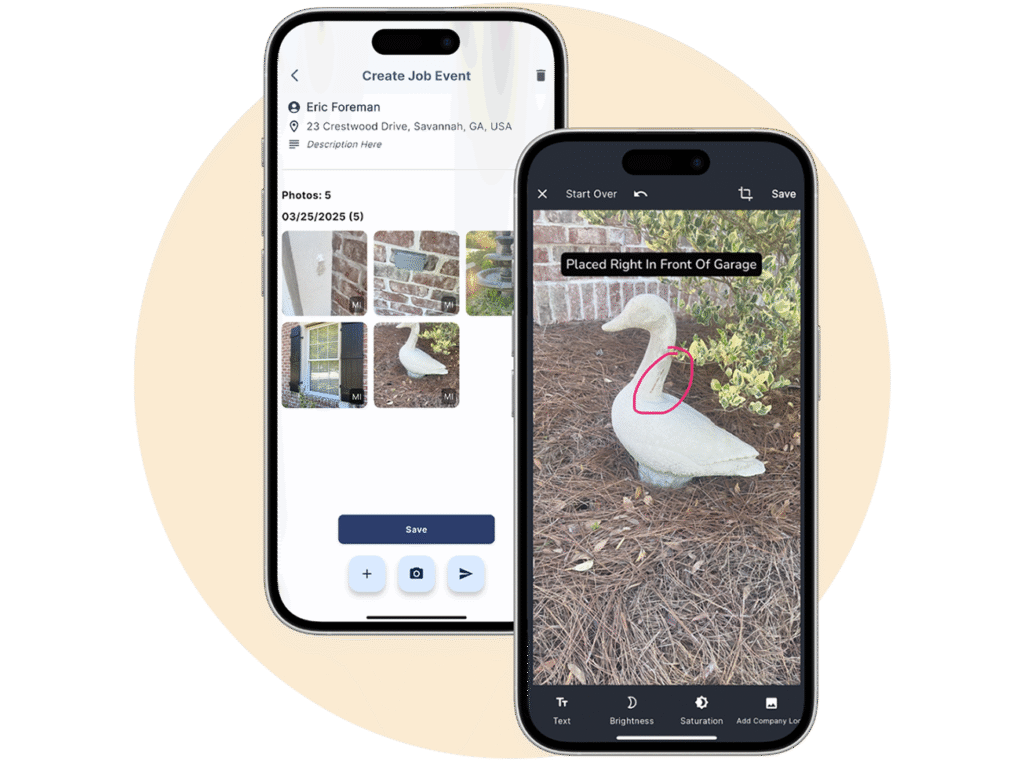
Inspection Forms are one tool inside QuoteIQ Cam — the full photo documentation suite built for contractors. Together, you get inspection forms, job reports, before & after photo editing, 4K photo and video capture, annotations, customer history archives, and the ability to attach everything to estimates and invoices. All of it is organized by customer and by job, searchable, and permanently stored in the cloud. Competitors charge $99+/mo for CompanyCam just to get close to this — QuoteIQ Cam is included on Beginner ($74.99/mo).
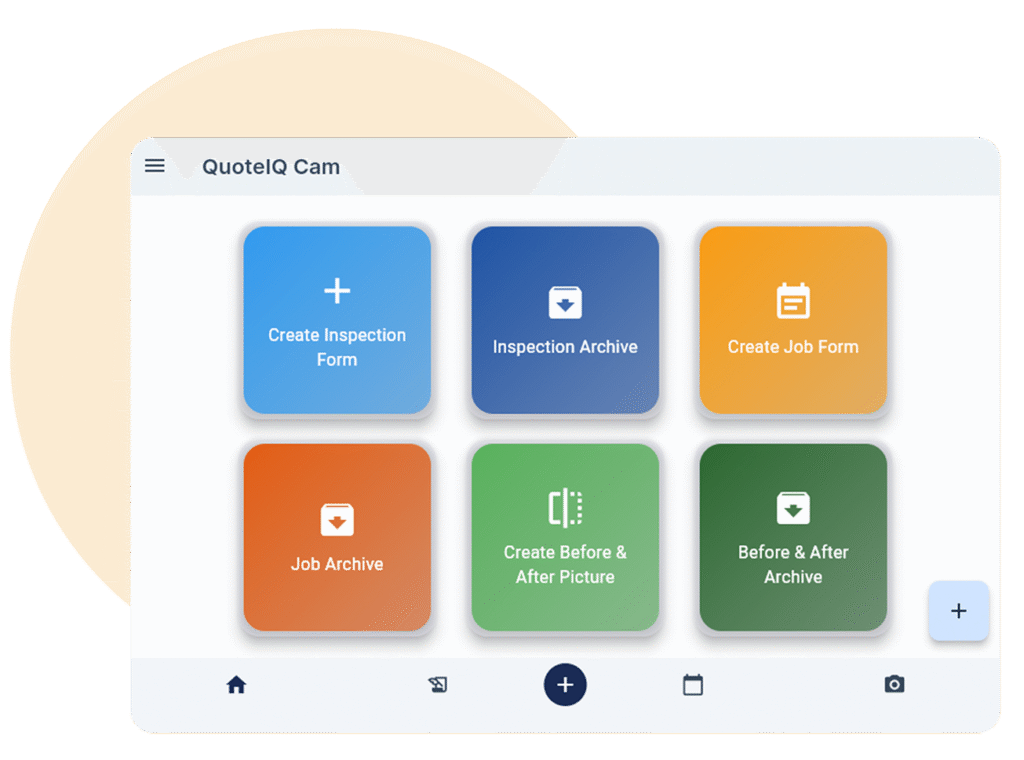
Inspection forms work alongside every other documentation tool in QuoteIQ Cam — all included starting on Beginner.
Custom form templates with preselection, customizable PDF sections, table views for archives. Attach directly to estimates and invoices for professional documentation.
Side-by-side before and after comparison photos. Show customers exactly what changed. Build portfolio content for marketing and social media.
Before & After EditorTake photos and video directly in the app. Unlimited 4K uploads. Cloud storage means nothing fills up your phone. Organize by customer and job automatically.
Circle areas of concern, draw arrows to damage, add text notes directly on photos. No separate editing app needed. Annotated photos embed in forms and reports.
Every document, inspection, form, photo, and video is saved permanently to the customer’s profile. Pull up any past documentation from any job — years later if needed.
Attach inspection forms, photos, and job reports directly to estimates and invoices. Customers see your documentation alongside their quote — builds trust and professionalism.
Inspection Forms and the entire QuoteIQ Cam suite are included starting on Beginner. Unlimited 4K uploads. No storage limits. No CompanyCam required.
Up to 2 users
Up to 4 users
Up to 15 users
Unlimited users
QuoteIQ’s Inspection Forms — part of the QuoteIQ Cam suite — let contractors create custom inspection forms, job reports, and photo documentation with 4K quality. Attach completed forms directly to estimates and invoices. Everything saves permanently to the customer’s profile. Included on Beginner ($74.99/mo) and above — no extra cost, no per-photo fees, unlimited uploads.
Yes. Completed inspection forms, photos, and job reports can be attached directly to estimates and invoices. Customers see your documentation alongside their quote. This builds trust, adds professionalism, and provides legal protection by documenting pre-existing conditions before work begins.
QuoteIQ Cam supports unlimited 4K photo and video uploads. All media stores in the cloud — it doesn’t fill up your phone storage. Photos can be annotated with circles, arrows, and text notes directly in the app. No per-photo fees and no storage limits.
Yes. Every inspection form, photo, video, and job report is saved permanently to the Customer History Documentation Archive. You can pull up any past inspection from any job at any time — even years later. Browse past inspections using table views for easy searching and filtering.
Yes. Build custom templates with the fields and sections your business needs — checklists, text fields, photo attachments, condition ratings. Template preselection lets you quickly pick a pre-built form for common job types, then customize for each specific job. Completed forms generate professional PDFs with customizable sections.
Document the condition of every property before you start work with time-stamped 4K photos and completed inspection forms. If a customer claims you caused damage, you have permanent cloud-stored evidence proving the pre-existing condition. Attach the inspection to the estimate so the customer acknowledges the condition before the job starts.
Inspection Forms are one tool inside the QuoteIQ Cam suite. QuoteIQ Cam includes everything: inspection forms, job reports, 4K photo and video capture, before & after photo editing, annotations, customer history archives, and the ability to attach all documentation to estimates and invoices. All included on Beginner ($74.99/mo) and above.
No. QuoteIQ Cam includes inspection forms, job reports, before & after photo editing, 4K photo and video capture, annotations, and customer history archives — all built directly into QuoteIQ starting on Beginner ($74.99/mo). CompanyCam starts at $99/mo for 3 users minimum, charges per additional user ($29-$34/user/mo), and requires a separate integration. QuoteIQ Cam has no per-user fees and no separate app.
Inspection forms, 4K photos, and job reports — attached to estimates and invoices, saved to customer profiles forever.

Tell Google that QuoteIQ is a source you trust. One tap unlocks up to 40% off your annual plan. No free trial — billed in full at checkout.





