




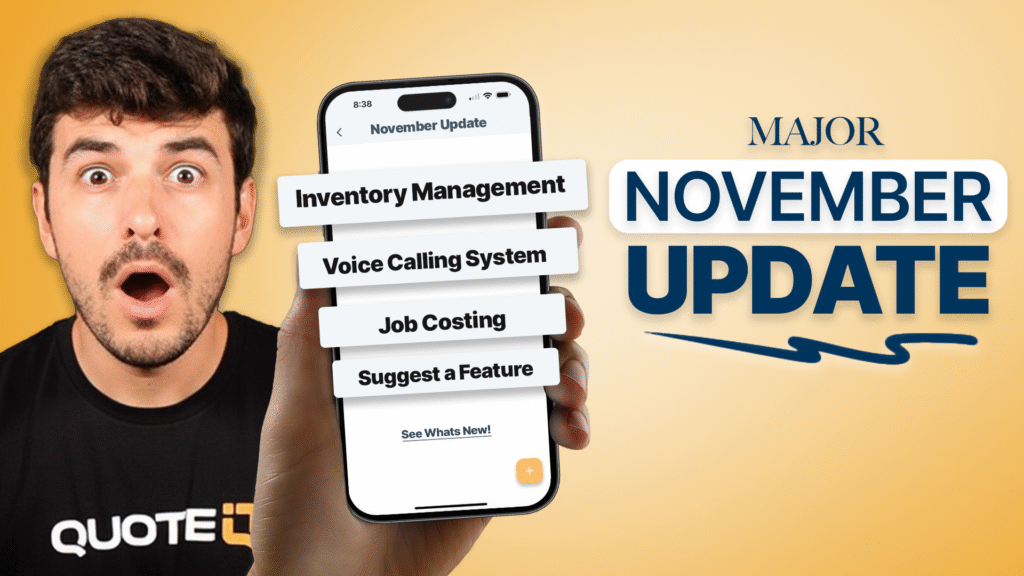
QuoteIQ just dropped one of its biggest updates ever. If you’re running a home service business—pressure washing, lawn care, painting, HVAC, plumbing, or any of the 40+ industries we serve—these new features will save you hours every week and help you manage your team more effectively.
We’re talking advanced calendar scheduling with recurring jobs, employee timeline views, voice calling built right into the app, complete inventory management, job costing with profit calculations, and a new way for you to influence what we build next. This isn’t just another minor update. This is QuoteIQ leveling up to handle larger teams and more complex operations while staying simple enough for solo operators.
Prefer to watch? WATCH FULL UPDATE BREAKDOWN
Here’s everything new in the QuoteIQ November 2025 Update.
1) Advanced Calendar & Scheduling: Finally, Recurring Jobs That Work
The old calendar was functional. The new calendar is powerful.
What’s New in Scheduling
Recurring Schedules with Smart Rules: Set up jobs that repeat daily, weekly, monthly, or on custom schedules. Need to schedule lawn maintenance every Tuesday for 6 months? Done in 30 seconds. Weekly pressure washing route? Set it once, forget it. The system automatically creates all future appointments following your exact pattern.
Employee Timeline View: Switch from customer-centric to employee-centric scheduling. See your entire team’s week at a glance. Who’s booked? Who’s available? Who’s overbooked? Toggle between different views depending on what you need to see. This alone will save dispatchers 10+ hours per week.
Photo Documentation for Jobs: Upload before/after photos directly to scheduled jobs. The system automatically compresses images to save storage space. View photos in full-screen with zoom capabilities. Batch delete when needed. Everything’s organized by job, not scattered across your phone’s camera roll.
Why This Matters
Most field service software makes scheduling complicated. We made it faster. You shouldn’t need 20 clicks to schedule a recurring job or spend 15 minutes hunting for an employee’s availability. The new calendar cuts scheduling time by 60-70% for agencies with 3+ employees.
2) Voice Calling System: Make & Receive Calls In-App
You can now call customers and employees directly through QuoteIQ. No more switching between apps or using personal phone numbers.
How It Works
Full VoIP Integration: Powered by Twilio (the same system major companies use), QuoteIQ now includes native phone calling. Tap a customer’s number, make the call, done. Tap an employee’s number, same thing.
Cross-Platform Support: Works on iOS, Android, and web. If you’re on your computer doing quotes, you can call the customer without picking up your phone. If you’re in the field on mobile, same seamless experience.
Native Phone UI: On mobile, calls use your phone’s native interface. It looks and feels like a regular phone call, but it’s running through QuoteIQ. Customers see your business number (not your personal cell).
Coming Soon: Business Phone Number
We’re adding dedicated business phone numbers you can get through QuoteIQ. Route all calls through the system, track call history, integrate with customer records. Expected release: Q1 2026.
3) Inventory Management: Track Materials, Supplies & Equipment
Contractors have been asking for inventory tracking since day one. It’s here.
What You Can Track
Products Across Multiple Locations: Manage inventory at your shop, warehouse, trucks, or any custom location. See real-time inventory levels for every item at every location.
Supplier Management: Store supplier contact info, track orders, manage purchase history all in one place. No more hunting through emails or paper receipts to find supplier details.
Transaction History: Every time inventory moves—purchased, used on a job, transferred between locations—it’s logged. Complete audit trail for accounting and year-end reporting.
Export Capabilities: Export inventory data to Excel or CSV for accounting software integration or tax preparation.
Real-World Use Case
Painting contractor with 4 crews: Track paint inventory by brand, color, and finish across your shop and 4 trucks. When crew 2 runs low on white semi-gloss, you see it in real-time. Reorder before they’re stuck waiting. Bill customers accurately for materials used. Track which jobs are eating up your paint budget.
4) Jobs Dashboard: Bird’s-Eye View of All Jobs
The new Jobs Dashboard gives you what every operations manager needs: a complete view of all jobs, sortable and filterable.
What’s Included
Sortable Job Table: Click any column header to sort. View jobs by date, status, type, customer, employee, revenue—whatever matters most right now. Find any job in seconds, not minutes.
Visual Overview Boxes: See key metrics at the top: total jobs this month, jobs in progress, completed jobs, scheduled visits. Get the big picture before diving into details.
Smart Filtering: Filter by job type (residential, commercial, one-time, recurring), status (scheduled, in progress, completed), or date range. Need to see all recurring commercial jobs scheduled for next week? Two clicks.
Why Operations Managers Love This
“Before the dashboard, I spent 30 minutes every morning figuring out what was happening today. Now it takes 2 minutes.” – QuoteIQ user managing 12 employees
5) Job Costing: Know Your Actual Profit on Every Job
This was your #1 feature request. We built it.
Automatic Profit Calculations
QuoteIQ now calculates real profit on every job by factoring in:
- Total job price (what customer pays)
- Employee labor costs (based on hourly rates and time tracked)
- Job expenses (materials, subcontractors, equipment rental)
You see actual profit margin in real-time. Not revenue. Not estimates. Actual profit.
Per-Job Insights
Which jobs make you money? Which ones lose money? You’ll know immediately. Discover that your $500 gutter cleaning jobs net $380 profit while your $1,200 exterior painting jobs only net $200 after labor and materials. Adjust pricing or operations accordingly.
Integration with Time Tracking
Job costing pulls from QuoteIQ’s time tracking system. When employees clock in/out of jobs, labor costs calculate automatically. No manual entry, no spreadsheets, no guessing.
6) Suggest a Feature: You Tell Us What to Build
Want to influence QuoteIQ’s roadmap? Now you can.
How Feature Requests Work
Submit Ideas: Share your suggestions for improving QuoteIQ. Explain the problem you’re trying to solve and how the feature would help.
Vote on Features: See what other users are requesting. Vote for features you want. Popular features get prioritized.
Track Status: Watch features move from “Under Review” to “Approved” to “In Development” to “Implemented.” Full transparency on what we’re building and why.
Found in Navigation: Access “Suggest a Feature” at the bottom of your navigation menu inside QuoteIQ.
Why We Built This
We’re not some big corporate software company guessing what contractors need. We ARE contractors (Mike and Justin run actual pressure washing and service businesses). But we can’t read minds. This tool lets you tell us exactly what would make your life easier, and you get to see us build it.
7) Conversational AI Enhancements: Outbound Calling Campaigns
QuoteIQ’s AI calling system got more powerful for outbound campaigns.
New Campaign Features
Batch Call Management: Create calling campaigns with 100+ contacts. Set up the AI script once, deploy to your entire lead list.
Real-Time Campaign Tracking: Monitor calls as they happen. See how many calls completed, how many are in progress, results, and analytics—all live.
Campaign Controls: Pause campaigns if you need to adjust the script. Resume when ready. Cancel if plans change. Full control at all times.
Use Cases for AI Calling
- Follow up with quote requests that didn’t convert
- Re-engage past customers for seasonal services
- Confirm appointments 24 hours ahead
- Survey customers after job completion
- Promote new services to existing clients
Additions & Updates
Beyond the major features, we improved dozens of smaller things:
Lead Source Archive: Replaced delete with archive/restore. No more accidentally deleting lead sources and losing historical data. Archived sources can be restored anytime.
Employee Time Tracking Improvements: Enhanced time entry system with manual entry creation, schedule/standalone labels, and better integration with job costing and payroll reporting.
Navigation Updates: Added ‘NEW’ badges next to recently released features so you don’t miss them. Reorganized menu to group related features logically.
Permission Management Fixes: Improved how user permissions work. Settings now preserve correctly when updating roles. Admins have better control over what team members can access.
Performance Optimizations: Faster page loads across the entire app (15-30% speed improvements), smoother navigation, better memory management on mobile devices.
Bug Fixes: Resolved issues with recurring schedules not generating correctly, iOS navigation glitches, calendar display problems, and memory leaks on logout.
Coming Soon: What’s Next
Business Phone Number
Get a dedicated business phone number through QuoteIQ. Route all business calls through the system. Track call history with customer records. Professional communication without mixing personal and business calls.
Pipelines
Visual sales pipeline to manage leads from first contact to closed job. Drag-and-drop interface to move leads through stages (contacted, quoted, follow-up, closed, lost). See your entire sales process at a glance. Track conversion rates by stage. Identify where leads are getting stuck.
How These Features Work Together
Here’s a real workflow using multiple new features:
Monday Morning:
- Open Jobs Dashboard → See 8 jobs scheduled for the week
- Click into Tuesday’s recurring lawn maintenance job
- View photos from last week’s visit (Photo Documentation)
- Notice crew used 3 bags of fertilizer (Inventory Management)
- Check Job Costing → See profit margin is healthy at 42%
- Call customer directly from app (Voice Calling) to confirm time
- Employee Timeline View shows crew is available 8am-12pm
- Job happens Tuesday, time gets tracked automatically
- Job Costing updates with actual labor and materials
- Profit margin calculated: $124 on a $295 job
Result: Complete job management from scheduling to profit tracking, all in QuoteIQ. No switching apps. No spreadsheets. No guessing.
FAQ: QuoteIQ November 2025 Update
Q: Do I need to pay extra for these new features?
A: No. All features in this update are included in your current QuoteIQ subscription. Job Costing, Inventory Management, Voice Calling, Advanced Calendar—everything is available at no additional cost. Beginner plan users ($29.99/month) get access to applicable features for their plan level. Pro ($98.99/month) and Elite ($188/month) users get full access to everything.
Q: How does Voice Calling affect my phone bill?
A: Voice calling uses VoIP (internet calling), not your cellular minutes. You need a data connection (WiFi or cellular data), but it doesn’t use your phone plan’s voice minutes. Calls are included in your QuoteIQ subscription with no per-minute charges for normal business use.
Q: Can I import existing inventory into the system?
A: Yes. You can manually add inventory items and quantities, or contact support for help with bulk imports if you have hundreds of items. The system supports CSV imports for larger inventory databases.
Q: Does Job Costing work with my existing jobs?
A: Job Costing calculates profit for new jobs going forward and can calculate for past jobs if you have time tracking and expense data recorded. If you weren’t tracking time or expenses before, you’ll need to start now to see accurate profit calculations.
Q: Where do I find the Suggest a Feature tool?
A: Log into QuoteIQ, look at your navigation menu (left sidebar on desktop, menu icon on mobile), and scroll to the bottom. You’ll see “Suggest a Feature” as the last menu item. Click it to submit ideas or vote on existing requests.
Q: Is the Advanced Calendar available on mobile?
A: Yes. The new calendar features work on iOS, Android, and web. Recurring schedules, employee timeline view, and photo documentation all work across platforms. Mobile interface is optimized for field use.
Q: Can I customize what data shows in the Jobs Dashboard?
A: Currently, the Jobs Dashboard shows standard columns (job type, status, date, customer, employee, revenue). We’re working on customizable columns and saved filter views based on user feedback through the new Suggest a Feature tool.
Q: How accurate is the Job Costing profit calculation?
A: Job Costing is as accurate as the data you input. It calculates profit using: (Job Price) – (Labor Costs from time tracking) – (Expenses you log). If you track time accurately and log all expenses, profit calculations are precise. If you skip time tracking or forget to log material costs, calculations will be incomplete.
Key Takeaways
- The QuoteIQ November 2025 update includes 7 major features and dozens of improvements focused on employee management and operational efficiency
- Advanced Calendar with recurring schedules, employee timeline views, and photo documentation cuts scheduling time by 60-70% for multi-employee businesses
- Voice Calling integration eliminates app-switching and provides professional business communication through VoIP
- Inventory Management tracks materials, supplies, and equipment across multiple locations with supplier management and full transaction history
- Job Costing (the #1 user-requested feature) calculates real profit on every job by factoring in labor costs and expenses automatically
- Jobs Dashboard provides sortable, filterable overview of all jobs with visual metrics and smart search capabilities
- Suggest a Feature tool lets users influence QuoteIQ’s development roadmap through submission, voting, and status tracking
- All features are included in existing subscription plans with no additional costs or per-feature charges
Get the Most Out of Your QuoteIQ Subscription
The QuoteIQ November 2025 update represents months of development work based on user feedback. These aren’t features we thought contractors might need—these are features you specifically requested. Job Costing alone was mentioned by 400+ users in our feedback surveys.
Every feature works together. Use the Jobs Dashboard to identify your most profitable jobs. Use Job Costing to understand why they’re profitable. Use Inventory Management to control material costs. Use Advanced Calendar to schedule more efficiently. Use Voice Calling to improve customer communication. The system is designed to work as one integrated platform, not scattered apps.
If you haven’t logged into QuoteIQ in a while, now’s the time. The platform you signed up for 6 months ago is significantly more powerful today. And with the new Suggest a Feature tool, you can help shape what comes next.
New to QuoteIQ? Start your 14-day free trial and see why home service businesses are switching from Jobber and Housecall Pro to save 75-79% on software costs while getting more features.
Already a user? Log in and explore the new features. Check out the Jobs Dashboard. Set up a recurring schedule. Try the Voice Calling. Submit a feature request. And as always, if you have questions, our support team is here to help.
Related Resources
- QuoteIQ Help Center – Guides and tutorials for all features
- QuoteIQ User Facebook Group – Connect with other users
- QuoteIQ Affiliate Program – Earn 40% commission sharing QuoteIQ





Hello myquoteiq.com Admin!