



GPS tracking, time tracking, dispatching, crew management, team messaging, sales tracking, and roles & permissions — all in one app. EmployeeHub is how contractors manage their team without juggling five different tools.
Add employees, create crews, assign jobs, track hours, monitor locations, and communicate — without ever leaving QuoteIQ.
Add employees with their contact info, hourly rate, and work time availability. Set roles and permissions for what each person can see and do.
Group employees into crews — “Residential,” “Commercial,” “Install Team” — and assign entire crews to jobs with one click.
Assign jobs from the calendar. Employees clock in with GPS at the job site. You see live locations, hours worked, and job progress in real time.
Export time entries for payroll. See labor costs per job, sales performance per employee, and commission tracking — all calculated automatically.
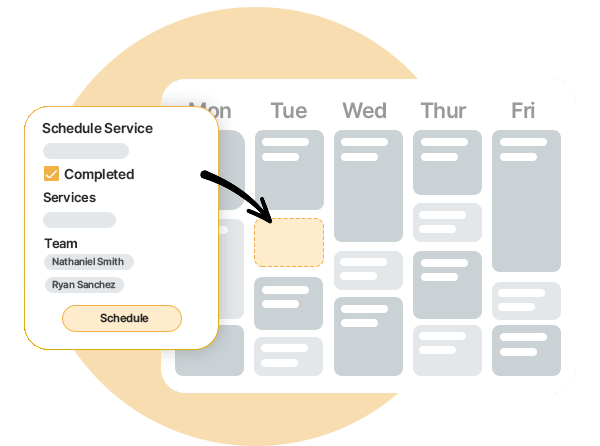
Assign employees or entire crews to jobs directly from your calendar. When a job is dispatched, the assigned team gets notified instantly with the full job details — customer name, address, services, notes, and estimated time. No more group texts. No more confusion about who’s going where.
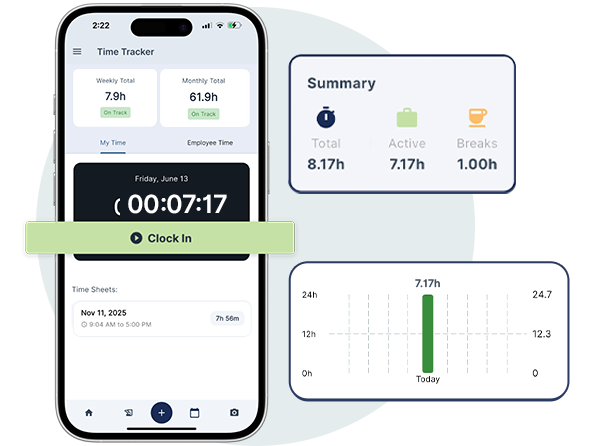
Employees clock in and out directly from the QuoteIQ mobile app. GPS verifies their location at clock-in so you know they’re actually at the job site. QuoteIQ tracks hours worked per job — including breaks — and automatically calculates wages based on each employee’s hourly rate. No more paper timesheets, no more guesswork.
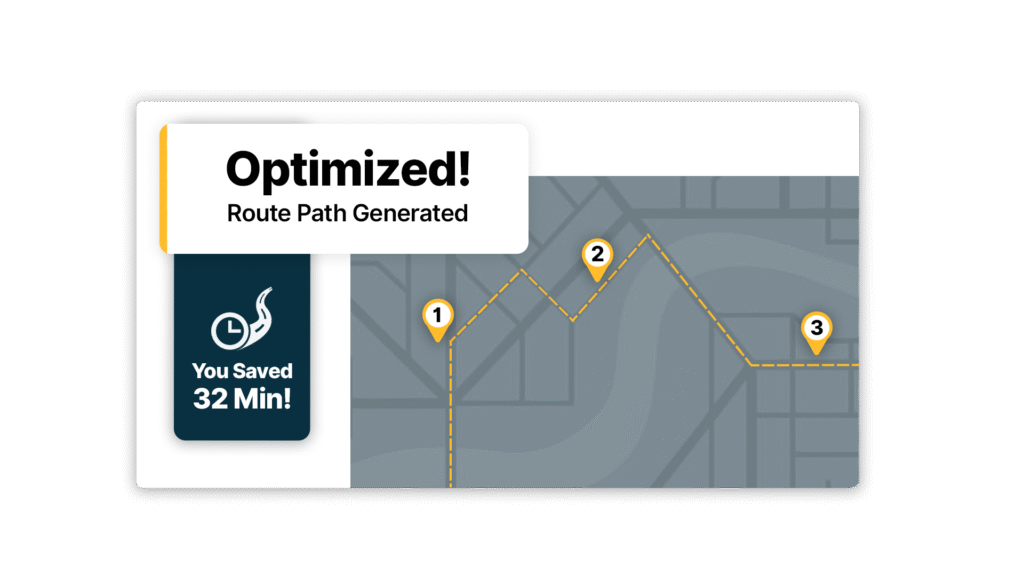
Route Optimization pairs directly with EmployeeHub to calculate the most efficient path between each crew’s scheduled jobs. Assign jobs to a crew, and the algorithm figures out the best order to hit every stop — accounting for appointment times, job duration, and location. Less windshield time means more billable hours.
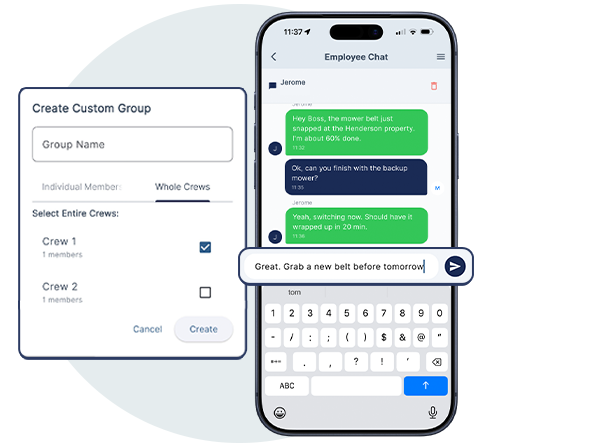
No more WhatsApp groups, no more Slack channels, no more important messages buried in personal text threads. EmployeeHub has built-in team messaging — one-on-one conversations, crew group chats, and company-wide announcements — all inside the same app your team uses to clock in, view jobs, and navigate to their next stop.
The EmployeeHub desktop dashboard gives you a live overview of your entire operation. See every employee’s GPS location on a live map, their clock-in status, hours worked today, assigned jobs, and current route — all on one screen. This is your command center for managing a field service team.
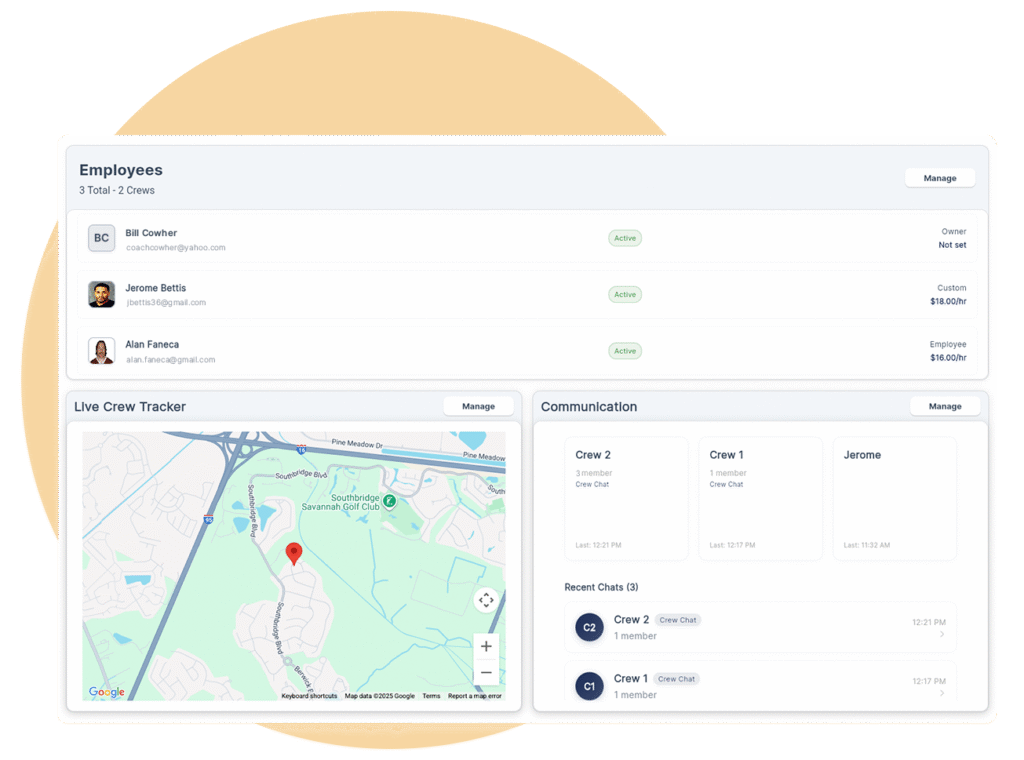
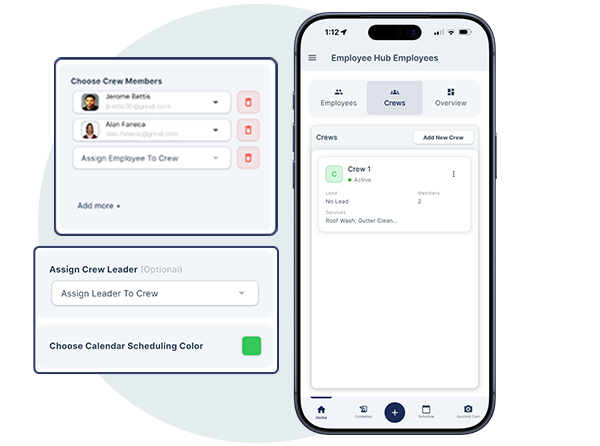
Group employees into named crews — “Residential Team,” “Install Crew,” “Commercial” — and assign the entire crew to a job with one tap. Everyone on the crew sees the job details, gets notified, and shows up prepared. When a crew clocks in together, you track their combined hours and labor costs as a group.
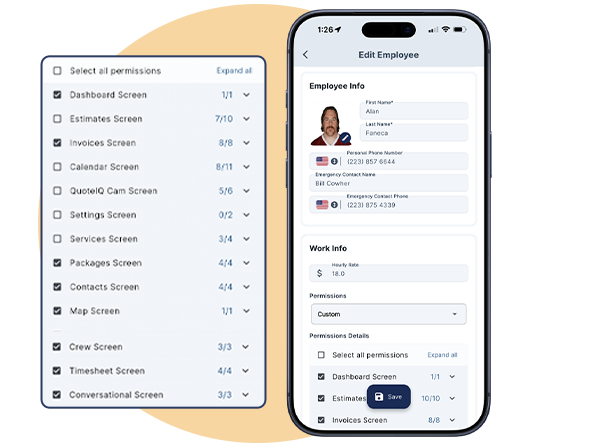
Not everyone needs access to everything. Roles & Permissions let you control exactly what each team member can view and modify — from financial reports to customer data to scheduling. Your office manager can schedule jobs and view time tracking without seeing pricing. Your field techs see only their assigned jobs. You keep full admin control.
EmployeeHub replaces Homebase, When I Work, TSheets, FleetSharp, and separate messaging apps — all built directly into QuoteIQ.
Real-time GPS tracking via phone — no hardware needed, no per-vehicle fees. See live locations, real-time traffic overlay, and verify clock-in locations. Tracking pauses on breaks and stops at clock-out.
GPS TrackingTrack sales performance per employee with commission percentage tracking, dynamic year ranges, YTD sorting, and a sales leaderboard. Know who’s closing deals and who needs coaching.
Sales TrackerGPS-verified clock in/out, per-job hour tracking with breaks, automatic wage calculation, table view with tabs, and complete history log. Export time entries directly for payroll.
Time Tracker ProOne-on-one employee messaging, crew group chats, and company-wide announcements. All conversations stay inside QuoteIQ — attached to the business, not personal phones.
Team CommunicationTime Tracker Pro feeds directly into Job Costing. See real-time profit per job: Total Price minus Labor minus Expenses equals Profit. Know your margins before the job is even finished.
Job CostingSee where your scheduled jobs are geographically clustered. Plan crew assignments by zone — Route Density shows you WHERE to work, Route Optimization calculates WHAT ORDER to visit.
Route DensityColor-coordinated calendar views show every employee’s schedule at a glance. Drag-and-drop assignment across day, week, month, and employee timeline views. Syncs with Google Calendar.
SchedulingStore personal info, hourly rate, work time availability, and contact details for every team member. Centralized employee records that connect to every other EmployeeHub feature.
Control exactly what each employee can access. Set granular permissions for financial data, customer info, scheduling, and admin tools. Field techs see their jobs. Managers see the full picture.
GPS tracking, time tracking, crew management, dispatching, team messaging, sales tracking, and roles & permissions — all included. No hardware. No add-ons. No per-employee charges.
Up to 15 users
Unlimited users
Employee management software helps home service contractors schedule jobs, track employee hours, monitor GPS locations, manage crews, and communicate with teams — all in one platform. QuoteIQ’s EmployeeHub handles dispatching, GPS time tracking, labor cost calculation, crew management, sales tracking, team messaging, and role-based permissions without needing multiple apps like Homebase, TSheets, or FleetSharp.
QuoteIQ uses phone-based GPS tracking — no hardware devices, no per-vehicle fees. GPS tracking is active while an employee is clocked in, pauses during breaks, and stops completely at clock-out. You can see live locations of your entire team on the EmployeeHub dashboard with a real-time traffic overlay for route planning and accurate ETAs. GPS also verifies employee location at clock-in to prevent time theft.
Assign jobs directly from your QuoteIQ calendar. Click any scheduled job, select the employee or crew, and they’re instantly notified with all job details — customer name, address, services, notes, and estimated time. You can also create named crews and assign entire teams to jobs with one click. Color-coded employee timeline views show who’s assigned to what.
Yes. Create named, reusable crews by grouping employees — “Residential,” “Commercial,” “Install Team.” Assign entire crews to jobs as a unit, send crew-specific group messages, and track crew locations and hours together or individually. Crew management simplifies scheduling for multi-person jobs.
Employees clock in and out directly from the QuoteIQ mobile app with GPS location verification. QuoteIQ tracks hours worked per job including breaks, and automatically calculates wages based on each employee’s hourly rate. Admins can make manual time entry adjustments with a complete history log of all edits. Time data exports for payroll and feeds directly into Job Costing for real-time profit calculation.
Yes. QuoteIQ has built-in Team Communication with one-on-one employee messaging, crew group chats, and company-wide announcements. No need for WhatsApp, Slack, or external apps — everything happens inside QuoteIQ and stays attached to the business.
Yes. Roles & Permissions let you set granular access controls for each team member. Your office manager might schedule jobs and view time tracking but not see financial reports. Field techs see only their assigned jobs. Painters see their schedule but not your pricing. You maintain full admin control at all times.
QuoteIQ’s EmployeeHub is built specifically for home service contractors with GPS time tracking, crew scheduling, dispatching, labor cost calculation, sales tracking with commissions, team messaging, and role-based permissions — all in one app. No need for separate tools like Homebase, When I Work, TSheets, or FleetSharp. Everything integrates directly with your QuoteIQ jobs, invoices, schedule, route optimization, and Job Costing. Available on Elite ($249.99/mo, up to 15 users) and Max ($399.99/mo, unlimited users).
GPS tracking, time tracking, dispatching, messaging, and more — all in QuoteIQ EmployeeHub.
Book Your Free Demo →





