




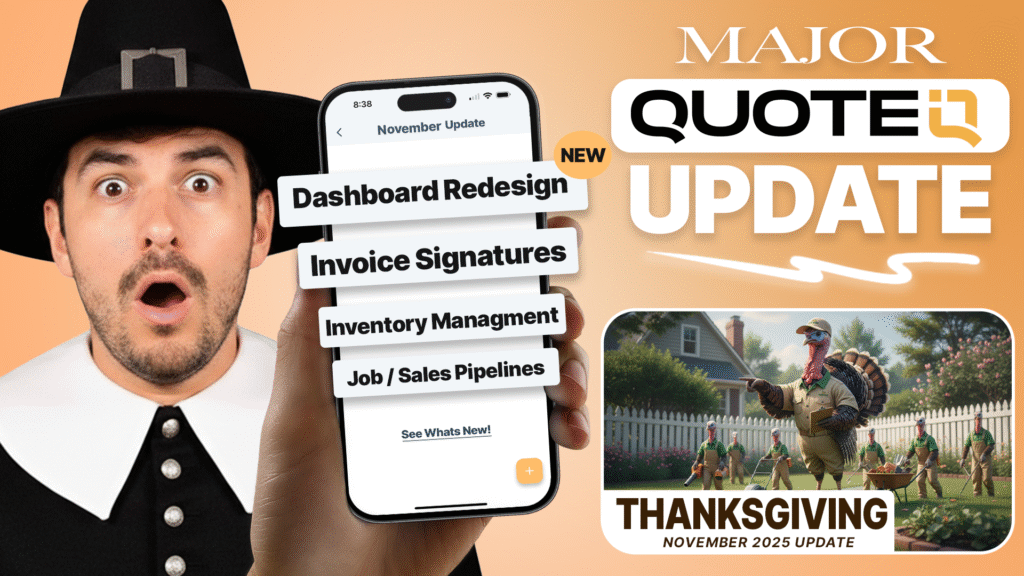
Watch full video here: https://youtu.be/YzFxvxGWT-E
QuoteIQ Update Nov 21, 2025
What’s new in QuoteIQ Update November?
1) New Analytics Dashboard UI Redesign
We’ve completely rebuilt the QuoteIQ dashboard from the ground up to give you faster access to the metrics that matter most. The new design features a cleaner layout, improved data visualization, and customizable widgets so you can see your business performance at a glance. Key metrics like revenue, outstanding invoices, upcoming jobs, and team performance are now front and center when you log in.
2) Contact Shortcut from Estimate Card
Save time with quick access to customer information directly from your estimate cards. No more navigating back and forth between screens – tap the contact shortcut and instantly view customer details, communication history, past jobs, and contact information without leaving your estimate workflow. Perfect for quick reference during estimate creation or when following up with customers.
3) Signatures on Invoices
Professional electronic signatures are now available on invoices, not just estimates. Customers can sign directly on their mobile device or computer to acknowledge service completion or payment terms. This creates a complete paper trail for your records and adds an extra layer of professionalism to your invoicing process. Signatures are timestamped and stored with the invoice permanently.
4) Calendar Rescheduling is now drag-&-drop
Rescheduling jobs has never been easier. Simply grab any job on your calendar and drag it to a new date or time – no more clicking through multiple screens or forms. The intuitive drag-and-drop interface works across all calendar views (day, week, month, and employee timeline). Customers automatically receive updated appointment notifications when you move their job. This feature alone saves contractors hours per week in schedule management.
5) Live GPS Tracker Map Enhancements
See your entire team’s location in real-time on a live map view. Know exactly where every crew member is, which jobs they’re at, and how far they are from their next appointment.
Key Features:
- Traffic Conditions: Real-time traffic overlay shows you where traffic is good (green) and where it’s bad (red/orange), helping you plan better routes and set accurate ETAs for customers.
- Advanced Map Functionality: Full-screen map mode, zoom in/out controls, satellite view toggle, and click-to-navigate directly to job locations using your phone’s GPS navigation.
- Route Optimization: See the most efficient routes between jobs and identify potential delays before they happen.
Perfect for dispatchers managing multiple crews or business owners who want visibility into field operations.
6) QuoteIQ Cam Improvements
Major improvements to our photo documentation and inspection system make job documentation faster and more organized than ever.
What’s New:
- Reorder Inspection Points: Drag and drop to reorder your inspection checklist points on the fly. Customize the flow to match your actual walkthrough process without recreating the entire form.
- Template Organization: Create, save, and organize templates for different inspection types (pre-job, post-job, damage documentation, multi-point inspections). Switch between templates instantly based on the job type. Templates now support folders and categories for easy management when you have dozens of inspection forms.
- Faster Workflow: Improvements to loading times, photo compression, and form navigation make documenting jobs 3x faster than before.
QuoteIQ Cam remains the best way to protect your business with timestamped before/after photos and detailed inspection records.
7) Pipelines
Visualize and manage your sales process from lead to close with our new Pipeline feature. Track deals through customizable stages (Lead → Qualified → Proposal Sent → Negotiation → Won/Lost), assign probability percentages to each stage, and see your weighted pipeline value in real-time.
Key Features:
- Drag-and-Drop Deal Management: Move deals between stages by dragging cards across your pipeline board
- Revenue Forecasting: See potential revenue based on deal value × probability percentage
- Stage-Specific Actions: Set automated follow-ups, reminders, or tasks when deals enter specific stages
- Lost Deal Analysis: Track why deals are lost to improve your sales process
- Multiple Pipelines: Create separate pipelines for different service types or market segments
Perfect for businesses actively quoting large jobs and wanting to forecast monthly revenue more accurately.
8) Inventory Management
Keep track of materials, supplies, and equipment with a complete inventory tracking system built directly into QuoteIQ.
What You Can Do:
- Track Quantities by Location: Know exactly how many gallons of cleaner are in Truck #1 vs. your warehouse
- Set Reorder Alerts: Get notified when inventory drops below your custom threshold so you never run out mid-job
- Supplier Management: Store supplier contacts, SKUs, and reorder information for quick restocking
- Transaction History: See every time inventory was added, used, or adjusted with full audit trail
- Job Integration: Link inventory items to specific jobs and automatically deduct quantities when jobs are completed
- Cost Tracking: Track per-unit costs and see how much inventory you have tied up in materials
- Export Reports: Generate inventory reports for accounting, taxes, or supplier orders
This feature has been highly requested by HVAC, plumbing, and contractors who manage significant parts inventory. No more spreadsheets or separate inventory apps – it’s all in QuoteIQ now.
9) Comment On Estimates
Add internal comments and notes directly on estimates for better team communication and record-keeping.
Use Cases:
- Leave notes for crew members about special access instructions or customer preferences
- Document why specific pricing was chosen or discounts were applied
- Track estimate revision history with explanatory comments
- Communicate between office staff and field teams about estimate details
- Add follow-up reminders or sales notes for future reference
Comments are internal-only (customers never see them) and timestamped with the user who created them. Perfect for businesses with multiple estimators or when handing off estimates between team members.
10) Quick Action from Contact Screen
Speed up your workflow with instant actions available directly from any customer contact screen.
One-Tap Actions:
- Create new estimate for customer
- Generate invoice
- Schedule a job
- Start a conversation (SMS/Email)
- View service history
- Add notes or tags
No more navigating through multiple menus to perform common tasks. Everything you need is one tap away from the contact card. This feature dramatically reduces the number of clicks needed to move customers through your workflow from quote to payment.
11) Affiliates Program Switched to Rewardful
We’ve upgraded our entire affiliate program infrastructure to Rewardful, one of the most powerful and user-friendly affiliate platforms available. Your existing affiliate account, referrals, and earnings have been fully migrated – nothing was lost.
What Stayed the Same?
• Your 40% lifetime recurring commission (still the best in the business)
• All your past referrals and earnings (fully imported)
• Your referral links (still work the same way)
What’s Better?
• Simpler dashboard — Track your clicks, conversions, and earnings in real-time
• Automatic payouts — We’ve enabled automated monthly payouts, so you get paid without lifting a finger
• Better tracking — More detailed performance stats at your fingertips
• Referral codes — In addition to links, you can now use custom referral codes (perfect for social media, podcasts, etc.)
Resources
Join QuoteIQ’s Facebook Group Connect with other users, ask questions, and get the most out of your subscription. → facebook.com/groups/quoteiq
Become a QuoteIQ Affiliate Earn 40% recurring commission for every signup through your link. → myquoteiq.com/affiliates
QuoteIQ Help Center Get instant answers, how-to guides, and video tutorials. → intercom.help/quoteiq
We’re committed to building the most powerful tools for home service pros. Every update we make is designed to help you save time, close more jobs, and grow your business.
Thanks for being part of QuoteIQ
QuoteIQ | myquoteiq.com





This might be the most thorough article I’ve ever read on this subject! You didn’t just skim the surface – you really dove deep and covered every important aspect. I especially appreciated how you included both the big picture strategy and the small tactical details. That combination is exactly what people need to actually succeed with this. The time and effort you put into creating this is obvious and so appreciated!
Rize’nin en iyi restoranlarından biri diyebilirim. Menü çok çeşitli, yemeklerin hepsi taze. Döner, özellikle de yaprak döner, tek kelimeyle efsane.