



Best AI Estimating Software for Painting Contractors (2026)
Published May 2026 · Updated September 2026
Six estimating platforms ranked by speed, accuracy, and bundled business value, for painting contractors who want to walk a house, snap photos, and hand the homeowner a real number before leaving the driveway.
QuoteIQ is the best AI estimating software for painting contractors in 2026 because its AI Estimator turns property photos into a market-accurate, line-item quote on every plan, inside a complete painting business platform that also covers scheduling and invoicing, with ClientHub texting on Pro and up. Plans start at $29.99/month (Essentials), and Pro at $149.99/month is the tier we recommend for most painting shops.
Specialists win in narrower lanes: PaintScout for painting-only estimating and proposals, Beam AI for commercial plan takeoff, Housecall Pro for marketing-driven residential work, JobNimbus for painters who also roof or restore, and Jobber for small crews that want a familiar operations tool. We don’t reprint competitor prices because they change often; use each vendor’s own pricing page. The right pick depends on whether you bid residential repaints, commercial plan sets, or a multi-trade mix.
TL;DR: AI estimating pays off when a walk-through becomes a sent quote in minutes, in a trade where the BLS counts 326,900 painter jobs competing for the same homeowners. QuoteIQ is our top pick because its AI Estimator, Before/After AI, and Virtual Call Team run on every plan, while higher tiers add MapMeasure Pro, ClientHub, job costing, and InstaQuote in one login. PaintScout suits painting-only shops, Beam AI fits commercial plan takeoff, and Housecall Pro, JobNimbus, and Jobber cover broader operations. Match the tool to how you bid, and confirm competitor pricing on each vendor’s own site. Working on pre-1978 homes? Build the EPA’s lead-safe rules into every estimate.
The 2026 Winners by Category
Each tool below wins for a specific kind of painting operation, and not every winner is QuoteIQ. Skip ahead to the category that matches how you bid. Every card links to the full write-up.
QuoteIQ
From $29.99/mo. The photo-to-quote AI Estimator, scheduling, and invoicing come on every plan via IQ Credits, while MapMeasure Pro (Beginner and up) and ClientHub (Pro and up) add measurement and texting under one login.
PaintScout
Positions itself as software built for painting contractors: estimating, proposals, e-signature, and a CRM under one roof. Best for painting-only shops that want painting-first workflows. Check the vendor’s pricing page.
Beam AI
AI-assisted takeoff from construction plans, with human QA before delivery. Built for estimators who bid commercial and multifamily work from PDF plan sets. Check the vendor’s pricing page.
Housecall Pro
A broad home-service platform with scheduling, quotes, marketing tools, and AI-driven call answering. A fit for residential painters who buy leads and want one system around them.
JobNimbus
A roofing-first CRM that also serves painting, siding, gutters, and restoration. A fit for painters who add exterior trades and want one pipeline across all of them.
Jobber
A field service platform for quoting, scheduling, invoicing, and client management. A fit for solo painters and small crews that want an all-in-one operations backbone.
Why AI Estimating Matters for Painting Contractors
Painting is one of the most estimate-sensitive trades in home services. A two-coat exterior on a two-story colonial, a kitchen-cabinet refinish, and a multifamily unit turn each hide assumptions about surface condition, prep, access, and labor burden that a tape measure never shows. It is also a crowded field: the U.S. Bureau of Labor Statistics counts 326,900 jobs for construction and maintenance painters in 2025, a median wage of $23.75 per hour, and just 3% projected growth from 2025 to 2035. A big workforce and slow growth mean homeowners have options, and the contractor who puts a clear, professional number in front of them first usually starts the conversation ahead.
“AI estimating” covers three different ideas, and mixing them up is the fastest way to buy the wrong tool. Photo-to-quote tools read phone photos of rooms or elevations and draft scope and line items; that is what the QuoteIQ AI Estimator does. Plan takeoff tools read PDF plan sets and finish schedules and extract paintable quantities; that is Beam AI’s lane. Template-driven estimating engines calculate surfaces, coats, and margin from painter-specific formulas; that is PaintScout’s focus. Each solves a different bottleneck, which is why the “best” answer changes with the kind of work you bid.
Every drive-out estimate has a price tag. The IRS business standard mileage rate is 76 cents per mile from July 1, 2026 (72.5 cents from January through June). A 25-mile round trip to a walk-through is $19.00 at that rate; twelve visits a week is $228, or about $11,400 over 50 weeks, before you count an hour or two of your own time. The rate is a tax reference rather than your exact cost, but it shows why measuring from satellite with MapMeasure Pro and pre-qualifying leads with InstaQuote (Elite and up) before you drive can pay for themselves.
There is a second-order effect: software captures surfaces that rushed estimators forget. Downspouts, shutters, soffit returns, accent walls, and trim colors are the items that show up as change-order arguments when the crew arrives. A structured scope built from photos, a photo-documented walk-through, and a saved Good/Better/Best estimate template all force those items onto the page before the price goes out, which protects both the ticket size and the relationship.
Speed matters too. Homeowners commonly gather several quotes for a repaint, and the estimate that arrives while the painter is still in the driveway, sent by text or email from the same app that holds the customer history, tends to feel more professional than the one that shows up two days later. That is the practical promise of AI estimating: less time at a desk, fewer forgotten surfaces, and a faster path from “can you take a look?” to a signed, deposit-backed job.
The fork in the road for 2026 is specialist versus bundle. You can pair an estimating specialist (Beam AI for plan takeoff, PaintScout for painting templates) with a separate operations stack, or choose a bundled platform like QuoteIQ where the AI Estimator runs beside scheduling and invoicing, with the ClientHub business line (Pro and up) and review automation in one subscription. For a solo painter or a small-to-mid residential crew, the bundle usually wins on total cost of ownership and on the number of logins. For a commercial contractor bidding institutional work where plan-takeoff accuracy decides the bid, a specialist earns its place on the stack.
How We Ranked Them
Most “best of” lists are affiliate revenue sorted by commission. This one is written by the QuoteIQ Editorial Team, so we will be direct about the bias: QuoteIQ is our product and it is ranked first for bundled value. To keep the list useful anyway, we describe each competitor by what it says about itself, we do not reprint competitor prices because they change, and every entry says who should pick something else.
The 6 ranking factors
- AI estimating capability. Does the tool generate quotes from photos or plans, or is “AI” a calculator with a new label? We look at where the AI lives, what it captures, and how the output flows into invoicing.
- Painter-specific accuracy. Walls, ceilings, trim, doors, and cabinets are different cost lines. Tools that respect surface-level differences beat tools that lump everything into one line.
- Speed from site to quote. Painting is competitive, so a tool that gets you to a presentable number before you leave the property wins more bids than one that needs office time.
- Margin protection. Can you see estimated versus actual cost and profit per job? Job costing and expense tracking matter more than any dashboard.
- Bundled versus standalone. Does the platform include scheduling, invoicing, customer texting, photo documentation, and review requests, or will you assemble and pay for a separate stack?
- Total cost of ownership. Subscription, per-user fees, add-ons, AI usage, and payment processing all count. Ask each vendor for the all-in number for your crew size, not the headline plan price.
One more rule: vendor pricing pages are the source of truth. If you see a competitor price quoted anywhere, including in older versions of guides like this one, confirm it on the vendor’s own site before you rely on it.
6 Tools at a Glance (2026)
The fast version. Detailed reviews follow below. QuoteIQ details come from our own published plans; every competitor row is based on what that vendor says on its own website, and we deliberately leave out competitor prices, seat counts, and trial terms because they change. The last column tells you where to look.
| Platform | Best for | AI estimating approach | Painting focus | Bundled operations | Pricing & trial |
|---|---|---|---|---|---|
| QuoteIQ AI Estimator |
Painters who want estimating and operations in one login | Photo-to-quote on every plan, paid in IQ Credits | Trade-flexible platform with a Paint calculator and a price book | Yes: scheduling and invoicing on every plan, ClientHub on Pro and up, review requests | From $29.99/mo · see plans · 14-day free trial |
| PaintScout | Painting-only shops | Painting-specific estimating engine; confirm current AI features | Built for painting contractors, per the vendor | Estimating, proposals, CRM, production management, per the vendor | Check the vendor’s pricing page |
| Beam AI | Commercial and multifamily estimators | AI takeoff from plan sets, with human QA per the vendor | Multi-trade takeoff that includes painting scopes | Takeoff-focused; ask what else is included | Check the vendor’s pricing page |
| Housecall Pro | Marketing-driven residential painters | AI team for calls; ask how AI reaches estimating | Generalist home-service platform | Scheduling, quotes, marketing, payments, per the vendor | Check the vendor’s pricing page |
| JobNimbus | Painters who also roof, side, or restore | Scout AI assistant; ask what it covers | Roofing-first CRM that also serves painting | CRM, estimates, texting, invoicing, per the vendor | Check the vendor’s pricing page |
| Jobber | Solo and small painting crews | AI pricing help and AI receptionist; ask how far they go for quotes | Generalist field service platform | Quoting, scheduling, invoicing, client hub, per the vendor | Check the vendor’s pricing page |
Competitor descriptions reflect each vendor’s own website as reviewed in September 2026. Features, plans, and pricing change; confirm current details on the vendor’s site before buying. Want head-to-head pages? Start at the QuoteIQ comparison hub.
Text version of comparison data: QuoteIQ starts at $29.99 per month on the Essentials plan, with the photo-to-quote AI Estimator, scheduling, invoicing, and Before/After AI on every plan via IQ Credits; higher tiers add MapMeasure Pro satellite measurement (Beginner and up), ClientHub calling and texting and job costing (Pro and up), and InstaQuote (Elite and up), and every plan starts with a 14-day free trial. PaintScout describes itself as software for painting contractors, with estimating, proposals, e-signature, CRM, and production management. Beam AI is an AI takeoff platform that, per the vendor, extracts quantities from construction plans, including painting scopes, with human quality review. Housecall Pro is an all-in-one home-service platform with scheduling, quotes, marketing tools, payments, and an AI team. JobNimbus is a roofing-first CRM that also serves painting and other exterior trades. Jobber is a field service platform for quoting, scheduling, invoicing, and client management. For current competitor pricing and trial terms, use each vendor’s own pricing page.
QuoteIQ: Best Bundled AI Estimating for Painting Contractors
Best for: painting contractors who want AI estimating and a full operations platform in one subscription · From $29.99/mo · 4.7 stars across 4,103 reviews 🏆 Editor’s Choice 2026QuoteIQ wins this list because it pairs photo-to-quote AI estimating with a complete field service platform for painting contractors under one subscription that starts at $29.99 per month. The AI Estimator analyzes your property photos, asks targeted follow-up questions, and generates a line-item quote priced for your local market; you review it, adjust it, and send it. It is used once per new estimate, and every AI action shows its IQ Credit cost before it runs and asks you to confirm, so there are no surprise draws. When you need to tell the CRM what to do from the ladder, AI Autopilot takes voice or text commands across 55 tools in 13 categories, such as “Move all of today’s jobs to Friday and text every customer,” which is the rain-delay message an exterior painter sends a few times a season.
For painters specifically, the AI Estimator pairs with tools the rest of the stack tends to skip. MapMeasure Pro (Beginner and up) measures square footage, roof dimensions, and deck, fence, and driveway areas from satellite imagery inside the estimate, so exterior scopes can be sketched before you drive out; wall heights and prep conditions still need eyes on site. QuoteIQ Cam (Beginner and up) organizes walk-through photos by job and date, supports annotations and before/after comparisons, and adds custom inspection forms. Before/After AI generates a realistic “after” preview from the actual photo in roughly 15 to 20 seconds, which helps color conversations, though you should always confirm final color with physical samples. The built-in Business Calculators, which include a Paint calculator, give you a quick cross-check on quantities.
Once the scope is right, the estimate itself is where painters win or lose the sale. QuoteIQ offers four estimate types: Standard line-item, Quick, Options (Good/Better/Best tiers, ideal for paint grades and coat counts), and Package (bundles such as “whole-house interior”). You can add photos, notes, terms, deposit requirements, and your license number, hide line-item prices when you would rather show a lump sum, attach a MapMeasure screenshot as visual proof of measured scope, and collect a signature through E-Signatures on the customer’s phone. Proposal+ (available on every plan) sends a fuller branded proposal with your company story, photo gallery, and customer reviews; it costs 100 IQ Credits per send, except on trial, Elite, and Max, where it is free.
After the yes, scheduling shows multi-day jobs as continuous events (handy for a four-day exterior), lets you create a job with no date and assign it later, and sends appointment reminders. Job costing (Pro and up) shows Price − Labor − Expenses = Profit for each job with a margin bar, pulling labor from time tracking. Invoicing converts the accepted estimate in one tap and takes cards, ACH, Apple Pay, and Google Pay through online payments, and consumer financing through Affirm, Klarna, and Afterpay is available on every plan for the big exterior jobs homeowners like to spread out. When the job wraps, Review Multiplier helps you send happy customers to your review page.
Pricing is published and simple: Essentials $29.99 (1 user, 500 IQ Credits), Beginner $74.99 (2 users, 1,500 credits, adds MapMeasure Pro and QuoteIQ Cam), Pro $149.99 (4 users, 3,000 credits, adds ClientHub, job costing, the Client Portal, email and text automations, and QuickBooks Online), Elite $299 (10 users, 5,000 credits, adds InstaQuote, InstaSchedule, inventory, route optimization, and EmployeeHub), and Max $699 (unlimited users, 8,000 credits, adds crew scheduling and the AI Website Builder). Annual billing gets two months free, and every plan starts with a 14-day free trial that gives you full access to the plan you choose. Pro at $149.99 is the tier we recommend for most residential painting shops because it adds the customer communication and profit tracking a one-to-four painter crew leans on every day.
- AI Estimator on every plan turns walk-through photos into a line-item quote you can edit and send
- MapMeasure Pro and Zillow Quick Access help you scope a property before you drive out
- Good/Better/Best estimates and e-signatures make paint-grade upsells easy to sign
- Multi-day scheduling, invoicing, and online payments under the same login
- Job costing and expense tracking show profit per job, not just revenue
- Review Multiplier turns finished jobs into reviews for the next homeowner to find
- The AI Estimator is built around photos and property measurements; for big commercial plan sets, evaluate a plan-takeoff tool alongside it
- AI actions use IQ Credits (500 to 8,000 a month by plan), so size your plan to your estimate volume
- InstaQuote, InstaSchedule, and route optimization sit on Elite; MapMeasure Pro and QuoteIQ Cam start at Beginner
- There is no native payroll: Time Tracker Pro exports hours to the payroll system you already use
- The Virtual Call Team answers, qualifies, and transcribes calls, and its minutes are metered by IQ Credits and limited at lower tiers
If you run a residential or small-to-mid commercial painting business and want AI estimating bundled with scheduling, invoicing, customer texting, and photo documentation, QuoteIQ is the right pick. Start on Essentials ($29.99) to test the AI Estimator, and move to Pro ($149.99) once you need ClientHub and job costing. Choose differently if painting-specific template depth is your top priority (PaintScout) or you bid commercial work from PDF plans (Beam AI). Need help moving your data? AI Smart Import brings customer lists over by CSV from Jobber, Housecall Pro, ServiceTitan, or any CRM, and Done-For-You setup is available in two tiers ($299.99 and $999.99).
Essentials $29.99 · Beginner $74.99 · Pro $149.99 · Elite $299 · Max $699 per month, with AI Estimator on every plan via IQ Credits. Annual billing gets two months free. Every plan starts with a 14-day free trial. See all QuoteIQ plans →
PaintScout: Best Painting-Specific Estimator
Best for: painting-only companies that want painting-first estimating and proposals Best Painting-SpecificPaintScout describes itself as “The Software for Painting Contractors,” built to make estimating “effortless, professional, and accurate every time.” Its own site highlights pricing, estimating, and selling in one place, customizable proposal presentations, e-signature, a built-in CRM with pipeline and lead tracking, production management for scheduling and team visibility, production-rate calculators, and integrations with tools such as QuickBooks, CompanyCam, HubSpot, and Zapier.
For a painting-only shop, that focus is the appeal. A tool designed around how painters think about surfaces, coats, and production rates can feel more natural on day one than a generalist platform, and proposal presentation is a genuine sales lever on higher-ticket interiors and exteriors. The questions worth testing are about breadth and packaging: how far the built-in CRM and production management go for your crew, which features are included in your plan versus sold as add-ons, and what AI assistance is included for quoting today. If you also want a business phone line, review automation, or in-app customer texting, confirm where each one lives.
How does it sit against QuoteIQ? PaintScout is the more painting-specific tool; QuoteIQ is the broader bundle, with photo-to-quote AI, ClientHub calling and texting, and job costing in one login. Painters who love painting-specific formulas and are happy to run a paired stack pick PaintScout; painters who want fewer tools and one bill tend to pick QuoteIQ. Either way, run your last five real estimates through both before you commit, and compare the result against your painting cost calculator numbers.
- Built specifically for painting contractors, per its own positioning
- Estimating, proposal presentations, and e-signature live in one workflow
- Built-in CRM with pipeline and lead tracking, per the vendor
- Production-rate calculators and production management tools, per the vendor
- Integrations with QuickBooks and photo tools such as CompanyCam, per the vendor
- Which features are in each plan, and which are add-ons?
- How is pricing structured for your crew size: per user, per plan, or both?
- What AI assistance is included for quotes and takeoff today?
- Does it cover scheduling, invoicing, and customer texting, or will you need a second tool?
- What does the trial include, and how long does it run?
For painting-only operations where painting-specific estimating and proposal presentation matter most, PaintScout is the strongest specialist on this list. For painters who want one platform for estimating, scheduling, invoicing, texting, and reviews, QuoteIQ is the bundled play.
Not reprinted here on purpose. Check PaintScout’s own pricing page for current plans, per-user fees, and trial terms.
Beam AI: Best for Commercial Plan Takeoff
Best for: commercial painters and estimators who bid from PDF plan sets and finish schedules Best Commercial TakeoffBeam AI sits in a different category from the rest of this list. On its painting page it presents the product as a “full-time junior estimator”: you send plans, its software extracts quantities across interior and exterior surfaces, wall types, and coating types, a human reviews the output for quality, and you receive an Excel-ready takeoff formatted to your own pricing logic. When plans change, it produces an addendum variance report that shows quantity changes, new or removed items, and sheet-level highlights, so you are not re-measuring the whole set.
That workflow suits commercial painting estimators who spend their days tracing plans. If your bids come from architectural plans and finish schedules, such as multifamily, schools, healthcare, and retail, plan takeoff is your bottleneck, and a specialist can earn its cost when it lets one estimator price more bids. The math depends on your bid volume and margin, so ask the vendor what your annual volume would cost and pilot it on a real plan set before you commit.
For a residential repaint, the workflow is different: you walk a house, take photos, and want a number the same day. Photo-to-quote tools like the QuoteIQ AI Estimator are designed for that, and pairing them with MapMeasure Pro for exterior scoping covers most residential and small commercial work. Painters who do both kinds of work sometimes run a plan-takeoff tool for the big bids and a bundled CRM such as QuoteIQ for everything else, using job costing to compare estimated and actual results across both.
- Purpose-built takeoff from construction plans, including painting scopes
- Human-in-the-loop quality review before delivery, per the vendor
- Excel-ready output that fits an existing estimating and pricing workflow
- Addendum variance reports for plan changes, per the vendor
- Aimed at increasing how many bids one estimator can price
- What does turnaround look like for your typical plan set?
- How is licensing structured, and how does it scale with bid volume?
- How does the takeoff plug into your current estimating and pricing tool?
- What will you use for scheduling, invoicing, and customer communication?
- Can you run a real plan set through a pilot before you sign?
For commercial contractors bidding from PDF plans, Beam AI is the clear specialist pick. For residential and small commercial painters who need photos-to-quote, scheduling, and invoicing in one place, start with a bundled platform such as QuoteIQ.
Not reprinted here on purpose. Check Beam AI’s own pricing page and ask for a quote based on your annual bid volume.
Housecall Pro: Best for Marketing-Driven Residential Painters
Best for: residential painters who buy leads and want marketing, booking, quoting, and payments in one system Best Marketing-DrivenHousecall Pro presents itself as an all-in-one platform for home-service businesses. Its own site highlights scheduling and dispatching, quotes and proposals, marketing and reputation tools, online booking, payments and invoicing, business financing, and an AI team that answers calls and supports customers around the clock. For residential painters who buy leads and want quoting, booking, follow-up, and payment under one roof, that breadth is the draw.
Where painters should look closely is estimating depth. Housecall Pro’s quoting tools are built for home services in general, so ask how well they handle painting-specific needs such as room-by-room scopes, coat counts, and Good/Better/Best paint grades, and whether its AI features reach into estimating or stay focused on calls and customer support. AI features across this whole category have moved fast in 2026, so demo the current version rather than relying on last year’s reviews.
Compared with QuoteIQ, Housecall Pro leans into marketing and lead handling, while QuoteIQ leans into estimating with the photo-to-quote AI Estimator, measurement with MapMeasure Pro, and margin visibility with job costing. If lead flow is your bottleneck, weigh the marketing tools first; if quote speed and margin are the bottleneck, weigh estimating depth first. One more comparison point: QuoteIQ’s Virtual Call Team answers, qualifies, and transcribes calls around the clock, so compare how each platform’s call answering hands off to your calendar and follow-up.
- Broad platform: scheduling, dispatching, quotes, invoicing, and payments in one system, per the vendor
- Marketing and reputation tools, including review management and online booking, per the vendor
- An AI team for call answering, per the vendor
- A business financing option tied to payments, per the vendor
- Mobile apps for office and field, per the vendor
- How do the quoting tools handle painting scopes and paint grades?
- Do the AI features extend to estimating, or only to calls and support?
- Which features sit in which plan, and what do add-ons cost at your crew size?
- How many users are included, and what happens when you hire another painter?
- What does the trial include, and how long does it run?
For residential painters who spend on paid lead acquisition and want marketing, booking, and payments tightly connected, Housecall Pro is a legitimate generalist pick. If your bigger problem is estimate accuracy and speed, compare it head to head with QuoteIQ or with a painting-specific estimator.
Not reprinted here on purpose. Check Housecall Pro’s own pricing page for current plans, user limits, add-ons, and trial terms.
JobNimbus: Best Multi-Trade Platform for Painters Who Also Roof or Restore
Best for: painting contractors who also handle roofing, siding, gutters, or restoration Best Multi-TradeJobNimbus describes itself as a roofing platform “built to scale with you,” and it also serves siding, gutter, fencing, restoration, and painting contractors. Its own site highlights estimates and proposals (including an integration with SumoQuote for custom quotes), two-way texting and email inside the platform, invoicing and financing options, QuickBooks sync, annotated photos, a Profit Tracker, and Scout, an AI assistant for CRM actions.
If your painting company also handles roofs, gutters, siding, or storm and restoration work, one CRM that understands those workflows is valuable. The trade-off for a painting-only shop is fit: a platform designed roofing-first may add steps a repaint does not need. Ask to see a repaint job from lead to walk-through to estimate to final inspection, and judge how natural it feels for your crew and your customers.
QuoteIQ approaches multi-trade shops from a different angle: the same AI Estimator, scheduling, and invoicing work across dozens of trades, and there are dedicated pages for roofing, siding, and fire and water restoration contractors. A painter who adds roofing can keep one system, one customer list, and one deals pipeline (Elite and up) instead of splitting records across tools.
- Roofing-first CRM that also serves painting, siding, gutter, fencing, and restoration contractors
- Estimates and proposals, including a SumoQuote integration, per the vendor
- Two-way texting and email inside the platform, per the vendor
- Profit Tracker and QuickBooks sync, per the vendor
- Scout AI assistant for CRM actions, per the vendor
- How does a painting-only workflow look in practice, from lead to final inspection?
- Which features sit in which plan, and what do users, texting, and AI add at your size?
- How does pricing work for your crew, and can you see it before a sales call?
- How well do estimates handle painting line items and paint grades?
- What does Scout cover today, and how is it priced?
For painting contractors who also do roofing, gutters, siding, or restoration and want one CRM across all of it, JobNimbus is the right lane. For pure painting operations, compare it against a painting-first estimator or a bundled platform such as QuoteIQ before you commit.
Not reprinted here on purpose. Check JobNimbus’s own pricing page for current tiers, user fees, texting and AI add-ons, and trial terms.
Jobber: Best Generalist Operations for Solo and Small Painting Crews
Best for: solo painters and small crews that want an all-in-one operations backbone Best Generalist OperationsJobber describes itself as field service management software for home and commercial service businesses, describing its platform as a way to “Quote, schedule, invoice, and get paid—all in one place.” Its own site highlights quoting and invoicing, online booking, scheduling and dispatch, field documentation, a client hub and CRM, sales pipeline tools, marketing features, an AI receptionist, and AI aimed at accurate pricing and up-sell suggestions.
For solo painters and small crews, Jobber’s appeal is a single system for quoting, scheduling, and invoicing aimed at small teams. Painters should test the estimating side against their own jobs: how it handles room-by-room line items, paint grades, and prep, and how far its AI pricing help goes for painting scopes. Verify current plan tiers and which features (job costing, routing, add-ons) sit where by using Jobber’s own pricing page.
How does QuoteIQ compare? QuoteIQ adds MapMeasure Pro measurement, QuoteIQ Cam job documentation, and the photo-to-quote AI Estimator on every plan. If you are curious but locked in by a customer list, AI Smart Import brings contacts over from Jobber and other CRMs by CSV, so trying QuoteIQ does not mean rekeying your customers.
- Quoting, scheduling, invoicing, and client management in one system, per the vendor
- Online booking and a client hub for repeat customers, per the vendor
- Field documentation tools, per the vendor
- An AI receptionist and AI pricing help, per the vendor
- Positioned for small, growing service teams
- How do quotes handle room-by-room painting scopes and paint grades?
- What does the AI pricing assistance cover for painting jobs?
- Which plan includes job costing, routing, and the add-ons you would want?
- What is the total monthly cost for your crew size with add-ons?
- What does the trial include, and how long does it run?
For solo painters and small crews that want a familiar operations backbone, Jobber is a strong generalist. If estimate speed and photo-based AI quoting are your main pain, compare it side by side with QuoteIQ or a painting-specific tool before you decide.
Not reprinted here on purpose. Check Jobber’s own pricing page for current plans, user counts, add-ons, and trial terms.
What Painting Contractors Actually Use Inside QuoteIQ
The AI Estimator gets the headline, but painters win on the tools around it. Here are the twelve features painting crews lean on most, with the starting plan noted where it applies, so there are fewer surprises when you compare tiers on the pricing page.
AI Estimator
Photo-to-quote: it analyzes property photos, asks targeted follow-up questions, and drafts a line-item quote priced for your local market. Each AI action shows its IQ Credit cost before it runs.
MapMeasure Pro
Satellite measurement inside the estimate: square footage, roof dimensions, and deck, fence, and driveway areas, with drawing tools for odd shapes. Screenshots attach to the estimate as proof of scope.
Property Street View and Zillow Quick Access
Look at the house from the street and pull up property details before the walk-through, so you arrive already knowing what you are looking at.
QuoteIQ Cam
Capture photos organized by job and date, annotate problem areas, compare before and after, and fill out custom inspection forms with unlimited 4K photo and video cloud storage.
Before/After AI
A realistic “after” preview generated from the actual photo in roughly 15 to 20 seconds. Attach it to an estimate to support color decisions, and confirm final color with physical samples.
Standard, Quick, Options, and Package estimates
Four estimate types, including Good/Better/Best tiers for paint grades and bundles such as whole-house interiors. Add photos, deposits, terms, and your license number.
E-Signatures and Proposal+
Customers sign estimates on their phones. Proposal+ sends a branded proposal with your story, photo gallery, and reviews; it costs 100 IQ Credits per send, and it is free on trial, Elite, and Max.
Scheduling
Drag-and-drop calendar with multi-day jobs shown as continuous events, Schedule Later for undated jobs, appointment reminders, and a map-based GEO-Schedule view.
Job Costing
Price − Labor − Expenses = Profit for every job, with a margin bar and labor pulled from time tracking. It is the fastest way to learn which job types actually make money.
ClientHub and Client Portal
A dedicated business number with two-way calling and texting saved to the customer profile, plus a branded portal where customers approve estimates, pay invoices, and request service.
Invoicing, online payments, and financing
One-tap invoices from an accepted estimate, card, ACH, Apple Pay, and Google Pay checkout, and Affirm, Klarna, and Afterpay options for big exterior jobs.
Review Multiplier
Send customers to your review page right after payment, or run an email and text review-request automation, so finished jobs can turn into reviews.
Which Tool Wins for Your Painting Business?
Six composite scenarios drawn from how painting companies commonly operate in 2026. They are illustrations, not customer case studies, and each ends with an honest recommendation. Not all of them point to QuoteIQ.
Solo residential painter doing repaints and a few exteriors
One truck, two part-time helpers, mostly interior repaints plus summer exteriors. Estimates get built at the kitchen table at night, so quotes reach homeowners a day or two late.
The pain: quote turnaround. Homeowners who gather several quotes often favor the painter who responds first with a clear number.
→ Recommendation: QuoteIQ Pro. The AI Estimator drafts the scope from photos on site, and ClientHub sends the quote before you leave the driveway.
Commercial contractor bidding multifamily and institutional RFPs
A crew of fifteen bidding dozens of plan-based projects a year, from apartment turns to school repaints. Estimators trace PDF plans for days on each major bid.
The pain: estimating bandwidth. The company declines qualified RFPs because the estimating team cannot reach them in time.
→ Recommendation: Beam AI. Plan takeoff with human QA is built for exactly this bottleneck. Keep a CRM such as QuoteIQ for scheduling and invoicing.
Painter who also does roofing, siding, and storm restoration
A multi-truck contractor that started with painting and added exterior repairs and restoration. Lead types shift by season, and separate tools for each trade never sync.
The pain: different job types with different workflows and no single pipeline across them.
→ Recommendation: JobNimbus, or QuoteIQ if you want the same estimator and scheduling across roofing, siding, and painting. Demo both with a real roofing job and a real repaint.
Painting-only company that sells on proposal presentation
A four-person shop selling higher-ticket interiors and exteriors, where a polished proposal and painter-specific formulas drive the close.
The pain: consistency. Every estimator prices surfaces and prep a little differently.
→ Recommendation: PaintScout. Painting-first estimating and proposals are its home turf. Add scheduling and invoicing by whatever route fits your budget.
Residential painter buying leads and answering phones all day
A company spending heavily on paid lead sources and losing jobs to missed calls and slow follow-up.
The pain: lead handling, not measurement. The team needs booking, reviews, and call coverage tightly connected.
→ Recommendation: Housecall Pro is a legitimate contender for marketing depth; also test QuoteIQ’s Virtual Call Team and follow-up automations against it.
Two-person crew already comfortable in a familiar operations app
A small crew that already runs quoting, scheduling, and invoicing in a general-purpose tool and is not ready to switch.
The pain: mostly none, except estimate speed on bigger jobs.
→ Recommendation: Jobber can be a fine home. Trial QuoteIQ on the side; AI Smart Import makes moving your customer list a CSV upload, not a weekend project.
Stop building estimates at the kitchen table. Let AI draft the quote before you leave the driveway.
QuoteIQ’s AI Estimator drafts painting quotes from photos on every plan, alongside scheduling and invoicing, with MapMeasure Pro (Beginner and up) and ClientHub texting (Pro and up) as you grow. Every plan starts with a 14-day free trial, and plans start at $29.99/month.
How to Price a Painting Job Surface by Surface (and Where AI Helps)
AI drafts the scope, but you own the price. Whichever tool you choose, an estimate is only as good as the surface list, the prep assumptions, and the margin behind it. Here is the framework experienced estimators use, and where software saves time.
Interior scopes
Start with paintable area. Walls are room perimeter times ceiling height, minus large openings; ceilings are length times width; trim is measured in linear feet; doors and windows are counted by side and type; cabinets are counted by door and drawer front. Ceilings above nine feet, stained or damaged surfaces, dark-to-light color changes, and occupied rooms each change the labor. A photo-based tool like the AI Estimator gets you a first-pass scope, and the Business Calculators Paint calculator plus the free painting cost calculator give you a second opinion on quantities and pricing. If you also handle patching, the drywall cost calculator and the drywall contractor guide help you price repair work separately instead of burying it.
Exterior scopes
Exteriors add siding type and condition, story count, trim and soffit runs, gutters and downspouts, doors and shutters, and access. Start from a satellite view with MapMeasure Pro and Property Street View, then confirm on site with QuoteIQ Cam photos. Prep is the hidden cost: washing, scraping, sanding, spot priming, and caulking often take longer than the painting itself, so price them as their own line items. If you sell washing too, the pressure washing cost calculator and the pressure washing and soft washing guides help you bundle it. Staining a deck or fence? The deck and fence cost calculators, along with the deck building and fence installation pages, cover the measuring side.
Coatings and coverage
Product labels and data sheets list coverage per gallon, which varies by product and by how rough or porous the surface is. Two finish coats are standard; add primer for bare drywall, stains, repairs, and dramatic color changes. Use the manufacturer’s data sheet for the exact product, round quantities up, and box multiple cans of the same color together so the finish stays consistent across a large wall. Track material receipts in Expense Tracking so the numbers flow into job costing later.
The EPA’s Renovation, Repair, and Painting (RRP) program requires firms paid to disturb painted surfaces in homes and child-occupied facilities built before 1978 to be certified, with workers trained in lead-safe work practices. Put the compliance cost on the estimate as its own line.
OSHA requires fall protection at six feet in the construction industry. That matters every time you price a two-story exterior, scaffold work, or a stairwell repaint. Equipment, setup time, and rentals belong in the scope.
Overhead, margin, and price
Add labor burden (payroll taxes, workers’ compensation, and insurance), overhead, and profit on top of direct cost. The BLS median wage of $23.75 per hour for painters is a floor for direct wages, not a burdened labor rate. After the job, job costing closes the loop: Price − Labor − Expenses = Profit. The SBA’s guide to managing your business is a useful primer on tracking finances, and the Census Bureau’s County Business Patterns series lets you look up business establishment counts by industry and county, including painting and wall covering contractors. When it is time to bill, the free painting invoice template and the contractor invoice template are quick starting points, and QuoteIQ invoicing handles deposits and partial payments.
Follow-up and closing
Most painting estimates are decided days after the walk-through, so the follow-up is part of the estimate. QuoteIQ tracks when a customer views an estimate, and email and text automations (Pro and up) can send event-triggered, multi-step follow-ups with personalization tags; you can even describe the sequence in plain language and let the AI build it. Keep the conversation in one place with ClientHub, let the customer approve with e-signatures or through the Client Portal, and use a deposit requirement on the estimate so the schedule fills with committed work. A homeowner who can say yes from their phone the same evening is a homeowner who is less likely to keep shopping.
Where AI helps, and where it doesn’t
- AI helps with building a first-pass surface inventory from photos, drafting line items, cross-checking quantities with calculators, writing customer messages with the AI Text Generator, and previewing a finished look with Before/After AI.
- You still own the prep judgment, access and safety planning, final color selection, the compliance line items above, and the conversation with the homeowner.
- Best practice is to treat every AI scope as a draft. Review it on screen, adjust prep level and coat count, and save the adjustments as estimate templates so the next quote starts smarter.
The Real ROI of AI Estimating for Painting Contractors
Three levers decide whether AI estimating pays for itself: your time, your drive time, and your ticket size. Use your own numbers. The example below is illustrative, with every input labeled so you can change it.
Example inputs: 12 walk-throughs a week at 90 minutes each, including office time, is 18 hours. If photo-to-quote and saved templates bring that to 40 minutes each, it is 8 hours, recovering 10 hours a week, or 500 hours over 50 weeks. Valued at the BLS median painter wage of $23.75 per hour, that is $11,875 a year, a conservative floor because an owner’s time is usually worth more than a journeyman’s wage.
At the IRS standard mileage rate of 76 cents per mile, a 25-mile round trip is $19.00. If satellite scoping with MapMeasure Pro (Beginner and up) lets you skip one drive-out in four, that is 3 visits a week, $57 in mileage, or $2,850 over 50 weeks, before counting the time. Elite adds more: InstaQuote can pre-qualify leads before you drive, and route optimization can cut drive time by 15 to 30 percent on multi-stop days. Neither Elite feature is counted in the total below.
If a structured scope from photos catches one forgotten $150 item, such as shutters, a soffit return, or a second trim color, on one job a week, that is $7,500 over 50 weeks. It also removes a change-order argument before the crew ever arrives. Good/Better/Best estimates add upside on top, because a customer choosing between tiers is deciding how much to buy, not whether to buy.
Add the three illustrative levers and you get $22,225 a year, against QuoteIQ Pro at $1,499.99 a year on annual billing (or $149.99 a month). Your inputs will differ, and the result depends on your volume, close rate, and how consistently you use the tools. The point is the structure: measure how many hours you spend on estimates today, price them at a sensible rate, and compare the total against the plan you would actually need. If the answer is close, start on Essentials and let the trial numbers decide.
These figures are illustrative examples built on stated assumptions, not results promised or measured for any customer. The BLS wage and IRS mileage figures are public reference rates; everything else is an input you should replace with your own.
QuoteIQ Pricing: AI Estimator on Every Plan via IQ Credits
Every plan includes the AI Estimator, and every plan starts with a 14-day free trial that gives you full access to the plan you choose. IQ Credits reset each billing cycle and have no cash value, and each AI action shows its credit cost before it runs. Pro is the tier we recommend for most painting shops.
Annual billing gets two months free. Details for each tier: Essentials · Beginner · Pro · Elite · Max · full pricing page.
Where each painting-relevant feature starts
| Feature | What painters use it for | Starts on |
|---|---|---|
| AI Estimator | Photo-to-quote first drafts of interior and exterior scopes | Essentials |
| Before/After AI | Preview a finished look from the customer’s own photo | Essentials |
| Options and Package estimates | Good/Better/Best paint grades and whole-house bundles | Essentials |
| E-Signatures | Sign-off on estimates from the customer’s phone | Essentials |
| Scheduling | Multi-day jobs, Schedule Later, reminders | Essentials |
| Consumer Financing | Let homeowners spread out big exterior jobs | Essentials |
| Business Calculators | Paint calculator and a national average pricing guide | Essentials |
| MapMeasure Pro | Satellite measurement inside the estimate | Beginner |
| QuoteIQ Cam | Job photos, annotations, inspection forms, reports | Beginner |
| Expense Tracking | Material receipts linked to jobs | Beginner |
| ClientHub | Business number with two-way calling and texting | Pro |
| Job Costing | Profit per job after labor and expenses | Pro |
| Email and text automations | Estimate follow-ups and reminders on autopilot | Pro |
| Client Portal | Customers approve estimates and pay invoices themselves | Pro |
| QuickBooks Online | Sync invoices, payments, and customers | Pro |
| InstaQuote | Homeowners build their own quote on your site | Elite |
| InstaSchedule | 24/7 self-booking against your real availability | Elite |
| Route Optimization | Sequence multi-stop days for less drive time | Elite |
| EmployeeHub and Time Tracker Pro | GPS clock-in and hours per job for crews | Elite |
| Inventory Management | Track paint and supplies across locations and trucks | Elite |
| Crew scheduling | Assign and schedule whole crews | Max |
Frequently Asked Questions
What is the best AI estimating software for painting contractors in 2026?▾
QuoteIQ is the best AI estimating software for painting contractors in 2026 for most residential and small-to-mid commercial shops, because its AI Estimator turns walk-through photos into a market-accurate, line-item quote on every plan and sits inside a complete painting business platform. Plans start at $29.99 per month, and Pro at $149.99 adds ClientHub texting and job costing. Specialists win in narrower lanes: PaintScout for painting-only estimating and proposals, Beam AI for commercial plan takeoff, Housecall Pro for marketing-driven residential work, JobNimbus for painters who also roof or restore, and Jobber for small crews that want a familiar operations tool. Competitor pricing changes often, so confirm it on each vendor’s own site. The market backdrop is competitive: the BLS counts 326,900 painter jobs in 2025, so a faster, cleaner quote is a real edge. Use the comparison hub for head-to-head pages and the pricing page for every tier.
How does AI estimating work for residential painting walk-throughs?▾
AI estimating for a residential walk-through works in four moves: you photograph each room or elevation, the software analyzes the photos and asks follow-up questions, it drafts a line-item quote priced for your local market, and you review, adjust, and send it. With the QuoteIQ AI Estimator, you stay in control of prep level, coat count, and paint grade, and every AI action shows its IQ Credit cost before it runs. Pair it with MapMeasure Pro to scope exteriors from satellite imagery, QuoteIQ Cam to document conditions, and Good/Better/Best estimates to present paint grades. Send the result through ClientHub and collect a signature with e-signatures the same day. Treat the output as a draft: on older homes, factor in the EPA’s lead-safe requirements for pre-1978 properties, and confirm wall heights and surface condition on site before the price goes out.
PaintScout vs QuoteIQ: which is better for painting contractors?▾
It depends on whether you want a painting-specific specialist or a bundled platform. PaintScout describes itself as software built for painting contractors, with estimating, proposals, e-signature, CRM, and production management, so painting-only shops that prize painting-first workflows often shortlist it. QuoteIQ is the broader bundle: the photo-to-quote AI Estimator on every plan, ClientHub calling and texting, job costing, scheduling, and invoicing under one login, from $29.99 per month. We do not reprint PaintScout’s pricing because it changes; check its pricing page and compare the all-in monthly cost for your crew size, including add-ons and any second tool you would need. The best test is practical: run your last five estimates through both trials, time each one, and compare the finished proposals. To try QuoteIQ without rekeying customers, AI Smart Import brings contacts in by CSV, and the comparison hub has more head-to-head pages. Whatever you choose, let standards from groups like the Painting Contractors Association guide your scopes.
How much does AI estimating software cost for painting contractors?▾
Compare per-plan, per-user, and add-on pricing, and check each vendor’s own pricing page because rates change. QuoteIQ publishes its rates: Essentials $29.99 per month (1 user, 500 IQ Credits), Beginner $74.99 (2 users), Pro $149.99 (4 users), Elite $299 (10 users), and Max $699 (unlimited users), with annual billing at two months free, and the AI Estimator is included on every plan. The total cost of ownership also includes AI usage (IQ Credits), payment processing, and any second tool you would need for scheduling or texting, so ask competitors for an all-in number at your crew size. QuoteIQ offers a 14-day free trial with full access to the features of the plan you choose, one trial per person, business and payment method. A credit or debit card is required to start. See the full plan details, compare Essentials with Pro, and use the painting cost calculator to sanity-check your own quotes. The SBA’s small business guidance is a good place to build cost-tracking habits.
Can painting contractors generate estimates from photos on a phone?▾
Yes. The QuoteIQ AI Estimator is designed for exactly this: open the mobile app on iOS or Android (the web app has full parity), photograph each room or elevation, answer the follow-up questions it asks, and review the line-item quote it drafts for your local market. Then send it by text, email, PDF, or link, and let the customer sign on their phone with e-signatures. Photo-based estimating is not unique to QuoteIQ, and vendors in this category are adding AI quickly, so check what each tool’s AI actually covers for quotes when you trial it; Beam AI is built around plan takeoff, which is a different workflow. To speed up the phone workflow, use QuoteIQ Cam for organized job photos, MapMeasure Pro for satellite measurements, and mobile and web access to work from the truck or the office. Every AI action shows its IQ Credit cost first, and Essentials includes 500 credits a month. For tall exteriors, review OSHA’s fall protection guidance before you plan access.
What is the difference between an AI estimator and customer self-quoting for painters?▾
An AI estimator helps you build the quote; customer self-quoting lets the homeowner build their own. In QuoteIQ, the AI Estimator is for the painter: you walk the property, photograph it, and the AI drafts a line-item quote that you review and send. It is included on every plan. InstaQuote is for the customer: you build a service library with pricing, share a link on your website, email, or social pages, and the homeowner selects services and sees a real-time total; the quote is delivered by email or text, you are notified, and the customer can approve and book. InstaQuote is available on Elite ($299 per month) and Max ($699), and InstaSchedule adds 24/7 self-booking against your real calendar on the same tiers. The two complement each other: use the AI Estimator for in-person walk-throughs and InstaQuote to pre-qualify leads before you drive out, which matters when the IRS mileage rate puts a $19.00 price on a 25-mile round trip, and let MapMeasure Pro scope the job from satellite first. Compare tiers on the pricing page; the AI Estimator works from Essentials, while InstaQuote and InstaSchedule need Elite, and Pro is the usual starting point for painting shops.
How does AI estimating reduce margin leakage and missed surfaces in painting?▾
AI estimating reduces margin leakage by forcing a complete surface inventory before the price goes out, which catches the small items rushed estimators forget: downspouts, shutters, soffit returns, accent walls, and second trim colors. Each forgotten item is either free labor or a change-order argument. The AI Estimator drafts the inventory from photos, Options estimates let you offer paint grades as tiers, and saved estimate templates carry your corrections into the next quote. After the job, job costing on Pro and above shows Price − Labor − Expenses = Profit with a margin bar, and Expense Tracking ties material receipts to the job, so you can see which job types actually earn their price. QuoteIQ Cam before-and-after photos document the finished scope. The BLS median wage of $23.75 per hour is only the start of your labor cost, so include payroll burden and overhead in your rate. As an illustration, recovering one forgotten $150 item a week is $7,500 over 50 weeks.
Can one estimating app handle residential repaints and commercial painting bids?▾
One app can cover residential repaints and small-to-mid commercial work, but large plan-based commercial bids usually call for a takeoff specialist. For residential work, the QuoteIQ AI Estimator drafts scopes from photos, and MapMeasure Pro handles exterior measurements from satellite. For small commercial work, such as apartment turns, retail repaints, and office refreshes, the same tools plus job costing (Pro and up), multi-day scheduling, and invoicing with deposits and partial payments cover the workflow. If you bid large multifamily, school, or hospital projects from PDF plan sets and finish schedules, evaluate a plan-takeoff tool such as Beam AI alongside your CRM; the two are complementary rather than exclusive. For team-based crews, EmployeeHub with Time Tracker Pro records GPS clock-ins and per-job hours on Elite and above, and crew scheduling is available on Max. Every plan starts with a 14-day free trial, so you can test a real bid before committing. The Census Bureau’s County Business Patterns can help you size the commercial market near you.
Key Takeaways: Choosing AI Estimating Software for Painting
“AI estimating” means three different things. Photo-to-quote, plan takeoff, and template-driven engines solve different problems. Match the type to how you bid, then compare vendors.
QuoteIQ is our top pick for bundled value. The AI Estimator is on every plan from $29.99 per month, and Pro at $149.99 is the tier we recommend for most painting shops.
Specialists win their lanes. PaintScout for painting-only workflows, Beam AI for commercial plan takeoff, Housecall Pro for marketing depth, JobNimbus for multi-trade shops, and Jobber for familiar small-crew operations.
Never trust a stale price. Competitor plans, add-ons, and AI features change quickly. Confirm everything on the vendor’s own pricing page and ask for an all-in number at your crew size.
Price compliance into the job. The EPA’s RRP rule covers pre-1978 homes and OSHA requires fall protection at six feet in construction. Both belong on the estimate as line items.
Drive time is a real cost. At the IRS 76-cent rate, a 25-mile round trip is $19.00. Scope remotely with MapMeasure Pro and pre-qualify with InstaQuote.
Track profit per job. Job costing shows Price − Labor − Expenses = Profit, so you learn which repaints, exteriors, and cabinet jobs actually earn their price.
Test with your own estimates. Every QuoteIQ plan starts with a 14-day free trial. Run your last five real estimates through any tool you shortlist and time each one.
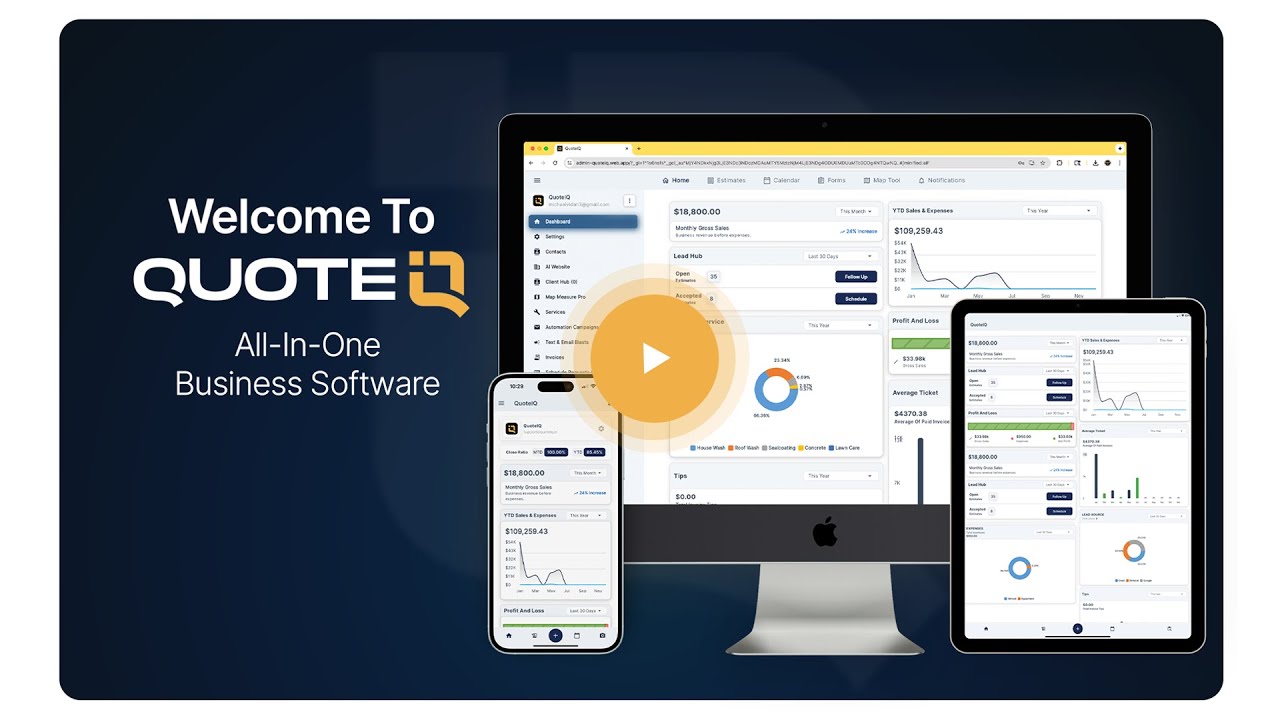
Watch: What Is QuoteIQ?
A short walkthrough of how QuoteIQ brings estimating, scheduling, invoicing, and customer communication into one platform, including the AI Estimator workflow painting contractors use on the job site.
How to Get Started With QuoteIQ for Painting Estimates in 4 Steps
The fastest way to judge any estimating tool is to put a real job through it. Here is the four-step path from signup to your first paid painting job in QuoteIQ.
Start your trial and pick a plan
Create your account and choose the plan you want to test. Essentials includes the AI Estimator; Pro adds ClientHub and job costing. Your 14-day free trial gives you full access to the plan you choose.
Bring in customers and build your price book
Import customer lists by CSV with AI Smart Import, then add your services and unit prices to the price book. Done-For-You setup is available in two tiers ($299.99 and $999.99) if you would rather have help.
Run your first AI estimate
Photograph the rooms or elevations, let the AI Estimator draft the scope, then adjust prep, coats, and paint grade. Attach photos from QuoteIQ Cam or a MapMeasure Pro screenshot as proof of scope.
Send, sign, schedule, and get paid
Send the estimate by text or email, collect an e-signature, put the job on the calendar, and convert it to an invoice your customer can pay online.
Meet the Co-Founders Behind QuoteIQ
QuoteIQ was founded in 2022 and is based in Savannah, Georgia. Its two Co-Founders are listed below, and Mike Vidan reviewed this guide.
Mike Vidan
Co-Founder, QuoteIQ
Mike co-founded QuoteIQ and reviewed this guide. His contractor insights page collects his writing for service business owners.
Justin Rogers
Co-Founder, QuoteIQ
Justin co-founded QuoteIQ. His contractor insights page collects his writing for service business owners.
What QuoteIQ Users Say
Five-star reviews from the App Store and Google Play, shown exactly as written. These are general QuoteIQ user reviews, not painting-specific ones.
“QuoteIQ has already started paying dividends for my new business. The Estimates and Invoices are outstanding, including the ability to add photos. Clearly, lots of entrepreneurial thinking has gone into the design of this CRM! If you’re considering your options, choose QuoteIQ”
Vance Dickey · Google Play review
“This is just the app that I was missing for my business. Just with the fact that I can be at my home doing measurements for quotes to clients in minutes is just mind-blowing. You guys deserve a 10 stars rating. Thank you, guys. Keep going.”
Jovanni Diaz · Google Play review
“I was nervous switching systems, but QuoteIQ made the move seamless. Everything from customer details to quote follow-ups is now automated and stress-free.”
Emilio Deonna · App Store review
Stop losing bids to slow estimating. Start handing painting customers a real number on the spot.
QuoteIQ brings the photo-to-quote AI Estimator, scheduling, and invoicing to every plan, with MapMeasure Pro, ClientHub texting, and more as you move up, starting at $29.99 per month. Pro at $149.99 per month is the tier we recommend for most painters.





