The 6 Best Team Management Tools for Roofing Contractors, Ranked
Ranked for roofing crew operations specifically — not for general field service, and not for insurance claim handling alone.
1
QuoteIQ
Best all-in-one crew management for roofing contractors
Editor’s Choice 2026
★★★★★ 4.7 / 5 · 4,103 verified reviews
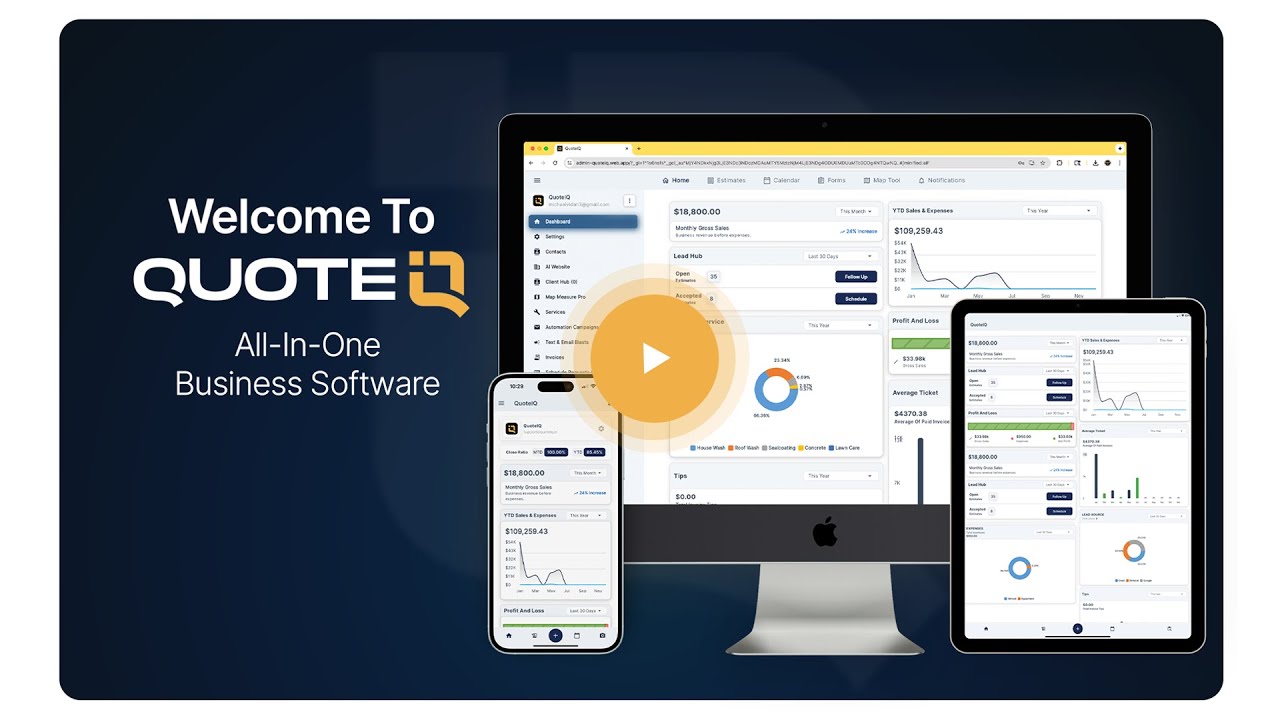
QuoteIQ earns the top spot because EmployeeHub is not sold as a bolt-on. It sits inside a platform that already handles estimates, invoicing, scheduling and customer communication. When a roofer clocks in from the QuoteIQ mobile app, GPS records the location at that moment. Hours accrue against the job automatically, breaks are counted and timed, and every admin adjustment is written to an edit history. Those hours then feed job costing, where price minus labour minus expenses produces an actual profit figure per roof rather than an estimate of one.
On the routing side, Route Density shows where the week’s work clusters and Route Optimization sequences the stops inside that cluster, accounting for appointment windows and job duration, with a stated 15–30% reduction in drive time. The roofing-specific advantage is that the measurement tooling lives in the same subscription: MapMeasure Pro auto-detects roof segments from solar data with colour-coded pitch, saves measurements to the customer record, and as of the August 2026 release lets you scroll back through years of historical aerial imagery of a property — useful when a homeowner claims damage predates a storm. Property Street View and Zillow Quick Access sit alongside it from Beginner upward.
Where QuoteIQ is genuinely limited, and roofing buyers should hear it before a demo rather than after: there is no native payroll and no automatic overtime calculation — hours export to the payroll provider you already run. There is no insurance supplement tracking, public adjuster log or claim status board, so a contractor whose revenue is mostly storm restoration will find AccuLynx or JobNimbus better shaped for that work. And the crew-level tooling is tiered: individual assignment from the calendar starts at Pro, but named crews and the Sales Team Tracker for commissions require Max. For retail residential roofers, new-construction roofers and commercial flat-roof contractors, Elite covers the operational ground at a flat ten-user price.
Pros
- GPS location-verified clock-ins, not self-reported hours
- Break counts and durations in reports and CSV export
- Full edit history on every admin time adjustment
- Route Density and Route Optimization both on Elite
- Satellite roof measurement with pitch in the same subscription
- Historical aerial imagery timeline added August 2026
- Flat pricing — 10 users on Elite, no per-seat fees
- Clocked-out employees are never shown on any map
Cons
- No native payroll — hours export to your payroll system
- No automatic overtime calculation
- No insurance supplement or claim workflow tools
- Named crew scheduling requires Max at $699/month
- Sales Team Tracker commissions require Max at $699/month
- EmployeeHub and GPS start at Elite — not on lower plans
Quick Verdict
For a roofing contractor running two to ten crews who wants location visibility, verified time and real routing without stitching three subscriptions together, Elite at $299/month is the most complete package at this price. Move to Max if you schedule named crews or pay commission. Start the 14-day free trial or book a demo.
Verified Contractor Review
“First of all this app saves me so much time,the new updates they do are impactful. I’ve used it for pressure washing, I’ve used it for even doing concrete estimating. The ability to send invoices directly and charge from the app is a win win! I like how it incorporates the ability to keep your customers like a CRM program and it helps me check up on those customers that called, I can call back pretty fast make a note on their file. I also like how everyone can access it from my Crew. App is #1”
— Shawn Contreras · Google Play · 5-star verified review
2
AccuLynx
Best roofing-native platform for insurance restoration contractors
Best for Insurance Restoration
AccuLynx is the most purpose-built roofing platform in this comparison. Where a generalist tool gives you a calendar and an invoice, AccuLynx gives you supplement tracking, insurance claim status, aerial measurement ordering inside the estimating workflow, material ordering through major roofing suppliers, and production tracking that follows a job from storm lead to closeout. For a contractor whose revenue is predominantly hail and wind claims, that native claim workflow is a real advantage no generalist roofing FSM platform replicates.
The team management layer is scheduling-centric: assign crews to jobs, track production stage, manage multi-phase work. What AccuLynx does not publish is a plan-by-plan feature matrix, so we will not tell you whether it matches GPS location tracking or location-stamped clock-ins at the tier you would be quoted — ask for that in writing during the demo, feature by feature, and get the answer on paper. That is not a dig; it is the practical consequence of quote-only sales for any buyer trying to compare.
On cost, AccuLynx does not publish pricing on its website. Third-party estimates circulating in 2026 disagree with each other by a factor of five, which is exactly why we print none of them. Expect a sales conversation, expect add-on line items for documents, texting and customer portal access, and expect per-report fees for aerial measurements ordered through the platform — those are billed by the measurement provider and sit on top of the subscription. Ask for the all-in monthly number including every add-on before you compare it to anything with a published price.
Pros
- Insurance claim workflow and supplement tracking built in
- Aerial measurement ordering inside the estimating flow
- Production tracking from lead to closeout, roofing-native
- Material ordering through major roofing suppliers
- Deep, roofing-only feature set rather than a generic FSM tool
Cons
- No published pricing — a sales call is required for any number
- No published plan feature matrix to compare before that call
- Add-on charges for documents, texting and portal access
- Per-report aerial measurement fees on top of subscription
- Built exclusively for roofing — no help if you run mixed trades
Quick Verdict
If your roofing business is primarily insurance restoration, AccuLynx is built for exactly that workflow and deserves a place on your shortlist. If you are a retail roofer whose real problem is crew accountability and drive time, QuoteIQ Elite covers that ground at a price you can read before you call anyone.
AccuLynx Pricing
No public rate card as of 8 September 2026. Pricing and plan features are quote-only — request both in writing, including every add-on.
3
JobNimbus
Best for sales-pipeline-driven residential roofing teams
Best Sales Pipeline
JobNimbus is built around how residential roofing sales actually moves: visual boards carrying a job from inspection through estimate, signed, production, completion and collected. For an office manager who needs to see where every job stands across several reps and crews at once, that board interface is genuinely easier to read than a generic pipeline. Customising board stages to match your own workflow is the most consistently praised thing about the product among roofing reviewers, and it is a fair strength to weigh against everything else here.
The distinction to hold onto is that a sales CRM and a crew management system solve different problems. Board visibility tells you which job is where in the sales cycle. It does not tell you whether the crew assigned to Tuesday’s tear-off actually arrived at eight. If your bottleneck is lead-to-contract conversion, that is a pipeline problem. If your bottleneck is unaccounted hours and drive time, that is a crew management problem, and the two are worth separating before you buy either. QuoteIQ ships Pipelines and Deals on Elite with probability-weighted forecasting if you need both in one place.
JobNimbus does not publish dollar pricing for its current plans, and it does not publish a plan-level feature matrix either. Independent estimates in 2026 range widely enough to be useless for budgeting, so we print none. What is publicly clear is the structure: tiered plans quoted by user count, with communications and marketing capabilities packaged separately. Ask the rep to itemise the base platform, each seat type, every communications bundle, professional services, contract length and renewal price — a low headline quote frequently excludes the pieces a roofing team uses daily.
Pros
- Visual pipeline boards built for residential roofing sales
- Customisable stages that match a real roofing workflow
- Strong document and proposal generation for homeowners
- Widely used among storm restoration teams
- Active user community and broad integration ecosystem
Cons
- No published pricing — quote required to see any number
- No published plan feature matrix for pre-call comparison
- Seat-based structure gets expensive with seasonal storm hires
- Communications capabilities packaged separately from the base
- CRM-first design — crew accountability is not its centre of gravity
Quick Verdict
If the sentence “we do not know which rep is converting” describes your business, JobNimbus wins that use case honestly. If the sentence is “we do not know where our crews are or whether their hours are real,” Time Tracker Pro on Elite is the more direct answer.
JobNimbus Pricing
No public rate card as of 8 September 2026. Plans are quoted by seat count — ask for an itemised written quote including communications add-ons and renewal terms.
4
Jobber
Best published pricing and cleanest fit for smaller roofing crews
Best Published Pricing
Jobber does something most of this category refuses to do: it publishes a complete rate card, broken out by team size, with the add-on prices printed next to the plans. For a roofing owner trying to budget without sitting through three demos, that transparency has real value. Read from Jobber’s own pricing page on 8 September 2026, the monthly no-commitment rates are Core at $49 for one user, Connect at $139 for one user and $199 for five, Grow at $199 for one user and $399 for ten, and Plus at $499 for five users rising to $699 for fifteen. Additional users are $29 per month each. One-year-commitment and annual-prepaid rates are lower and are published alongside.
On team management specifically, Jobber’s plan table lists GPS tracking, time tracking, routing and job costing, with automatic geofenced time tracking and labelled break-and-drive-time tracking appearing on the Grow tier. Team @ mentions in job notes and a media library land on Plus. There is a Home Depot catalogue integration that pulls live local material pricing into quotes, an AI voice tool for logging job notes hands-free, and the mobile app is available in Spanish for field team members — a genuinely useful detail for roofing crews and one that older comparison articles get wrong.
The gaps for roofing are shape rather than quality. There is no aerial roof measurement, no insurance claim or supplement workflow, and commission calculation is not listed as a plan feature. Three add-ons — Marketing Suite at $99, Receptionist at $29 and Pipeline at $49 — are sold separately on Core, Connect and Grow and included on Plus, which is where the real total assembles. A ten-user roofing team on Grow pays $399 before add-ons; the same ten users on QuoteIQ Elite are $299 with satellite measurement, InstaQuote, inventory and routing already inside.
Pros
- Fully published rate card broken out by team size
- Automatic geofenced time tracking on Grow
- Break, drive time and labelled time categories
- QuickBooks Online and Xero sync from Connect upward
- Home Depot catalogue with live local material pricing
- Mobile app available in Spanish for field team members
Cons
- No aerial roof measurement of any kind
- No insurance claim or supplement tracking
- Commission calculation is not a listed plan feature
- Three separate add-ons before Plus bundles them
- $29 per additional user stacks up in storm season
Quick Verdict
For a two-to-five-person roofing crew that wants clean scheduling, real time tracking and a price it can read today, Jobber Connect at $199 for five users is a defensible choice. At ten users and above, the maths tightens against it once you add measurement and self-quoting from elsewhere.
Jobber Pricing
Monthly no-commitment, read from getjobber.com/pricing on 8 September 2026: Core $49 (1 user) · Connect $139 (1) / $199 (5) · Grow $199 (1) / $399 (10) · Plus $499 (5) / $699 (15). Extra users $29/mo. Add-ons: Marketing Suite $99, Receptionist $29, Pipeline $49.
5
Housecall Pro
Best when payroll and commissions must live in one subscription
Best for Payroll & Commissions
Housecall Pro’s real differentiator in this comparison is not accounting integration — it is that Commissions appear on the Essentials plan, letting you pay different rates by item, service or job type, and that Payroll is sold as part of the same product rather than as an export to somewhere else. For a roofing contractor paying sales reps a percentage and crews an hourly rate, having both calculated in the system that already holds the invoice is a legitimate reason to choose it over anything else here, QuoteIQ included. Employee GPS tracking that locates techs by phone with no hardware also sits on Essentials.
Read from Housecall Pro’s own pricing page on 8 September 2026, the plans are Basic at $59 per month billed annually or $79 monthly with one user included; Essentials at $149 annually or $189 monthly with five users included and additional users at $100 per month; and Max at $299 annually or $329 monthly with eight users included and additional users at $75 per month. Routes — grouping and sequencing the day’s jobs — is an Essentials feature, while full Route optimization that reorders jobs against live traffic sits on Max. Job costing appears from Basic. There are no long-term contracts, and the mobile app is available in Spanish.
Two corrections worth making loudly, because older roofing comparisons repeat both. First, Housecall Pro’s accounting sync on Essentials is QuickBooks Online; do not choose this platform expecting a desktop accounting bridge without confirming current capability with their team directly. Second, the claim that Housecall Pro has no route optimization is simply out of date — it is listed on Max today. What remains genuinely absent for roofing is aerial measurement and any insurance claim workflow, and the per-seat cost is the steepest here: five extra seats on Essentials adds $500 a month, where QuoteIQ Elite includes ten users for $299 flat.
Pros
- Commissions listed on Essentials, by item, service or job type
- Native payroll sold inside the same platform
- Employee GPS tracking by phone, no hardware, on Essentials
- Route optimization against live traffic on Max
- QuickBooks Online sync and job costing included
- No long-term contracts; Spanish-language mobile app
Cons
- Steepest per-seat pricing here — $100/user on Essentials
- Full route optimization gated to the Max tier
- No aerial roof measurement
- No insurance claim or supplement workflow
- Monthly billing costs noticeably more than annual on every tier
Quick Verdict
If commissions and payroll in one system is your top requirement, Housecall Pro is the honest recommendation on this list and you should shortlist it above QuoteIQ for that specific need. If you would rather keep payroll where it is and spend the budget on measurement, routing and self-quoting, QuoteIQ gives more roofing-specific ground per dollar.
Housecall Pro Pricing
Read from housecallpro.com/pricing on 8 September 2026: Basic $59 annual / $79 monthly (1 user) · Essentials $149 annual / $189 monthly (5 users, +$100/user) · Max $299 annual / $329 monthly (8 users, +$75/user).
6
ServiceTitan
Best for large multi-branch roofing operations
Best for Large Operations
ServiceTitan is the enterprise standard in field service software and the only publicly traded company in this comparison. For roofing operations running many crews across multiple locations, its depth in reporting, standardised operations across branches and integrations with the major aerial measurement providers is unmatched by anything else here. If you have a controller, a dedicated dispatcher and an operations lead who will own the system, it can carry a roofing business at a scale the other five will strain against.
The cost reality is that ServiceTitan publishes no pricing at all. Every quote comes through a sales process, pricing is charged per technician, and buyers consistently report a substantial one-time implementation and onboarding fee on top of the subscription, usually with an annual minimum term. Third-party figures circulating online vary enormously and we will not repeat them — the only number that means anything is the one in your written quote. Ask specifically about implementation cost, contract length, renewal escalation and what happens to your data if you leave.
For roofing contractors below roughly a million dollars in revenue, ServiceTitan is generally the wrong shape rather than simply the wrong price: implementation runs for months, and the reporting depth that justifies the investment needs volume to be worth reading. A growing roofer heading toward multi-crew expansion gets a more proportionate path through Elite and then Max, where unlimited users and multi-business support arrive without an implementation project. If you are genuinely enterprise scale, take the ServiceTitan demo — just take it with a written quote in hand.
Pros
- Deepest enterprise reporting and analytics in the category
- Multi-location rollup and standardised branch operations
- Integrations with the major aerial measurement providers
- Dedicated account teams and enterprise-grade support
- Publicly traded, with the disclosure that brings
Cons
- No published pricing anywhere — sales process required
- Priced per technician, so cost scales with every seat
- Substantial one-time implementation fee reported by buyers
- Annual minimum terms are standard
- Onboarding takes months — not meaningfully trialable
Quick Verdict
Justified for large roofing enterprises with the staff to run it and the volume to extract value from enterprise reporting. For a $300K–$800K roofing contractor it is over-scaled, and the honest advice is to start on Elite and revisit ServiceTitan when headcount actually demands it.
ServiceTitan Pricing
No public rate card as of 8 September 2026. Per-technician quote only, with implementation fees and annual terms — model it with the ServiceTitan pricing calculator before your call.