



The Best Alternative to Jobber for Home Service Contractors in 2026
Published March 2026 · Updated September 2026 · 18 min read
QuoteIQ is the best alternative to Jobber — and not only because it costs less. More AI on every plan, more native features, unlimited users at a flat rate on Max, and a product built by contractors who actually run service businesses. Here is the complete, source-checked breakdown.
What is the best alternative to Jobber in 2026?
QuoteIQ is the best alternative to Jobber for home service contractors in 2026. QuoteIQ starts at $29.99 per month and puts AI Autopilot — 55 integrated tools across 13 categories — on every single plan, alongside the AI Estimator, satellite measurement with MapMeasure Pro from $74.99, a dedicated business line through ClientHub from $149.99, and inventory management, Pipelines & Deals and InstaQuote on Elite at $299. Jobber’s published monthly list prices run $49 to $499 with $29 per additional user per month, plus separately priced add-ons (verified on getjobber.com/pricing, 29 September 2026). At ten seats that gap is $161 a month on subscription alone, and roughly $517 a month once Jobber’s own listed add-ons are included.
TL;DR: QuoteIQ replaces Jobber plus most of the tools bolted onto it. Every plan carries AI Autopilot, the AI Estimator and the AI Image Generator; MapMeasure Pro and QuoteIQ Cam land at Beginner ($74.99); ClientHub, Job Costing and the QuickBooks Online sync land at Pro ($149.99); inventory, route optimization and EmployeeHub land at Elite ($299); and unlimited users land at Max ($699). Field service is a labour-cost business — the Bureau of Labor Statistics tracks the trades’ employment outlook, and the IRS standard mileage rate sets what every wasted drive costs you. Software that charges per seat taxes exactly the thing you are trying to grow.
- Why contractors search for an alternative to Jobber
- Why QuoteIQ is the best alternative to Jobber
- 10 reasons QuoteIQ wins
- Pricing showdown, seat by seat
- True cost: subscription plus add-ons
- Feature-by-feature matrix
- What QuoteIQ includes natively
- Where Jobber genuinely wins
- What the switch looks like by trade
- Who should make the switch
- How to migrate from Jobber to QuoteIQ
- FAQ: best alternative to Jobber
Why Contractors Search for the Best Alternative to Jobber
Jobber is one of the most recognised names in field service management software, and it earned that recognition honestly. The scheduling works. The quoting works. The mobile app is polished and the brand is everywhere. So the interesting question is not whether Jobber is good software — it is why thousands of contractors type “best alternative to Jobber” into a search bar every month anyway.
The answer has almost nothing to do with quality and almost everything to do with structure. Three structural things push contractors to look elsewhere, and all three get worse as a business grows.
1. The pricing model taxes headcount
Jobber’s published list prices, checked on 29 September 2026, run from $49 per month on Core to $499 per month on Plus, and every plan adds $29 per month for each additional user. Core, Connect and Grow each include a single user at their list price. Plus includes five. That means the price you see on the pricing page is almost never the price a crew actually pays.
Run the arithmetic on a real business. A four-person crew on Connect is $139 plus three seats at $29, or $226 a month. A ten-person operation on Grow is $199 plus nine seats, or $460 a month. A twenty-person operation on Plus is $499 plus fifteen seats, or $934 a month. The subscription line on your books grows in a straight line with the payroll line — which is exactly backwards, because the whole point of hiring the eleventh technician is that your fixed costs are supposed to be spread thinner, not thicker.
QuoteIQ prices the same three businesses at $149.99 on Pro, $299 on Elite and $699 on Max — and Max carries unlimited seats, so the twentieth hire, the fortieth and the hundredth all cost exactly zero in software. If you want to model the difference against your own payroll, the home service business calculators and the in-app calculator suite will do the maths on hourly rates and job costs for you.
The seat-fee math, stated plainly: at $29 per additional user per month, ten extra seats add $290 a month — $3,480 a year — to a Jobber bill before a single add-on is purchased. QuoteIQ Max is $699 a month flat whether the team is eleven people or a hundred and eleven.
2. Capabilities arrive as separately priced add-ons
Jobber’s own pricing page lists three paid add-ons alongside the plans, verified 29 September 2026: Receptionist at $29 per month, Pipeline at $49 per month and the Marketing Suite at $99 per month. Add all three to a plan and you are at $177 a month on top of the subscription and before seats.
That is the visible part. The invisible part is the third-party stack most Jobber shops end up running alongside it — a photo documentation tool such as CompanyCam, priced per user on their own site, and a customer self-quoting tool such as ResponsiBid, whose published plans run $179 and $229 per month plus a one-time setup fee (verified 29 September 2026). Every one of those is a separate login, a separate invoice, a separate integration that breaks on its own schedule.
On QuoteIQ those jobs are all in the box. Photo documentation, inspection reports and the before-and-after archive are QuoteIQ Cam and the Before & After Photo Editor. Customer self-quoting is InstaQuote. Customer self-booking against your real calendar is InstaSchedule. Review generation is Review Multiplier. Campaigns are mass text and email blasts and multi-step automations.
3. AI sits behind a paywall instead of inside the product
This is the one that has changed fastest. On QuoteIQ, AI Autopilot — 55 integrated tools across 13 categories — ships on Essentials at $29.99, the cheapest plan in the ladder. So does the photo-driven AI Estimator, the AI Text Generator, the AI Image Generator and access to the Virtual Call Team. Jobber’s pricing page prices its Receptionist as a $29 per month add-on.
The difference is not a feature-list difference. It is a difference in who gets to use AI. A solo pressure washer on QuoteIQ Essentials is running the same AI stack as a thirty-truck landscaping company on Max, metered by IQ Credits rather than gated by tier.
The bottom line: the best alternative to Jobber is not simply a cheaper one. It has to cost less, include more natively, remove the third-party stack, and stop charging you for growing. That combination is what this comparison is about.
Why QuoteIQ Is the Best Alternative to Jobber
QuoteIQ is a field service management CRM headquartered in Savannah, Georgia, founded in September 2022 and built for home service contractors across more than 50 trades. It was co-founded by Mike Vidan, a home service contractor, and Justin Rogers. It is used by over 40,000 contractors and holds a 4.7 average rating across 4,103 reviews.
What makes it the strongest Jobber alternative is not any single headline feature. It is four things holding at the same time — something no other platform in this category currently does.
Lower price at every comparable team size
One seat: $29.99 on Essentials against Jobber Core’s $49. Ten seats: $299 on Elite against $460 for Grow plus nine seats. Twenty seats: $699 on Max against $934 for Plus plus fifteen seats. Thirty seats: still $699 against $1,224. The gap widens every time you hire.
More capability included rather than purchased
The full feature directory runs to fifty-nine pages, and the parts that usually live in separate subscriptions — inventory, pipelines, route optimization, route density, GPS location tracking, Time Tracker Pro and team communication — are all plan inclusions, not line items.
AI on every plan, not just the expensive one
Autopilot, Estimator, text and image generation and Virtual Call Team access start at $29.99. AI CoPilot works inside estimate and invoice creation, and AI Smart Import maps a CSV from any other CRM — including Jobber — into QuoteIQ automatically.
Built by people who ran the trucks
Mike Vidan spent two decades in home services before co-founding the company. That shows up in unglamorous places: Quick Estimates for the small jobs you price at the curb, Options Estimates for good-better-best upsells, Package Estimates for bundles, e-signatures the customer completes on their phone, and consumer financing so a $9,000 job does not die on the driveway.
Why that fourth point matters commercially: the Census Bureau’s construction spending series shows residential improvement demand is measured in the hundreds of billions annually. Winning a share of it is a quoting-speed problem, not a software-branding problem.
10 Reasons QuoteIQ Is the Best Alternative to Jobber
AI Autopilot on every plan from $29.99 a month
Fifty-five integrated tools across thirteen categories, driven by voice or text: move the day’s jobs and notify every customer, invoice everything completed today and send it, pull a report without touching a menu. It is on Essentials, not reserved for the top tier. Full detail on the AI Autopilot page.
MapMeasure Pro — satellite measurement inside the estimate
Measure driveways, roofs, lawns, decks and fences from aerial imagery without leaving the estimate screen, with drawing tools for awkward shapes, roof pitch calculated and saved, and a historical imagery timeline. Included from Beginner at $74.99. See MapMeasure Pro, plus Property Street View and Zillow Quick Access.
Flat-rate pricing with zero per-seat fees on Max
Max at $699 a month includes unlimited users. Jobber’s published rate is $29 per additional user per month on every plan. At twenty-five seats that seat line alone is $580 a month on Jobber; on Max it is nothing.
A real business phone number inside the CRM
ClientHub gives you a dedicated business line with two-way calling and texting from phone, tablet or desktop, every call and text filed to the customer record, plus call routing and forwarding. Included from Pro at $149.99.
Photo-based AI estimating
Upload a property photo and the AI Estimator reads surface, condition and scope, asks targeted follow-ups, and produces market-accurate line-item pricing for your area. Every plan from $29.99, metered in IQ Credits.
Five-module inventory management
Products, Locations, Suppliers, Orders and Transactions — stock tracked across trucks, warehouses and job sites, with materials on estimates linked to products so pricing stays current. Stock deducts when the invoice is paid. Included on Elite at $299. See inventory management.
Visual sales pipelines with weighted forecasting
Kanban and list views, stages carrying close probabilities, weighted value calculated as amount multiplied by probability, and six-metric deal analytics. Elite runs up to five pipelines; Max is unlimited. Included on Elite at $299 — see Pipelines & Deals and the Sales Team Tracker on Max.
AI before-and-after imagery that sells the job
Generate a realistic “after” preview from the actual photo of the property in roughly fifteen to twenty seconds and attach it to any estimate type or invoice. Showing the result is a different sales conversation from describing it. Every plan — see the AI Image Generator.
Customers quote and book themselves
InstaQuote lets customers build their own quote from your priced service library and approve it; InstaSchedule lets them book against your real, live calendar around the clock. Both on Elite at $299, and both surface inside the Client Portal.
Built by contractors, and it shows in the details
Draft mode with continuous autosave so a dead phone does not cost you an estimate. Sub-item line hierarchies. Hiding individual line prices. Contract attachments. Invoice subscriptions for recurring accounts. Tips at checkout. None of that comes from a roadmap workshop.
Pricing Showdown: QuoteIQ vs. Jobber, Seat by Seat
All Jobber figures below are the standard monthly list prices published on getjobber.com/pricing and verified on 29 September 2026, with additional seats priced at Jobber’s stated $29 per user per month. Promotional and annual-prepay rates are excluded on both sides so the comparison stays like-for-like. QuoteIQ figures are the current monthly rates on the QuoteIQ pricing page.
| Team size | Jobber plan + seats | Jobber monthly | QuoteIQ plan | QuoteIQ monthly | Difference |
|---|---|---|---|---|---|
| 1 user | Core (1 incl.) | $49 | Essentials | $29.99 | QuoteIQ $19.01 less |
| 2 users | Core + 1 seat | $78 | Beginner | $74.99 | QuoteIQ $3.01 less |
| 4 users | Connect + 3 seats | $226 | Pro | $149.99 | QuoteIQ $76.01 less |
| 4 users (entry tier) | Core + 3 seats | $136 | Pro | $149.99 | Jobber $13.99 less* |
| 10 users | Grow + 9 seats | $460 | Elite | $299 | QuoteIQ $161 less |
| 15 users | Plus (5 incl.) + 10 seats | $789 | Max | $699 | QuoteIQ $90 less |
| 20 users | Plus (5 incl.) + 15 seats | $934 | Max | $699 | QuoteIQ $235 less |
| 30 users | Plus (5 incl.) + 25 seats | $1,224 | Max | $699 | QuoteIQ $525 less |
| 50 users | Plus (5 incl.) + 45 seats | $1,804 | Max | $699 | QuoteIQ $1,105 less |
*The honest row. A four-person crew willing to run Jobber’s entry Core plan pays $136 against $149.99 for QuoteIQ Pro — Jobber is $13.99 a month cheaper on sticker price at that single configuration. What Core does not carry is the automation, portal and accounting layer; QuoteIQ Pro at that price includes ClientHub, Job Costing, the Client Portal, email and text automations, website contact forms and the QuickBooks Online integration. We would rather print the row than hide it.
QuoteIQ’s full plan ladder
| Plan | Monthly | Annual | Users | IQ Credits / month | Headline additions |
|---|---|---|---|---|---|
| Essentials | $29.99 | $299.99 | 1 | 500 | Full estimating, invoicing, scheduling and the whole AI suite |
| Beginner | $74.99 | $749.99 | 2 | 1,500 | MapMeasure Pro, QuoteIQ Cam, expense tracking, advanced analytics |
| Pro | $149.99 | $1,499.99 | 4 | 3,000 | ClientHub, automations, Client Portal, Job Costing, QuickBooks Online |
| Elite | $299 | $2,990 | 10 | 5,000 | InstaQuote, InstaSchedule, Pipelines, inventory, routing, EmployeeHub |
| Max | $699 | $6,990 | Unlimited | 8,000 | Crews, Sales Team Tracker, AI Website Builder, 4 extra businesses, priority support |
Annual billing on QuoteIQ is ten months’ money for twelve months of service, so the yearly figure is simply the monthly rate multiplied by ten. There is also a one-time Done-For-You setup option at $299.99 if you would rather hand over the contact import, price book build and onboarding session than do it yourself. Every plan carries a 14-day free trial with full access to the features of the plan you choose.
True Cost: Subscription Plus Everything Else
Sticker price is the wrong comparison. The right one is what it costs to get the same jobs done. Below are two stacks built only from figures published on the vendors’ own pricing pages and checked on 29 September 2026. Where a vendor does not publish a rate, the line is left unpriced rather than estimated.
Ten-user team, matched against QuoteIQ Elite
$6,204+ a year — and that is before the unpriced photo-documentation line, with QuoteIQ Elite still carrying inventory, route optimization, route density and EmployeeHub on top.
Twenty-user operation, matched against QuoteIQ Max
$641+ a month, and every further hire is free on Max while the Jobber column keeps climbing $29 at a time.
Expressed as a percentage: $299 against $816 is 63% lower at ten users; $699 against $1,340 is 48% lower at twenty. Both figures use only published rates and both understate the gap, because the unpriced photo-documentation line sits on the Jobber side of the ledger. Put that saving against your own numbers with the business calculators, or price a specific job with the pressure washing cost calculator or the lawn care cost calculator.
Feature-by-Feature: What You Get, and From Which Plan
A note on method before the table. Every QuoteIQ row below is a plan-inclusion fact taken from the current plan pages. For Jobber we publish only what their own pricing page published on 29 September 2026 — the plan prices, the $29 per-user fee and the three add-on prices. We do not assert what Jobber does or does not do beyond that page, because their feature set moves and a comparison table is a bad place to be wrong about someone else’s product. The right-hand column therefore points you at the source rather than guessing for you.
| Capability | Included on QuoteIQ from | What it replaces in a typical stack |
|---|---|---|
| AI assistant across the whole CRM | Essentials — $29.99 | A separate AI add-on subscription |
| Photo-based AI estimating | Essentials — $29.99 | Manual takeoffs and site visits |
| AI before/after image generation | Essentials — $29.99 | A design or mock-up tool |
| AI text generation | Essentials — $29.99 | A copywriting subscription |
| AI call answering (Virtual Call Team) | Essentials — metered in IQ Credits | An answering service or AI receptionist add-on |
| Estimating: standard, quick, options, package | Essentials — $29.99 | A separate proposal tool |
| Invoicing, recurring subscriptions, online payments | Essentials — $29.99 | A standalone invoicing app |
| E-signatures on estimates and proposals | Essentials — $29.99 | An e-signature subscription |
| Consumer financing at checkout | Essentials — $29.99 | A separate financing partner integration |
| Business calculators and national pricing guide | Essentials — $29.99 | Spreadsheets |
| Satellite property measurement | Beginner — $74.99 | A dedicated measurement platform |
| Roof dimensions and pitch from aerial imagery | Beginner — inside MapMeasure Pro | A roof measurement report service |
| Photo documentation, inspections, 4K archive | Beginner — $74.99 | A per-user photo documentation app |
| Expense tracking and advanced analytics | Beginner — $74.99 | A bookkeeping add-on |
| Dedicated business phone, calling and texting | Pro — $149.99 | A business VoIP line |
| Multi-step email and text automations | Pro — $149.99 | A marketing automation subscription |
| Client portal and website contact forms | Pro — $149.99 | A customer portal plugin |
| Job costing and hourly rate calculator | Pro — $149.99 | A job-profitability spreadsheet |
| QuickBooks Online sync | Pro — $149.99 | Manual accounting entry |
| Customer self-quoting | Elite — $299 | A self-quoting platform subscription |
| Customer self-scheduling on live availability | Elite — $299 | An online booking tool |
| Visual sales pipelines with weighted forecasting | Elite — $299 | A sales CRM add-on |
| Inventory management, five modules | Elite — $299 | An inventory app or spreadsheet |
| Route optimization and route density | Elite — $299 | A routing subscription |
| Mass text and email campaigns | Elite — $299 | An email/SMS marketing platform |
| EmployeeHub, GPS tracking, Time Tracker Pro | Elite — $299 | A time-and-attendance app |
| Unlimited user seats | Max — $699 | Per-seat software fees |
| Crew creation, tracking and scheduling | Max — $699 | A crew management tool |
| Sales commission tracking | Max — $699 | A commission spreadsheet |
| AI website builder | Max — included; $34.99 / mo elsewhere | A website subscription |
| Four additional businesses on one account | Max — $699 | A second and third full subscription |
| Free trial | 14 days, full access to your chosen plan | — |
For the Jobber side of the ledger: the verified figures are in the pricing table above — Core $49, Connect $139, Grow $199, Plus $499 (five users), $29 per additional user per month, Receptionist $29, Pipeline $49, Marketing Suite $99, all as published on getjobber.com/pricing on 29 September 2026. For their feature-by-feature detail, read their own documentation; we track the numbers and update this page when they change, and our Jobber pricing breakdown for 2026 carries the running record.
The Capabilities That Remove Whole Subscriptions
Anyone can list features. What matters when you are choosing the best alternative to Jobber is which line items disappear from your card statement. These are the QuoteIQ capabilities that most often replace a separate tool entirely.
MapMeasure Pro — the site visit you stop driving to
Satellite measurement lives inside estimate creation, not in a separate window. Square footage, roof dimensions, lawns, driveways, decks and fences, with drawing tools for irregular shapes and measurements saved to the customer record. Roof segments are auto-detected with colour-coded pitch, screenshots attach to the estimate as visual proof of scope, and the historical imagery timeline lets you scroll back through years of aerial photos of the same property. Included from Beginner — see MapMeasure Pro. Each avoided round trip is worth the IRS standard mileage rate multiplied by the miles, plus the hour you did not lose.
ClientHub — one number the whole business answers
A dedicated business line with two-way calling and texting inside QuoteIQ from any device, every conversation filed automatically to the customer profile, real-time notifications, and call routing and forwarding by time of day, caller or availability — including forwarding to the Virtual Call Team. Included from Pro. Full detail on ClientHub.
Inventory that reflects reality
Products with SKUs, categories, unit costs and reorder points; Locations for warehouses, trucks and job sites; Suppliers; Orders moving draft to confirmed to received; and Transactions recording every movement including damage, loss and adjustment. Materials on estimates link to products so pricing stays current, and stock deducts when the invoice is paid rather than when someone remembers to tap a button. Elite and above — see inventory management and expense tracking.
Routing that separates “where” from “in what order”
Route Density shows you where the work clusters so you can plan a zone day. Route Optimization then sequences the stops inside that zone for minimum drive time, accounting for appointment windows and job duration and recalculating when something is added late. Cutting drive time 15–30% is a payroll saving before it is a fuel saving.
The whole customer-facing layer
InstaQuote for self-serve quoting from your priced library, InstaSchedule for round-the-clock booking on live availability, the Client Portal for estimates, invoices, appointments, inspections and requests in one branded place, website contact forms feeding straight into the CRM, and Review Multiplier turning paid invoices into review requests. The FTC’s business guidance is worth a read before you run any review campaign.
The back office
Job Costing turns price minus labour minus expenses into a profit figure per job with labour pulled automatically from Time Tracker Pro. Analytics covers revenue by service, customer and crew, conversion rate, average ticket, completion rate and lifetime value. Roles and permissions control who sees what, data export is available on every plan, and multi-business support runs several companies from one login.
Five subscriptions, one bill. A ten-person shop running QuoteIQ Elite at $299 is covering measurement, photo documentation, self-quoting, self-scheduling, campaigns, pipelines, inventory, routing and time tracking in a single line item. Priced separately, those nine jobs rarely come in under $600 a month combined.
Where Jobber Genuinely Wins — and Where QuoteIQ Has Gaps
An article that claims the alternative wins on every axis is an advertisement, not a comparison. Here is the side of the ledger that does not flatter us, stated as plainly as the rest.
Jobber’s entry tier can undercut us on a small crew
As the pricing table showed, four people on Jobber’s Core plan comes to $136 a month against $149.99 for QuoteIQ Pro. If all you need is quoting, scheduling and invoicing for a four-person crew and you will not use automations, the client portal, the business line or accounting sync, Jobber’s entry tier is cheaper on paper. Our counter-argument is that most four-person crews do start using those things within a year — but it is an argument, not a fact, and you should price your own situation.
Scale, brand and support infrastructure
Jobber has been in this market far longer, with a correspondingly larger support organisation, partner network and public app marketplace. If a deep bench of third-party integrations is central to how you work, that is a real advantage and you should weigh it. QuoteIQ’s integration surface is deliberately narrower: QuickBooks Online, Google Calendar two-way sync, Google Reserve booking, AI Smart Import and an outbound webhook API.
QuoteIQ does not sync with Xero
Our accounting integration is QuickBooks Online only, on Pro and above. If your books live in Xero, that is a genuine blocker today and no amount of feature comparison changes it. Talk to your bookkeeper before you switch.
QuoteIQ has no native payroll and no automatic overtime calculation
EmployeeHub and Time Tracker Pro capture GPS clock in and out, per-job hours, breaks and a full edit history, and export cleanly to whatever payroll system you already run — but they do not run payroll themselves and they do not calculate overtime for you. If you want the rules that govern that calculation, the BLS wage and price series and your state labour department are the places to start, not a CRM.
Other honest limits worth knowing before you move
- Pipelines are capped on Elite. Pipelines & Deals runs up to five pipelines on Elite; unlimited pipelines require Max.
- AI call answering is metered, not unlimited. The Virtual Call Team consumes IQ Credits per minute, so lower plans with smaller credit allocations get fewer minutes. Budget for it rather than assuming it is free.
- Mass campaigns need your own gateways. Text blasts connect to your own SMS and email gateways, with carrier registration and carrier fees on your account. Powerful, but not free-unlimited sending.
- Onboarding is mostly self-serve. There is a Done-For-You setup option at $299.99 one-time that covers contact import, price book build and a one-to-one session — but if you want white-glove hand-holding as standard, factor that in.
- Crews are a Max feature. Person-to-job assignment works from Pro, but crew creation, tracking and scheduling only arrives on Max.
The honest summary: Jobber’s advantages are ecosystem and maturity advantages. QuoteIQ’s are cost-per-capability and cost-per-seat advantages, and they compound with headcount — 63% lower total cost at ten seats, 48% at twenty on published rates. Which matters more depends entirely on whether your constraint is integrations or margin.
What the Switch Looks Like in Your Trade
“Best alternative to Jobber” means different things to a roofer and to a maid service. The features that decide it are different, and so is the plan you land on. Here is how the decision actually plays out across the trades QuoteIQ serves. The BLS Occupational Outlook Handbook is a useful sanity check on how fast your trade is growing before you commit to a per-seat contract.
Pressure washing and soft washing
This is the clearest case for measurement. Driveways, walls, roofs and fences priced by square foot mean MapMeasure Pro pays for the Beginner upgrade on its own, and the AI before-and-after preview closes jobs that a text description would not. Start with the pressure washing cost calculator and the pressure washing software page; larger accounts belong on commercial pressure washing, and soft washing and fleet washing have their own pages.
Lawn care and landscaping
Recurring revenue and route efficiency decide profitability here, so the Elite feature set is the one that matters: route density to build the zone day, route optimization to sequence it, and invoice subscriptions for maintenance contracts. Price a job with the lawn care cost calculator, then read lawn care software, landscaping management or irrigation software.
Roofing and exteriors
Roof dimensions and pitch come straight from aerial imagery inside MapMeasure Pro, which removes the ladder from the estimate entirely, and consumer financing keeps five-figure jobs alive at the kitchen table. See roofing software, metal roofing, roof washing, gutter installation and siding installation.
Painting, drywall and flooring
Surface area drives the price, options estimates drive the upsell, and photo documentation settles the disputes. Use the painting cost calculator and painting invoice template, then painting software, drywall, flooring installation or epoxy flooring. Anyone disturbing pre-1978 paint should read the EPA Lead Renovation, Repair and Painting rule first.
HVAC, plumbing and electrical
Service trades live on inventory accuracy and job costing. Inventory across trucks and warehouse, Job Costing per call, and inspection forms for compliance records. Start with the HVAC cost calculator or the electrical invoice template, then HVAC software, plumbing software, electrician software or generator installation. OSHA’s small business resources cover the safety documentation side.
Cleaning, restoration and specialty services
High job volume and small tickets make self-scheduling and automation the deciding features — InstaSchedule plus automations remove most of the phone work. See house cleaning, commercial cleaning, carpet cleaning, window cleaning, gutter cleaning, air duct cleaning and fire and water restoration, plus the house cleaning cost calculator.
Seasonal and route-based trades
Seasonal businesses feel per-seat pricing hardest, because headcount swings and the software bill does not swing back fast enough. Unlimited seats on Max solve that outright. See holiday lighting, snow removal, pest control, pool service, tree care and handyman services, with the Christmas light installation calculator and the tree removal cost calculator for pricing.
Concrete, paving and hardscape
Measurement plus materials is the whole job. Pair MapMeasure Pro with the concrete cost calculator and the deck cost calculator, then see concrete contractor software, sealcoating, asphalt paving, line striping and deck building. General contractors and remodelers should start at general contractor software or remodeling software, and the contractor invoice template is a good first download.
Who Should Switch from Jobber to QuoteIQ
You are paying for a plan plus three or more add-ons or third-party tools. Once Receptionist, Pipeline and the Marketing Suite are on the bill at $177 a month combined, plus a photo tool and a self-quoting tool, you are running a five-vendor stack to reach what QuoteIQ Elite includes for $299.
Per-seat fees are eating your margin. At $29 per additional user per month, every hire is a permanent software raise. If you are above ten people and still growing, unlimited seats on Max ends that conversation for good.
You want AI in daily use, not as a line item. AI Autopilot, the AI Estimator and AI CoPilot are on the $29.99 plan, not reserved for the top of the ladder.
You quote by square footage. Pressure washing, roofing, landscaping, painting, concrete, sealcoating, decking — any trade where the estimate starts with a measurement gets a different workday out of MapMeasure Pro.
You are a solo operator watching every dollar. Essentials at $29.99 undercuts Jobber’s Core plan by $19.01 a month while carrying the full AI suite, business calculators, the national average pricing guide and consumer financing.
You run more than one company. Max includes four additional businesses on one account with a shared IQ Credit pool — see multi-business support. Running those as separate subscriptions anywhere else multiplies the bill.
Who should not switch. If your accounting runs on Xero, if a specific third-party integration is load-bearing for your operation, or if you need payroll calculated inside the CRM, stay where you are for now. Those are real gaps and we would rather you read them here than discover them in week two.
How to Migrate from Jobber to QuoteIQ in Four Steps
Most teams complete this in an afternoon. Nothing here requires a developer, and nothing requires you to cancel anything before you are satisfied the new system holds.
Start the 14-day free trial on the plan that fits your team
Open the pricing page and pick by seat count: one user on Essentials, two on Beginner, four on Pro, ten on Elite, unlimited on Max. The trial gives you full access to the features of the plan you choose, for fourteen days.
Export your data out of Jobber
Use Jobber’s own export tools to download your customer list, job history and invoicing records as CSV files. Export everything, not just the active customers — historic jobs are what make your new analytics and reporting useful from day one.
Import with AI Smart Import
AI Smart Import maps the columns of a CSV from any CRM automatically, so you are reviewing a mapping rather than building one. Contacts, service history and job records land together, and you can also pull contacts straight from your phone into the client database.
Switch on everything you were paying extra for
Build your price book and estimate templates, connect QuickBooks Online on Pro and above, set up MapMeasure Pro, run a photo through the AI Estimator, and turn on automations and Review Multiplier. Then cancel the add-ons you no longer need.
Want it done for you? The one-time Done-For-You setup at $299.99 covers contact import, price book build and a one-to-one onboarding session — roughly what one month of a five-vendor add-on stack costs. Or book a live demo and walk through it with someone first.
See QuoteIQ Run a Real Job
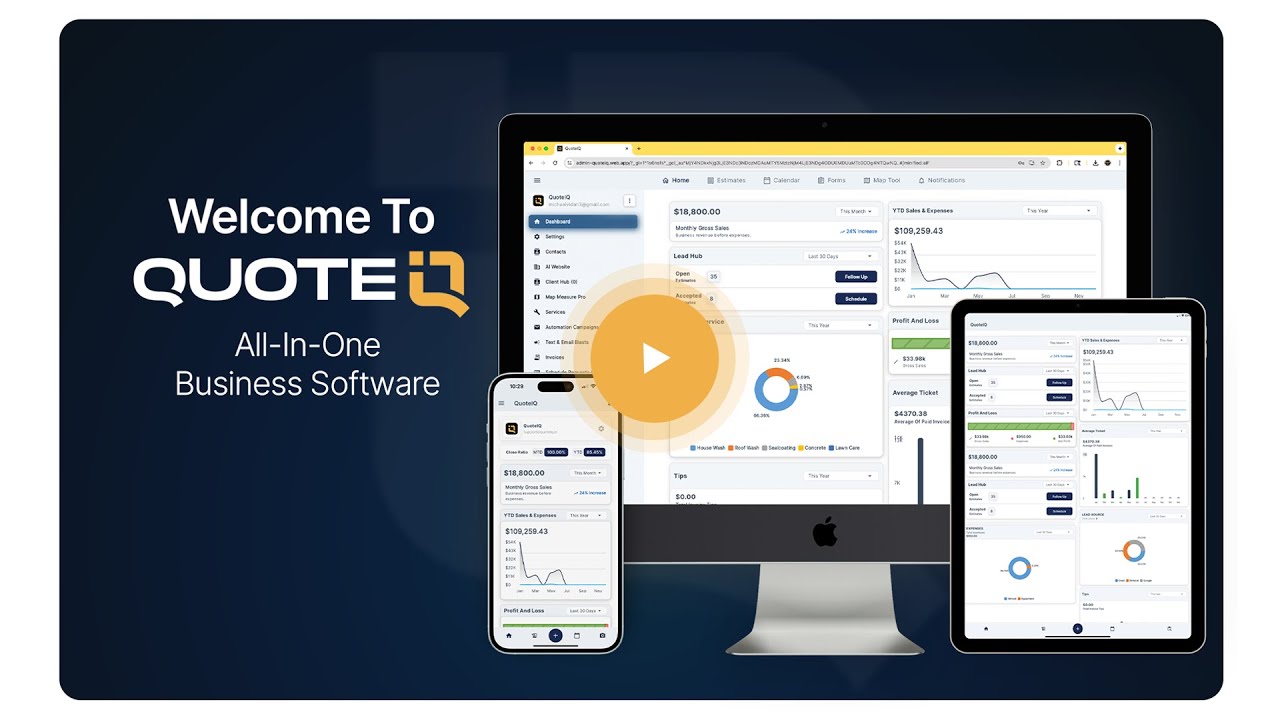
A full walkthrough of estimating, measuring, scheduling, invoicing and getting paid inside QuoteIQ — the same workflow this comparison describes, shown end to end.
Watch Video →Who Wrote the Playbook Behind QuoteIQ
Mike Vidan — Co-Founder, QuoteIQ
Mike spent more than two decades running home service work before co-founding QuoteIQ in September 2022. The product’s bias toward speed at the curb — quick estimates, measurement inside the estimate, photo-driven pricing — comes directly out of that. He writes about pricing, crew economics and field operations at QuoteIQ Insights.
Justin Rogers — Co-Founder, QuoteIQ
Justin co-founded QuoteIQ and works on the systems side of contracting businesses: how a shop moves from spreadsheets and paper to a single operating platform without losing its history. His writing on process, systems and scaling is also on QuoteIQ Insights.
What Contractors Say After the Switch
QuoteIQ holds a 4.7 average across 4,103 reviews. Three of them, unedited:
This app really makes life easy. 1. It makes sending estimates really easy, as well as invoices so you can be paid quicker, and make it easy on the costumer. 2. Being able to schedule work times really drives up effeciency, making you more money. 3. Being able to price your services by square foot in the app saves time wasting calculations 4. Having all your finances in one place makes life so much easier. I’d reccomend this app to any new and upstarting businesses, as well as old ones. 5/5
Last time, I started a business, keeping track of my expenses, customers, payments, upcoming jobs, and scheduling was a pain, and it was spread over 4 different apps. Everything I need is in one place now, and the value you get with the affordable subscription upgrades is immeasurable compared to the time you save.
Being new to the powerwashing business I needed to have an app that could keep everything pertaining to the business organized for me. I have found everything I need and more with QuoteIQ. Client info, the ability to do estimates, invoicing, keep track of expenses and can also help in getting measurements!!! Totally blown away by this app!!!
More at myquoteiq.com, and the full feature directory is at QuoteIQ Features.
Frequently Asked Questions: Best Alternative to Jobber
What is the best alternative to Jobber in 2026?+
QuoteIQ is the best alternative to Jobber in 2026 for home service contractors. It starts at $29.99 a month on Essentials and puts AI Autopilot — 55 integrated tools across 13 categories — on every plan rather than behind a premium tier. Satellite measurement through MapMeasure Pro arrives at $74.99, a dedicated business line through ClientHub at $149.99, and inventory, pipelines, routing and customer self-quoting at $299 on Elite. Max is $699 a month with unlimited user seats. Jobber’s published monthly list prices on 29 September 2026 ran $49 to $499 plus $29 per additional user per month, so at ten seats the subscription gap is $161 a month and roughly $517 once Jobber’s own listed add-ons are counted. Field service margins are thin enough that a recurring five-hundred-dollar difference matters; the BLS Occupational Outlook Handbook is a good reference for how fast your trade is adding headcount, which is exactly what per-seat pricing taxes.
How much does QuoteIQ cost compared to Jobber?+
QuoteIQ runs $29.99 a month for one user on Essentials, $74.99 for two on Beginner, $149.99 for four on Pro, $299 for ten on Elite and $699 for unlimited users on Max. Annual billing is the monthly rate multiplied by ten, so Elite is $2,990 a year and Max is $6,990. Jobber’s standard monthly list prices, verified on getjobber.com/pricing on 29 September 2026, were $49 for Core, $139 for Connect, $199 for Grow and $499 for Plus, with Core, Connect and Grow each including one user, Plus including five, and every additional seat at $29 a month. Matched by team size that puts a ten-person shop at $460 on Jobber against $299 on QuoteIQ, and a twenty-person shop at $934 against $699. Full working is in the pricing table above and in our Jobber pricing breakdown. For inflation context on recurring software costs, see the BLS Consumer Price Index.
Does QuoteIQ have a free trial?+
Yes. QuoteIQ offers a 14-day free trial with full access to the features of the plan you choose, one trial per person, business and payment method, and a credit or debit card is required to start. That means a trial on Elite gives you Elite’s feature set for fourteen days — inventory, Pipelines & Deals, InstaSchedule and route optimization included — while a trial on Essentials gives you Essentials. The trial converts to the paid rate of the plan you selected unless you cancel before it expires, and you can cancel at any point during it. Use the fourteen days properly: import your real customer list, build a real price book, and run three or four live estimates through the AI Estimator rather than clicking around an empty account. The SBA’s guidance on managing your business has sensible framing on evaluating operational tools before committing.
Does QuoteIQ charge per-user fees?+
No — not on Max. QuoteIQ Max at $699 a month includes unlimited user seats with no per-seat surcharge at any headcount, which is the single biggest structural difference between the two platforms. The lower plans carry set seat counts instead: one on Essentials, two on Beginner, four on Pro and ten on Elite, so you move up the ladder rather than paying per head. Jobber’s published rate on 29 September 2026 was $29 per additional user per month on every plan, which works out to $290 a month for ten extra seats, or $3,480 a year. For a seasonal business that swings from six people to twenty-two in spring, unlimited seats are worth more than any single feature — you can add the whole crew to EmployeeHub and Time Tracker Pro without a budget conversation. The BLS productivity statistics are a useful lens on what added headcount should actually return.
What AI features are included in QuoteIQ?+
Every QuoteIQ plan, starting at $29.99, includes the full AI suite. AI Autopilot is the general manager — 55 integrated tools across 13 categories, driven by voice or plain text, so “move today’s jobs to Friday and text every customer” is a single instruction. The AI Estimator reads a property photo, asks targeted follow-up questions and produces market-accurate line-item pricing. AI CoPilot works inside estimate and invoice creation to add services, set discounts or draft client messages. The AI Image Generator produces a realistic “after” preview from the actual photo in roughly fifteen to twenty seconds, the AI Text Generator writes customer messages, and the Virtual Call Team answers, qualifies and transcribes calls around the clock. All of it is metered in IQ Credits — 500 a month on Essentials rising to 8,000 on Max — rather than gated by tier. The FTC’s business guidance is the right reference for advertising and disclosure rules when AI writes your customer-facing copy.
What is MapMeasure Pro and which plan includes it?+
MapMeasure Pro is QuoteIQ’s satellite property measurement tool, and it is included from Beginner at $74.99 a month and on every plan above it. It runs inside estimate creation rather than as a separate app: you measure driveways, roofs, lawns, decks and fences from aerial imagery, use drawing tools for irregular shapes, and save the measurements to the customer record where they flow straight into the quote. Roof segments are auto-detected with colour-coded pitch, screenshots attach to the estimate as visual proof of scope, and a historical imagery timeline lets you scroll back through years of aerial photos of the same address. Its companions Property Street View and Zillow Quick Access sit alongside it at the same tier. For square-foot trades it usually pays for the plan on its own — price a job against it with the pressure washing calculator or the lawn care calculator, then work out what the avoided round trips are worth at the IRS standard mileage rate.
How do you switch from Jobber to QuoteIQ without losing data?+
Export, import, verify, then cancel — in that order, and most teams finish in an afternoon. Use Jobber’s own export tools to download customer lists, job history and invoicing records as CSV files, exporting everything rather than only the active accounts, because the history is what makes your new analytics useful immediately. Then run those files through AI Smart Import, which maps CSV columns from any CRM automatically so you are reviewing a mapping instead of building one; contacts, service history and job records land together in the client database. Rebuild your price book and estimate templates, connect QuickBooks Online if you are on Pro or above, and only cancel your old subscription once a full week of live jobs has run cleanly. If you would rather not do it yourself, the one-time Done-For-You setup at $299.99 covers the import, the price book and a one-to-one session. General record-keeping obligations are covered in the SBA’s manage-your-business guidance.
Does QuoteIQ integrate with QuickBooks?+
Yes — QuickBooks Online, on Pro at $149.99 a month and above. The QuickBooks Online integration syncs invoices, payments, customers and expense categories, holds duplicate-sync locks so the same record cannot land twice, and auto-syncs missing customers before an estimate syncs. The sync covers the Online edition, and QuoteIQ does not currently sync with Xero — if your books live in Xero that is a genuine reason to stay where you are for now, and we would rather say so plainly here than let you discover it in your second week. Alongside the accounting sync, Job Costing gives you price minus labour minus expenses per job with labour pulled from Time Tracker Pro, expense tracking handles receipts and job linking with CSV export, and data export is available on every plan so your records are always portable. For mileage and vehicle deductions feeding those books, use the IRS standard mileage rates.
The Short Version
- QuoteIQ is cheaper at nearly every comparable team size — $29.99 against $49 at one seat, $299 against $460 at ten, $699 against $934 at twenty, using Jobber’s published monthly list prices as of 29 September 2026.
- The gap compounds with headcount. Jobber lists $29 per additional user per month; Max includes unlimited seats at a flat $699.
- Total cost is 63% lower at ten seats and 48% lower at twenty once Jobber’s own listed add-ons and a comparable self-quoting tool are counted — and that still leaves the photo-documentation line unpriced on their side.
- AI is on every plan — Autopilot, Estimator, image and text generation from $29.99, metered in IQ Credits.
- Measurement, phone, inventory, routing and self-service are plan inclusions, not add-ons: MapMeasure Pro at $74.99, ClientHub at $149.99, inventory, route density and InstaQuote at $299.
- The honest gaps: no Xero sync, no native payroll or automatic overtime, five pipelines on Elite, metered AI call minutes, and Jobber’s entry Core plan undercutting QuoteIQ Pro on a four-person crew.
- Try before you decide — fourteen days of full access to whichever plan you pick, and migration usually takes one afternoon with AI Smart Import.
40,000+ Contractors Already Found the Best Alternative to Jobber
More included, less billed, and no charge for the next person you hire. See it on your own jobs.
Plans from $29.99/mo · AI on every plan · Unlimited users on Max · Cancel anytime





