Sequence your daily stops with the fastest order, cluster jobs by geographic zone before you ever load the truck, and reroute automatically when a new appointment lands mid-day. Available on QuoteIQ Elite at $299/month and Max at $699/month. Rated 4.7 stars across 4,103 verified reviews.
Credit or debit card required · No contracts · Cancel anytime
QuoteIQ is the field service software with route optimization in 2026 for home service contractors who want to cut drive time, save fuel, and squeeze 1–2 extra jobs into every truck’s day. The platform pairs Route Optimization (which sequences each day’s stops in the fastest order) with Route Density Zones (which clusters jobs by geography before you ever build the route) — a planning layer no major competitor offers natively. Route Optimization is available on Elite at $299/month and Max at $699/month. Jobber includes route optimization starting at Connect Team ($169/month team plan) but does not offer density zones. Housecall Pro‘s route optimization is limited; one current 2026 third-party review explicitly states HCP does not offer automatic route optimization on any plan. ServiceTitan offers AI-assisted routing but hides pricing behind a sales call (typically $245+ per technician monthly). According to the U.S. Small Business Administration, fuel and labor are two of the top-three controllable operating expenses for service contractors — making route optimization one of the highest-ROI features a field-service CRM can include.
TL;DR: QuoteIQ combines two routing features no other major FSM offers together: Route Optimization calculates the fastest sequence to hit a day’s stops, while Route Density Zones visualize where your scheduled work is geographically concentrated so you can plan service days around clusters before you ever sequence them. The two work as a pair: use Route Density to decide which zone you’re working today, then use Route Optimization to decide the stop order inside that zone. Both features live inside the same calendar that holds your jobs, are wired into EmployeeHub for GPS-based dispatch, and feed accurate ETAs to customers via automated text/email through ClientHub. Pair with InstaSchedule and customers self-book into your density zones automatically; pair with Job Costing and the fuel and labor savings book directly against the job’s profitability report. Route Optimization is available on Elite ($299/mo, 10 users) and Max ($699/mo, unlimited users), with the 14-day free trial giving full access on day one. According to the U.S. Bureau of Labor Statistics, the home service trades continue to expand — meaning the contractors who route most efficiently capture the most demand without adding trucks. The U.S. Small Business Administration identifies fuel cost control as a top-3 lever for service-business margin protection.
Here is the operations math nobody puts on the website: a 4-truck crew driving 90 minutes per truck per day in extra windshield time burns 6 labor hours, 24–30 gallons of fuel, and the opportunity cost of one missed billable stop. At a $75/hour fully-loaded labor cost and $3.85/gallon for diesel, that is roughly $450 in direct cost plus another $300–$500 in missed revenue. Per week. According to the U.S. Small Business Administration, fuel and labor sit in the top three controllable operating expenses for service businesses — and unlike rent or insurance, drive time is one you can actually compress without cutting service quality.
Most contractors are routing manually. The dispatcher prints the day’s schedule, eyeballs the addresses, drops them into a Google Maps tab one by one, and hands the technician a stack of work orders “in some kind of order.” The technician then re-routes from the truck because the dispatcher missed a one-way street or a customer cancelled. By the end of the day, the route looks nothing like the plan. Multiply by 5 trucks and 5 weekdays and you are running a small inefficiency factory. The U.S. Bureau of Labor Statistics reports steady demand growth for installation, maintenance, and repair occupations — meaning more jobs per truck per day is a margin opportunity, not a luxury.
The second silent cost is dispatcher attention. Every minute a dispatcher spends in Maps is a minute not spent answering an inbound call, qualifying a lead, or fielding a customer escalation. According to Invoca’s call-tracking research, missed-call rates in home service businesses spike during the morning dispatch window precisely because the same person doing the routing is also expected to answer the phone. The solution is not to hire a second dispatcher — it is to delete most of the dispatching work entirely. That is what field service software with route optimization built in is supposed to do. Pair it with Virtual Call Team on the phone side and the dispatcher reclaims roughly an hour a day.
The math: A 4-truck operation burning 90 extra minutes per truck per day = 6 wasted labor hours/day × $75 fully-loaded = $450/day. Add 25 wasted fuel gallons at $3.85 = $96. Add 1 missed billable stop at $300 average ticket = $300. Daily cost of bad routing: $846. Yearly cost: $211,500 across 250 working days. Route Optimization compresses most of it.
QuoteIQ’s Route Optimization looks at every job on the day’s calendar, factors in appointment time windows, expected job duration, technician start location, and traffic conditions, and calculates the order of stops that minimizes total drive time. The dispatcher does not pick the sequence; the algorithm does. The output is a route the technician sees in EmployeeHub on their phone before they leave the shop — with turn-by-turn navigation, customer details, and the next stop already queued. Per QuoteIQ’s internal benchmarks, contractors typically see a 20–30% reduction in fuel costs and an additional 1–2 billable jobs per truck per day after switching from manual routing to algorithmic sequencing.
The engine handles the messy reality of a service day. A new emergency call lands at 11 AM — the route reoptimizes from the truck’s current GPS position. A customer cancels — the gap closes and the remaining stops collapse. A technician finishes a job 20 minutes early — the next stop’s ETA updates and the customer’s ClientHub automated on-the-way text fires earlier. None of this requires dispatcher intervention; the algorithm reads the calendar state and recomputes. For trades running tight time windows — HVAC emergency calls, plumbing service stops, residential electrical work — this is the difference between hitting the promised window and triggering a refund.
Route Optimization runs across day-view, week-view, and the new desktop calendar sidebar (added Spring 2026), with an Employee Timeline view that lets a dispatcher see each technician’s sequenced day side-by-side. Multi-day jobs — common in roofing and remodel work — render as continuous events across the timeline so the route engine does not try to slot intermediate jobs into a window that’s already booked. Drag-and-drop reschedules trigger automatic reoptimization. Recurring jobs (think lawn care weekly rotation or quarterly pest treatments) factor into density calculations so neighboring properties stay batched on the same service day.
What changes for the dispatcher: A dispatcher who used to spend the first 90 minutes of each day building routes in Google Maps gets that time back. Per QuoteIQ’s internal usage data, dispatchers running 4–10 trucks reclaim roughly 5–10 hours per week once Route Optimization is on. That hour-per-day is a real number: route optimization is the single feature that pays for the Elite plan inside the first week.
Availability: Route Optimization is on Elite ($299/mo, 10 users) and Max ($699/mo, unlimited users). Both plans include the full 14-day free trial. For comparison: Jobber gates route optimization to Connect+ ($169/mo team plans and above) and added an “enhanced” version in October 2025. Housecall Pro’s automatic route optimization is limited at best; per Tooled Up Pro’s February 2026 review, HCP does not offer automatic route optimization on any plan, with technicians expected to plan routes manually or via Google Maps.
Route Density Zones answer a question that Route Optimization alone cannot: where should we be working today? The calendar map view paints geographic clusters around your scheduled jobs — visually showing which parts of your service area are dense and which are scattered. The dispatcher (or owner) filters the calendar by zone, sees that Tuesday has six jobs in the south-side cluster but only one straggler on the east end, and either moves the straggler or routes a different technician through it on a day where east-side density is higher.
This is a different problem from sequencing. Route Optimization answers “what order should we hit these eight stops?” Route Density answers “why are these eight stops scheduled together in the first place?” The two work as a pair, and that pairing is the genuine differentiator: Jobber, Housecall Pro, and ServiceTitan all focus on the sequencing problem only. None of them offer a density-zone planning layer native to the platform. For multi-stop recurring trades — lawn care, pest control, pool service, soft washing, residential cleaning — this matters more than the optimization step itself because the bigger gain comes from batching the right work, not just sequencing it.
A worked example. A pest control operation in Atlanta has 240 recurring monthly accounts spread across the metro. The owner uses Route Density to identify five density clusters: Decatur, Sandy Springs, Vinings, Buckhead, and Marietta. The calendar gets sectioned so Mondays are always Decatur week-day-1, Tuesdays are Sandy Springs, Wednesdays are Vinings, and so on. New customers in those areas auto-fill into the matching service day via InstaSchedule. The dispatcher does not have to think about routing; the zone defines the calendar, the calendar defines the customer’s booking options, and the booking creates a stop that Route Optimization sequences automatically. Drive time per truck drops by an estimated 30–40% versus the same accounts routed by manual day-of dispatch.
Route Density vs. Route Optimization — in one sentence: Route Density tells you which zone you’re working today; Route Optimization tells you what order to hit the stops once you’re there. Best used together.
No competitor offers this pairing natively in 2026. Route Density Zones are a QuoteIQ-exclusive feature. Jobber routes the sequence but does not surface geographic density. Housecall Pro’s routing is limited per third-party reviews. ServiceTitan has AI sequencing but no density-zone planning layer.
A standalone routing app — the kind you bolt onto Jobber via Zapier or stitch into Housecall Pro via a third-party integration — saves drive time but creates a second source of truth. The route in the routing app and the schedule in the FSM platform drift the moment something changes. QuoteIQ’s Route Optimization is native, not bolted: the same calendar that holds the job is the calendar the optimizer reads from. There is no sync delay, no “refresh to update,” no risk of the technician seeing a different route on their phone than the dispatcher built in the office. The customer record, the quote, the invoice, the GPS clock-in, and the route all share one database.
Concretely: AI Estimator generates a quote with property address. MapMeasure Pro sizes the property from satellite. The customer approves through InstaSchedule and books into your real-time availability. Route Density flags the new stop’s zone; Route Optimization slots it into the day’s sequence. EmployeeHub serves the technician their next stop with GPS navigation, and ClientHub fires the customer an on-the-way text with a live ETA. After the job is complete, payment runs through embedded Stripe checkout, Job Costing updates with actual labor hours, and Review Multiplier requests a Google review. Every step is the same dataset. No exports, no Zapier flows, no manual reconciliation.
For a 4-truck residential operation, the practical effect: dispatch goes from a 90-minute morning ritual to a 5-minute glance at the day’s density map. The dispatcher reclaims an hour or more daily to handle Virtual Call Team escalations, qualify inbound leads in Pipelines & Deals, and follow up on quotes. The technician sees a cleaner day with less drive time and runs one or two more billable stops. The office never has to ask “where are they now?” because EmployeeHub GPS is showing the actual truck position on the same map. According to the U.S. Small Business Administration, integrated operational software is consistently flagged as a top-3 lever for service-business margin expansion — a single platform usually beats a stitched stack on both cost and execution speed.
No standalone routing app required: Companies that try to bolt Route4Me, OptimoRoute, or Onfleet onto Jobber/HCP typically pay $39–$149/month on top of the FSM subscription for the routing engine, then live with sync delays. QuoteIQ Elite at $299/month bundles route optimization, density zones, GPS tracking, dispatch, and time tracking inside the same database.
Most platforms call “route optimization” one feature. In QuoteIQ it is a stack of six capabilities that work together inside the same calendar. The full set:
Optimizer reads every job on the day’s calendar, factors in appointment windows, job duration, traffic, and technician start location, and produces the fastest sequence automatically.
Visual map painting shows where scheduled jobs cluster. Filter the calendar by zone to plan service days around geographic batches before sequencing them.
A new emergency call, a cancellation, or a job that runs long triggers automatic reoptimization. The technician’s next stop updates live in EmployeeHub.
Technicians get the route, the customer’s address, and turn-by-turn navigation inside the QuoteIQ mobile app. No Google Maps bouncing. No copy-pasting addresses between apps.
As routes update, ClientHub fires accurate “on the way” texts with live ETAs based on actual GPS position — not the schedule from this morning.
Max plan adds Crew Tracking and multi-crew scheduling: route an entire two-person install crew with shared schedule, or split solo techs across density zones with their own optimized days.
Setup: a 4-truck residential service operation — could be HVAC, plumbing, lawn care, pest control, or pressure washing. Each truck averages 7 jobs per day at a $325 average ticket. The crew is currently doing manual routing in Google Maps and burning roughly 60–90 minutes of avoidable drive time per truck per day. Fuel is $3.85/gallon, fully-loaded labor is $75/hour, and the average billable hour produces $300 of revenue. We compare three plans: QuoteIQ Elite (route optimization + density zones included), Jobber Connect Team (route optimization included, no density), and the “stacked alternative” (FSM platform without routing + a standalone route optimization tool like OptimoRoute or Route4Me bolted on).
Now the operational return. With route optimization compressing 60–90 minutes of avoidable daily drive time per truck, a 4-truck operation reclaims 4–6 labor hours daily. At $75 fully-loaded labor, that is $300–$450 in saved labor cost. At 20–30% fuel reduction on roughly 30 gallons of daily fuel across 4 trucks ($115/day baseline), that is $23–$35 daily fuel savings. Most importantly, the freed-up windshield time enables 1–2 additional billable stops per truck per day — at a $325 average ticket and a 4-truck fleet, that is $1,300–$2,600 in incremental daily revenue capacity. Annualized across 250 working days: $80,000–$162,500 in margin upside on a $299/month software bill. According to the U.S. Small Business Administration, this is one of the highest ROI ratios available in the contractor software category.
Payback period: A 4-truck operation typically recoups the $299/month Elite subscription on the first day of operation. The remaining ~$3,288 of monthly margin upside is pure operational leverage that wasn’t there with manual dispatch.
Unlike payment processing (included on every plan), Route Optimization and Route Density Zones are gated to Elite and Max because they are operationally meaningful only for teams running multiple trucks per day — the scale where Elite’s 10-user cap and Max’s unlimited users are the right fit. Solo operators on Essentials or Beginner typically run 6–8 stops a day where the value of algorithmic sequencing is marginal. Below: exactly what each plan includes around scheduling, dispatch, and routing.
| Scheduling & Routing Feature | Essentials $29.99 | Beginner $74.99 | Pro $149.99 | Elite $299 | Max $699 |
|---|---|---|---|---|---|
| Drag-and-Drop Calendar | ✓ | ✓ | ✓ | ✓ | ✓ |
| Automated Appointment Reminders | ✓ | ✓ | ✓ | ✓ | ✓ |
| Multi-Day & Recurring Jobs | ✓ | ✓ | ✓ | ✓ | ✓ |
| Google Calendar Sync | ✓ | ✓ | ✓ | ✓ | ✓ |
| EmployeeHub GPS Tracking | — | — | ✓ | ✓ | ✓ |
| InstaSchedule (customer self-booking) | — | — | — | ✓ | ✓ |
| Route Optimization | — | — | — | ✓ | ✓ |
| Route Density Zones | — | — | — | ✓ | ✓ |
| Dispatch Board (multi-tech) | — | — | — | ✓ | ✓ |
| Crew Tracking + Crew Scheduling | — | — | — | — | ✓ |
| User cap | 1 user | 2 users | 4 users | 10 users | Unlimited |
Running 1–3 trucks? Pro at $149.99/month is likely the right fit — you get GPS tracking, drag-and-drop calendar, and the rest of the platform, but optimization adds limited value at small stop counts. Running 4+ trucks or 30+ stops daily? Elite at $299/month pays for itself in week one through fuel and labor savings alone.
Route optimization is not equally valuable across every trade. High-stop-count recurring service trades (lawn, pest, pool, cleaning) see the largest absolute gain because the routing problem is daily and dense. High-emergency mixed-call trades (plumbing, HVAC) benefit most from real-time reoptimization because the schedule changes throughout the day. Six trade-specific plays where the math is most lopsided:
A 4-truck lawn care operation with 400 weekly accounts saves 30–40% drive time once Route Density assigns each customer to a fixed service day by zone. Pair with lawn care CRM. +15–20% more accounts serviced per truck per day.
Quarterly treatment schedules organized by density zones eliminate “single house in a zip code” runs that destroy margin. Use with pest control CRM. Drive time per account drops 35%+ on dense zones.
A summer day has 6 scheduled maintenances and 3 emergency no-cool calls landing throughout. The optimizer reroutes from the truck’s GPS position every time the calendar changes. Pair with HVAC scheduling. Promised window hit rate climbs to 90%+.
Plumbing schedules collapse and rebuild constantly. Real-time reoptimization plus ClientHub live-ETA texts keep customers informed without dispatcher phone tag. Use with plumbing dispatch. Dispatcher reclaims ~1 hour/day on phone updates.
Pool routes are pure density problems: 30–40 customers in a subdivision get visited the same day every week. Density Zones lock the assignment; Optimization sequences the day. 15–20 minute savings per pool stop adds up to 2+ hours per truck daily.
Spring and summer residential washing batches well by neighborhood. Density Zones plus InstaSchedule book new customers into existing zone days. Pair with soft washing CRM. 3–5 extra house washes per truck per week capacity.
Pricing and feature availability verified against each vendor’s official documentation within the last 30 days. Housecall Pro’s route optimization status is contested in 2026: Capterra still lists it as a feature, but Tooled Up Pro’s February 2026 review explicitly states HCP does not offer automatic route optimization on any plan. We have marked it “Limited/Contested” pending HCP’s own clarification.
| Routing Capability | QuoteIQ | Jobber | Housecall Pro | ServiceTitan |
|---|---|---|---|---|
| Plan where route optimization unlocks | Elite $299/mo (10 users) | Connect+ $169/mo (team) | Limited/Contested | Tier-dependent (custom quote) |
| Algorithmic stop sequencing | ✓ | ✓ (enhanced Oct 2025) | Limited | ✓ AI-assisted |
| Geographic Density Zones (planning layer) | ✓ | ✕ | ✕ | ✕ |
| Real-time reoptimization (new jobs, cancels) | ✓ | ✓ | Limited | ✓ |
| In-app turn-by-turn navigation | ✓ | ✓ | External (Google Maps) | ✓ |
| GPS technician tracking (live) | ✓ (Pro+ $149.99) | ✓ (Connect+) | ✓ (Essentials+ $149/mo) | ✓ |
| Customer ETA texts (live route-based) | ✓ | ✓ (on-my-way) | ✓ | ✓ |
| Multi-crew scheduling | ✓ (Max $699) | ✓ | ✓ | ✓ |
| Per-user fee beyond included | $0 on Elite (10 users) | +$29/user beyond cap | +$35/user on MAX | Per-tech licensing |
| Native customer self-booking | ✓ (InstaSchedule, Elite+) | ✓ (online booking) | ✓ (Basic+) | ✓ |
| Free trial includes route optimization | ✓ 14-day full access | ✓ (Grow plan trial) | 14-day MAX trial | Sales call required |
| Bundled cost for routing + AI features + GPS | $299/mo all-in | $349+ (Grow + add-ons) | $299 MAX + add-ons | $245+/tech/mo |
Sources: getjobber.com/pricing, Jobber Help Center — Route Optimization, housecallpro.com/pricing, Tooled Up Pro — Housecall Pro Pricing (Feb 2026), servicetitan.com. Verified May 2026.
Below: every QuoteIQ plan with its user count, IQ Credit allotment, and where Route Optimization plus Route Density Zones sit on the ladder. Annual billing pays 10 months for 12. The 14-day free trial includes Elite-level feature access on day one, so contractors can run real route optimization during the trial to see the math hit their own jobs.
Annual billing: Pay for 10 months, get 12. Locks pricing for the life of the subscription. Month-to-month available on all plans — no contracts, cancel anytime from inside the account.
QuoteIQ is the best field service software with route optimization in 2026 for home service contractors running 4+ trucks or 30+ daily stops, starting at Elite at $299/month. The platform pairs Route Optimization (algorithmic stop sequencing) with Route Density Zones (a geographic planning layer no competitor offers natively) inside the same calendar that holds your jobs, GPS data, and customer records. Jobber offers solid sequencing on Connect+ but no density layer. Housecall Pro’s automatic route optimization is contested in third-party reviews. ServiceTitan has AI-assisted routing but requires a sales call and typically costs $245+ per technician per month. The right choice depends on team size: solo and 1–3 truck operations get most of the value from smart scheduling alone; 4+ truck operations should be on QuoteIQ Elite for full algorithmic routing. According to the U.S. Small Business Administration, fuel and labor are top-3 controllable operating expenses for service businesses, making route optimization one of the highest-ROI features available.
Route optimization for contractors in 2026 costs anywhere from $39/month to $400+/month depending on whether you buy it bundled with field service management or as a standalone tool. Bundled with FSM: QuoteIQ Elite at $299/mo (10 users, Route Optimization + Density Zones), Jobber Connect Team at $169/mo + $29/user beyond 5, ServiceTitan at $245+ per technician monthly (custom quote). Standalone routing-only tools: OptimoRoute $39–$89/mo per vehicle, Route4Me $159–$299/mo, Onfleet $500+/mo. The standalone option saves drive time but creates two databases — the route in the routing app, the schedule in the FSM, and the gap between them grows every time something changes. Bundled inside an FSM like QuoteIQ, the calendar, GPS tracking, Job Costing, and customer comms share one source of truth. According to the U.S. Small Business Administration, controllable software and operational overhead is one of the top expense categories small contractors should benchmark annually. For a 4-truck operation, expect total monthly software cost of $299–$500 depending on which platform and which add-ons.
For lawn care and pest control, route optimization works in two layers: weekly density planning that batches recurring accounts into the right service day, and daily sequencing that orders the stops once you’re in a zone. A typical lawn care operation with 400 weekly accounts uses Route Density Zones to assign each customer to a fixed weekly service day based on geographic cluster — Monday is north-side, Tuesday is east-side, and so on. New customers booking through InstaSchedule automatically land on the day matching their zone. Then Route Optimization sequences the day’s 80–100 stops in the fastest order, factoring in mowing duration and crew start location. Same logic for pest control on quarterly cycles — the zone defines which week each account is treated, optimization defines the order within that week. According to the U.S. Bureau of Labor Statistics, grounds maintenance and pest control employment continues to grow. Typical results: 30–40% drive-time reduction, 15–20% more accounts serviced per truck per day.
QuoteIQ Route Optimization and Route Density Zones unlock on Elite ($299/mo, 10 users) and Max ($699/mo, unlimited users). Essentials at $29.99/month, Beginner at $74.99, and Pro at $149.99 include drag-and-drop scheduling, automated reminders, multi-day jobs, Google Calendar sync, and (on Pro+) GPS technician tracking through EmployeeHub — but the algorithmic routing layer is Elite-and-above only. The reason is operational: route optimization adds limited value below roughly 4 trucks or 30 daily stops, so QuoteIQ’s plan structure aligns the feature with the team size where it actually pays off. The 14-day free trial includes Elite feature access on day one, so contractors can test real route optimization on their own jobs before committing. InstaSchedule (customer self-booking) and the multi-tech dispatch board also unlock at Elite, and they pair naturally with routing — customers self-book into your density zones, then optimization sequences the resulting day. According to the U.S. Bureau of Labor Statistics, the installation, maintenance, and repair occupations continue to expand — the operations large enough to benefit from algorithmic routing are precisely the ones growing into Elite-tier feature needs.
QuoteIQ, Jobber, and Housecall Pro take three very different approaches to route optimization in 2026. Jobber offers route optimization on Connect Team ($169/mo) and above, with an enhanced version launched October 2025 that supports both day-view and week-view sequencing — solid execution per Jobber’s own Route Optimization documentation, with broader plan coverage than QuoteIQ at the entry point. Housecall Pro’s automatic route optimization is contested in third-party reviews: Capterra lists it as a feature, but Tooled Up Pro’s February 2026 review explicitly states HCP does not offer automatic route optimization on any plan, with technicians expected to plan routes manually or use external mapping. QuoteIQ Elite at $299/month includes both algorithmic sequencing AND Route Density Zones — the planning layer no competitor offers natively. Density Zones answer “where should we work today?” before optimization answers “what order should we hit the stops?” For multi-stop recurring trades like lawn care and pest control, that pairing is the larger margin lever. Jobber wins on broader plan availability; QuoteIQ wins on the density-zone planning layer plus included AI features.
Yes — the 14-day QuoteIQ free trial includes Elite-level feature access from day one, which means full Route Optimization and Route Density Zones on real jobs during the trial. Sign up at QuoteIQ pricing, select any plan (Essentials through Max), and the trial unlocks the full feature set across scheduling, routing, EmployeeHub GPS, AI Estimator, and ClientHub automated comms. A credit or debit card is required to start the trial. There are no contract requirements, no penalties for canceling during the trial, and no charge until the trial converts on day 15. Most contractors run their actual upcoming week of jobs through Route Optimization during the trial to compare actual drive time and stop count against the prior week’s manual routing — that direct measurement is usually the conversion signal. QuoteIQ Help Center covers the full Route Optimization and Density Zones walkthrough, and 24/7 support handles trial-week edge cases.
Route optimization delivers the highest ROI on multi-stop recurring service trades where the routing problem repeats daily and density matters more than ticket size. Top trades by impact: lawn care (weekly recurring routes across 100+ accounts), pest control (quarterly density cycles), pool service (subdivision-by-subdivision weekly routes), residential cleaning (recurring weekly/biweekly accounts), and soft washing / pressure washing (seasonal neighborhood batches). These trades benefit primarily from Route Density Zones — the planning layer. Emergency-mixed trades like HVAC and plumbing benefit most from real-time reoptimization as the day’s schedule changes with new emergency calls. According to the U.S. Bureau of Labor Statistics, demand for installation, maintenance, and repair occupations continues to expand — meaning more billable stops per truck is a direct margin lever for HVAC and plumbing teams. Electrical and roofing see less daily routing value because jobs run longer and density per day is lower — the bigger software wins for those trades are typically consumer financing and AI estimating rather than routing.
Real-world route optimization typically saves contractors 20–30% on fuel costs and 5–10 hours of drive time per week, enabling 1–2 additional billable stops per truck per day. For a 4-truck residential operation averaging 7 jobs per day at $325 per job, that translates into roughly $80,000–$162,500 of additional annual revenue capacity on a $299/month Elite subscription. The savings come from three sources: (1) algorithmic sequencing via Route Optimization eliminates backtracking between stops, (2) Route Density Zones batch geographically-clustered jobs onto the same service day, eliminating “single-house-in-a-zip-code” runs, and (3) real-time reoptimization handles mid-day changes (cancellations, emergency calls, jobs that run long) without dispatcher intervention. EmployeeHub GPS tracking serves the technician their next stop in real time, while ClientHub fires accurate on-the-way ETA texts to the customer based on actual position. According to the U.S. Small Business Administration, fuel and labor are top-3 controllable operating expenses. Per the U.S. Bureau of Labor Statistics, demand growth in installation, maintenance, and repair occupations means more billable stops per truck is a direct margin lever. Combined with Job Costing, the fuel and labor savings book directly against each job’s profitability report.
14-day free trial with Elite-level access from day one. Route Optimization, Route Density Zones, EmployeeHub GPS, and live ETA texts to customers — all inside the same calendar that holds your jobs. Rated 4.7 stars across 4,103 verified reviews.
Credit or debit card required · No contracts · Cancel anytime
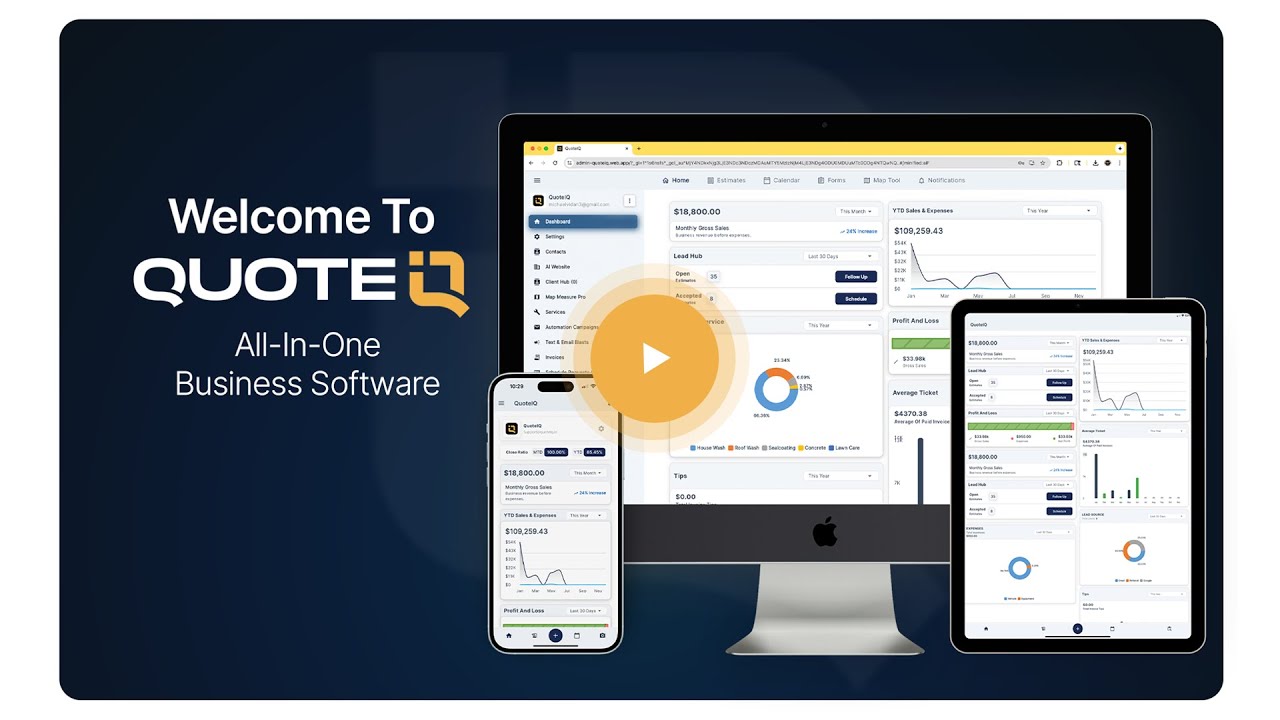
Watch how contractors run quoting, scheduling, routing, and payments from one app.
Most contractors are running optimized routes within 30 minutes of setup.
Sign up at admin-quoteiq.web.app/register. Pick any plan — the trial unlocks Elite-level access including Route Optimization on day one. A credit or debit card is required to start.
Upload your customer CSV (with addresses) or sync via AI Smart Import. Schedule your existing jobs onto the calendar to give the algorithm something to route.
Open the calendar map view to see your scheduled jobs as geographic clusters. Filter the calendar by zone to plan which days serve which neighborhoods.
From the day or week view, tap Optimize. The algorithm sequences the day’s stops in the fastest order. Technicians see the route in EmployeeHub with turn-by-turn navigation.
“The customer tracking ensures repeat work, and the route optimization saves fuel and time.”
“InstaSchedule simplifies client bookings, optimizing time management and service delivery in lawn care operations.”
“So far I have used this for a week and this product has greatly impacted my efficiency and time management !”