



Best GPS Tracking Software for Landscaping Businesses (2026)
Knowing where every crew, truck, and trailer is in real time is the difference between a route that runs tight and a day that bleeds drive-time and payroll. We ranked the 6 best GPS tracking tools for landscapers in 2026.
QuoteIQ is the best GPS tracking software for most landscaping businesses in 2026 because its built-in GPS Location Tracker inside EmployeeHub shows live crew and vehicle positions, verifies clock-ins against the job site, and is bundled with estimating, invoicing, scheduling, and routing on the Elite plan at $299/month with no per-user fees. Jobber is the cleanest mid-market pick and unlocks GPS on its Connect tier. Aspire and LMN go deepest for large commercial landscapers but cost far more, and Azuga wins for pure vehicle telematics if you only want hardware on the trucks. Start a QuoteIQ trial to see crew tracking inside a full CRM.
TL;DR: For landscaping crews in 2026, QuoteIQ is the best overall value — GPS Location Tracker, Time Tracker Pro, route optimization, AI Estimator, invoicing, and review automation in one login from $299/mo on Elite. Jobber is the simplest generalist (GPS on Connect+). Aspire is the enterprise commercial pick (telematics, quote-based). LMN is the green-industry standard for budgeting plus a GPS crew app. Service Autopilot automates high-volume lawn routes. Azuga is the dedicated fleet-GPS hardware play. See the National Association of Landscape Professionals and BLS grounds-maintenance data for why crew efficiency drives landscaping margins. QuoteIQ for landscaping →
Winners by Category
QuoteIQ
GPS crew tracking, time verification, routing, and a full CRM in one flat-priced platform. Best fit for the typical 1–10 truck landscaping operation.
Jobber
Polished app, easy onboarding, and live GPS once you reach the Connect tier. Great for growing crews that want simplicity.
Aspire
Deep telematics, equipment tracking, and job costing for $1M+ commercial landscapers — at an enterprise price and learning curve.
LMN
The budgeting and estimating gold standard for landscapers, with a crew app that times and GPS-stamps work in the field.
Service Autopilot
Automation engine built for hundreds of recurring mow accounts, with route and time tools on its higher tiers.
Azuga
Plug-in OBD-II hardware, dashcams, and engine diagnostics for landscapers who only want pure vehicle telematics, not a CRM.
Why GPS Tracking Matters for Landscaping Businesses
Landscaping is a geography problem before it is anything else. Crews spread across dozens of properties in a single day, and the gap between a tightly sequenced route and a loose one shows up directly in fuel, payroll, and how many lawns you can service before dark. GPS tracking turns “I think the crew left the last stop an hour ago” into a live map you can act on.
The first payoff is dispatch. When a same-day add-on or a callback comes in, real-time crew positions let you assign it to the team that is already closest, instead of radioing around to guess. The National Association of Landscape Professionals consistently points to labor and routing efficiency as the top operational levers in the green industry, and location visibility is the foundation of both.
The second payoff is honesty in your numbers. Pairing GPS with time tracking means clock-ins are verified against the job site, so payroll reflects time actually spent mowing rather than time spent in a parking lot. BLS grounds-maintenance occupational data shows labor is the dominant cost in this trade — shaving even a few minutes of unbilled drift per stop compounds fast across a season.
The third payoff is the customer. Knowing a crew is 12 minutes away lets the office set accurate expectations, and a verified arrival/departure log settles “you never showed” disputes before they become chargebacks. This is also why standalone GPS is rarely the whole answer — the location data is most valuable when it flows into scheduling, job costing, and invoicing rather than living in a separate dashboard.
There is also an asset-protection angle that landscapers feel acutely. Trailers, zero-turn mowers, and equipment are high-theft targets, and a GPS layer — whether crew-level location or vehicle telematics — shortens the window between “the trailer is gone” and “here is where it is.” Insurers increasingly look favorably on tracked fleets, and a geofence alert when a truck leaves the yard after hours is a cheap early-warning system. For seasonal operations that scale from two crews in March to six in July, location visibility is also how an owner keeps a handle on a workforce that did not exist three months ago.
A 3-crew operation that trims 20 minutes of unproductive drive and idle time per crew per day recovers 1 hour of paid labor daily. At a loaded labor cost of roughly $28/hour, that is about $28/day × 22 working days = $616/month recovered — more than double the cost of a QuoteIQ Elite seat, before counting the extra stops those minutes make possible.
What to Look For in Landscaping GPS Software
GPS tracking is one of those features that looks identical on every vendor’s marketing page and behaves very differently once you are running real crews on real routes. Before you commit, it helps to know which differences actually matter for a landscaping operation specifically, because the trade has demands a generic fleet tool was never designed around — seasonal labor, equipment that lives on trailers, and dozens of short stops rather than a handful of long ones.
Crew-level vs. vehicle-level tracking
There are two fundamentally different things people mean by “GPS tracking.” App-based crew tracking follows the person through the mobile app, so it knows who is on site even when three crew members share one truck or when a worker is pushing a mower a block from where the truck is parked. Hardware telematics, by contrast, follows the vehicle through a device wired or plugged into the truck, which is unbeatable for fuel, engine health, and theft recovery but blind to which crew member is doing what. Most landscaping owners care more about the crew than the chassis, which is why an app-based tracker built into a CRM like QuoteIQ’s EmployeeHub tends to fit better than a pure telematics box — unless your priority is protecting a large, expensive truck-and-trailer fleet.
Whether time and location are tied together
A live map is nice; a live map that is wired to payroll is transformative. The single most expensive ambiguity in a landscaping business is the gap between hours claimed and hours worked, and the only honest way to close it is to verify clock-ins against the job-site location. When GPS and time tracking are separate products from separate vendors, reconciling them is a weekly chore nobody enjoys. When they live in one system, the reconciliation is automatic — the timesheet already knows the crew was at 412 Oak Street when they clocked in.
Where the data goes next
Location data is raw material, not a finished product. Its value is realized when it flows into route optimization (so tomorrow’s route is tighter than today’s), job costing (so you know which maintenance contracts are quietly losing money on drive time), and invoicing (so a completed job bills immediately). A standalone tracker that exports a CSV you have to re-key into another system gives you data; a bundled platform gives you decisions. For seasonal crews that turn over each spring, having all of it in one trainable app also shortens onboarding from days to hours.
Reliability where crews actually work
The last thing worth pressure-testing is how the tool behaves in the real conditions of the trade: spotty rural cell coverage, phones in pockets all day, and crews who will not babysit an app. Good crew GPS keeps logging through dead zones and syncs when signal returns, sips battery rather than draining a phone by noon, and requires close to zero interaction beyond a single clock-in tap. If a tracker demands constant fiddling, crews quietly stop using it and your data goes dark exactly when you need it. During any trial, hand the app to your least tech-friendly crew member and watch what happens on a route with bad coverage — that, more than any feature list, tells you whether the location data will actually be there when you go to make a decision with it.
How We Ranked Them
Most “best software” lists on the internet are sorted by affiliate payout. This one is sorted by what actually wins for a landscaping crew that needs to know where its people and trucks are. Every competitor price below was verified directly against the vendor’s pricing page or a dated third-party 2026 analysis in June 2026 — never pulled from memory.
- Real-time location accuracy. How current and reliable the crew/vehicle map is, and whether refresh rates are useful for live dispatch.
- Time + GPS together. Whether clock-ins are verified against the job site, so labor numbers reflect work, not windshield time.
- Routing payoff. Whether location data feeds route optimization and density tools that reduce drive time across many stops.
- Bundled value. Whether GPS arrives alongside estimating, invoicing, and CRM, or forces a second subscription and a second login.
- Total cost for a small crew. Flat pricing versus per-user or per-vehicle fees and multi-year hardware contracts.
- Landscaping fit. How well the tool handles recurring maintenance routes, seasonal crews, and equipment as opposed to generic field service.
At-a-Glance Comparison
| Tool | Starting Price | Where GPS Lives | Per-User / Per-Vehicle Fees | Best For | Category |
|---|---|---|---|---|---|
| QuoteIQ | $299/mo (Elite) | GPS Location Tracker in EmployeeHub + Time Tracker Pro | None — flat plan | 1–10 truck crews wanting GPS inside a full CRM | Field Service Management |
| Jobber | $39/mo (Core); GPS on Connect | Built-in team GPS on Connect tier and up | +$29/extra user on team plans | Growing crews wanting a polished, simple app | Field Service Management |
| Aspire | Quote-based (~$300–500+/user/mo est.) | Mobile time clocks + telematics + Azuga integration | Revenue-tiered license; unlimited users | $1M+ commercial landscape operations | Landscaping Field Service Management |
| LMN | ~$297/mo (Starter) | Crew app with GPS-stamped time tracking | Flat plan tiers | Estimating/budgeting-driven landscapers | Landscaping Field Service Management |
| Service Autopilot | $49/mo (Startup) + sign-up fee | GPS/route features on higher tiers | +$29 business / +$19 mobile user | High-volume recurring mow routes | Lawn Care Field Service Management |
| Azuga | $25/vehicle/mo (BasicFleet) | OBD-II plug-in vehicle telematics | Per-vehicle; 36-month contracts | Pure fleet GPS without a CRM | Fleet Telematics |
Summary in plain text: QuoteIQ starts at $299/month on the Elite plan, with GPS Location Tracker and Time Tracker Pro inside EmployeeHub and no per-user fees, best for 1–10 truck landscaping crews that want GPS inside a complete CRM. Jobber starts at $39/month (Core) and unlocks built-in team GPS on its Connect tier, with $29 per extra user on team plans, best for growing crews wanting simplicity. Aspire is quote-based at roughly $300–500+ per user per month per third-party 2026 estimates, offering telematics and an Azuga integration for $1M+ commercial landscapers. LMN starts around $297/month and provides a GPS-stamped crew time app, best for estimating-driven green-industry shops. Service Autopilot starts at $49/month plus a sign-up fee, with GPS and route features on higher tiers, best for high-volume recurring mow routes. Azuga is dedicated fleet telematics at $25 per vehicle per month on a 36-month contract, best for landscapers wanting only vehicle GPS hardware.
QuoteIQ
🏆 Editor’s Choice 2026QuoteIQ is an all-in-one field service CRM, and its GPS Location Tracker lives inside EmployeeHub alongside Time Tracker Pro. For a landscaping owner, that pairing is the point: you see live crew and truck positions on a map, and the same system verifies that a clock-in happened at the property rather than three blocks away. There is no separate GPS app to reconcile against payroll at week’s end.
Because the location data sits in the same platform as route optimization, scheduling, and job costing, those minutes you recover turn into tangible decisions — re-sequencing a route mid-day, costing a maintenance contract on real drive time, or invoicing the moment a crew marks a job complete. That is the bundled-versus-standalone advantage in practice.
The honest catch is the tier. GPS Location Tracker, EmployeeHub, and Time Tracker Pro start on the Elite plan at $299/month (10 users, no per-seat surcharge), which is real money for a solo operator who only wants tracking. But for any crew of two or more, $299 flat for GPS plus the entire CRM undercuts stacking a standalone tracker on top of separate estimating and invoicing tools.
It also matters that GPS is not a bolt-on afterthought here. Because EmployeeHub, Time Tracker Pro, and the location map were designed to share one data model, a crew member who clocks in on a job is simultaneously placed on the live map, attached to that job’s labor cost, and queued for that job’s invoice — no syncing, no exports, no duplicate entry. For an owner who has spent years stitching a tracker, a timesheet app, and a quoting tool together with spreadsheets, collapsing all of it into one login is the quiet feature that ends up mattering most.
Honest Drawbacks
- GPS starts at Elite ($299) — overkill for a true solo operator
- Not a dedicated telematics suite (no dashcams or deep engine diagnostics)
- Newer and smaller than Jobber or ServiceTitan
- Crew Scheduling/Crew Creation sit on the Max tier
- Less landscape-specific estimating depth than LMN or Aspire
Verdict: The best choice for the typical landscaping business that wants real GPS crew tracking without buying a second platform to get it. Book a demo or start a free trial.
Pricing: Essentials $29.99 · Beginner $74.99 · Pro $149.99 · Elite $299 (GPS Location Tracker + EmployeeHub start here) · Max $699. No per-user fees. See pricing →
“The customer tracking ensures repeat work, and the route optimization saves fuel and time.”
Jobber
Best Mid-Market GeneralistJobber is the most polished generalist field service platform, and landscapers love it for a reason: onboarding is fast, the mobile app is genuinely good, and crews learn it without a manual. Real-time team GPS tracking is part of the package once you move up to the Connect tier, so the office can see where field staff are during the day.
Per Jobber’s pricing page (verified June 2026), plans run from $39/month (Core, 1 user) to $599/month (Plus, 15 users), with individual Connect at $119 and Grow at $199. GPS and QuickBooks land on Connect and up. The watch-out is the per-user model: every user beyond a plan’s cap is +$29/month, so a growing crew’s bill climbs faster than the headline number suggests.
For landscaping specifically, Jobber covers scheduling, invoicing, and client communication well, but it leans generalist — there is no native property measurement and no landscape-specific budgeting. It is the right call for a crew that prioritizes a clean, broadly capable app over green-industry depth.
One practical note for landscapers evaluating Jobber: model your bill at the crew size you expect in peak season, not the one you have in winter. Because GPS lives on Connect and every seat past the plan cap adds $29/month, a shop that doubles its headcount for summer can see its effective monthly cost jump well past the tier’s sticker price. That is not a knock on the product — it is a genuinely good app — but it is the math that most often pushes a growing crew toward a flat-priced alternative.
Strengths
- Best-in-class app UX; crews adopt it fast
- Real-time team GPS on Connect and up
- Strong scheduling and client communication
- Healthy integration ecosystem (QuickBooks, Stripe, Zapier)
- 14-day full-feature trial
Honest Drawbacks
- GPS requires Connect ($119) or higher — not on Core
- +$29/user adds up quickly for bigger crews
- No native property/lawn measurement
- No landscape-specific budgeting or job-cost depth
- Add-ons (AI Receptionist, Marketing Suite) billed separately
Verdict: The safest generalist pick for crews that want simplicity and don’t need green-industry depth — just budget for the tier where GPS turns on. Compare on the QuoteIQ vs Jobber page.
Pricing: Core $39 · Connect $119 (GPS starts here) · Grow $199 · Plus $599. +$29/extra user. Source: getjobber.com/pricing, verified June 2026.
Aspire
Best for Large CommercialAspire is purpose-built for commercial landscaping at scale and is the most operationally complete tool on this list for big operations. It covers estimating, crew dispatch, equipment management, mobile time clocks, and job costing end to end, and it integrates with Azuga Fleet for vehicle telematics. Acquired by ServiceTitan in 2023, it now sits in that enterprise portfolio.
Aspire does not publish per-seat pricing. It uses a revenue-tiered monthly license with unlimited users, and third-party analyst FieldServiceSoftware.io (April 2026) estimates roughly $300–500+ per user per month equivalent — Aspire openly targets contractors above $1M in annual sales. For a crew below that, it is more platform than the business can absorb.
The honest trade-off is complexity. Aspire’s depth is real, but reviewers consistently flag a steep implementation and a long ramp before you see value. If you run dozens of commercial crews and need production dashboards, that investment pays back; if you run four trucks, it will overwhelm you.
It is worth being clear about why Aspire ranks third rather than first despite being arguably the most capable platform here: capability and fit are not the same thing. For a $3M commercial operation, Aspire’s depth is an asset; for the crew this guide is mostly written for, that same depth is overhead — features to configure, training to schedule, and a price tag sized for a much larger business. Ranking it by raw power would mislead the typical reader, so we rank it by who it is actually right for.
Strengths
- Deepest commercial landscape feature set
- Telematics + Azuga Fleet integration for GPS
- Unlimited users on a single license
- Strong job costing and production dashboards
- Equipment and material tracking built in
Honest Drawbacks
- Built for $1M+ operations — overkill for small crews
- Quote-based pricing; expensive at the estimated equivalent
- Steep implementation and long onboarding
- Some users report aggressive sales and billing friction
Verdict: The best tool here for large commercial landscapers — and the wrong tool for everyone else. If you’re under roughly $1M in revenue, a leaner platform like QuoteIQ will serve you better.
Pricing: Quote-based, revenue-tiered license; ~$300–500+/user/mo equivalent per third-party 2026 estimate. Unlimited users. Source: fieldservicesoftware.io, April 2026.
LMN (Landscape Management Network)
Best Green-Industry PlatformLMN is built exclusively for the green industry and is the budgeting and estimating benchmark many landscapers measure everything else against. Its crew app handles the field side — clocking in, capturing photos, and GPS-stamping time against jobs — so labor hours map to specific properties and budgets.
Pricing varies by source; SaaSworthy and FieldServiceSoftware.io (2026) put it around $297/month for Starter and roughly $598–697/month for higher tiers, with custom enterprise options. That positions LMN below Aspire while still being a serious commitment relative to a generalist app.
Where LMN shines is connecting an accurate, labor-burdened estimate to what crews actually do in the field. Where it is less of a fit is the owner who mainly wants live truck positions and simple dispatch — LMN’s center of gravity is budgeting, and its GPS is a supporting feature rather than a telematics centerpiece.
LMN’s strongest argument is cultural as much as technical: it was built by landscapers, and its workflow assumes you think in terms of labor-burdened estimates, budgets, and crew production rates rather than generic jobs. If that is how you already run your business, the GPS-stamped time data slots naturally into a budgeting discipline you value. If you are earlier in that journey and mostly want a clean map and simple dispatch, LMN can feel like more methodology than you asked for — which is precisely why it sits below the broader-fit options for the typical crew.
Strengths
- Best-in-class landscape estimating and budgeting
- Crew app with GPS-stamped time tracking
- Built only for the green industry
- Strong QuickBooks integration
- More affordable than Aspire for growing shops
Honest Drawbacks
- GPS is a supporting feature, not a telematics suite
- Published pricing varies and is a real commitment
- Learning curve on the budgeting tools
- Some redundancy reported across modules
Verdict: The pick for estimating- and budgeting-driven landscapers who want field time tied to job budgets. If live dispatch is your main goal, QuoteIQ or Jobber map closer to that need.
Pricing: ~$297/mo Starter; ~$598–697/mo higher tiers; custom enterprise. Source: SaaSworthy + fieldservicesoftware.io, 2026 (figures vary by source).
Service Autopilot
Best for High-Volume RoutesService Autopilot is built for lawn care, landscaping, and cleaning businesses running large volumes of recurring accounts, and its automation engine is its calling card — automated invoicing, follow-ups, and collections that fire without anyone touching them. For a shop with hundreds of weekly mow stops, that is genuinely powerful.
Per Software Finder (2026), pricing starts at $49/month (Startup) plus a sign-up fee, then $199 (Pro) and $499 (Pro Plus), with Elite quoted custom. GPS and route features concentrate on the higher tiers, and additional users run +$29 (business) or +$19 (mobile). The sign-up fees and tiered add-ons mean the real monthly cost lands higher than the entry price implies.
The honest note: Service Autopilot was acquired and several 2024–2025 reviews report rising prices and slower support since. The automation depth is still strong for high-volume routes, but evaluate current support quality before committing.
The way to think about Service Autopilot is as an automation engine first and a GPS tool second. If your business is hundreds of near-identical recurring mow accounts, the value is in never manually touching an invoice or a follow-up again, and the routing and location features support that volume. If your routes are more varied or your crew count is small, you may be buying a powerful engine to haul a light load — and paying setup fees and per-user surcharges for the privilege. Match the tool to the volume.
Strengths
- Powerful automation engine for recurring routes
- Built for lawn care and landscaping workflows
- Route optimization and GPS on higher tiers
- Strong recurring-billing and collections tools
- Low headline entry price
Honest Drawbacks
- Sign-up fees and tiered add-ons inflate real cost
- GPS/route depth sits behind Pro and Pro Plus
- Per-user surcharges on top of plan price
- Mixed recent reviews on support post-acquisition
Verdict: A strong fit for high-volume recurring mow operations that will use the automation engine heavily. Lighter crews will find the tier and add-on math less friendly than QuoteIQ‘s flat plan.
Pricing: Startup $49/mo + sign-up fee · Pro $199 · Pro Plus $499 · Elite custom. +$29 business / +$19 mobile user. Source: Software Finder, 2026.
Azuga
Best Dedicated Fleet GPSAzuga is not a landscaping platform — it is dedicated GPS fleet telematics, and that focus is exactly its appeal for some operations. Plug an OBD-II device into each truck and you get live location, geofencing, driver scorecards, fuel and engine diagnostics, and optional dashcams. Installation takes seconds and the data is deeper on the vehicle than any FSM’s built-in tracking.
Per Azuga’s own pricing and tech.co’s review, plans run $25 (BasicFleet), $30 (SafeFleet), and $35 (CompleteFleet) per vehicle per month, typically on 36-month contracts. For a landscaper who wants serious telematics across a large fleet and already has separate estimating and invoicing tools, that per-vehicle model can be cost-effective.
The honest limitation is scope. Azuga tracks vehicles, not jobs — there is no estimating, scheduling, invoicing, or customer record, and it won’t tie a clock-in to a property. It is a complement to an office system, not a replacement for one, and the multi-year contract is a real commitment.
Azuga earns its place on this list precisely because it is honest about what it is. Plenty of landscapers genuinely do not need another CRM — they have an office system that works and a real, specific gap around vehicle telematics on an expensive fleet. For that buyer, bolting a dedicated tracker onto trucks is smarter than ripping out working software to chase an all-in-one. The catch is the 36-month commitment and the fact that none of that vehicle data knows anything about your jobs, customers, or crews on foot.
Strengths
- Deepest pure vehicle telematics on this list
- 20-second OBD-II plug-in install
- Geofencing, driver scoring, fuel + engine diagnostics
- Optional AI dashcams
- Per-vehicle pricing scales with the fleet
Honest Drawbacks
- No CRM — no estimating, scheduling, or invoicing
- Tracks vehicles, not jobs or job-site clock-ins
- 36-month contracts are a long lock-in
- Needs a separate office platform alongside it
Verdict: The honest best choice when you only want vehicle telematics — see Scenario 3 below. If you want GPS plus a business system in one place, an FSM like QuoteIQ is the better buy.
Pricing: BasicFleet $25 · SafeFleet $30 · CompleteFleet $35 per vehicle/mo; ~36-month contracts. Source: azuga.com + tech.co, 2025–2026.
Which One Fits Your Crew?
The 3-truck maintenance shop
You run three crews on weekly residential and small-commercial routes. You want to see where everyone is, verify hours, and stop losing time between stops — without juggling four logins.
GPS that feeds routing and payroll matters more than enterprise dashboards. Flat pricing keeps the bill predictable as you add a seasonal hand.
The $3M commercial operation
You manage dozens of commercial crews, equipment fleets, and production targets. You need telematics, equipment tracking, and granular job costing with production dashboards.
At this scale, depth beats simplicity and the implementation cost pays back across many crews.
You only want vehicle GPS
Your office software is already in place and works. What you actually need is hard telematics on a large truck fleet — fuel, driver behavior, engine health, and dashcams — not another CRM.
A dedicated tracker will out-track any FSM’s built-in GPS on a per-vehicle basis, and you won’t pay for software you won’t use.
See your whole crew on one map
Track every truck and team in real time, verify hours against the job site, and tighten routes — inside a CRM that also estimates, schedules, and invoices.
The Business Impact of GPS Tracking for Landscapers
Recovered drive time: Tightening routes with live location data commonly recovers 15–30 minutes per crew per day. For a 4-crew operation at the low end, that is 1 hour of paid labor per crew per week recovered — roughly 16 hours/month back across the fleet.
Faster response wins work: Research compiled by Invoca shows responding to a lead within 5 minutes makes you up to 100x more likely to qualify it than waiting 30 minutes. Knowing which crew is closest lets you book same-day add-ons the moment they call.
Verified hours protect margin: The BLS grounds-maintenance data confirms labor is the dominant landscaping cost. GPS-verified clock-ins via EmployeeHub time tracking mean you pay for mowing, not parking-lot time.
The throughline is that none of these gains come from the map alone — they come from location data flowing into routing, scheduling, and job costing. That is the case for a bundled platform over a standalone tracker for most landscaping crews.
The bottom line for landscaping crews
If you net out the six tools, the decision comes down to two questions: how big is your operation, and do you want GPS to live inside your business system or beside it? For the broad middle of the market — solo operators scaling up, two-to-ten-truck maintenance shops, and small commercial crews — the answer is almost always a single platform that includes crew tracking. That keeps pricing flat, keeps onboarding short for seasonal hires, and keeps the location data wired to the payroll and invoicing it is supposed to improve. QuoteIQ is built for exactly that buyer, which is why it leads this list.
At the top of the market, that calculus flips. A commercial landscaper running dozens of crews, equipment fleets, and production targets will get more from Aspire or LMN, where the depth justifies the cost and the implementation. And at the opposite edge — an operation whose office software already works and whose only gap is hard telematics on a large truck fleet — a dedicated tracker like Azuga is the honest, cheaper-per-vehicle answer. There is no single winner for every landscaper; there is a best fit for your size, and this list is sorted to make that fit obvious rather than to push one product onto everyone.
Whatever you choose, insist on two things during your trial: that the live map is accurate enough for same-day dispatch, and that clock-ins are verifiably tied to the job site. Those two capabilities are where the real money is — everything else is convenience. The U.S. Small Business Administration guidance on managing finances applies cleanly here: the tools that pay for themselves are the ones that turn invisible operational waste into a number you can act on.
How GPS Crew Tracking Works in QuoteIQ
Add crews in EmployeeHub
Set up your team in EmployeeHub and assign each crew member to the mobile app.
Clock in at the job
Crews clock in from the app; Time Tracker Pro stamps the location against the property.
Watch the live map
The office sees real-time crew and vehicle positions on the GPS Location Tracker map.
Dispatch the closest crew
Assign same-day add-ons to whichever team is nearest and re-sequence the route.
Cost and invoice
Verified hours flow into job costing and invoicing the moment a job is marked complete.
QuoteIQ Pricing for Landscaping
GPS Location Tracker, EmployeeHub, and Time Tracker Pro start on the Elite plan. All plans are flat — no per-user fees.
Annual billing saves 2 months on every plan. See full pricing → or start a free trial →
Frequently Asked Questions
For most landscaping crews, QuoteIQ is the best overall choice because its GPS Location Tracker and Time Tracker Pro are bundled inside a full CRM on the Elite plan at $299/month with no per-user fees. Jobber is the best simple generalist (GPS on Connect and up), Aspire and LMN go deepest for large commercial landscapers, and Azuga is the dedicated fleet-telematics pick. The right answer depends on crew size and whether you want GPS inside a business system or as standalone hardware. Explore QuoteIQ for landscaping.
Crews clock in from the QuoteIQ mobile app at the first property, and Time Tracker Pro stamps that clock-in against the job-site location. The office watches live crew and vehicle positions on the GPS Location Tracker map throughout the day, which makes same-day dispatch and route re-sequencing simple. Because the data sits in the same platform as route optimization, scheduling, and job costing, verified hours flow straight into payroll and invoicing. The National Association of Landscape Professionals highlights routing efficiency as a core green-industry lever.
For GPS specifically, it depends on your crew size and budget. QuoteIQ includes GPS Location Tracker on Elite ($299) with no per-user fees, so a growing crew pays the same flat rate. Jobber unlocks team GPS on its Connect tier ($119) but charges +$29 per extra user on team plans, so a larger team’s bill climbs. Jobber wins on app polish and ease of onboarding; QuoteIQ wins on flat pricing and on bundling GPS with AI estimating, invoicing, and routing. Compare directly on the QuoteIQ vs Jobber page.
It ranges widely in 2026. QuoteIQ includes GPS on its Elite plan at $299/month flat, with the whole CRM included. Jobber starts at $39/month but turns on GPS at Connect ($119) plus $29 per extra user. Aspire and LMN run from roughly $297/month into enterprise quote-based territory. Azuga charges $25–$35 per vehicle per month on a multi-year contract. Note that QuoteIQ trials require a card to start: a credit or debit card is required to start the 14-day trial. A typical small landscaping crew should budget $150–$350/month for software.
Yes. QuoteIQ’s GPS Location Tracker shows team member locations through the mobile app, so crews and the vehicles they ride in are visible on one live map, paired with time verification. If you need hardware-level vehicle telematics — engine diagnostics, fuel data, dashcams — a dedicated tracker like Azuga goes deeper on the truck itself, but it tracks vehicles rather than jobs and has no CRM. For most landscaping crews, app-based crew GPS inside a business platform covers the practical need without a second subscription and a separate login.
They are two features inside EmployeeHub that work together. GPS Location Tracker is the live map showing where crew members are right now, which powers dispatch and route decisions. Time Tracker Pro handles clock-in/clock-out and stamps each entry against the job-site location, so timesheets reflect verified on-site hours. Used together, you get both real-time visibility and accurate, location-verified payroll. Both start on the Elite plan ($299), alongside route optimization and job costing.
GPS turns guesswork into decisions. Seeing live positions lets the office assign new work to the closest crew and re-sequence stops when a job runs long, instead of crews backtracking across town. Paired with route optimization, the location data drives tighter daily routes that cut fuel and unpaid windshield time. BLS grounds-maintenance data shows labor is the dominant cost in landscaping, so even 15–20 minutes saved per crew per day compounds across a season. Verified clock-ins via EmployeeHub ensure the recovered time shows up correctly in payroll.
Yes. QuoteIQ’s landscaping CRM handles recurring residential maintenance routes and one-off or contracted commercial jobs alike, with GPS crew tracking, scheduling, AI estimating, and invoicing in one place. For very large commercial operations above roughly $1M in revenue that need equipment fleets and production dashboards, a dedicated enterprise platform like Aspire may fit better — that honesty is the point of this list. Most residential and small-to-mid commercial crews are well served by QuoteIQ Elite.
Put your whole crew on the map
Live GPS crew tracking, job-site time verification, tighter routes, and a full CRM — from $299/month on QuoteIQ Elite, with no per-user fees.
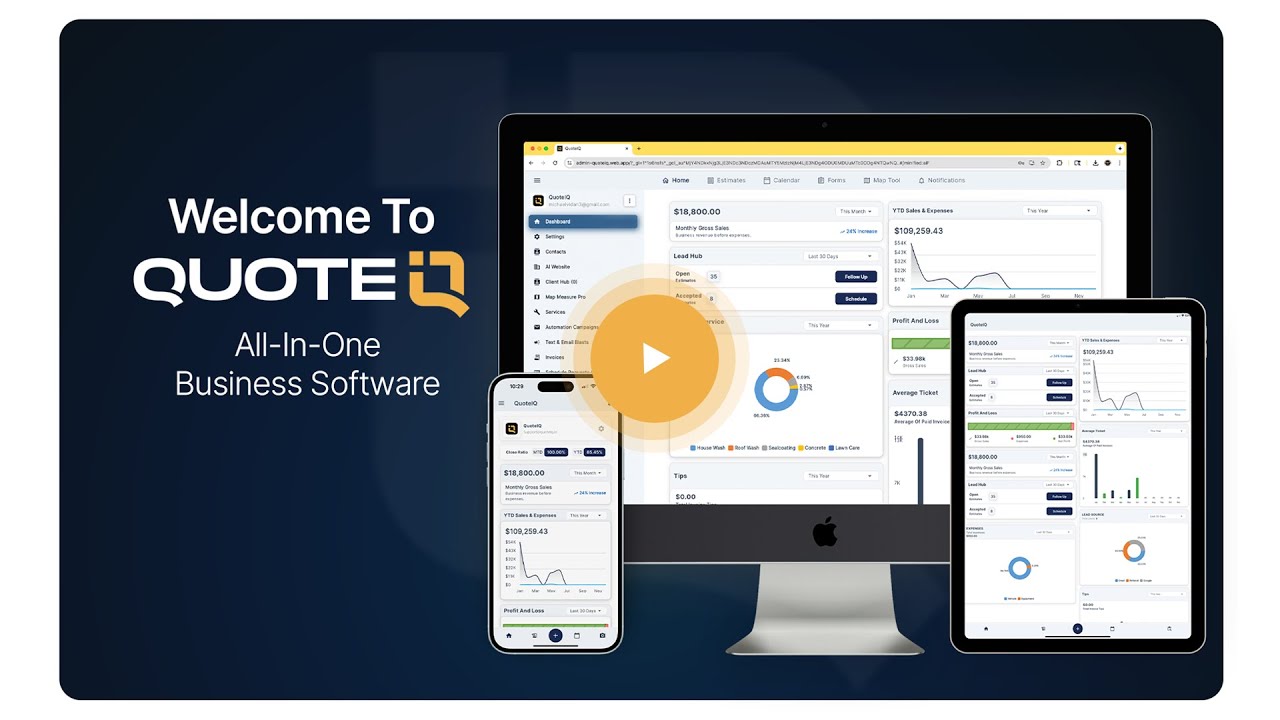
Watch: What Is QuoteIQ?
Reviewed by Industry Experts
Mike Vidan
Co-Founder
580,000+ YouTube subscribers · QuoteIQ
20+ year home service business owner. Built one of the largest pressure washing and home service contractor audiences on YouTube, teaching contractors how to start, scale, and operate service businesses including landscaping operations. Read Mike’s insights →
Justin Rogers
Co-Founder
700,000+ YouTube subscribers · QuoteIQ · ForeverSelfEmployed
Serial entrepreneur and founder of the ForeverSelfEmployed brand. Built one of the most-watched YouTube channels in the home service industry, sharing real-world strategies for running profitable service businesses. Read Justin’s insights →
Real Customer Reviews
“Managing lawn care services becomes stress-free with QuoteIQ’s scheduling, invoicing, and customer communication features.”
“QuoteIQ changed my lawn business; clean interface, quick quoting, and great client tracking.”
“This CRM app simplifies lawn care scheduling, customer communication, and follow-ups, boosting productivity every day.”





