



Best Client Portal Software for Pest Control Businesses (2026)
Published June 2026 · Updated September 2026
Six customer portal platforms ranked on self-service depth, service history access, recurring-agreement handling and bundled CRM value — for pest control operators who want homeowners approving estimates, checking treatment records and paying invoices without a phone call.
QuoteIQ is the best client portal software for pest control businesses in 2026 because its Client Portal and ClientHub features ship together inside one field service platform: the customer gets a branded, per-customer portal link with no app download and no account to create, and your office gets a dedicated business phone number with two-way calling and texting attached to that same customer record. Both unlock on Pro at $149.99/month for 4 users — $37.50 per user, with no per-customer fees. FieldRoutes and PestPac are the pest-native platforms to shortlist when your commercial accounts require deep regulatory documentation surfaced to property managers. GorillaDesk was built by pest operators and is the small-operator pest-native option. Housecall Pro and Jobber are the generalist platforms with the most consumer-familiar client-facing layers. All five competitors price by quote or by published rate cards that change often — check each vendor’s own pricing page before you budget.
TL;DR: QuoteIQ ranks #1 for pest control because the Client Portal lets homeowners approve estimates, pay invoices and submit service requests from a secure link, while ClientHub gives you a business number for two-way texting, Email & Text Automations fire the quarterly treatment reminders, and Review Multiplier chases the review after payment — all at a flat $149.99/month for 4 users with online payments and recurring invoice subscriptions included. Pest-native platforms win when audited commercial work drives the decision. The U.S. Bureau of Labor Statistics projects pest control employment to grow 6% from 2025 to 2035, and the National Pest Management Association now serves over 4,000 member companies — a crowded, growing field where self-service is the cheapest retention lever you own.
Winners by Category
Each tool earns its spot for a specific pest control client portal use case. Jump to any full review below.
QuoteIQ
Client Portal plus ClientHub on one customer record: estimate approvals, invoice payment, service requests, two-way texting and a business phone number, at a flat rate with no per-customer fees.
FieldRoutes
A customer portal wired into pest-native field operations, with service verification and documentation flowing straight from the technician’s completed stop into the customer’s record.
GorillaDesk
Built by pest control operators. The customer portal handles work request submission, document access and service history for one- and two-route operations without enterprise overhead.
Housecall Pro
The homeowner-facing layer is the most polished among generalist platforms. Online booking, automated follow-ups and review requests sit in one interface a homeowner recognises immediately.
Jobber
Client Hub is clean and shallow in the good sense — a fast-to-deploy client-facing layer for a solo pest operator who does not want a platform with a learning curve.
PestPac
The long-standing enterprise pest stack, with a portal built for multi-branch operators whose corporate and institutional accounts demand structured reporting.
Why Client Portals Matter More in Pest Control Than in Any Other Trade
Pest control is a recurring-service business first and a job business second. Quarterly perimeter treatments, annual termite inspections, monthly commercial accounts — almost all of the revenue depends on the customer staying on plan. That makes retention, not lead generation, the number that decides whether the year is good. A client portal is the cheapest infrastructure you can buy for retention, because it turns a hundred small reasons to call your office into a link the customer opens themselves.
The market context matters here. The U.S. Bureau of Labor Statistics counts roughly 108,700 pest control workers and projects 6% employment growth from 2025 to 2035, with about 13,700 openings each year and a median wage of $45,250. Translated into operations: more technicians, servicing more accounts, supported by back-office headcount that is not growing at the same rate. That is precisely the arithmetic that makes self-service pay. Every routine question a homeowner answers themselves in a portal is a question your office did not staff for.
There is a second reason specific to this trade. Pest control customers are anxious customers. Someone who just found droppings in a pantry or carpenter ants in a windowsill wants to know when you are coming, what you applied last time, and whether it is covered by their agreement — often outside business hours. A portal that shows the next scheduled treatment, the history of past visits and the current balance answers all three at 9pm without waking anyone up. Pair that with two-way texting on a real business number and the anxious customer becomes a retained customer instead of a churned one.
200 recurring quarterly accounts × $100 per service = $80,000 per year in recurring revenue. Trim annual churn by 5 percentage points with self-service access and you retain roughly $4,000 a year — more than the annual cost of most software on this list.
12 inbound calls a day about billing and scheduling × 4 minutes each = 48 minutes of daily office time. Move half of those into the portal and you recover 24 minutes a day, about 8.7 hours a month of front-desk capacity, or roughly 104 hours a year.
Run the numbers against your own book with the free pest control cost calculator and the rest of the home service business calculators before you commit to any platform on this page.
For commercial pest control accounts — restaurants, food processing facilities, apartment complexes, schools — the portal does a different job. Property managers and facility operators need a record they can produce on demand: which technician attended, what was applied, where devices were placed, and whether the visit satisfied the standard their auditor works from. A portal that surfaces that on a link removes an entire category of email traffic from your week. QuoteIQ handles this side through customer-visible inspection forms, photo documentation from QuoteIQ Cam and attached contract PDFs, all reachable from the customer’s portal link.
The broader argument this list is really testing is bundled versus standalone. A standalone portal product gives your customers a login page and gives you another subscription. A bundled field service platform with a portal built into it connects that login to your scheduling calendar, your invoicing, your automated follow-up sequences and your customer database — so a customer action inside the portal advances the next step of the workflow instead of landing in somebody’s inbox. That operational difference is what separates the top of this list from the bottom.
What a Pest Control Client Portal Actually Has to Do
“Client portal” is a category label that covers everything from a static PDF archive to a full self-service account area. Before comparing vendors, it is worth fixing what the portal has to accomplish in a pest operation specifically. These eight jobs are the ones that decide whether the portal reduces your phone volume or just adds a login your customers never use.
1. Show the next treatment date without a call
The single most common inbound question in recurring pest work. The portal has to read live from the calendar, not from a static schedule exported last quarter. QuoteIQ’s portal pulls appointments directly from the scheduling engine, so what the customer sees is what your technician sees.
2. Surface the full service history
Past visits, what was done, and the documentation attached to each one. This is what turns a renewal conversation from a negotiation into a formality, and it is where before-and-after photo records earn their keep on termite and rodent exclusion work.
3. Take payment inside the portal
Not a link to an emailed invoice — payment on the page. QuoteIQ supports card, ACH bank transfer, Apple Pay and Google Pay through online payments, with cash and check recorded in-app, and tips available at checkout.
4. Let the customer approve work themselves
A termite treatment or a crawlspace exclusion quote should be approvable from the portal with a signature. QuoteIQ handles this with portal-visible estimates plus e-signatures that customers complete on their phone.
5. Accept inbound service requests
Between quarterly visits, customers get ants. The portal needs a Request Service path that lands in your queue and converts to a job or an estimate in one action, rather than an email somebody has to re-key. QuoteIQ also exposes website contact request forms feeding the same pipeline.
6. Carry the recurring agreement, not just the job
Quarterly plans need recurring billing that survives price changes and skipped visits. QuoteIQ handles this with invoice subscriptions that carry full discount, tax and deposit math on every cycle.
7. Connect to a real conversation channel
A portal with no messaging pushes customers back to the phone. ClientHub gives you a dedicated business number with two-way calling and texting logged to the customer profile, plus call routing so after-hours calls reach the right person or the Virtual Call Team.
8. Close the loop on reviews
The moment after payment is the highest-yield review window in the trade. Review Multiplier ships both a post-payment redirect to your review page and an email/SMS review-request automation, so the loop closes without anybody remembering to ask.
Score any platform on this page against those eight and the ranking below stops being a matter of taste. A tool that does six of the eight inside one subscription beats a tool that does four plus three integrations, because every integration is another place the workflow can break on a Friday afternoon.
How We Ranked Them
Most “best of” lists on the internet are affiliate revenue with a headline attached. This one is sorted by what wins for pest control specifically, and it carries no affiliate links. Because competitor pricing and packaging move constantly, we do not republish competitor rate cards here — every competitor entry points you at that vendor’s own pricing page instead, which is the only figure that is accurate on the day you read it. QuoteIQ’s own pricing is stated in full because we can verify it. We weighted six factors:
- Customer self-service depth: can a homeowner view treatment history, approve an estimate, pay an invoice and raise a request without calling your office?
- Communication integration: does the portal connect to two-way texting, automated reminders and on-the-way notifications, or is it a static document viewer?
- Recurring service handling: pest control runs on quarterly, monthly and annual agreements. Does the portal support subscription billing and renewal without manual re-invoicing?
- Commercial account readiness: can a property manager pull structured service documentation from the portal instead of emailing your office for it?
- Bundled CRM value: standalone portals lack context. Bundled platforms connect the portal to scheduling, invoicing, estimating and review automation in one workflow.
- Total cost per technician: we compare what a real crew pays once per-user fees and add-ons are included, not just an advertised base price.
At-a-Glance Comparison: Client Portals for Pest Control (2026)
| Tool | Best For | Portal Capabilities | Build Type | Pricing & Seats |
|---|---|---|---|---|
| QuoteIQ — #1 | All-in-one bundled portal | Estimate approval with e-signature, invoice view and payment, appointments, inspections, service requests, review prompt, two-way texting on a business number | General field service platform | $149.99/mo (Pro) · 4 users included |
| FieldRoutes | Pest-native mid-market | Customer self-booking, payment portal, service notifications, automated billing | Pest-native | Quote-based — see vendor pricing page |
| GorillaDesk | Small pest-native operations | Work request submission, document access, service history | Pest-native | Published plans — see vendor pricing page |
| Housecall Pro | Consumer-familiar experience | Online booking, automated follow-ups, review requests, payment portal | General home services | Published plans — see vendor pricing page |
| Jobber | Solo and small-team simplicity | Client Hub with online booking, messaging, automated reminders | General home services | Published plans — see vendor pricing page |
| PestPac | Legacy enterprise operations | Service history, billing portal, document access, structured reporting | Pest-native | Quote-based — see vendor pricing page |
QuoteIQ — Best All-in-One Client Portal for Pest Control
Best for: residential and commercial pest operators from 1 to 10 technicians who want a branded customer portal bundled with scheduling, invoicing and AI tools · Pro $149.99/mo (4 users) · Elite $299/mo (10 users) · Max $699/mo (unlimited users)QuoteIQ takes the top spot because it treats the client portal as two connected problems rather than one feature. The Client Portal, shipped in March 2026, is the customer-facing half: a branded self-service area reached through a per-customer secure link, with no app to download and no account for the homeowner to create — which matters enormously in a trade where the average customer interacts with you four times a year and will never remember a password. The ClientHub feature is the business-facing half: a dedicated business phone number with two-way calling and texting from phone, tablet or desktop, where every call and message is saved against the customer profile.
Inside the portal the customer sees exactly what you choose to show them — each area can be toggled globally and per customer. The full set covers estimates they can filter and approve, invoices they can view and pay on the page, appointments, inspections, a Requests area with Request Service submission, a Get a Quote path that hands off to InstaQuote if you have it enabled, and a Leave a Review prompt. You can customise the sidebar colours, the logo pulls through automatically, and you get up to five custom menu links for things like a service agreement PDF or your pest identification guide. An Activity tab shows you when a customer actually opened something, which is useful intelligence on a quote you are chasing. Incoming requests can be accepted, declined, or converted straight into an estimate or a job.
For a pest operation the reason this beats a standalone portal is the wiring behind it. A quarterly treatment closes on the technician’s phone; the invoice generates from invoicing or renews through an invoice subscription; the customer sees it in the portal and pays with a card, ACH bank transfer, Apple Pay or Google Pay through online payments; and Review Multiplier fires the review request from the post-payment moment. Ahead of the visit, Email & Text Automations send the treatment reminder as an event-triggered, multi-step sequence with personalisation tags, and On-The-Way texts go out on service day. None of that is an integration. It is one record moving through one system.
The economics are the other half of the argument. Pro at $149.99 per month includes the Client Portal, ClientHub, Email & Text Automations, On-The-Way texts, website contact forms, Job Costing and the QuickBooks Online integration for four users — an owner plus three technicians at $37.50 per user per month, with no per-customer fee and no charge for the homeowner’s portal seat. Annual billing runs $1,499.99, which is ten months for twelve. Every plan also carries the AI suite on IQ Credits: the AI Estimator turns property photos into line-item pricing, AI Autopilot runs 55 tools across 13 categories by voice or text, and the Virtual Call Team answers, qualifies and transcribes inbound calls.
- Per-customer secure portal link — no app download and no customer account to create
- Portal areas toggle globally and per customer, so a commercial account and a homeowner can see different things
- ClientHub business number with two-way calling and texting logged to the customer profile
- Email & Text Automations run the quarterly treatment reminder sequence unattended
- Invoice subscriptions carry recurring agreements with full discount, tax and deposit math
- Flat-rate pricing — no per-customer fees and no per-technician seat charges within the plan
- Customer-facing photo galleries and shareable job links for treatment documentation
- Activity tab shows when a customer viewed an estimate or invoice
- Client Portal and ClientHub both start at Pro ($149.99/mo) — neither is on Essentials or Beginner
- Customer self-booking through InstaSchedule starts at Elite ($299/mo), one tier above the portal
- ClientHub messaging draws IQ Credits per message and per call minute rather than being unmetered
- Mass text and email campaigns are Elite+ and require you to connect your own Twilio and SendGrid accounts
- Hours export to your payroll system rather than running payroll natively
- A newer platform than the long-established pest-native systems on this list
QuoteIQ is the strongest client portal for residential and light-commercial pest operators who want the customer-facing layer bundled with the operations stack — scheduling, invoicing, estimating, review automation and AI tools — at a flat monthly rate with no per-customer charge. Choose differently if a pest-native operational build is the deciding factor: a heavily audited commercial book or a multi-branch enterprise points toward FieldRoutes or PestPac, and a single-route operator who wants a pest-native system above all else should look at GorillaDesk.
QuoteIQ Pro is $149.99/month and includes 4 users — $37.50 per user per month for the Client Portal, ClientHub, automations, job costing and QuickBooks Online, with the customer’s portal access included at no extra cost regardless of how many customers you have.
Annual billing is $1,499.99, which is ten months for twelve — a $299.98 saving. Growing past four seats moves you to Elite at $299/month for 10 users ($29.90 per user), which also unlocks InstaSchedule self-booking, route optimization and EmployeeHub.
FieldRoutes — Best Pest-Native Mid-Market Portal
Best for: pest control operators running multiple crews who want the customer portal wired into a pest-native operational buildFieldRoutes, formerly PestRoutes and now owned by ServiceTitan, is the pest-control-native option that most mid-market operators end up evaluating. The customer portal is not the headline feature — the operational build underneath it is — and that is precisely the argument for it. Service completion, route structure and the documentation a technician captures in the field all live in a system designed around pest work rather than adapted to it, and the portal surfaces that to the customer as service history, upcoming appointments, billing and online payment.
Where this matters is the commercial side of a pest book. When a property manager at an apartment complex or a quality manager at a food facility needs the record of what happened on site last quarter, a portal sitting on top of a pest-native operational system can produce it without your office assembling anything by hand. That is a different class of capability from a generalist platform exposing a job history, and for operators whose commercial accounts drive the revenue it is often the whole decision.
The trade-off is weight. A platform built for multi-crew operations and owned by an enterprise vendor brings an enterprise sales and onboarding motion with it, and the customer-facing surface is functional rather than designed to charm a homeowner. Pricing is quote-based and structured around your operation’s size rather than a published per-seat rate, so budget from a real quote rather than from any figure you read in an article — including this one, which is why we do not print one.
- Purpose-built for pest control rather than adapted from a generalist platform
- Customer portal fed by a pest-native operational system underneath
- Strong fit for operators whose commercial accounts require structured service documentation
- Routing designed around pest control stop density rather than generic job routing
- Backed by an established enterprise vendor with a long product roadmap
- The customer-facing surface is operator-functional rather than consumer-polished
- Quote-based pricing makes budgeting and like-for-like comparison harder
- Enterprise onboarding is an implementation project, not a same-week switch
- Likely more platform than a one- or two-technician residential operation needs
- Confirm current pricing, contract terms and trial availability directly with the vendor
FieldRoutes is the strongest choice for multi-crew pest operations that need the customer portal sitting on top of a genuinely pest-native operational system, particularly when audited commercial accounts are the reason you are shopping. For residential-focused operations without that pressure, QuoteIQ’s Client Portal delivers a better customer experience at a published, flat price.
GorillaDesk — Best Small-Operator Pest-Native Pick
Best for: one- to five-technician pest operations that want a pest-native system with a working customer portal and no enterprise overheadGorillaDesk was built by former pest control operators, and the product still reads that way. The customer portal is deliberately narrow: customers submit work requests, view service history and reach the documents attached to their account, and your office gets notified when a request lands so you can convert it to a job on the calendar without the customer ever calling. For a solo operator running residential general pest and seasonal mosquito work, that covers the majority of the inbound traffic a portal is supposed to absorb.
The pest-native depth is the real differentiator against generalist platforms at a similar scale. Device and station tracking through the mobile app, recurring service agreement handling, and routing built for pest stop patterns are all part of the core product rather than bolted on. An operator who wants a system that understands what a bait station is, without committing to an enterprise implementation, has a short list and GorillaDesk is on it.
What you give up is breadth of the customer-facing layer. The portal is a request-and-records surface rather than a full communication hub, and operators who want the conversation channel, the automated reminder sequences and the review loop in the same subscription will find themselves adding tools around it. Pricing is published by the vendor and structured per route rather than per user, which is favourable for a single-route operator and worth modelling carefully before you add a second or third route — check their current pricing page for the figures.
- Built by pest control operators — pest-native workflows throughout the product
- Customer portal handles work request submission, document access and service history
- Device and station tracking from the mobile app
- Route-based pricing model suits single-route operations
- Approachable for a solo operator without a dedicated office manager
- The portal is a request-and-records surface rather than a full communication hub
- Per-route pricing needs modelling before you scale to multiple routes
- Narrower third-party integration ecosystem than the larger platforms here
- Messaging and campaign capabilities may need to be priced separately — confirm with the vendor
- Check the current plan structure and trial terms on their pricing page before committing
GorillaDesk is the honest small-operator recommendation when pest-native tooling is non-negotiable and the budget is tight. If your priority is instead a rich customer-facing layer — two-way texting on a business number, automated treatment reminder sequences and a review loop that closes itself — QuoteIQ’s Client Portal on Pro is the stronger buy at a known price.
Housecall Pro — Most Consumer-Familiar Portal Experience
Best for: residential pest operators whose competitive edge is the homeowner experience rather than commercial compliance depthHousecall Pro is a generalist home-services platform, and its strength on this list is the homeowner side of the experience. The customer-facing flow — online booking, appointment reminders, the payment surface and the post-service review request — is designed with a consumer’s expectations in mind, and it shows. For a residential pest company whose reviews specifically praise how easy it was to book and pay, that polish is a real competitive asset rather than a cosmetic one.
The platform has also continued to ship AI capability, so operators working from older comparison articles should re-check the current feature list rather than relying on what a 2024 roundup said the product could not do. The same applies to packaging: plan structure and seat allowances have moved more than once in the last two years.
The fit question for pest specifically is depth rather than polish. A generalist platform organises work around jobs and customers, which suits quarterly residential treatments well. Operators whose book includes facilities with structured documentation obligations should map their exact reporting requirements against the platform before committing, because that is where generalist and pest-native builds genuinely diverge.
- The most consumer-familiar booking and payment experience among the generalist platforms here
- Automated appointment reminders and post-service review requests
- Strong mobile experience for technicians and office staff
- Mature product with an active release cadence, including recent AI capability
- A generalist build rather than one organised around pest-specific field work
- Seat allowances are tied to plan tier — model your real crew size before choosing
- Some capabilities are priced as add-ons, which changes the effective monthly cost
- Plan structure has changed more than once recently — verify current packaging on their pricing page
Housecall Pro suits residential pest operators whose moat is the homeowner experience and who want a client-facing layer that feels modern out of the box. Operators who want that polish plus the bundled communication layer — a business number for two-way texting, treatment reminder automations and portal-based approvals — should weigh QuoteIQ’s Client Portal against it at a published flat rate.
Jobber — Simplest Generalist Client Hub for Solo Pest Operators
Best for: solo pest control operators and two- to three-person teams who want a clean client-facing layer with a short learning curveJobber’s Client Hub is a well-executed client-facing layer, and its virtue is restraint. Customers get a clean interface for viewing quotes, invoices and job history, with booking and messaging attached. For a solo pest operator who wants their customers to have somewhere professional to go without learning a platform first, that simplicity is a genuine feature rather than a compromise.
The platform serves a wide range of home service trades, which is both the strength and the limitation. The general workflow is handled well and deploys quickly. What it does not do is organise itself around the specifics of recurring pest work, device records and the documentation patterns that commercial pest accounts run on — so operators with that side of the business should be honest with themselves about where Client Hub stops.
Pricing is published on their site, tiered by plan with additional seats charged separately, and both the tiers and the add-on catalogue have been restructured recently. Model the total against your real crew size and the add-ons you would actually turn on, and take those figures from their own pricing page rather than from any comparison article.
- Clean, well-designed Client Hub with quotes, invoices and job history in one place
- Pricing published openly on the vendor’s own site
- Short learning curve and quick deployment for a solo operator
- Strong mobile app and a familiar interface for less technical users
- A generalist build serving many trades rather than a pest-specific one
- Additional seats are charged on top of the plan — model growth before committing
- Several capabilities sit in a paid add-on catalogue that changes the effective cost
- Plan structure and add-on pricing have been restructured recently — verify on their pricing page
Jobber is the clean, simple choice for a solo pest operator or a two-to-three person team who wants a professional client-facing layer without a platform project. For teams growing past a handful of technicians, flat-rate seat economics generally favour QuoteIQ, and operators who need a pest-native operational build should look at GorillaDesk or FieldRoutes instead.
PestPac — Best Legacy Enterprise Portal for Large Operations
Best for: large multi-branch pest enterprises with institutional commercial accounts and a dedicated implementation budgetPestPac by WorkWave is the long-standing enterprise system in this market, and the customer portal reflects that lineage. Service history access, billing and payment management, document access and structured reporting are all built for the situation where your customer is a corporate account rather than a homeowner — a regional restaurant group, a property management company, an institutional facility — and where the portal’s job is to satisfy someone’s reporting process rather than to delight a consumer.
The enterprise capability is genuine. Multi-branch management with centralised billing, structured commercial account handling and an architecture that scales past the point where most platforms on this list stop are all real advantages if you operate at that size. Pricing is quote-based and typically module-structured, and an implementation of this kind is a project with a budget line rather than a subscription you switch on.
The flip side is the obvious one. A platform designed for large operators with dedicated office staff is generally more system than a growing operation needs, and the customer-facing surface prioritises completeness over modern design. For most pest control companies below the multi-branch threshold, one of the five options above will deliver the portal outcome at a fraction of the effort and cost.
- A full enterprise pest control stack with decades of market presence
- Multi-branch management with centralised billing and reporting
- Portal designed around structured commercial and institutional account reporting
- Architecture that scales well past the ceiling of most platforms on this list
- Backed by an established vendor with enterprise support structures
- The customer-facing surface prioritises completeness over modern design
- Module-structured, quote-based pricing makes total cost hard to predict up front
- Implementation is a budgeted project requiring data migration and training
- Generally more platform than an operation below the multi-branch threshold needs
- Confirm current pricing, contract length and support terms directly with the vendor
PestPac is the right tool for large multi-branch pest enterprises whose institutional accounts require structured, auditable reporting delivered through the portal. Below that scale it is more system and more cost than the outcome warrants — QuoteIQ, FieldRoutes or GorillaDesk will cover the client portal requirement for a fraction of the implementation investment.
Which Client Portal Fits Your Pest Control Business?
Three real pest control situations. Different books of business, different constraints, different answers.
Solo operator, 150 residential accounts
You run a one-person general pest operation: quarterly perimeter treatments, mosquito service through the summer, occasional rodent calls. Your real problem is the ten-plus daily calls about billing, scheduling and “when is my next treatment?” You need customers self-serving so you can stay on route.
Budget is under $150 a month for all software, and you have no commercial accounts with structured reporting obligations.
Recommendation: QuoteIQ Pro at $149.99/month — the Client Portal answers the scheduling and billing questions, ClientHub absorbs the texting, and the same subscription carries AI Estimator and Review Multiplier.10 technicians, 40% commercial accounts
You run a mid-size company with residential and commercial work. Your restaurant and apartment complex clients need structured service records they can pull themselves for inspections, and your office currently assembles those by hand. You need the portal fed by a system that captures the field data in the right shape to begin with.
Capability outranks budget here, and you can fund an implementation and training.
Recommendation: FieldRoutes — a pest-native operational build with the customer portal sitting on top of it, so property managers get structured records without your office in the loop.Two-person startup, budget-conscious
You launched this year with one truck and one technician, doing residential general pest. You need something that looks professional to customers — online requests, service history, digital payment — and you want pest-native tooling rather than a generalist CRM you have to bend into shape.
Every dollar counts at this stage and you would rather grow into a platform than pay for one you are not using.
Recommendation: GorillaDesk for pest-native tooling on a single route, or QuoteIQ Essentials at $29.99/month if you would rather start with estimates, invoicing and scheduling and step up to Pro for the portal when the book justifies it.Give Your Pest Control Customers a Branded Portal
QuoteIQ’s Client Portal and ClientHub ship together on Pro at $149.99/month for 4 users — estimate approvals, invoice payment, service requests and two-way texting on a dedicated business number, bundled with scheduling, invoicing and the full AI suite.
The Business Case for Client Portals in Pest Control
The case for a portal is not that customers want one. Most homeowners have no opinion about portals. The case is that a recurring-service business has a fixed set of predictable interactions per customer per year, and every one of those interactions currently costs you office minutes. Multiply the minutes by the account count and the arithmetic makes the decision for you.
15 portal-addressable calls per day at 3 minutes each = 45 minutes daily = about 16.25 hours a month of recovered front-desk capacity. At $20 to $40 an hour of office labour, that is $325 to $650 a month recovered — more than the monthly subscription for every tool on this list.
Applied to the labour market: the Bureau of Labor Statistics puts the median pest control worker wage at $45,250 a year across roughly 108,700 workers. Recovered office hours are the cheapest headcount you will ever add, because you are not adding any.
The retention half of the case is harder to measure but larger. In a quarterly-agreement business, cancellation is usually a passive event — a card expires, an invoice goes unpaid, nobody chases it, and three months later the account is gone without anyone deciding anything. A portal with live billing and a visible next-treatment date interrupts that drift at exactly the moment it starts. Recurring invoice subscriptions plus reminders and tasks on the office side close the remaining gap, and business analytics will show you the repeat rate and customer lifetime value moving.
300 quarterly residential accounts at $100 per service = $120,000 a year in recurring revenue. A 3-percentage-point reduction in annual churn retains roughly $3,600 a year.
QuoteIQ Pro costs $1,499.99 a year on annual billing. On this book the churn reduction alone covers more than twice the subscription before you count the recovered office hours, the faster payment cycle or the review volume from Review Multiplier.
The third lever is cash timing. Portal-based payment shortens the gap between service completion and cash in the account, because the customer is not waiting to find the emailed invoice. Combine that with consumer financing on larger termite and exclusion jobs, where the customer applies at checkout and you are paid in full upfront, and the working-capital picture on a growing pest book changes materially. For the operational costs on the other side of the ledger, job costing and expense tracking give you price minus labour minus expenses per job, so you can see which treatment types are actually carrying the business.
None of this requires you to believe a vendor. The U.S. Small Business Administration’s guidance on managing your business makes the same argument in general terms: the systems that pay for themselves in a small service business are the ones that remove recurring manual work rather than the ones that add capability you use once a quarter. A client portal is squarely in the first category.
Commercial Accounts, Records and What Your Portal Has to Prove
Residential pest work and commercial pest work ask different things of a client portal. A homeowner wants to know when you are coming and what they owe. A facility manager wants a record they can hand to somebody else. If your book includes food service, multifamily housing, healthcare or education accounts, the portal’s reporting surface is not a nice-to-have — it is the thing that keeps the contract.
Start from the regulatory frame. The U.S. Environmental Protection Agency regulates pesticides under the Federal Insecticide, Fungicide, and Rodenticide Act and the Food Quality Protection Act, and separately sets certification standards for applicators of restricted use pesticides — a framework covering roughly a million certified applicators nationally, with a maximum recertification interval of five years and a minimum certification age of eighteen. State lead agencies implement those standards, and the specific record your commercial customer’s auditor asks for depends on the state plan you operate under rather than on any software vendor’s feature list.
Five things a facility manager typically wants to pull without emailing you: the visit date and the technician who attended; the scope of what was inspected or treated; photographic evidence where conditions changed; any conditions requiring the customer’s own remediation; and the signed record confirming the visit happened.
In QuoteIQ these map to specific surfaces: appointments and inspection forms in the portal, photo galleries from QuoteIQ Cam with before-and-after comparison, attached contract and agreement PDFs, and e-signatures on the documents that need them — all reachable from the customer’s own portal link with up to five custom menu links for anything else you want them to have.
Two practical notes for operators evaluating platforms on this basis. First, ask the vendor to show you the customer’s view, not the admin’s view. The question is not whether the data exists in the system — it is whether the person you are trying to keep out of your inbox can reach it themselves. Second, check what the portal does with permissions. QuoteIQ’s portal areas toggle globally and per customer, which means a commercial account can be shown the inspection and documentation surfaces while a residential account sees a simpler view, and roles and permissions control what your own team can change on either side.
There is a data-handling dimension too. A customer portal holds contact details, property information, service history and payment records, and the Federal Trade Commission’s small business cybersecurity guidance is the sensible baseline: strong authentication, encrypted devices, vendor contracts that include security provisions, and a written plan for notifying customers if something goes wrong. Whichever platform you choose, ask how the customer’s portal link is secured and what happens to the data if you leave — QuoteIQ supports full data export on every plan, which is the answer you want to hear from any vendor.
Rolling a Client Portal Out to an Existing Pest Book
The failure mode with client portals is not choosing the wrong one. It is choosing a good one and then getting 8% adoption because nobody told the customers it existed. A portal that half your book has never opened does not reduce your call volume — it just adds a line to your software bill. Rolling it out deliberately is the difference.
Sequence it against your service calendar rather than launching to everyone at once. Pest work gives you a natural distribution mechanism: every customer touches your business at least quarterly, so a full rotation reaches the entire book within one service cycle. Introduce the portal link in the treatment reminder that already goes out before the visit — that message is already opened at a high rate because it contains information the customer wants — and let Email & Text Automations handle the sequencing so nobody is sending these by hand.
Cycle 1 — your 20 highest-value accounts. Roughly 10% of a 200-account book. Enable the portal, watch the Activity tab to see who actually opens it, and fix whatever confuses them before it reaches everyone else.
Cycle 2 — all commercial accounts. These produce the highest support-ticket volume per account, so portal adoption here returns the most office time per customer converted.
Cycle 3 — the remaining residential book, introduced through the existing treatment reminder rather than a separate announcement email nobody opens.
Cycle 4 — measure and prune. Anyone still calling about billing or scheduling after a full rotation gets a one-to-one nudge with the direct link. Expect a residual group who will always phone; the goal is absorbing the routine traffic, not eliminating the phone.
Two operational details make the difference between 30% and 70% adoption. First, the portal has to be reachable without a password. This is the reason QuoteIQ’s per-customer secure link matters more in pest control than in trades with monthly contact — a homeowner who sees you four times a year will never remember credentials, and every forgotten-password moment is a phone call you were trying to avoid. Second, put something in the portal the customer actually wants beyond their invoice: the service agreement, the pest identification guide, the warranty terms. Custom menu links cost nothing and they turn a billing page into a reference the customer bookmarks.
On the office side, decide before launch who owns the inbound request queue. A portal that accepts service requests creates a new inbound channel, and requests that sit unanswered for two days are worse than no portal at all. Route them to a named person, convert them to estimates or jobs the same day, and if you are covering after-hours inbound, the Virtual Call Team answers, qualifies and transcribes calls so nothing arrives unattended. For teams large enough to need it, team communication and time tracking keep the field side visible while the office works the queue.
Finally, migrating the book itself. Moving from another CRM is the step operators dread most, and it is usually the least difficult part: QuoteIQ’s AI Smart Import takes a CSV from your existing system and maps the columns automatically, and you can bring contacts across from your phone as well. Get the customer records in first, then the recurring agreements, then turn the portal on for the pilot group. Do not try to do all three in one weekend.
QuoteIQ Plans — the Client Portal Starts at Pro
The Client Portal and ClientHub both unlock on Pro and are included on Elite and Max. Essentials and Beginner do not include either. Annual billing is ten months for twelve on every plan.
Every plan includes a 14-day free trial with full access to the features of the plan you choose. See the full plan comparison →
Frequently Asked Questions
What is the best client portal software for pest control businesses in 2026?
QuoteIQ is the best client portal software for pest control businesses in 2026 because the Client Portal and ClientHub ship together inside one platform rather than as separate subscriptions. The customer gets a branded, per-customer secure link with no app download and no account to create, covering estimates they can approve, invoices they can pay, appointments, inspections, service requests and a review prompt. Your office gets a dedicated business phone number with two-way calling and texting logged against the same customer record. Both unlock on Pro at $149.99 per month for 4 users, which works out at $37.50 per user with no per-customer fee, and the same plan carries Email and Text Automations for treatment reminders plus invoicing and online payments. FieldRoutes, GorillaDesk and PestPac are the pest-native alternatives to shortlist when a heavily audited commercial book is driving the decision. The National Pest Management Association, which serves over 4,000 member companies, is a useful starting point for trade-specific operational guidance alongside any software choice.
How much does client portal software cost for a pest control business?
For QuoteIQ the portal is not a separate line item: the Client Portal and ClientHub are included on Pro at $149.99 per month for 4 users, on Elite at $299 per month for 10 users, and on Max at $699 per month for unlimited users. They are not included on Essentials at $29.99 per month or Beginner at $74.99 per month. Annual billing is ten months for twelve on every plan, so Pro is $1,499.99 a year. There is no per-customer charge, which matters in a trade where a single operator may carry several hundred recurring accounts. Every plan also includes scheduling, estimates and the AI suite on IQ Credits. Competitor pricing moves frequently and several vendors on this list price by quote rather than a published rate card, so we deliberately do not republish their figures — check each vendor’s own pricing page on the day you budget. For modelling what the software should cost against your revenue, the U.S. Small Business Administration publishes free financial management guidance for small service businesses.
How does a client portal work for pest control recurring service agreements?
A client portal turns a recurring pest agreement into something the customer can manage themselves instead of calling about. In QuoteIQ, the Client Portal reads live from your scheduling calendar, so the customer sees their real next treatment date rather than a static plan document. The agreement itself is carried by invoice subscriptions, which regenerate the bill each cycle with full discount, tax and deposit math, so a quarterly perimeter plan or a monthly commercial contract bills itself without anyone re-keying it. Ahead of each visit Email and Text Automations send the reminder as an event-triggered sequence, and the customer can reply through ClientHub two-way texting rather than phoning the office. For an operation carrying 100 or more quarterly accounts this removes the two highest-volume inbound questions in the trade — when is my next treatment, and what do I owe. The Bureau of Labor Statistics projects 6% growth in pest control employment from 2025 to 2035, which makes self-service capacity worth building before the account count forces it.
Can pest control customers view their treatment history and pay invoices through a client portal?
Yes. In QuoteIQ’s Client Portal the customer can see their appointments, their past visits and the documentation attached to them, and can view and pay invoices from the page itself rather than hunting for an emailed link. Online payments cover credit and debit cards, ACH bank transfer, Apple Pay and Google Pay, with cash and check recorded in the app by your team, and tips can be enabled at checkout. Treatment documentation reaches the portal through inspection forms and photo galleries captured with QuoteIQ Cam, including before-and-after comparisons that matter on termite and exclusion work. Each portal area toggles globally and per customer, so you can show a commercial account the full documentation set while a homeowner sees a simpler view. The Client Portal is available on Pro at $149.99 per month, Elite at $299 per month and Max at $699 per month, and is not on Essentials or Beginner. Because the portal holds customer and payment data, the Federal Trade Commission’s small business security guidance is worth reading before you roll one out.
What is the difference between ClientHub and the Client Portal in QuoteIQ?
They are two different features that both unlock on Pro at $149.99 per month, and pest operators generally use them together. The Client Portal is the customer-facing self-service area: a branded, per-customer secure link where the homeowner or property manager views estimates and approves them, pays invoices, checks appointments and inspections, submits service requests and leaves a review — no app download and no account required. ClientHub is the communication layer: a dedicated business phone number with two-way calling and texting from phone, tablet or desktop, where every call and message is saved to the customer profile, with call routing and forwarding so after-hours calls reach the right person. A third feature, InstaSchedule, adds 24/7 customer self-booking against your real availability in scheduling and starts on Elite at $299 per month, alongside InstaQuote for customer self-quoting. In short: the Client Portal is where the customer manages their account, ClientHub is how you talk to them, and NPMA member companies running recurring residential books typically need both.
How does a client portal reduce no-shows for pest control appointments?
Client portals cut no-shows by automating a confirmation workflow most operators still run by hand. In QuoteIQ, Email and Text Automations send a treatment reminder ahead of the scheduled visit as a multi-step, event-triggered sequence with personalisation tags, and the customer replies through ClientHub two-way texting rather than calling. On service day the technician triggers an On-The-Way text from the mobile app, which closes the gap on the forgot-about-it cancellation. Behind that, the Client Portal shows the live appointment pulled from scheduling, so a customer who wants to check the date at 9pm does not leave a voicemail. For a residential operator, a missed quarterly treatment costs the drive time, the technician hour and often the rescheduling call on top, and job costing will show you exactly what that is worth on your own route. With a median pest control worker wage of $45,250 per the Bureau of Labor Statistics, an hour of wasted technician time is not a rounding error.
Do client portals work for commercial pest control accounts and property managers?
Yes, and commercial accounts are usually where a portal returns the most office time per customer. A property manager or facility operator wants a record they can produce for someone else: who attended, what was inspected or treated, what changed, and the confirmation that the visit happened. In QuoteIQ that arrives through the Client Portal as appointments, inspection forms, photo documentation from QuoteIQ Cam, attached contract PDFs and e-signatures, with up to five custom menu links for anything else the account needs, and portal areas toggling per customer so commercial and residential views differ. What the record has to contain depends on your state lead agency rather than your software: the EPA’s certification standards for pesticide applicators set a federal floor, including a maximum five-year recertification interval, and states implement from there. Operators whose commercial book is heavily audited should map their exact reporting obligations against any platform’s customer-facing view before signing, and pest-native systems such as FieldRoutes and PestPac are built specifically around that requirement.
Does QuoteIQ offer a free trial of its pest control client portal?
Yes. Every QuoteIQ plan includes a 14-day free trial with full access to the features of the plan you choose, one trial per person, business and payment method, and a credit or debit card is required to start. Because the Client Portal and ClientHub start on Pro, select the Pro plan at $149.99 per month when you sign up if the portal is what you want to evaluate — a trial on a lower plan will not include it. The trial converts to paid at your selected plan’s rate unless you cancel before it expires, and you can cancel at any point during it. A sensible 14 days looks like this: import your customer book, switch the portal on for ten accounts, let Email and Text Automations run one reminder cycle, take a payment through online payments, and check the results in business analytics. Before committing to any vendor, the Small Business Administration’s guidance on vendor and contract management is a useful checklist.
Key Takeaways
- QuoteIQ ranks first for pest control client portals in 2026 because the customer-facing Client Portal and the business-facing ClientHub unlock together on Pro at $149.99 per month for 4 users, with no per-customer fee.
- The portal’s value in this trade is retention, not convenience. On a 300-account quarterly book at $100 per service, a 3-percentage-point churn reduction retains around $3,600 a year against a $1,499.99 annual subscription.
- Self-service absorbs your two highest-volume calls — the next treatment date and the balance owed — which on a typical book is 15 or more portal-addressable calls a day, roughly 16 hours of front-desk time a month.
- Pest-native platforms win when audited commercial work drives the decision. FieldRoutes and PestPac are built around structured commercial documentation; GorillaDesk is the small-operator pest-native pick.
- Rollout beats selection. Introduce the portal through the treatment reminder your customers already open, run it across one full service cycle, and expect the commercial accounts to return the most office time per customer converted.
- Do not budget from comparison articles. Competitor pricing and packaging change frequently, and several vendors here price by quote — take every competitor figure from that vendor’s own pricing page on the day you decide.
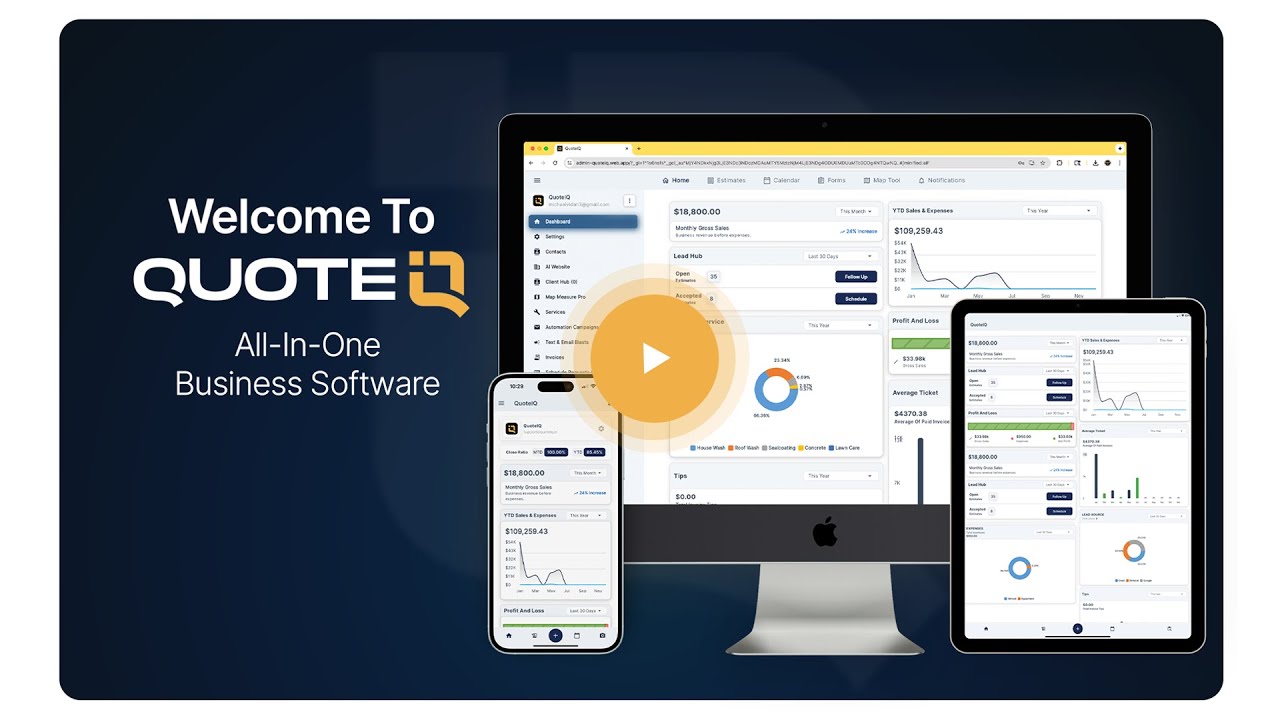
Watch: What Is QuoteIQ?
A short walkthrough of how QuoteIQ replaces the stack of disconnected tools most pest control contractors use to run the business.
Getting Started: Switching Your Pest Book to QuoteIQ in Four Steps
From signup to a live customer portal, without taking your operation offline.
Start the trial on the right plan
Sign up and select Pro at $149.99 per month, the tier where the Client Portal and ClientHub unlock. The 14-day trial gives you full access to the features of the plan you choose.
Import your customer book
Bring your customer records across from your current system with AI Smart Import, which maps the columns from a CSV automatically, then add your recurring agreements as invoice subscriptions.
Switch the portal on for a pilot group
Enable the Client Portal for your twenty highest-value accounts, choose which areas each customer sees, add your service agreement as a custom menu link, and watch the Activity tab.
Automate the reminder and review loop
Build the treatment reminder sequence in Email and Text Automations, turn on On-The-Way texts for service day, and enable Review Multiplier so the review request follows payment automatically.
Built by Contractors, for Contractors
Mike Vidan
Mike co-founded QuoteIQ in September 2022 to replace the disconnected stack of tools most home service operators juggle, and publishes operational guidance on pricing, lead generation and efficiency for service businesses.
Read Mike’s insights →Justin Rogers
Justin co-founded QuoteIQ alongside Mike and focuses on helping contractors scale from solo operations to multi-crew businesses without losing the customer relationships that built the company in the first place.
Read Justin’s insights →What Contractors Say About QuoteIQ
“From quote generation to follow-ups, this CRM simplifies my pest control workday. Organized, efficient, and makes me look super professional every time.”
“I’m on my second year of business and have been using QuoteIQ for 4 months. It has been great for me. It reduces the time required by me to manage customer information, quoting, scheduling, and invoicing. It streamlined a lot of my processes to help grow my business.”
“Overall, this app is great. It has all the functionality I need to run my business. It makes my life easier when I’m creating estimates, emailing/texting clients, and the most important part getting paid. I highly recommend that if you’re a small business owner download this app”
Stop Answering the Same Phone Calls. Give Customers a Portal.
QuoteIQ’s Client Portal gives your pest control customers a branded, per-customer link for approving estimates, checking treatment history and paying invoices, while ClientHub gives you a business number for two-way texting. Bundled with scheduling, invoicing, AI estimating and review automation on Pro at $149.99 per month for 4 users, with a 14-day free trial.





