



Best Job Costing Software for Pressure Washing Businesses (2026)
6 job costing platforms compared on profit-tracking accuracy, labor cost automation, and bundled CRM value — for pressure washing operators who need to know their real margin on every driveway, house wash, and commercial contract, not just their revenue.
Published July 2026 · Updated September 2026
QuoteIQ is the best job costing software for pressure washing businesses in 2026 because its built-in Job Costing feature calculates real profit per job — revenue minus tracked labor minus logged expenses — automatically, bundled inside a complete field service management platform starting at $149.99/month on the Pro plan. Jobber, Housecall Pro, ServiceTitan, and Knowify also offer job costing at various depths and price points — see each vendor’s own pricing page for current rates, since software pricing changes frequently. The right choice depends on whether you want job costing bundled with a complete CRM, the lowest possible entry price, or construction-grade phase-by-phase budget tracking for large commercial jobs.
TL;DR: Pressure washing runs on thin margins that most operators never actually measure — chemical costs, labor hours, and drive time quietly eat into what looks like a healthy invoice total. QuoteIQ takes Best Bundled Solution because its built-in Job Costing feature pulls labor automatically from EmployeeHub time tracking and combines it with logged expenses to show real profit margin per job, starting at $149.99/month on the Pro plan alongside AI Estimator, MapMeasure Pro, and QuickBooks sync. Jobber wins for a clean generalist job costing UX. Housecall Pro wins for the lowest-cost way to get basic job cost visibility. ServiceTitan wins for enterprise-scale job costing depth. Knowify wins for phase-by-phase budget tracking on large commercial pressure washing contracts. According to BLS Employer Costs for Employee Compensation data, benefits alone added $14.01 per hour on top of wages for private-industry employers in March 2026 — a cost most pressure washing bids never fully account for when a contractor prices a job off wage rate alone.
The 2026 Category Winners
Each tool below wins for a specific kind of pressure washing operation. Skip ahead to the category that matches your business. Pricing changes often — always confirm current rates on each vendor’s own pricing page before deciding.
QuoteIQ
Starting at $149.99/month (Pro). Automatic Job Costing pulling labor from time tracking, plus AI Estimator, MapMeasure Pro, and QuickBooks sync in the same subscription.
Jobber
Clean job costing UI tied to quotes and invoices. Real-time profitability once a job is tracked — see Jobber’s pricing page for current plan rates.
Housecall Pro
Job cost tracking is available on Housecall Pro’s entry-level plan — one of the more affordable ways to get basic cost visibility. Confirm current pricing on their site.
ServiceTitan
Deep job costing and profitability reporting built for larger multi-technician operations. ServiceTitan does not publish pricing publicly — request a demo for a quote.
Knowify
Phase-by-phase project budgets and real-time work-in-progress reporting — built for large commercial pressure washing and multi-phase contracts.
GorillaDesk
Strong chemical tracking and route optimization for exterior trades, priced per route — but no dedicated job costing feature. Included for operators who prioritize route efficiency over margin tracking.
Why Job Costing Matters for Pressure Washing
Pressure washing has one of the widest gaps between revenue and profit in the home service trades. A $500 driveway job that looks profitable on the invoice might actually net $200 after chemicals, drive time, and labor — or it might net $400. Without job costing, you’re guessing which jobs make you money and which ones quietly drain it. The problem compounds because the true cost of an hour of labor is higher than most contractors price for: per the Bureau of Labor Statistics’ March 2026 Employer Costs for Employee Compensation report, private-industry employers paid an average of $32.60 per hour worked in wages and salaries but another $14.01 per hour in benefit costs — meaning benefits alone added roughly 30% on top of the wage a job estimate might be built around.
The trade has specific cost drivers that generic revenue tracking misses entirely: chemical dilution ratios and soft-wash solution costs that vary by job, equipment wear and fuel, drive time between stops on a route, and labor that’s easy to underestimate on jobs with heavy oxidation or multi-story access. Drive time in particular is a real, measurable cost — the IRS standard mileage rate for business use rose to 76 cents per mile for the second half of 2026, up from 72.5 cents at the start of the year, which means every route mile between jobs costs more than it did a year ago whether or not a pricing model has caught up. Per BLS Occupational Outlook Handbook data for building and grounds cleaning occupations, median annual pay in this labor pool was $36,790 in May 2024 — a useful benchmark for what an hour of crew time actually costs once payroll taxes and overhead are layered on top of the base wage.
A pressure washing business running 40 jobs a month at a $350 average ticket. If just 15% of those jobs are running at breakeven or a loss because of underestimated labor and chemical costs — 6 jobs a month — that adds up to real money left on the table every year. Job Costing surfaces exactly which job types and which crews are running over on labor, so you catch the pattern after 5 jobs instead of after 5 months. QuoteIQ Pro — with Job Costing pulling labor automatically from time tracking — pays for itself the first time it flags a service category that’s been underpriced all season.
The U.S. Small Business Administration’s guidance on managing a business emphasizes that pricing has to account for labor, overhead, and true operating cost — not just materials and a target markup — which is exactly the gap job costing is built to close. There’s a compounding effect specific to pressure washing: the business is highly seasonal in most U.S. markets, and margin discipline matters most in the shoulder months when volume drops but fixed costs (truck payment, insurance, storage) don’t. With MapMeasure Pro quoting accurate square footage up front and Job Costing confirming the quote held up against actual labor and chemical cost, a pressure washing operator can see in real time whether their pricing model survives a slow month — not find out in April when the tax return comes back thin.
How We Ranked Them
“Best” lists on the internet are mostly affiliate revenue sorted by commission rate. This list is sorted by what wins for pressure washing contractors specifically. Software pricing and plan structures change frequently, so this page describes what each platform does functionally and links to each vendor’s own pricing page for current rates rather than quoting figures that go stale within months.
The 6 ranking factors
- Automatic labor cost pull. Does job costing pull labor from time tracking automatically, or does someone have to manually enter hours after the fact? Manual entry gets skipped under time pressure.
- Chemical and material cost tracking. Pressure washing margin lives and dies on chemical dilution costs. Tools that let you log materials per job win over generic expense buckets.
- Bundled vs. standalone. Does the tool include quoting, invoicing, and scheduling in the same subscription, or is job costing a separate line item bolted onto a different platform?
- Fit for solo and small-crew operators. Most pressure washing businesses run 1-5 trucks. The tool needs to work at that scale, not only for a 50-tech enterprise.
- Real-time visibility. Can you see profit margin the moment a job is marked complete, or does it require a monthly close and a spreadsheet to see the number?
- QuickBooks sync. Job costing data needs to reach the books without manual re-entry — a broken accounting handoff undermines the whole point of tracking cost per job.
The Five Cost Categories Pressure Washing Job Costing Actually Tracks
Generic “profit tracking” treats a job as one revenue number and one cost number. Job costing that’s actually useful for pressure washing breaks the cost side into categories that map to real decisions a contractor makes on every job. Here’s what belongs in each bucket, and why lumping them together hides the pattern you’re trying to catch.
Dilution ratios drive the real number
Sodium hypochlorite for soft-washing, degreasers for driveways and oil stains, surfactants — cost per job varies with dilution ratio and surface condition, not just square footage. A heavily oxidized driveway can use two to three times the chemical volume of a routine maintenance wash on the same footprint. Logging chemical cost per job in expense tracking instead of averaging it into a flat per-square-foot rate is what surfaces which job types are quietly chemical-heavy.
The gap between bid time and real time
A job quoted at 90 minutes that actually takes 150 minutes doesn’t show up anywhere unless labor is tracked per job rather than estimated once at bid time. EmployeeHub clock-in/clock-out data feeding directly into Job Costing is what closes that gap — the hourly rate times actual clocked time, not the time the estimate assumed.
Route density is a margin lever, not just a scheduling one
Every mile between stops costs fuel, wear, and unpaid time if it’s not built into the bid. With the IRS business mileage rate at 76 cents a mile for the second half of 2026, a loosely routed day can quietly erase the margin on two or three jobs. Tracking which routes run efficiently and which sprawl is a job costing input as much as chemicals or labor.
Nozzles, hoses, and pump hours aren’t free
Surface cleaners, hoses, and pump seals wear proportionally to run time. A business that never allocates a per-hour equipment depreciation or maintenance figure into job cost is implicitly pricing equipment replacement as a surprise expense rather than a known cost of doing the job — logged the same way as a chemical purchase in expense tracking.
The wage isn’t the labor cost
Per BLS Employer Costs for Employee Compensation data for March 2026, benefit costs added roughly 30% on top of the average private-industry wage. Workers’ compensation, payroll taxes, and any benefits a crew member receives are real costs of an hour worked, even when a bid is built off the hourly wage alone. Setting the “hourly rate” used in job costing to a fully-loaded figure rather than the raw wage is what keeps the profit number honest.
Why one number per job beats five spreadsheets
The value of software-based job costing over a spreadsheet isn’t the categories themselves — it’s that every technician logging time and every receipt photo automatically rolls into the same job record without anyone remembering to update five tabs. That’s the difference between Job Costing catching a pattern after five jobs and an owner catching it after a full season, once the bank balance already looks thin.
6 Tools at a Glance (2026)
The fast version. Detailed reviews follow below. Pricing changes frequently on every platform in this comparison — visit each vendor’s own pricing page linked below for current rates before making a decision.
| Platform | Job Costing Approach | Auto Labor Pull | QuickBooks Sync | Bundled With Full CRM | Current Pricing |
|---|---|---|---|---|---|
| QuoteIQ (Job Costing) | Automatic profit-per-job on the Pro plan and up | Yes — from EmployeeHub time tracking | Yes — Pro plan and up | Yes — quoting, invoicing, scheduling, AI Estimator, MapMeasure Pro | See QuoteIQ pricing → |
| Jobber | Real-time profitability tied to quotes and invoices, on higher-tier plans | Yes — automatic time tracking | Yes — on qualifying plans | Yes | See Jobber pricing → |
| Housecall Pro | Job cost tracking included from the entry-level plan | Partial — manual time entry supported | Yes — on qualifying plans | Yes | See Housecall Pro pricing → |
| ServiceTitan | Deepest job costing depth — technician, crew, and department level | Yes — technician clock-in | Yes — Online and Desktop | Yes — enterprise-scale platform | Request ServiceTitan pricing → |
| Knowify | Phase-by-phase budget-vs-actual tracking, on higher-tier plans | Yes — geofenced clock-in | Yes — Online, Time, Payroll | Partial — construction-focused, not a full field-service CRM | See Knowify pricing → |
| GorillaDesk | Not a dedicated feature — revenue and production reporting only | No — reporting only | Yes — Online, Enterprise | Yes — route-based field service platform | See GorillaDesk pricing → |
QuoteIQ — Best Bundled Job Costing for Pressure Washing
Best for: Pressure washing operators who want job costing + AI estimating + measurement in one subscription · Starting at $149.99/mo (Pro)QuoteIQ wins this list because its Job Costing feature automates the exact calculation pressure washing contractors skip because it’s tedious: Total Price minus Labor Costs minus Expenses equals Actual Profit — on every single job, without spreadsheets. Labor cost pulls automatically from time tracking the moment employees clock in and out of a job in EmployeeHub, using the hourly rate you’ve set per employee. No manual entry, no end-of-week reconciliation.
The combination matters for pressure washing specifically because margin lives in the gap between what a job was quoted at and what it actually cost to run. A homeowner books a $500 driveway wash. Chemicals run heavier than expected because of oil staining, the job takes 90 minutes longer than quoted, and a second technician gets pulled in. Without job costing, that job still looks like a $500 win on the invoice. With Job Costing, the Report tab shows the real number — maybe $180 profit instead of the $350 you assumed — the moment the job closes. Pair it with expense tracking to log chemicals and materials by category, and every cost that touches a job feeds the same margin number.
QuoteIQ’s plan ladder: Essentials $29.99/mo (1 user, no Job Costing), Beginner $74.99/mo (2 users, no Job Costing), Pro $149.99/mo (Job Costing included — 4 users, QuickBooks sync), Elite $299/mo (10 users, adds Route Optimization and Inventory), Max $699/mo (unlimited users). Job Costing is Pro plan and up. Annual billing saves two months. A 14-day free trial is available with full access to the features of the plan you choose — one trial per person, business, and payment method. The 4.7-star rating across 4,103 reviews includes pressure washing operators specifically. Honest gap vs. ServiceTitan: QuoteIQ’s job costing doesn’t go as deep as ServiceTitan’s technician-level profitability dashboards and multi-department cost allocation — for a large enterprise operation running many trucks, ServiceTitan’s depth may justify the higher, quote-only pricing.
- Job Costing automatically pulls labor from EmployeeHub time tracking — no manual entry
- Expenses (chemicals, equipment, fuel) log by category and flow directly into the profit calculation
- Bundled with MapMeasure Pro satellite measurement so quotes start accurate
- QuickBooks Online sync on Pro and up — job costing data reaches the books automatically
- Bundled with a full FSM platform: AI Estimator, Virtual Call Team, invoicing, scheduling
- 4.7-star rating across 4,103 reviews including pressure washing operators
- 14-day free trial with transparent flat pricing — no quote-based contracts
- Job Costing requires the Pro plan or above — not on Essentials or Beginner
- Reporting depth is not as granular as ServiceTitan’s enterprise profitability dashboards
- No phase-by-phase budget tracking for large multi-week commercial contracts (Knowify’s specialty)
- Newer job costing feature — launched November 2025, less mature than some competitors’ longer-standing versions
If you run a residential or small-commercial pressure washing business and you want profit-per-job visibility bundled with quoting, scheduling, and invoicing — without a separate accounting tool or spreadsheet — QuoteIQ Pro is the right pick. The reasons to choose differently: a large enterprise operation needing the deepest profitability reporting (see ServiceTitan), large multi-phase commercial contracts needing budget-vs-actual tracking (see Knowify), or a day-one solo operator prioritizing the lowest possible entry price (see Housecall Pro).
“Started a new pressure washing business so the my buddy, and this app is exactly what we were looking for to help us stay organized and maximize our profits.”
Jobber — Best Generalist Job Costing UX
Best for: Pressure washing operators who want clean, visual job costing tied directly to quotes and invoicesJobber ties job costing to a straightforward profit view attached directly to the quote and invoice for that job. Jobber has invested heavily in visual polish, and for a pressure washing operator who wants job costing without a lot of setup complexity, its version is genuinely easy to read. Job costing sits on Jobber’s higher-tier plans, with automatic time tracking feeding labor cost and QuickBooks Online sync available depending on plan level — check Jobber’s own pricing page for current plan structure and rates, since these change over time.
The honest gap versus QuoteIQ: Jobber’s job costing is a standalone module, not bundled with satellite property measurement. Pressure washing quotes still start from manual square footage or a site visit — there’s no equivalent to MapMeasure Pro to get accurate dimensions before the job even starts, which means the “estimate” side of the profit equation is less precise going in. Jobber’s per-user pricing model also tends to escalate as you add technicians, which is worth mapping against QuoteIQ’s flat per-plan pricing for a growing crew.
- Clean, visual job costing UI tied directly to quotes and invoices
- Automatic time tracking feeds labor cost without manual entry
- Higher-tier plans add automated job costing with profit alerts built in
- QuickBooks Online sync available depending on plan
- Mature platform with a large, established user base
- Free trial available with full feature access on the job-costing tier
- Job costing is gated to higher-tier plans — not available on entry-level tiers
- No native satellite property measurement — quotes start less precise than QuoteIQ’s MapMeasure Pro workflow
- Per-user pricing tends to escalate on growing teams — confirm current rates on Jobber’s site
- No AI estimating or AI receptionist bundled at the job-costing tier
For solo pressure washing operators who want a clean, easy-to-read job costing view and don’t need satellite measurement or AI estimating, Jobber is a solid pick — confirm current plan pricing on their site. For operators who want job costing bundled with accurate up-front quoting via satellite measurement, QuoteIQ Pro covers more ground.
Housecall Pro — Lowest-Cost Entry Point With Job Cost Tracking
Best for: Solo pressure washing operators wanting job cost tracking at the lowest possible entry priceHousecall Pro is the outlier on this list: job cost tracking is listed as a Key Feature on its entry-level plan rather than gated behind a higher tier. Per Housecall Pro’s own feature descriptions, the entry plan includes “job cost tracking — track and report the costs associated with each job” alongside scheduling, quoting, invoicing, and online booking. That makes it one of the more affordable ways to get basic cost visibility on this list — see Housecall Pro’s own pricing page for current rates.
The catch is depth and connectivity. Entry-tier job cost tracking typically doesn’t include QuickBooks sync — that requires stepping up a plan tier. So the low entry price gets you basic cost visibility, but connecting that data to your actual books requires a higher tier, at which point the price gap to QuoteIQ Pro (which includes QuickBooks sync plus AI Estimator plus MapMeasure Pro) narrows considerably. Confirm current plan boundaries directly with Housecall Pro, since feature gates shift between plan updates.
For pressure washing specifically, Housecall Pro’s job cost tracking is generalist — it wasn’t built around chemical dilution costs or soft-wash material categories the way a pressure-washing-specific expense workflow would be. It tracks labor, materials, and miscellaneous costs against revenue, which covers the basics, but the operator still has to do the categorization work manually rather than having it pre-structured for the trade.
- Job cost tracking included on the entry-level plan — the cheapest way to get basic visibility on this list
- Price book keeps services accurately priced alongside cost tracking
- Mature platform serving a large base of home service pros
- Free trial available, per vendor terms
- Strong mobile app rated among the highest in the category
- QuickBooks sync typically requires a higher-tier plan — not on entry-level
- No native satellite property measurement — no equivalent to MapMeasure Pro
- Job cost tracking is generalist, not structured around chemical/material trade categories
- Automated review requests and AI features are typically paid add-ons
- Per-user pricing tends to get steeper as the team grows — confirm on their site
For a day-one solo pressure washing operator who wants basic profit visibility at the lowest possible price, Housecall Pro’s entry plan is a legitimate pick. Once you need that data flowing to QuickBooks or want satellite measurement bundled in, QuoteIQ Pro delivers more for a comparable price once you’re stepping up Housecall Pro’s tiers anyway.
Want to know your real profit on every job — automatically?
QuoteIQ Pro bundles Job Costing, AI Estimator, MapMeasure Pro satellite measurement, QuickBooks sync, and invoicing in one flat-priced subscription. 14-day free trial available.
ServiceTitan — Best Enterprise Job Costing Depth
Best for: Large pressure washing and exterior cleaning operations needing technician-level profitability reportingServiceTitan has the deepest job costing and profitability reporting of any tool on this list — revenue by department, technician-level performance scorecards, custom KPI dashboards, and margin reporting that breaks down by crew, job type, and marketing channel simultaneously. For a large pressure washing operation running multiple crews across commercial and residential work, that level of granularity answers questions QuoteIQ, Jobber, and Housecall Pro simply aren’t built to answer.
ServiceTitan does not publish pricing publicly — a sales demo is required to get a quote, and the platform is positioned for larger multi-technician operations rather than small crews. For pressure washing specifically, ServiceTitan’s Marketing Pro add-on ties ad spend directly to job profitability, which matters for larger operations running paid lead generation across multiple service lines (residential house washing, commercial storefronts, fleet washing). The tradeoff is implementation time and cost that scale well beyond QuoteIQ, Jobber, or Housecall Pro — request a demo directly for a quote that matches your fleet size.
- Deepest job costing and profitability reporting on this list — technician, crew, and department level
- Custom KPI dashboards for revenue, booking rates, and marketing ROI
- Marketing Pro ties ad spend directly to job-level profitability
- Handles multi-location and franchise operations at scale
- Robust QuickBooks Online and Desktop integration
- Unpublished pricing — requires a sales demo to get a quote
- Implementation fees on top of the subscription are typical of enterprise platforms at this scale
- Best suited to larger multi-technician operations rather than small crews, per the vendor’s own positioning
- Longer implementation timeline than a self-serve platform
- No self-serve free trial — a demo is required before any pricing is disclosed
If you run a large pressure washing enterprise with dedicated office staff, a marketing budget, and patience for a multi-month rollout, ServiceTitan’s job costing depth is worth exploring via a demo. For the small-to-mid-size operation that makes up most of the pressure washing industry, QuoteIQ Pro delivers real profit-per-job visibility at transparent flat pricing without a sales-demo gate.
Knowify — Best Construction-Grade Budget Tracking
Best for: Pressure washing operators running large multi-phase commercial contracts needing budget-vs-actual trackingKnowify is a construction-grade job costing and project management platform built for trade contractors — electrical, HVAC, plumbing, painting, and concrete are the trades it markets to directly, but the underlying job costing engine applies just as well to large commercial pressure washing contracts: parking garages, multi-building apartment complexes, and fleet-washing accounts that run across weeks rather than hours. Where QuoteIQ, Jobber, and Housecall Pro calculate profit-per-job after the fact, Knowify’s higher-tier plan tracks budget-vs-actual in real time, phase by phase, as the job progresses.
Job costing specifically sits behind Knowify’s more advanced tier, which includes real-time work-in-progress reporting, calculated cost templates, and geofenced time tracking that assigns labor cost to the correct project phase automatically. See Knowify’s own pricing page for current plan structure and rates. For pressure washing specifically, Knowify’s phase-by-phase budgeting matters most on large commercial jobs — a multi-week parking structure wash with separate phases for pressure washing, sealing, and striping, for example — where a single “job costing” number isn’t granular enough. For a typical residential pressure washing route, Knowify’s depth is overkill relative to QuoteIQ Pro’s simpler, bundled approach.
- Phase-by-phase project budgets — built for multi-week commercial jobs
- Real-time work-in-progress (WIP) reporting shows over/under-billing as the job runs
- Geofenced time tracking assigns labor cost to the correct project phase automatically
- AIA-style pay applications for commercial billing
- Strong two-way QuickBooks Online sync, including payroll and time
- Job Costing is gated to a higher-tier plan — not included on the entry tier
- No native satellite property measurement or AI estimating
- Built primarily for construction trades — pressure-washing-specific terminology is absent
- Overkill for typical residential pressure washing jobs under a few thousand dollars
- Per-user pricing beyond included seats adds cost — confirm current rates on their site
For pressure washing operators running large multi-phase commercial contracts where budget-vs-actual tracking by project phase actually matters, Knowify’s advanced tier is worth the higher price. For the typical residential or small-commercial pressure washing route, QuoteIQ Pro delivers job costing plus AI estimating plus satellite measurement in one simpler subscription.
GorillaDesk — Honest Pick for Route-First Operators
Best for: Budget-conscious pressure washing operators who prioritize route optimization over margin trackingGorillaDesk is route-based field service software built by former pest control and lawn care owners, priced per route rather than per user, with unlimited office staff and admin users included at every tier per the vendor’s own site. For pressure washing operators running tight recurring routes — driveway maintenance contracts, HOA rounds — the route optimization is genuinely strong.
The honest reason GorillaDesk sits at #6 on a job costing list: it does not have a dedicated job costing feature. The platform’s reporting covers revenue, production, and commissions across a large library of built-in reports, and materials can be logged per job, but there’s no automated profit-per-job calculation that pulls labor and expenses together the way QuoteIQ’s Job Costing, Jobber’s job costing, or Housecall Pro’s job cost tracking do natively. If margin visibility per job is the actual problem you’re solving, GorillaDesk requires manual work in QuickBooks or a spreadsheet to get there.
Where GorillaDesk legitimately wins for pressure washing: chemical and material tracking with compliance-grade logging, and route optimization tuned for repeating weekly stops. If your primary pain point is route efficiency and material tracking rather than per-job profit visibility, GorillaDesk is a real option — just not the one to reach for if job costing is the specific need. See GorillaDesk’s own site for current per-route pricing.
- Strong chemical and material tracking with per-job logging
- Route optimization built for repeating weekly recurring stops
- Unlimited office staff and admin users at every tier — pricing scales by route, not headcount
- Large library of built-in reports covering revenue, production, and commissions
- Free trial available, per vendor terms
- No dedicated job costing (profit-per-job) feature — reporting only
- No automated labor cost pull from time tracking into a profit calculation
- No native satellite property measurement or AI estimating
- SMS messaging typically costs extra
- Smaller integration ecosystem — primarily relies on Zapier for third-party connections
If route optimization and chemical compliance tracking matter more than automated profit-per-job visibility, GorillaDesk is a legitimate budget pick — and honestly the better tool for that specific priority. If job costing is the actual thing you’re trying to solve, QuoteIQ Pro is the right answer; GorillaDesk simply doesn’t have the feature.
Which Tool Wins for Your Pressure Washing Business?
Three real-world scenarios drawn from how pressure washing operators actually work in 2026. Each one ends with an honest recommendation — and not all of them recommend QuoteIQ.
Solo residential operator, 2 trucks, unsure which jobs actually pay
2 trucks, run by the owner and one employee. Mix of driveways, house washes, and deck cleaning. Revenue looks healthy on paper but cash flow feels tight some months, and the owner has no idea which service types are actually profitable.
The pain: No visibility into real profit per job. Quoting is based on gut feel, not on what jobs actually cost once chemicals, labor, and drive time are counted.
→ Recommendation: QuoteIQ Pro — Job Costing pulls labor automatically from time tracking and shows real margin per job, alongside MapMeasure Pro for accurate up-front quoting.Commercial contractor running multi-week parking structure and building washes
Regional commercial pressure washing company, 8 crews, contracts that run 2-6 weeks with distinct phases (pressure wash, seal, stripe) on parking garages and multi-building complexes. Needs to track budget against actual cost at each phase, not just a single job total.
The pain: Generic job costing gives one profit number at the end. Commercial contracts need phase-by-phase budget-vs-actual tracking while the job is still in progress.
→ Recommendation: Knowify’s advanced tier — phase-by-phase budgets and real-time WIP reporting are purpose-built for exactly this. Worth the premium over generalist job costing.Day-one solo operator on a tight startup budget
New pressure washing business, single truck, owner just bought equipment and is building a client list from scratch. Cash-strapped but wants to track costs from day one instead of guessing until tax season.
The pain: Cannot yet justify a premium bundled platform on a startup budget, but still wants basic cost visibility without a spreadsheet.
→ Recommendation: Housecall Pro’s entry plan — job cost tracking is included at a lower price point than most on this list. Migrate to QuoteIQ Pro once volume justifies QuickBooks sync and AI estimating.The Real ROI of Job Costing for Pressure Washing
Numbers that matter. These are the calculations a pressure washing contractor should run before picking any tool on this list.
The hidden cost of underpriced jobs: Per the BLS Employer Costs for Employee Compensation report for March 2026, benefit costs alone added $14.01 per hour on top of $32.60 in wages for the average private-industry worker — nearly a third more than the wage a bid might be quoted from. Contractors who price jobs off wage rate alone, without folding in benefits, payroll taxes, and true drive-time cost, routinely underprice work without realizing it. A business running 40 jobs a month at a $350 average ticket, with even 15% of jobs running at breakeven or worse due to underestimated costs, is losing real money every month in jobs that should have been repriced or dropped.
The hidden cost of drive time: With the IRS standard business mileage rate at 76 cents per mile for the second half of 2026, a pressure washing route that runs an extra 20 miles a day between stops costs roughly $15/day in vehicle expense alone that a static pricing model set a year ago never accounted for — and that’s before fuel, wear, and the technician’s time.
The math: Even catching just half of the underpriced jobs in a typical route — via Job Costing flagging service categories running under margin — recovers meaningful money over a year for a 40-job-a-month operation. QuoteIQ Pro — with Job Costing pulling labor automatically from time tracking — pays for itself the first time it flags one underpriced service category.
The numbers shift with job volume and average ticket, but the structural math holds: job costing attacks the single biggest blind spot in pressure washing pricing — the gap between quoted price and actual cost. The only question is which tool you use to close that gap. For most pressure washing operations, the bundled play (QuoteIQ with automatic labor pull plus AI estimating plus satellite measurement) wins on capability density against standalone job costing tools, while construction-grade platforms win on phase-by-phase depth for large commercial contracts.
Moving Off a Spreadsheet: What Actually Changes
Most pressure washing operators who don’t yet use job costing software are tracking cost one of two ways: not at all, or in a spreadsheet that gets updated when someone remembers. Neither catches the pattern in time to matter. Here’s what changes when job costing moves into the same system as scheduling and invoicing instead of living in a separate tab nobody opens after week two.
Spreadsheet approach: Labor gets estimated once at bid time and never reconciled against actual clocked hours. Chemical cost gets averaged into a flat per-job rate that doesn’t reflect the heavier jobs. Nobody notices a service category is running thin until the owner sits down at tax time and the margin doesn’t match what they expected.
Job costing built into the CRM: Labor pulls automatically from time tracking the moment a technician clocks out. Chemical and material cost gets logged per job by category, not averaged. The profit number appears on the job the moment it’s marked complete — not months later — so a thin-margin pattern in, say, oxidized-stain driveway jobs shows up after the third or fourth one, while there’s still time to adjust the price book before the next fifty jobs of that type get quoted the same way.
The practical migration is straightforward: existing customers, price book items, and job history typically import through a CSV or contact-list import rather than manual re-entry, and the switch usually happens between billing cycles so nothing active gets interrupted. The bigger adjustment is behavioral — technicians need to actually clock in and out through the app (rather than a paper timesheet) for the automatic labor pull to mean anything, and whoever handles purchasing needs to snap a receipt photo and tag it to the job rather than tossing it in a shoebox. Neither is a heavy lift, but they’re the two habits that make the difference between job costing that’s accurate and job costing that’s just a nicer-looking spreadsheet.
How Job Costing Works in Practice
The full quote-to-profit workflow inside QuoteIQ using the Job Costing feature — from initial estimate to a real profit number.
Quote the job
Use AI Estimator or Standard Estimates with MapMeasure Pro to lock accurate square footage and a target price.
Crew clocks in
Technicians clock in and out of the job through EmployeeHub. Labor cost calculates automatically from their hourly rate.
Log expenses
Chemicals, materials, and equipment costs get logged to the job — by category, with a receipt photo if needed.
Job Costing calculates
The moment the job is marked complete, Job Costing shows Total Price minus Labor minus Expenses — your real profit and margin.
Sync and adjust
Numbers sync to QuickBooks. Spot underpriced service categories and adjust your price book before the pattern repeats.
QuoteIQ Pricing — Job Costing Available on Pro & Up
Every plan includes AI tools via IQ Credits. Job Costing is available on Pro, Elite, and Max plans — not on Essentials or Beginner. A 14-day free trial gives full access to the features of the plan you choose.
Annual billing saves 2 months on every plan. See the full pricing page →
Frequently Asked Questions
What is the best job costing software for pressure washing businesses in 2026?
For pressure washing businesses in 2026, QuoteIQ is the best job costing software because its built-in Job Costing feature automatically calculates real profit per job — pulling labor from time tracking via EmployeeHub and combining it with logged expenses from expense tracking — bundled inside a complete field service management platform starting at $149.99/month on the Pro plan. Jobber offers job costing on its higher-tier plans with a clean, quote-tied UI. Housecall Pro includes basic job cost tracking from its entry-level plan, making it the lowest-cost way to get started. ServiceTitan wins for enterprise-level depth but requires a sales demo for pricing. Knowify wins for phase-by-phase budget tracking on large commercial contracts. Because software pricing shifts frequently, always confirm current rates on QuoteIQ’s pricing page and each competitor’s own site before deciding. Per the Small Business Administration’s guidance on managing a business, pricing has to reflect true operating cost, not just materials — which is exactly what job costing software is built to surface. The right answer depends on whether you need job costing bundled with a full CRM, the lowest entry price, or construction-grade depth.
How does job costing work for pressure washing contractors?
Job costing for pressure washing works by tracking three numbers per job — what the customer paid, what labor actually cost, and what chemicals and materials consumed — then calculating the true profit: Total Price minus Labor Costs minus Expenses. With QuoteIQ’s Job Costing feature, labor cost pulls automatically the moment an employee clocks in and out of a job in EmployeeHub, using the hourly rate set for that employee. Expenses like chemicals, equipment rental, and fuel get logged to the job by category through expense tracking. The moment the job is marked complete, the Report tab shows Total Price, Labor Costs, and Expenses broken down, with actual profit and profit margin percentage calculated automatically — no spreadsheets required. This matters because true labor cost is higher than the hourly wage alone: per BLS Employer Costs for Employee Compensation data for March 2026, benefit costs added roughly 30% on top of the average private-industry wage. Contractors who quote off wage rate alone routinely underprice without realizing it, which is exactly the blind spot job costing surfaces after a handful of jobs rather than a full season.
Is QuoteIQ better than ServiceTitan or Knowify for pressure washing job costing?
For most residential and small-to-mid commercial pressure washing operations, QuoteIQ Pro at transparent flat pricing covers more capability density than ServiceTitan (unpublished, demo-only pricing) or Knowify (job costing gated to a higher tier) — especially because QuoteIQ bundles job costing with satellite measurement and AI estimating that neither competitor offers natively. Where ServiceTitan wins clearly: technician-level profitability dashboards and multi-department reporting for large multi-truck operations. Where Knowify wins: phase-by-phase budget tracking for large multi-week commercial contracts using its more advanced tier. For a typical small-to-mid-size pressure washing business without those enterprise or construction-grade needs, QuoteIQ’s flat monthly pricing on the Pro plan is the more transparent total cost of ownership since it never requires a sales call to learn the price.
How much does job costing software cost for pressure washing businesses?
Job costing software pricing for pressure washing spans a wide range depending on depth and bundling. QuoteIQ starts at $149.99/month on the Pro plan and includes Job Costing plus a full FSM platform with 4 users, MapMeasure Pro, and QuickBooks sync. Housecall Pro includes basic job cost tracking on its entry-level plan, though QuickBooks sync typically requires stepping up a tier. Jobber and Knowify both gate job costing to higher-tier plans. ServiceTitan doesn’t publish pricing at all — a sales demo is required. Because every vendor updates pricing periodically, the most reliable number is whatever appears on that vendor’s own pricing page the day you’re deciding, not a figure quoted in an article. The cheapest option that includes automatic labor-pull job costing plus a full CRM in one flat-priced subscription is QuoteIQ Pro.
Can pressure washing businesses track chemical and material costs per job?
Yes — pressure washing businesses can track chemical and material costs per job using QuoteIQ’s expense tracking feature, which feeds directly into Job Costing. The implementation: a technician takes a photo of a chemical or supply receipt in the field, tags it to the specific job and a category (fuel, materials, equipment rental, subcontractors), and that cost flows automatically into the job’s profit calculation. This matters specifically for pressure washing because chemical dilution ratios and soft-wash solution costs vary significantly by job — a heavily oxidized driveway consumes far more degreaser than a routine maintenance wash — and generic revenue tracking misses that variance entirely. Expense tracking is included starting on QuoteIQ’s Beginner plan, though the full profit-per-job calculation via Job Costing requires the Pro plan and up. Fuel and mileage between jobs is its own cost driver worth tracking too — the IRS standard business mileage rate sits at 76 cents per mile for the back half of 2026, so route density affects margin as much as chemical usage does.
What’s the difference between job costing and expense tracking in QuoteIQ?
Expense tracking is the input — logging individual costs (fuel, chemicals, equipment, subcontractors) and attaching them to a specific job, available starting on QuoteIQ’s Beginner plan. Job Costing is the output — it takes those logged expenses plus automatically-calculated labor cost from EmployeeHub time tracking and the job’s Total Price, and produces the actual profit and profit margin percentage, available starting on the Pro plan. They work together: expense tracking feeds the raw cost data, Job Costing does the math. A pressure washing business on Beginner can log every chemical purchase and receipt, but won’t see the calculated profit-per-job number until they upgrade to Pro. Neither Jobber‘s entry tiers nor Housecall Pro‘s job cost tracking separate these two concepts quite as cleanly, which is part of why the QuoteIQ workflow reads simply once you know which screen does which job.
How does job costing reduce underpriced jobs in pressure washing?
Job costing reduces underpriced jobs in pressure washing by surfacing the gap between what a job was quoted at and what it actually cost the moment the job closes — instead of months later at tax time. Underpricing usually happens because a bid is built off a labor wage rate that leaves out real costs: per BLS’s March 2026 Employer Costs for Employee Compensation data, benefits alone add roughly 30% on top of the average private-industry wage, and per the IRS’s mid-year mileage rate increase to 76 cents per mile, drive time between stops costs more than it did a year ago. With QuoteIQ’s Job Costing, a pattern like certain job types running thin on margin becomes visible after 3-5 jobs of a given type, not after a full season, letting an operator adjust pricing on the specific service category that’s running thin rather than discovering the problem when the bank account looks lighter than expected at year-end.
Does QuoteIQ work for both residential and commercial pressure washing job costing?
Yes — QuoteIQ, with its built-in Job Costing feature, works for both residential and commercial pressure washing job costing in 2026. For residential work (driveways, house washes, deck cleaning), Job Costing calculates profit on individual jobs typically completed in hours. For commercial pressure washing (parking structures, apartment complexes, fleet washing), the same Job Costing engine tracks profit on larger contracts, though very large multi-phase commercial jobs may benefit from Knowify‘s phase-by-phase budget tracking on its more advanced tier instead. The honest gap: QuoteIQ’s job costing gives one profit number per job rather than breaking a multi-week commercial contract into tracked phases (pressure wash, seal, stripe) the way Knowify’s advanced tier does. For most pressure washing operations — residential or small-to-mid commercial — QuoteIQ Pro covers the workflow. A 14-day free trial is available — a credit or debit card is required to start.
Stop guessing your margin. Start knowing your real profit on every wash.
QuoteIQ — with built-in Job Costing on the Pro plan and up — bundles automatic profit-per-job tracking, AI estimating, satellite measurement, and the rest of the field service stack pressure washing contractors actually need.
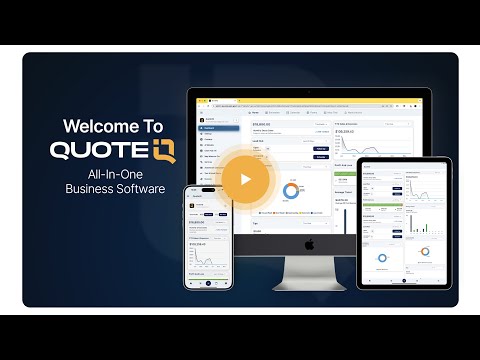
Watch: What is QuoteIQ? (3-minute overview)
A short walkthrough of how QuoteIQ replaces the stack of disconnected tools most pressure washing contractors use to run their service business.
Reviewed by Industry Experts
Mike Vidan, Co-Founder
Long-time home service business owner and former pressure washing business owner turned entrepreneur and educator. Built one of the larger pressure washing and home service contractor audiences on YouTube, teaching contractors how to price, cost, and scale service businesses profitably.
Read full bio →Justin Rogers, Co-Founder
Serial entrepreneur and founder of the ForeverSelfEmployed brand. Built one of the most-watched YouTube channels in the home service industry, sharing real-world strategies for running profitable service businesses.
Read full bio →Real Pressure Washing Customer Reviews — 4.7★ across 4,103 reviews
“Started a new pressure washing business so the my buddy, and this app is exactly what we were looking for to help us stay organized and maximize our profits.”
“I am new to pressure washing but this app has helped me quote jobs, manage clients, and keep up with my costs and income. It’s worth the subscription for me.”
“I am just starting my pressure washing business, but QuoteIQ offers all the options i need, gives ways to track leads conversion, and i can customize it to my needs. This app was very well thought out.”


