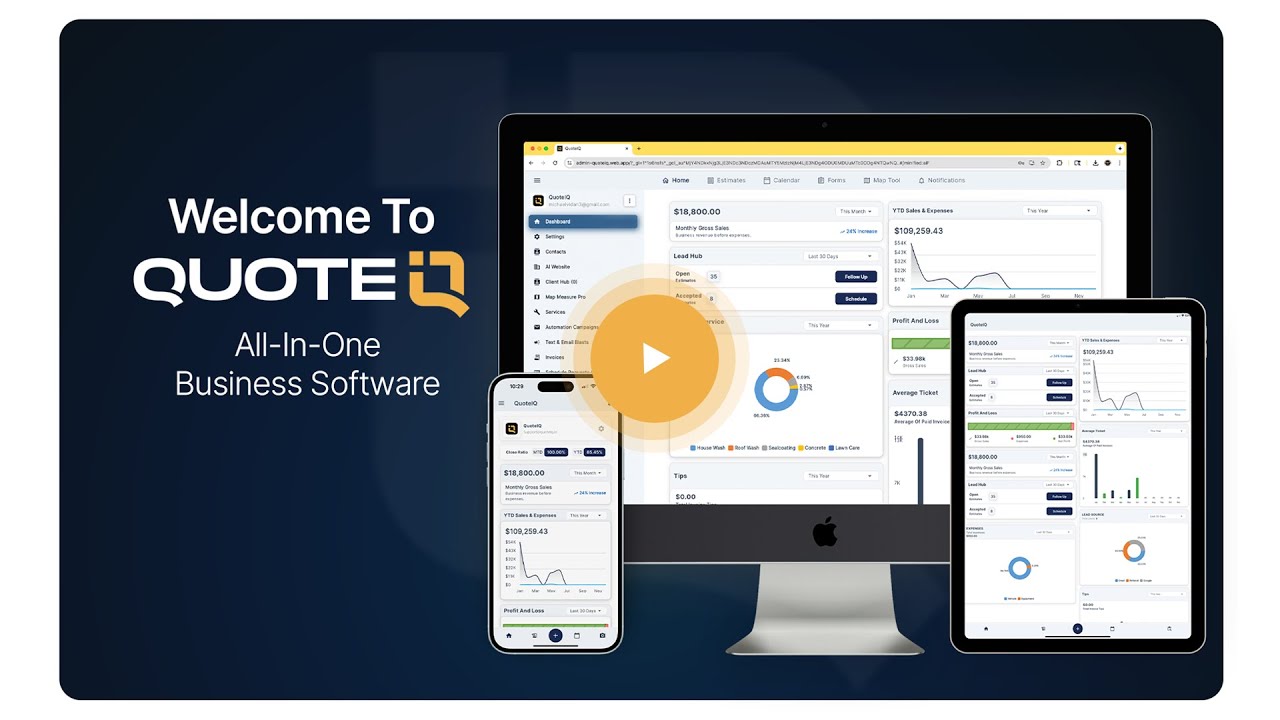
QuoteIQ AI Auto-Reply is an action-taking AI for home service contractors built inside Client Hub — QuoteIQ’s all-in-one business phone system that replaces standalone tools like OpenPhone, RingCentral, or Google Voice. AI Auto-Reply responds to every inbound customer text in under five seconds using your conversation history and customer data, books real appointments directly on your InstaSchedule calendar after verifying availability, drafts AI Estimator quotes ready for your review, drafts invoices after a job, and escalates negative-sentiment or urgent messages straight to a human. The system is configured in two minutes, runs 24 hours a day, and never misses a lead while you’re on a job, asleep, or away from your phone. For pressure washing, lawn care, HVAC, plumbing, roofing, pest control, electrical, window cleaning, handyman, painting, and 40+ other home service trades, AI Auto-Reply turns inbound texts into booked jobs — automatically.
QuoteIQ AI Auto-Reply is an action-taking AI inside Client Hub that replies to customer texts contextually, books appointments on your calendar, drafts estimates and invoices, and routes negative-sentiment or urgent messages to a human. It starts at $149.99/month on the Pro plan with full capabilities on Elite ($299) and Max ($699). Unlike Jobber and Housecall Pro, where text AI is either a paid add-on or limited to templated notifications, QuoteIQ’s AI Auto-Reply is included in the plan and can take real actions on your behalf. According to Invoca research, businesses that respond to inbound leads in under 5 minutes are 100× more likely to convert than those that take an hour.
TL;DR: AI Auto-Reply lives inside Client Hub — QuoteIQ’s built-in business phone system with texting, calling, voicemail, and call recordings in one place. Inbound customer texts get a contextual reply within seconds using your conversation history and customer data. The AI can book appointments live by checking InstaSchedule availability, draft AI Estimator quotes ready for your review, draft invoices after a job, and create follow-up reminders so nothing falls through the cracks. Custom Instructions let you define standing rules — “always mention we’re licensed and insured” or “redirect pricing questions to the estimate form” — that fire on every reply, giving you a system-prompt-level layer of control most CRM auto-responders cannot match. Smart Escalation routes anger, complaints, and emergencies straight to your phone instead of having the AI fumble through a sensitive situation. Reply Tone picks between Professional, Friendly, Casual, or Match Customer for adaptive mirroring. Reply Timing controls how fast the AI fires (immediately, 5 min, 30 min, or 2 hours) so you can dial in the right balance between responsive and human-feeling. Reply Cap stops the AI after 1, 2, 3, 5, 10, or unlimited exchanges so it never spirals into a runaway conversation. Excluded Topics keep the AI completely out of conversations you want to handle personally (refunds, legal questions, warranty disputes). After-Hours-Only mode lets the AI cover nights and weekends only, keeping daytime conversations human. Review-Before-Sending mode queues every reply for your approval — perfect for your first week as you learn the system. AI Auto-Reply integrates natively with Pipelines & Deals, MapMeasure Pro, Review Multiplier, Job Costing, and the rest of QuoteIQ — one platform, one login, one bill. It works for pressure washing, lawn care, HVAC, plumbing, roofing, pest control, electrical, window cleaning, handyman, painting, and 40+ other home service trades. According to the U.S. Small Business Administration, response time is one of the top conversion factors for service businesses — and AI Auto-Reply gets you under 5 seconds, around the clock, on Pro ($149.99/month), Elite ($299/month), or Max ($699/month) plans. According to Invoca, businesses responding within five minutes are 100× more likely to convert than those responding in an hour.
AI Auto-Reply is the most capable AI text-response system built into a home service CRM in 2026. It lives natively inside Client Hub — QuoteIQ’s full business phone system that gives contractors texting, calling, voicemail, and call recordings in a single unified interface. Instead of stitching together a separate texting tool with your CRM, every inbound customer message lands in one place where the AI can read the message in full context, understand who the customer is, see their entire conversation history with your business, and then take action — not just respond. That action might be replying with a contextual answer, booking an appointment on your InstaSchedule calendar, drafting an estimate through AI Estimator, generating an invoice after a completed job, or routing the conversation to you directly if it detects a complaint, an emergency, or a topic you’ve explicitly excluded.
What separates AI Auto-Reply from generic chatbots and template-based auto-responders is the level of control and the action-taking capability. Every behavior in the system is configurable: how smart the replies are (Acknowledge, Contextual, or Full Service), how fast they fire (Immediately through 2 hours), how the AI sounds (Professional, Friendly, Casual, or Match Customer), what business-specific rules it follows on every reply (Custom Instructions), what it’s allowed to do on your behalf (AI Permissions for deals, appointments, estimates, invoices, and reminders), when it should step aside (Smart Escalation triggers), what topics it should never touch (Excluded Topics), and how many exchanges it can have before handing off (Reply Cap). Two minutes of configuration covers the entire setup. After that, the AI runs 24 hours a day, replies in under five seconds, and learns from your conversation patterns over time.
Pulls full conversation history and customer record data to write a real, context-aware reply — not a generic “we’ll get back to you.” Three Smart Levels let you control how deep the AI goes. Acknowledge mode sends a simple confirmation. Contextual mode (the sweet spot for most contractors) uses conversation history plus customer data. Full Service mode references your existing quotes, appointments, job history, and account details to answer detailed questions accurately. The AI knows whether the texter is a new lead or a repeat customer and adjusts its response accordingly.
Checks your InstaSchedule calendar in real time against your business hours, technician availability, and existing appointments. When a customer texts “can you come Friday at 2pm” and the slot is open, the AI confirms the booking directly on your schedule with no human intervention. The appointment lands on your calendar with the customer’s name, phone, service request, and full conversation context attached — everything you need for the job. If the requested time isn’t open, the AI offers the next-available alternatives without asking you.
When a customer requests pricing through text, the AI can prepare an AI Estimator quote tailored to their job description, ready for you to review and send. After a job wraps, the AI can pull the line items, materials, and time data straight into a draft invoice. You stay in control of pricing and final sends, but the AI handles the document creation, the math, and the formatting. For contractors who hate paperwork, this is the feature that single-handedly cuts hours of admin work per week.
Detects negative sentiment (anger, frustration, complaints) and urgent requests (emergencies, time-sensitive issues, active damage) using AI-powered classification, then routes those conversations straight to you instead of replying. An angry customer texting about a botched job, a homeowner with an active leak, a no-heat call in winter — the AI hands those off to a human immediately and sends you a notification. This is the safety net that separates a helpful AI from a liability. Both triggers (Negative Sentiment, Urgent Requests) are individually configurable so you can fine-tune what gets escalated.
Free-text field where you encode standing rules that fire on every single reply the AI ever sends. Think of it as a system prompt for your specific business. “Always mention we’re licensed and insured.” “Redirect pricing questions to the estimate form to protect close rates.” “Mention our spring discount until April 30.” “If asked about service area, list our coverage counties.” Whatever your specific sales playbook, brand voice, or business positioning requires — you can encode it here once, and the AI applies it to every conversation forever. This is the highest-leverage setting in the entire system, and most contractors will under-use it.
Reply Tone picks the voice (Professional, Friendly, Casual, or Match Customer for adaptive mirroring). Reply Timing controls speed (Immediately for real-time feel, 5 minutes for a more human cadence, 30 minutes or 2 hours for deliberate pacing). Reply Cap stops the AI after 1, 2, 3, 5, 10, or unlimited exchanges so it never spirals into a runaway conversation. Excluded Topics keeps the AI completely out of sensitive subjects you’ve flagged (refunds, legal questions, warranty disputes). After-Hours-Only mode restricts AI replies to outside business hours so daytime conversations stay human. Review-Before-Sending queues every reply for your approval before it goes out — great for the first week as you learn the system.
Click any tab to see the AI handle a different type of customer conversation. Real scenarios, real-time replies, real action-taking.
A new lead texts your number at 2 PM while you’re on a roof. Without AI Auto-Reply, that lead waits 90 minutes and texts your competitor. With it, they get a response in under 5 seconds — and not a generic one.
Notice what the AI did automatically: greeted Mike by name, reinforced licensing and insurance (your Custom Instruction firing on every reply), redirected the pricing question to the estimate form to protect your close rate, and asked for the address to keep the conversation moving forward. By the second exchange, the lead is already qualified and in your pipeline.
Sarah texts at 5:34 PM asking to book an AC service call. By 5:35 PM, the appointment is on your calendar with her address and phone number attached. You didn’t lift a finger.
This is what separates QuoteIQ from a glorified text autoresponder. The AI checked your live InstaSchedule calendar, found two real open slots, offered them by name, locked in Sarah’s choice, and saved everything to your schedule. When you wake up Thursday, the job is already on the books with full conversation context attached. No back-and-forth. No double-booking. No missed leads.
An angry customer threatening to leave a one-star Google review is the absolute worst time for a chipper canned AI reply. Smart Escalation detects negative sentiment before the AI ever responds — and silently routes the conversation to you.
This is the safety net that separates a helpful AI from a liability. Anger, frustration, complaints, emergencies, time-sensitive issues — all flagged by the AI’s sentiment classifier and routed straight to a human. The customer doesn’t get a tone-deaf auto-response. You get a notification on your phone telling you exactly what kind of conversation needs your attention, with the full context loaded.
Every reply the AI sends is governed by nine configurable controls. You set them once, the AI follows them forever. Most contractors complete the entire setup in under two minutes.
Three sections handle everything. Behavior controls how the AI thinks — Smart Level, Reply Timing, AI Permissions. Voice controls how the AI sounds — Reply Tone and Custom Instructions. Guardrails control where the AI stops — Smart Escalation, Excluded Topics, and Reply Cap.
Forget the AI buzzwords for a minute. Here’s what AI Auto-Reply actually changes about how you run your home service business — in plain language, with real numbers. According to Invoca research, businesses that respond to leads within 5 minutes are 100× more likely to convert than those that take an hour. That gap is where AI Auto-Reply lives.
78% of home service customers text the next business they find within 10 minutes. AI Auto-Reply answers in under 5 seconds, 24 hours a day. The job is yours before your competitor even sees the message.
Most contractors miss 30-40% of incoming calls. Every missed call that texts in gets an instant, intelligent reply — even if you’re on a ladder, asleep, with your family, or driving between jobs. No more lost revenue from missed first contact.
A part-time admin or receptionist runs $30K-$50K a year before benefits. AI Auto-Reply does the front-desk work — answering questions, booking appointments, drafting quotes — for the cost of your QuoteIQ plan. One feature, one bill, full coverage.
Full control over how the AI talks, what it does, and when it does it. Every behavior in the system is configurable through plain-English toggles — no developer required, no integration headaches. Set it up once, and the AI follows your rules on every conversation forever.
Pick how the AI sounds. The same conversation comes out completely different depending on your choice — from buttoned-up corporate to friendly neighbor.
Pick what the AI is allowed to do on your behalf. Toggle each action on or off individually — full granular control over what runs autonomously vs. what stays manual.
Tell the AI what to never talk about. Anything you’d rather handle yourself — sensitive subjects, legal issues, custom situations — gets flagged and routed to you instead of getting an AI reply.
Tell the AI when to stop and how fast to respond. Cap exchanges per conversation so it never spirals. Pick reply speed from instant to deliberately delayed. After-hours-only mode lets the AI cover nights and weekends, with daytime conversations staying human.
Not ready to let the AI text customers on its own? Flip on Review-Before-Sending and every AI reply lands in your drafts first. You see exactly what the AI was about to say, then tap Send, Edit, or Delete.
Use it as training wheels for your first week. Use it forever if you want. Either way, you’re never out of the loop.
This is the feature most contractors will under-use because they don’t realize it exists. Custom Instructions let you type any rule in plain English — and the AI will follow it on every single reply it ever sends. Forever.
Want to mention you’re licensed and insured on every quote? Type it once. Want to redirect every pricing question to your estimate form? Type it once. Want to promote a discount until end of month? Type it once. Want to confirm service addresses before the AI books anything? Type it once.
This is what separates AI Auto-Reply from every other CRM auto-responder on the market. Other tools give you a templated reply field. QuoteIQ gives you a system-prompt-level layer of control over how the AI reasons, what it emphasizes, what it avoids, and what it offers up automatically — on every conversation.
You don’t need to be technical to use this. If you can text your kid, you can write Custom Instructions. The AI does the rest.
The most common concern about AI replying to customers is “what happens when it gets a question it shouldn’t answer, or a customer who’s pissed off, or a topic that’s outside its lane?” Three answers, three different built-in safety nets. The AI never fabricates information, never invents prices, and never tries to handle situations it shouldn’t be touching.
Smart Escalation detects negative sentiment instantly. The AI doesn’t reply with some chipper canned response that makes things worse. It steps aside silently and you get a notification with the full context.
If a customer asks something outside the scope of your business, the AI doesn’t make stuff up. It says something like “let me get a human on this” and flags the conversation for you. No hallucinated answers, no wrong info sent to customers.
When the AI doesn’t have the answer (custom pricing, specific job details, things only you’d know), it admits it and offers to have a human follow up. It will never fabricate an answer just to seem helpful. This is the single biggest difference between QuoteIQ AI and consumer chatbots.
A lot of contractors hear “AI” and assume setup means hiring a consultant, paying an integration fee, or spending a weekend reading documentation. None of that here. Three clicks, two minutes, and AI Auto-Reply knows your business well enough to handle inbound texts on its own.
Inside Client Hub, hit the Configure menu and toggle AI Auto-Reply on. That’s it. The AI is now active and ready to respond to inbound texts. Takes 10 seconds.
Pick your Reply Tone (Professional, Friendly, Casual, or Match Customer). Type your Custom Instructions in plain English. Choose what the AI is allowed to do on your behalf. Two minutes total.
Texts come in, AI replies, jobs book themselves. Every conversation is logged in your Client Hub feed so you can review activity any time. Tap Helpful or Not Great on any reply to improve future responses.
Anonymized snapshots of actual customer conversations AI Auto-Reply has handled for QuoteIQ contractors. Real scenarios, real outcomes, real jobs in the books. Every one of these would have been a missed lead or a lost job without AI Auto-Reply running.
AI replied within 5 seconds with a personalized greeting, mentioned the contractor was licensed and insured (Custom Instruction firing), and asked for the address to schedule a free estimate. By 9:17 PM, the customer had shared their address and confirmed availability for Saturday morning. Outcome: $385 driveway job booked before the owner even saw the text.
Smart Escalation flagged this as an urgent request and routed it straight to the contractor’s mobile device. The owner woke up to a notification, called the customer back within 5 minutes, dispatched a tech by 7 AM. Outcome: $4,800 emergency AC replacement won. Customer left a 5-star review the same week.
Custom Instruction was set to redirect pricing questions to the estimate form. AI explained pricing depends on property specifics and offered to send a free estimate. Customer submitted their address and request through the linked form within 4 minutes. Outcome: Hot pre-qualified lead in pipeline Monday morning. Closed Tuesday for $145/month recurring.
AI recognized John from his number, pulled up his previous service history, checked the live InstaSchedule calendar, and offered Thursday at 10 AM or Friday at 2 PM. John picked Thursday. Outcome: Appointment booked autonomously. AI confirmed the address and prior job context so the tech arrived prepared.
No add-ons. No per-message fees. No usage caps. AI Auto-Reply is included on every QuoteIQ Pro plan and above, with unlimited replies, full feature access, and zero hidden costs. Here’s how it compares to what most contractors are spending right now to cover the same work less effectively.
Part-time admin runs $30K-$50K before benefits. AI Auto-Reply covers the answering, booking, and quoting work.
Most contractors miss 30-40% of incoming calls. AI Auto-Reply captures every text-in lead, even after-hours.
Per Invoca research, 5-minute response is 100× more likely to convert than 1-hour. AI gets you under 5 seconds.
Picture a typical Tuesday afternoon for a pressure washing contractor. You’re on a job site, ladder against a two-story house, soft-washing siding. Your phone is in your truck. While you’re working, three different inbound texts come into your business number through Client Hub. Without AI Auto-Reply, those three leads sit unanswered for the next 90 minutes, and at least one of them — statistically the most likely to be the highest-value job — texts the next contractor on their list and books with them instead.
With AI Auto-Reply running, the entire workflow changes. Text one comes in: “Hey, looking for a quote on pressure washing my driveway and front walkway.” The AI reads the message, applies your Custom Instructions (mentions licensed and insured, redirects pricing to the estimate form), and replies in under five seconds with a contextual response: “Thanks for reaching out! We’re a fully licensed and insured local team. For an accurate quote on your driveway and walkway, the best path is a quick free estimate — usually back same day. Could you share your address?” The customer responds. The conversation continues. Eventually the AI drafts the estimate request and adds the lead to Pipelines & Deals.
Text two comes in: “Can you come out Friday at 2pm?” The AI checks your InstaSchedule calendar, confirms Friday at 2pm is open, and books the appointment directly. By the time you check your phone an hour later, you have a confirmed job already on your schedule, with the customer’s address, phone number, and conversation history attached. Text three is angrier: “This is ridiculous, no one ever called me back about my last appointment.” Negative Sentiment escalation fires immediately. The AI does not reply — it silences itself and pings your phone with a notification: “Customer flagged for negative sentiment. Conversation needs your personal attention.” When you climb down off that ladder, you handle that one yourself with the full context already loaded.
That entire sequence happens whether you check your phone in 5 minutes or 5 hours. The AI handles the routine work, books the simple jobs, drafts the documentation, and flags only the situations where a human is actually needed. According to research compiled by Invoca, response time within the first five minutes of an inbound lead is the single biggest determinant of whether that lead converts. AI Auto-Reply gets you to under five seconds, around the clock, with full conversation depth and action-taking built in.
According to Invoca research on missed customer communications, response time is the single most predictive conversion factor for service businesses. Leads contacted within five minutes are 100× more likely to convert than leads contacted an hour later. The reason is simple: when a homeowner texts three different contractors looking for a pressure wash, the one who replies first usually wins the job. Speed-to-lead beats price, beats reviews, beats brand recognition. The contractor who shows up first in the inbox shows up first to the appointment.
The problem is that home service contractors are physically incapable of being first to respond consistently. You’re on a roof. You’re in a crawl space. You’re driving between jobs. You’re with a customer in their driveway running a walk-through. You’re asleep. You’re at your kid’s baseball game. During all of these moments — which collectively account for most of your working day — inbound texts pile up in your Client Hub inbox waiting for an answer. The leads you do answer fast are the ones lucky enough to text during your lunch break. Everyone else goes to your competitors.
The math: A contractor receiving 100 inbound texts per month with a 40% no-response or slow-response rate is losing 40 leads. At a 25% close rate and a $500 average job value, that is $5,000/month in lost revenue — $60,000/year walking to your competitors. Most contractors don’t see this loss because the leads simply never re-engage. They book with someone else and you never hear from them again.
With AI Auto-Reply running on Pro ($149.99/month), Elite ($299/month), or Max ($699/month), every inbound text gets a contextual reply in under five seconds. Custom Instructions reinforce trust signals like licensing and insurance on every touch. Pricing questions get redirected to the estimate form to protect close rates. Real appointments land directly on your calendar via InstaSchedule. Contractors typically see a measurable lift in booked-job rate within the first two weeks — usually 8–15 additional booked jobs per month they would have lost to slow response. At a $500 average ticket, that’s $4,000–$7,500 in recovered revenue every month, or $48,000–$90,000 per year.
The other half of the equation is what happens after the first reply. AI Auto-Reply continues the conversation contextually, handles common follow-up questions (service area, what’s included, scheduling, preparation requirements), and either books the job, drafts an estimate, or escalates to you depending on what the customer needs. The conversation moves forward whether you’re driving to the next job, on a roof, or asleep at 11pm. According to the U.S. Small Business Administration, the businesses that automate first-touch response while maintaining human handoff for complex situations consistently outperform competitors on both conversion rate and customer satisfaction. AI Auto-Reply is designed for exactly that handoff pattern.
| QuoteIQ Plan | Price / Month | AI Auto-Reply | Best For |
|---|---|---|---|
| Essentials | $29.99 | 500 IQ Credits | Solo operators testing the platform |
| Beginner | $74.99 | 1,500 IQ Credits | 1–2 user teams |
| Pro | $149.99 | ✓ Full feature, 3,000 IQ Credits | 3–4 user teams |
| Elite | $299 | ✓ Full feature, 5,000 IQ Credits | Growth-stage teams (up to 10 users) |
| Max | $699 | ✓ Full feature + priority, 8,000 IQ Credits | Unlimited users / multi-crew operations |
AI Auto-Reply replies, action-taking, and escalations consume IQ Credits at predictable rates. Pro, Elite, and Max include sufficient credits for typical inbound volume. All plans include a 14-day free trial.
AI Auto-Reply is built to flex across every home service vertical QuoteIQ supports — 50+ trades from HVAC and plumbing to lawn care and roofing. Click any tab below to see how the AI handles real conversations specific to that trade. The same Custom Instructions field lets you encode trade-specific qualifying questions and response patterns for any industry not shown here, including handyman services, painting, remodeling, tree care, concrete, fencing, electrical, window cleaning, pool service, and junk removal.
Visit the HVAC software hub. AI Auto-Reply replies to AC-out calls during peak summer evenings and books next-morning service via InstaSchedule. Per the ACCA, response time during peak demand is the strongest competitive differentiator for HVAC businesses.
Visit the plumbing software hub. Routine drain-clean, water heater, and faucet questions get handled by the AI and booked via InstaSchedule. Active emergencies trigger Smart Escalation so you can dispatch directly. The PHCC identifies first-touch response automation as one of the highest-ROI investments for residential plumbing contractors.
Visit the lawn care software hub. The AI captures lot size, service frequency, and add-ons (aeration, fertilization, leaf cleanup, edging), drafts an estimate through AI Estimator, and routes the lead into Pipelines & Deals. The NALP notes lawn care’s seasonal peak creates the largest gap between inbound volume and response capacity in home service.
Visit the pressure washing software hub. “What does a driveway wash cost?” inquiries get redirected to your estimate form per Custom Instructions, with MapMeasure Pro handling square footage measurement from satellite imagery in seconds. The AI qualifies by surface type, property size, and seasonal demand.
Visit the roofing software hub. AI triages storm-damage inquiries by asking about visible damage, insurance claim status, and active leaks. Books inspection slots through InstaSchedule for routine assessments. The NRCA identifies post-storm lead response time as the top conversion factor in residential roofing.
Visit the pest control software hub. Recurring-service customers asking about next treatment get an instant accurate answer pulled from the schedule. New leads get qualifying questions (pest type, severity, indoor/outdoor) and a quote draft via AI Estimator. The NPMA reports response time and consistent communication are the top retention drivers.
The home service CRM category is consolidating around AI-powered messaging, but the way each platform approaches it differs sharply. Jobber sells its AI capabilities as separately-priced add-ons stacked on top of the base subscription: Marketing Suite for automated text follow-ups, AI Receptionist for inbound calls, Copilot for drafting messages. To get a complete AI-powered communication setup at Jobber, contractors typically pay $360–$430 per month combining the platform fee with the AI add-ons. Housecall Pro takes a similar approach with CSR AI sold as an add-on at undisclosed pricing requiring a sales call. ServiceTitan bundles more into its base price but lands in enterprise pricing tiers that put it out of reach for most independent contractors. QuoteIQ takes a different position: AI Auto-Reply, Virtual Call Team, AI Estimator, and the full AI stack are included in the plan price starting on Pro ($149.99/month). No add-ons. No sales calls. The comparison below maps capability against pricing structure across the three most-asked-about platforms.
| Feature | QuoteIQ AI Auto-Reply | Jobber AI | Housecall Pro AI |
|---|---|---|---|
| Included in plan | ✓ Pro, Elite, Max | Marketing Suite add-on ($79/mo) | CSR AI add-on, price not published |
| Replies contextually using conversation history | ✓ Three Smart Levels | ✓ | ✓ |
| Books appointments directly on calendar | ✓ Native InstaSchedule | ✓ via AI Receptionist add-on | ✓ via CSR AI add-on |
| Drafts estimates for owner review | ✓ Native AI Estimator integration | — | — |
| Drafts invoices for owner review | ✓ | — | — |
| Custom Instructions / business rules | ✓ Free-text system prompt | Limited template tokens | Limited template tokens |
| Smart Escalation (sentiment + urgency) | ✓ Auto-routes to human | Manual rules | Manual rules |
| Excluded Topics list | ✓ | — | — |
| Reply Cap (prevents spirals) | ✓ 1, 2, 3, 5, 10, Unlimited | — | — |
| Review-Before-Sending mode | ✓ | Limited | Limited |
| After-Hours-Only mode | ✓ | Manual rules | Manual rules |
AI Auto-Reply is included on QuoteIQ Pro ($149.99/month), Elite ($299/month), and Max ($699/month). Start your 14-day free trial today.
4 steps to reply to every text. Most contractors complete setup in under 2 minutes.
Start your 14-day QuoteIQ Pro, Elite, or Max trial at admin-quoteiq.web.app/register. A credit or debit card is required.
Inside Client Hub, click Configure, then AI Auto-Reply. The configuration panel opens with three sections.
Set Smart Level (Contextual), Reply Tone (Professional), Custom Instructions, and AI Permissions like Book Appointments.
Enable Smart Escalation, add Excluded Topics (refunds, legal), set Reply Cap to 3, and flip Enable Auto-Reply on.
“Love the automation features.”
“This app makes managing client interactions, quotes, and follow-ups effortless for home service professionals.”
“Saves time and improves customer satisfaction daily.”