



QuoteIQ Reminders & Tasks is the to-do list that lives inside your CRM — every task links to the deal, customer, job, estimate, or invoice it’s about, assigns to your crew with instant notifications, and pings your phone before the deadline. Included on Beginner plans and up.
Every contractor runs the same broken system: a sticky note on the dash, a text to yourself at a red light, and a 9 PM jolt of “wait — did I ever call that guy back?” Invesp’s research says 48% of salespeople never make a single follow-up attempt. In home services, that’s not a personality flaw — it’s what happens when the to-do list lives in your head while your hands are on a ladder.
Reminders & Tasks moves the list into the same app that holds the work. Type the task, link it to the deal or estimate it’s about, hand it to a tech, and pick when the push notification should hit. The plumber’s permit run, the electrician’s panel-parts order, the painter’s color-confirmation call — written down once, surfaced at exactly the right moment.
Smart lists keep it sorted without any filing: Today shows what’s due now, Scheduled shows everything with a date, All shows the open pile, Completed shows the receipts. Priority dots (Low / Medium / High) tell you what to hit first.
QuoteIQ Reminders & Tasks is a built-in task manager and job reminder system for home service contractors — create to-dos with due dates, priorities, and push reminders, link each one to the deal, customer, job, estimate, or invoice it belongs to, and assign it to employees who get notified instantly. Included on Beginner plans ($74.99/mo) and above.
The feature lives under Tools → Reminders & Tasks in QuoteIQ on web and mobile, split into two tabs. The Task tab is the to-do system: smart lists (Today, Scheduled, All, Completed) sort automatically, each task carries a title, notes, due date, due time, and a Low / Medium / High priority, and the Link To panel attaches it to a deal, customer, scheduled job, estimate, or invoice so the context is one tap away. Tasks can be assigned to multiple employees, who are notified the moment the task hits their name, and an “Everyone” filter lets owners see the whole team’s open work at a glance. The Reminders tab handles scheduled work — pick any job on the calendar and QuoteIQ sends a push notification at the lead time you choose, from the due time up to hours before. By comparison, Jobber’s tasks are calendar entries that only push-notify for same-day assignment changes, and Housecall Pro’s tasks sit behind the profile-icon menu and can’t even be linked to a customer from the mobile app. Invesp research shows 80% of sales require five or more follow-ups while 48% of salespeople never make one — a task system wired into the CRM is how that gap closes. Full plan details on the QuoteIQ pricing page.
Creating a task takes about fifteen seconds. The point isn’t the form — it’s that everything you attach to the task travels with it, so when the reminder fires, the work is one tap away.
It sits in the same Tools menu as Pipelines, Inventory, and Gallery — web and mobile, exact same workflow on both. Hit Create Task and the New Task window opens.
“What do you need to do?” Type it the way you’d say it: order the panel breaker, call Mrs. Alvarez about the gate code, renew the pesticide license. Notes hold the part numbers, gate codes, and context your future self will need.
Pick a due date, choose a time in 30-minute increments, and tag the priority — Low, Medium, or High. Priority shows as a color dot on the task list (red / orange / blue), so the list reads like a triage board, not a junk drawer.
The Link To panel is the difference-maker: attach the task to a deal, a customer, a scheduled job, an estimate, or an invoice. Every dropdown is searchable. The linked record shows on the task as a chip — tap it and you’re looking at the thing itself.
Assign To lists your whole roster from EmployeeHub, and Add more + stacks multiple assignees on one task. Everyone assigned gets notified the moment you save — no group text, no “did you see my message?”
Choose when the push notification should hit: at the due time, 15 or 30 minutes before, an hour or two before — the dropdown scrolls to longer lead times for bigger jobs. When it’s done, tap the circle. It strikes through, moves to Completed, and the count updates.
The 15-second rule. A task system only works if capturing the thought is faster than trusting your memory. The SBA lists day-to-day operational discipline among the habits that separate service businesses that survive from ones that don’t — and the discipline starts with writing the thing down where the work already lives, not in a fourth app you’ll stop opening by March.
Reminders & Tasks borrows the best of consumer to-do apps — smart lists, priorities, clean checkboxes — and bolts on the one thing none of them have: your business data.
Today, Scheduled, All, and Completed sort themselves with live counts. Open the app, tap Today, and the morning brief is already written — no folders to maintain, no manual sorting.
Low, Medium, High — blue, orange, red dots right on the list. The overdue-invoice call outranks the truck wash, and now the list says so before your brain has to.
Deal, customer, job, estimate, or invoice — searchable dropdowns attach the task to the actual record, and the chip on the task opens it in one tap.
Stack one tech or five on a task with Add more +. Everyone assigned gets pinged immediately — the loop your group chat keeps dropping, closed by default.
At the due time, 15 or 30 minutes out, an hour or two ahead — scroll for longer lead times. The nudge lands on the phone that’s already in your pocket on the job site.
The second tab watches your calendar: pick a job, pick a lead time, and Upcoming Job Reminders pings you before the crew is due on site.
Owners flip one dropdown to see the whole team’s open tasks or zoom into a single tech’s plate — Monday-morning standup, answered before anyone speaks.
Create at the desk, complete from the truck. The exact same workflow runs on web and in the QuoteIQ mobile app — because tasks born in the office die in the field without it.
Tap the circle — strikethrough, Completed list, count updated. Finished a task that’s now wrong or irrelevant? Open it and delete. The list stays honest.
Here’s the problem with running your business on Apple Reminders or Google Tasks: the reminder fires, and then the scavenger hunt starts. Which customer was that? What did we quote? Where’s the invoice number? The to-do app holds eleven words; the answers live in four other apps.
A QuoteIQ task carries its own context. “Call about overdue invoice” isn’t a vague note — it’s linked to INV-1089 · Sarah Johnson, and the chip on the task opens the invoice with the amount, the history, and her phone number. “Follow up on estimate” opens EST-2402 with the line items you quoted. The roofer chasing a supplement, the painter confirming a color before ordering, the pest control tech scheduling a 30-day re-treat — the task and the record travel together.
Deal linking deserves a special mention for sales-driven shops: tasks attached to Pipelines & Deals (Elite and Max plans) turn the kanban board into an action board — every deal in Negotiating can carry its own “call Thursday” task, assigned to whoever owns the close. And because tasks also link to customers whose entire message history lives in ClientHub, the context chain runs all the way from the to-do to the last text they sent you.
Tasks cover what you need to do. The Reminders tab covers what you can’t afford to miss: scheduled work. Tap Create Reminder, pick any job from your QuoteIQ schedule, choose the lead time, and a push notification fires before the job starts. The 7 AM cleaning route, the Thursday panel inspection, the estimate appointment you booked three weeks ago — each one shows up in Upcoming Job Reminders with its time and countdown.
Why does this matter when the job is already on the calendar? Because a calendar is something you have to look at, and at 6:45 AM with a truck to load, nobody’s browsing a calendar. A reminder is the calendar reaching out to you. Missed and late arrivals are among the fastest ways to torch a reputation — BrightLocal’s consumer research consistently shows reliability signals are central to how customers choose and review local service businesses. Showing up on time is the cheapest five-star review you’ll ever earn, and it pairs directly with Review Multiplier asking for that review after the job closes.
Tasks vs. job reminders — the one-line version. A task is “I need to do something” (order the part, send the follow-up, renew the license). A job reminder is “don’t let this scheduled job sneak up on me.” QuoteIQ gives each its own tab because they fail differently: forgotten tasks leak revenue slowly, missed appointments torch it instantly.
The group-chat method of delegation has a 100% send rate and an unknowable read rate. “Hey can someone grab the mulch order” disappears under forty job-site photos by lunch, and the mulch doesn’t get ordered. Assigning a QuoteIQ task is different in kind: the assignee is named, the notification is immediate, and the task sits on their list until the circle gets tapped.
Multi-assign handles the jobs that belong to more than one person — put both techs on the “load the lift gate trailer” task before the commercial mowing contract starts. The Everyone filter gives owners the reverse view: every open task across the company, or one employee’s plate, in a single dropdown. Pair it with EmployeeHub for time tracking and Job Costing for what each job actually earned, and the operational picture stops living in your head.
Accountability without micromanagement is the whole trick. The task says what, who, and when. The completed list says it happened. Nobody has to ask “did you ever…?” because the answer is on the board — and according to Invesp, only 12% of salespeople make three or more follow-up attempts, which means a team that systematically follows up is competing against companies that structurally can’t.
The numbers on follow-up are brutal — and they’re an opportunity, because your competitors are the ones generating them.
Run the napkin math on one lost estimate. If your average ticket is $450 and one quoted job a week dies because nobody circled back, that’s roughly $23,400 a year leaking out of a business that already paid — in ad spend and answered calls — to create those leads. Reminders & Tasks ships on Beginner at $74.99/mo with the entire CRM attached. The feature pays for the plan if it saves two follow-ups a year, and it pairs with Estimate Automations (Pro+) so the automated chase and the human call work the same lead.
Every claim below is verified against each platform’s own help documentation. The short version: both competitors have tasks. Neither treats them like a real task manager.
| Capability | QuoteIQ | Jobber | Housecall Pro |
|---|---|---|---|
| Where tasks live | Dedicated hub: Tools → Reminders & Tasks | Entries on the schedule | Behind the profile-icon menu |
| Smart lists (Today / Scheduled / All / Completed) | ✓ | — | — |
| Priority levels on tasks | ✓ Low / Medium / High | — | — |
| Link a task to estimates & invoices | ✓ | — client field only | — customer only |
| Link a task to pipeline deals | ✓ Elite & Max | — | — |
| Pick reminder lead time per task | ✓ Due time to hours before | — push fires on same-day assignment changes | — due date alerts via Notification Center |
| Attach a customer from the mobile app | ✓ | ✓ | ✗ Web portal only, per HCP docs |
| Team-wide visibility filter | ✓ “Everyone” dropdown | ✓ Schedule filters | ✗ Non-admins see only their own tasks |
| Standalone job reminders tab | ✓ Upcoming Job Reminders | — | — |
Credit where it’s due: Jobber’s tasks render directly on its calendar views, which is genuinely convenient for time-blocked office work — and in QuoteIQ, your scheduled jobs already live on the calendar, which is what the Reminders tab watches. Housecall Pro’s tasks cover the basics — title, description, assignee, due date — but its own documentation confirms the customer link is web-only and non-admin employees can’t see the team’s tasks. For the broader platform matchups, see the full QuoteIQ vs Jobber and QuoteIQ vs Housecall Pro breakdowns — or vs ServiceTitan if you’re shopping enterprise.
Reminders & Tasks ships on Beginner ($74.99/mo) and every plan above it — the tiers built for delegation, since Beginner is where the second user arrives. Verified against the official pricing page.
| Capability | Essentials | Beginner | Pro | Elite | Max |
|---|---|---|---|---|---|
| Reminders & Tasks hub | — | ✓ | ✓ | ✓ | ✓ |
| Smart lists + priorities | — | ✓ | ✓ | ✓ | ✓ |
| Assign tasks + instant employee notify | — | ✓ | ✓ | ✓ | ✓ |
| Push task reminders | — | ✓ | ✓ | ✓ | ✓ |
| Upcoming Job Reminders tab | — | ✓ | ✓ | ✓ | ✓ |
| Link to customers, jobs, estimates, invoices | — | ✓ | ✓ | ✓ | ✓ |
| Link tasks to Deals (Pipelines) | — | — | — | ✓ | ✓ |
| Users included | 1 | 2 | 4 | 10 | Unlimited |
Reminders & Tasks isn’t an add-on — it’s part of the CRM from Beginner up, next to quoting, scheduling, invoicing, payments, and the AI suite. Annual billing = 12 months for the price of 10.
What contractors actually search about task management and job reminders, answered straight.
The best task management software for home service contractors in 2026 is QuoteIQ, because its Reminders & Tasks system is built into the CRM that already holds the work — included on Beginner plans ($74.99/mo) and above rather than sold as a separate productivity app. Tasks carry due dates, times, Low/Medium/High priorities, and push reminders, sort themselves into Today / Scheduled / All / Completed smart lists, and — the part no standalone app can match — link directly to the deal, customer, scheduled job, estimate, or invoice they’re about.
Generic tools like Todoist or Apple Reminders manage words; QuoteIQ tasks manage records. And within field service software, Jobber’s tasks are schedule entries without priorities or smart lists, while Housecall Pro tucks tasks behind a profile menu. QuoteIQ pairs the task hub with ClientHub messaging, Review Multiplier, and the AI Estimator so the follow-up, the conversation, and the quote live in one login. Full breakdown on the pricing page.
Reminders & Tasks is QuoteIQ’s built-in to-do and job-reminder system, found under Tools → Reminders & Tasks on web and in the mobile app — same workflow on both. It has two tabs. The Task tab is a full task manager: each task takes a title, notes, due date, due time (30-minute increments), and a priority, then optionally links to a deal, customer, job, estimate, or invoice through searchable dropdowns, gets assigned to one or more employees (with instant notifications), and carries a push reminder you can set from the due time to hours before. Smart lists — Today, Scheduled, All, Completed — sort everything automatically with live counts.
The Reminders tab handles scheduled work: tap Create Reminder, pick any job from your QuoteIQ calendar, choose a lead time, and it appears in Upcoming Job Reminders with a push notification queued before the job starts. Completing a task is one tap on the circle; tasks you no longer need can be deleted from the task detail view. It ships on Beginner ($74.99/mo) and above, alongside tools like Gallery and QuoteIQ Cam in the same Tools menu.
Most contractors track follow-ups with some mix of memory, truck-dash sticky notes, texts to themselves, and a whiteboard — and the results show in the data: Invesp’s research found 48% of salespeople never make a single follow-up attempt, 44% quit after one, and only 12% try three or more times — while 80% of sales need five or more touches. The fix that actually sticks is capturing every “I need to…” in the same system that holds the customer, the quote, and the schedule, with a reminder that finds you instead of waiting to be found.
In QuoteIQ that’s a fifteen-second habit: create the task, link it to the estimate or invoice in question, set the push reminder, done. The HVAC shop chasing a furnace quote, the plumber waiting on a permit, the painter confirming colors — each follow-up becomes a dated, assigned, linked item instead of a hope. Pair manual tasks with automated estimate follow-up (Pro and above) and the lead gets chased by machine and human, which is exactly the persistence the 80%-of-sales statistic rewards.
Reminders & Tasks is included on Beginner ($74.99/mo, 2 users) and every plan above it — Pro ($149.99/mo, 4 users), Elite ($299/mo, 10 users), and Max ($699/mo, unlimited users). It’s part of the subscription, not an add-on, and it doesn’t consume IQ Credits the way AI features do. Beginner is the natural starting tier because it’s where the second user arrives — and task assignment with instant employee notifications is half the feature’s value. The Essentials plan ($29.99/mo, 1 user) doesn’t include the hub; solo operators who want it can upgrade to Beginner and pick up MapMeasure Pro, E-Signatures, Review Multiplier, and Gallery in the same jump.
One sub-capability scales with plan: linking tasks to deals requires Pipelines & Deals, which ships on Elite and Max. Everything else — smart lists, priorities, due dates, push reminders, multi-assign, customer/job/estimate/invoice linking, and the Upcoming Job Reminders tab — is identical from Beginner through Max. Annual billing on any plan is 12 months for the price of 10.
All three platforms have tasks; the depth differs sharply. Jobber’s tasks are calendar entries — they can carry a client and an assignee and appear on the schedule, but there are no priority levels, no smart lists, no estimate or invoice linking, and per Jobber’s own help center, push notifications fire for same-day assignment changes rather than at a lead time you choose. Housecall Pro’s tasks live behind the profile-icon menu with title, description, assignee, and due date — but HCP’s documentation states the customer association can only be added from the web portal (not the mobile app), and non-admin employees can only see their own tasks, which kneecaps team coordination from the field.
QuoteIQ’s Reminders & Tasks is a first-class tool in the Tools menu: smart lists with live counts, Low/Medium/High priorities, links to five record types including estimates, invoices, and deals, multi-employee assignment with instant notifications, per-task push reminder timing, an Everyone visibility filter, and a separate Upcoming Job Reminders tab — with the exact same workflow on web and mobile. To be fair to Jobber: its tasks render natively on calendar views, which suits time-blocked office work. For the platform-wide matchups, read QuoteIQ vs Jobber and QuoteIQ vs Housecall Pro.
Yes — every QuoteIQ plan includes a 14-day free trial, so starting a trial on Beginner or above gives you the full Reminders & Tasks experience: create tasks, set priorities and push reminders, link them to estimates and invoices, assign your crew, and set up Upcoming Job Reminders against your real schedule. A credit or debit card is required to start the trial, and you won’t be charged until day 15 — cancel any time before then. Sign up at admin-quoteiq.web.app/register.
A practical way to test it: spend day one dumping every floating “don’t forget” from your head, your notes app, and the truck dash into tasks — linked, dated, assigned. By day three you’ll know whether the push reminders are catching things that used to slip. Since the trial includes the whole CRM, you can pressure-test the rest in parallel: send a quote with the AI Estimator, take a payment, fire a review request, and let the Virtual Call Team catch a missed call. If you’d rather see it driven first, book a free demo.
For groceries and dentist appointments, absolutely — for running a service business, a consumer to-do app becomes the bottleneck fast. The core problem is that Apple Reminders and Google Tasks can’t see your business: a reminder that says “follow up with Johnson” can’t open the Johnson estimate, doesn’t know the invoice is 20 days past due, and can’t notify the tech you delegated it to inside the system where he clocks in. You end up copying context between apps — and the SBA’s guidance on managing a business is blunt about fragmented recordkeeping being where operational discipline goes to die.
QuoteIQ’s Reminders & Tasks keeps the parts of those apps worth keeping — fast capture, smart lists, satisfying checkboxes, push notifications — and wires them into the CRM: tasks link to deals, customers, jobs, estimates, and invoices, assign to your roster with instant notifications, and sit one menu away from ClientHub conversations and Job Costing. The personal stuff can stay in your personal app; the business’s memory belongs in the business’s system — on Beginner ($74.99/mo) and up.
In QuoteIQ, open Tools → Reminders & Tasks, create the task, and use Assign To — the dropdown lists every employee on your account, and Add more + stacks multiple assignees on one task when the job belongs to a pair or a crew. The “make sure they see it” part is the point: every assigned employee is notified instantly when the task lands on them, and the task stays on their list in the mobile app — same workflow as web — until they tap it complete. No screenshot of a whiteboard, no group text getting buried under job-site photos.
For oversight, the Everyone filter shows the whole company’s open tasks or any single tech’s plate, so Monday’s “who’s on what” question answers itself. Link each task to the record it serves — the scheduled job, the estimate, the invoice — so the tech opens the task and has the context without calling you. It dovetails with EmployeeHub for time tracking and Text Blasts when the message is for customers instead of crew. Delegation only works when the loop closes; this closes it by default.
Start the 14-day free trial on Beginner or above. Your first task takes fifteen seconds — and it won’t let you forget it.
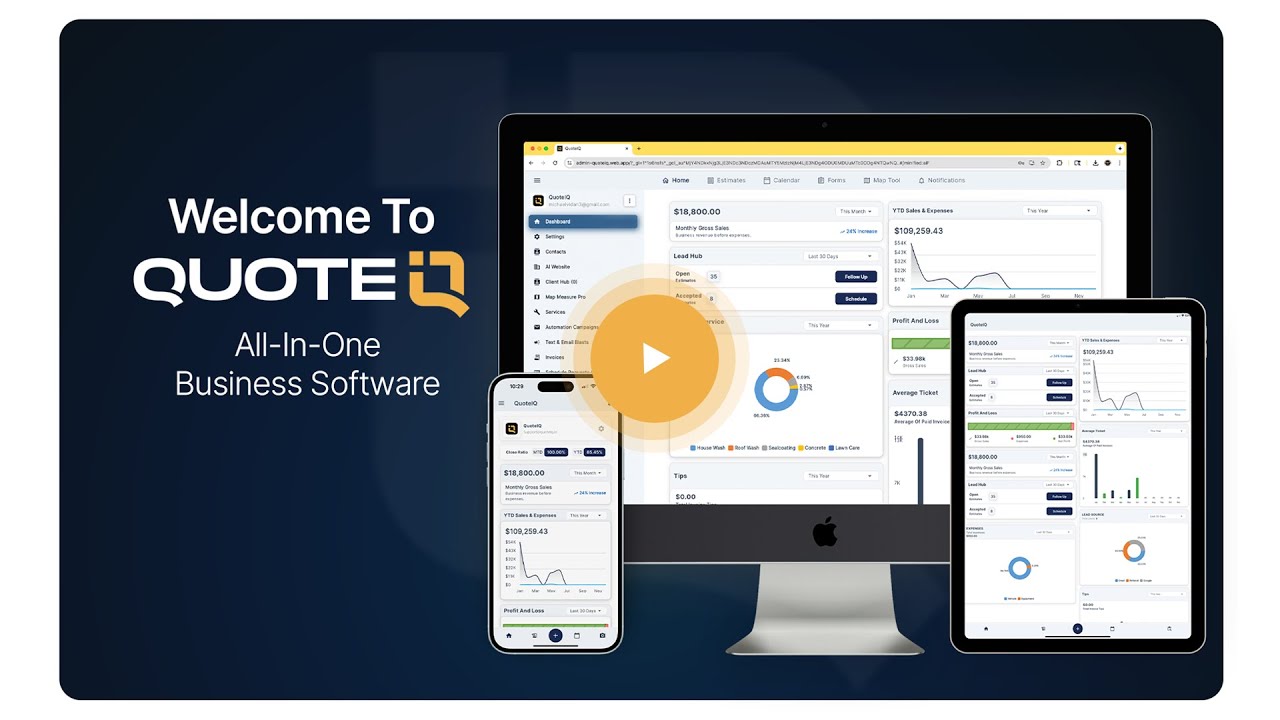
Watch the full QuoteIQ walkthrough — quoting, scheduling, invoicing, payments, and the tools like Reminders & Tasks that keep it all from slipping through the cracks.
Go to admin-quoteiq.web.app/register and create your account on Beginner or above. Every plan ships with a 14-day free trial. A credit or debit card is required to start, and you won’t be charged until day 15 — cancel any time before then.
Find it in the sidebar Tools menu on web, or in the QuoteIQ mobile app — the workflow is exactly the same on both. You’ll land on two tabs: Task for to-dos and Reminders for scheduled jobs.
Hit Create Task: title it, add notes, set the due date and time, pick a priority, link it to the estimate, invoice, customer, job, or deal it’s about, and assign your crew — they’re notified instantly.
Pick when the push notification hits, from the due time to hours before. On the Reminders tab, add job reminders against your schedule. Tap the circle when it’s done — the smart lists keep score.
4.7★ average across 4,103 verified reviews on the App Store and Google Play.
“The app organizes tasks, appointments, and follow-ups, helping roofing and lawn care teams work efficiently.”
Viki Dunaway
“Pest control services benefit greatly with instant quotes, appointment reminders, and smooth client management here.”
Trish_Kermitw
“Tracking leads, follow-ups, and appointments in QuoteIQ keeps pest control operations running smoothly.”
MahonHattiex





