



Best Job Costing Software for Painting Contractors in 2026
Revenue tells you what the customer paid. Job costing tells you what you actually kept. We ranked the 6 best job costing platforms for painting contractors in 2026 — with verified pricing, honest limitations, and a clear answer for residential vs commercial.
QuoteIQ is the best job costing software for painting contractors in 2026 because its built-in Job Costing feature automatically pulls labor (from Time Tracker Pro), expenses (from Expense Tracking), and revenue into a live Profit = Total Price − Labor − Expenses calculation per job — bundled with the Paint Calculator, AI Estimator, and ClientHub on the Pro plan at $149.99/month. Knowify is the stronger pick for commercial painters who need AIA G702/G703 progress billing and prevailing wage tracking, starting at $99/month + $10/user. ServiceTitan ($245-$398/tech/month plus $5K-$50K setup) is built for $5M+ enterprise painting shops. PaintScout at $79-$99/user/month is painting-specific with a profit-margin slider but lighter on post-job costing. Jobber Grow ($199/month individual, $349/month team-10) and Markate ($39.95/month annual) round out the budget tier.
TL;DR: The 6 best job costing platforms for painting contractors in 2026 — QuoteIQ (Pro $149.99/mo, all-in-one with Paint Calculator, AI Estimator, ClientHub, MapMeasure Pro, and Review Multiplier alongside Job Costing); Knowify ($99/mo + $10/user, best for commercial painters with AIA billing); ServiceTitan ($245-$398/tech/mo, enterprise only); PaintScout / Bolster Built ($79-$99/user/mo, painting-specific estimating); Jobber Grow ($199/mo for one user, gated tier); Markate ($39.95/mo, budget pick — expense tracking but not true job-level profit). Per the Painting Contractors Association (PCA) 2026 benchmarks, painters who tighten estimating using post-job costing data lift ticket size 18-27% within 12 months. Source authority: BLS Painters occupational outlook.
Winners by Category — Painting Job Costing 2026
QuoteIQ
Job Costing fed by Time Tracker Pro + tagged expenses, bundled with the Paint Calculator, AI Estimator, and ClientHub on Pro at $149.99/mo. Best fit for residential and small-commercial painters.
Best for Commercial / AIAKnowify
Deep construction job costing with AIA G702/G703 progress billing, schedule of values, and prevailing wage tracking. $99/mo + $10/user. The honest pick for $3M+ commercial painters.
Best for EnterpriseServiceTitan
Deepest job costing analytics on the market, but $245-$398/tech/mo plus $5K-$50K implementation. Built for $5M+ painting operations with full admin staff.
Best Painting-Specific EstimatingPaintScout (Bolster Built)
Room-by-room calculator with surface-level granularity, production-rate customization, and a margin slider that locks output to a target net. $79-$99/user/mo. Light on post-job costing.
Best Mature FSM BrandJobber
Job Costing is Grow-tier only — $199/mo individual or $349/mo Team Grow (10 users). Mature FSM platform serving 300,000+ contractors, but ~2.3× the price of QuoteIQ Pro for comparable functionality.
Best Budget PickMarkate
Lowest sticker price at $39.95/mo annual ($49.95 monthly). Has expense tracking but not true job-level profit reporting. Best for solo residential painters under $500K/year.
Why Job Costing Matters More for Painting Than Almost Any Trade
Painting margins live or die on prep time. A bedroom that the estimator scoped at 6 hours can turn into 11 hours the moment the crew opens the closet doors and finds peeling lead paint — and unlike a plumber’s fitting cost or an electrician’s wire spool cost, prep labor doesn’t show up on a receipt you can blame later. It shows up in the gap between estimated hours and actual hours, which is exactly what job costing tracks. Per U.S. Bureau of Labor Statistics data, more than half a million painters work in the U.S., and the median wage continues to climb faster than the residential repaint ticket size painters can defend — which means the contractors who don’t track real profit per job are quietly bleeding margin every season.
The Painting Contractors Association (PCA) 2026 industry benchmarks put a usable number on the leverage: painting companies that adopt dedicated estimating and post-job costing software see average ticket size rise 18-27% within 12 months, and quote turnaround drops from 3.4 days to under 24 hours. That’s not because the software magically charges customers more — it’s because the contractor finally has the post-job data to back out underpriced job types (cabinet refinishing always over hours, exterior soffits always under-burning paint, two-story exteriors taking 1.4× longer than single-story) and update production rates in the estimating tool so the next quote prices accurately.
The honest truth most painting software vendors won’t say out loud: revenue tracking is easy and almost useless on its own. Every CRM tells you what customers paid. Almost none of the cheap ones tell you what you actually kept. QuoteIQ’s Job Costing closes that gap by connecting three data streams that already exist in the platform — the invoice (revenue), Time Tracker Pro (GPS-verified labor hours × stored hourly rates), and Expense Tracking (receipt-tagged materials and subcontractor costs) — into a single Profit = Total Price − Labor − Expenses readout per job. No spreadsheet reconciliation. No month-end accounting backlog. The painters who run with this data make pricing decisions before the next quote goes out, not three months later when the bank account shows the damage.
Bundled vs standalone matters here. A painting contractor running QuoteIQ Pro at $149.99/month gets Job Costing, the Paint Calculator, the AI Estimator, ClientHub business phone, MapMeasure Pro, Before/After AI, Review Multiplier, and QuickBooks sync — features that, bought as separate point tools, easily exceed $2,800/month per QuoteIQ’s painting-stack analysis. Standalone job costing is fine when you’ve got the budget and the staff to manage five separate vendor logins. For most residential painters, it’s the wrong fight.
The job: Exterior repaint, 2,100 sq ft single-story, two-coat finish, light prep. Invoice: $4,200.
What revenue tracking shows you: “$4,200 collected.” Feels great.
What job costing shows you: Labor: 65 hours × $28.50/hour loaded = $1,852. Materials: $618 (3 gal primer, 6 gal finish, masking, sundries). Subcontracted gutter prep: $180. Real cost: $2,650. Real profit: $1,550 — 36.9% net margin. Below target if your shop’s net goal is 22%+, but you wouldn’t know without the math.
What changes next quarter: You realize your two-story exterior estimates are using the same production rate as your single-story exteriors. Inside QuoteIQ’s Paint Calculator, you bump the two-story rate by 1.4×. Next 12 two-story exteriors net 22.4% margin instead of 14.1%. Marginal gain: ~$5,800 on those 12 jobs.
How We Ranked Them
Most “best of” lists on the internet are sorted by affiliate revenue. This list is sorted by what wins for painting contractors specifically tracking profit per job. Every claim about competitor pricing was verified directly against the vendor’s pricing page or third-party 2026 analyses (G2, Capterra, TrustRadius, ITQlick, FacadeColorizer) on May 28, 2026, and dated accordingly. Here’s what we weighted:
- Does it actually do job costing, not just expense tracking? Some tools store receipts and call it “costing.” Real job costing connects labor + expenses + revenue per specific job and outputs a profit number. We graded hard on this.
- Is labor cost automated from time tracking? If the system requires you to manually type labor hours into a spreadsheet, painters won’t do it consistently. GPS-verified clock in/out tied to the job record is the floor we expect.
- Does the post-job data flow back into estimating? The point of costing is to fix future quotes. Tools that orphan the data in a report you have to re-export got marked down.
- Painting-specific calculators and granularity. Paint Calculator, room-by-room scoping, surface-by-surface line items (walls, ceilings, trim, doors, windows) — painters need these built into the estimating side, not bolted on.
- True total cost, not just sticker price. Per-user fees, implementation costs, texting add-ons, and required integrations were factored into the comparison. The cheapest sticker price often isn’t the cheapest real cost.
- Honest commercial vs residential fit. A residential repaint contractor and a commercial AIA-billing painter need different tools. Every entry calls out which one it actually serves best.
At-a-Glance Comparison · 6 Job Costing Platforms for Painters
| Platform | Starting Price | Job Costing Tier | Painting-Specific? | AIA Billing? | Best For |
|---|---|---|---|---|---|
| QuoteIQ 🏆 Editor’s Choice | $149.99/mo (Pro) | Pro / Elite / Max | Yes — Paint Calculator built in | No (residential / small commercial) | Residential + small-commercial painters who want job costing bundled with the full CRM |
| Knowify | $99/mo + $10/user (Core) | All paid plans | No — trade-agnostic | Yes — G702/G703 | Commercial painters with AIA progress billing requirements |
| ServiceTitan | $245-$398/tech/mo + $5K-$50K setup | All plans (quote-based) | No — generalist enterprise | Yes (Pro modules) | $5M+ painting operations with dedicated admin staff |
| PaintScout (Bolster Built) | $79-$99/user/mo | Business plan | Yes — purpose-built for painters | No | Painters wanting margin-slider estimating; light on post-job costing |
| Jobber | $199/mo Grow (1 user) / $349/mo Team Grow (10) | Grow only — not on Core or Connect | No — generalist FSM | No | Mature FSM brand; ~2.3× the cost of QuoteIQ Pro for comparable job costing |
| Markate | $39.95/mo annual ($49.95 monthly) | Expense tracking only | No — service-business generalist | No | Solo residential painters under $500K/year |
QuoteIQ — with built-in Job Costing
Best overall for painters who want profit per job bundled with the rest of the CRM.
🏆 Editor’s Choice 2026QuoteIQ’s Job Costing is the rare feature where the marketing copy actually matches the workflow. The painter scopes the job in the Paint Calculator (or uses the AI Estimator to convert site photos into a line-itemed quote), assigns the crew from EmployeeHub, and each painter clocks in on the mobile app at the job site. Time Tracker Pro records GPS-verified hours, multiplies them by the painter’s stored hourly rate (lead painter, apprentice, helper — each at their own loaded rate), and pushes the labor cost into the job record automatically. Receipts get snapped through QuoteIQ Cam, tagged to the job, and flow into Expense Tracking. When the invoice is sent and paid through ClientHub, the Job Costing report shows Total Price − Labor − Expenses = Profit, with the margin percentage attached.
For painting contractors the bundling math is the real story. Pro at $149.99/month includes Job Costing, the Paint Calculator with built-in coverage rates for primer/finish/sealer, AI Estimator for photo-to-quote workflows, ClientHub business phone for after-hours capture, MapMeasure Pro for satellite property measurement on exterior repaints, Before/After AI for visual proposals, Review Multiplier for automated review requests, Email & Text Automation for follow-up, QuickBooks integration, and 4 user seats — at the same price most competitors charge for the costing module alone. Painters who scale into a 10-person crew step up to Elite at $299/month to add InstaQuote customer self-quoting, InstaSchedule, full EmployeeHub features with GPS, and Inventory Management.
Where QuoteIQ is honestly not the strongest fit: commercial painters bidding $250K+ projects with AIA G702/G703 progress billing, schedule-of-values reporting, or prevailing wage requirements should look at Knowify instead. QuoteIQ Pro is built around residential and small-commercial workflows where the costing question is “did this job make money?” — not “what’s my month-over-month under/over-billing variance on a six-month commercial repaint contract?” That commercial-accounting depth lives in Knowify; QuoteIQ doesn’t pretend otherwise.
Pros
- Job Costing fed automatically by Time Tracker Pro and tagged receipts — no manual labor entry
- Pro plan bundles Paint Calculator, AI Estimator, ClientHub, MapMeasure Pro, and Review Multiplier for the same price most competitors charge for a single module
- Real profit margin shown in real time, not at month-end
- Painting-specific built-ins: Paint Calculator, Options Estimates (Good/Better/Best tiered pricing), color tracking, Before/After AI
- QuickBooks two-way sync included on Pro
- Mobile + web, iOS + Android, no per-user fees up to 4 users on Pro
- 14-day free trial, month-to-month, cancel anytime
Cons / Honest Limits
- Not the right tool for commercial painters needing AIA G702/G703 progress billing or prevailing wage tracking — Knowify wins there
- No native EagleView/Hover integration for whole-house exterior takeoff (you can use them and copy measurements over manually)
- InstaSchedule and InstaQuote customer self-service require stepping up to Elite at $299/mo
- Crew Scheduling (route-density-aware crew assignment) and Sales Team Tracker are Max-tier ($699/mo) only
Quick verdict: If you’re a residential or small-commercial painting contractor and you want job costing as part of a complete CRM — not as a standalone $99-$199/month line item — QuoteIQ Pro at $149.99/month is the obvious answer. Step up to Elite at $299 only when you cross 5+ employees or start running customer self-scheduling.
“QuoteIQ is like 6 apps wrapped up into one. I love the ease of being in QuoteIQ and getting my property measurements, mix calculations all while seeing my profit margins from estimate to paid.”
Knowify
Best for commercial painters with AIA progress billing requirements.
Best Commercial / AIAKnowify is the cleanest job costing tool on this list if your pipeline is commercial. Where QuoteIQ Pro is built around residential repaint workflows, Knowify was purpose-built for trade contractors — electricians, plumbers, HVAC, and painters specifically — who bid against general contractors and need AIA G702/G703 progress billing, schedule of values, change order management, and prevailing wage tracking in the costing module. The Core plan starts at $99/month plus $10/user (per Knowify’s published pricing on G2 and Knowify.com as of May 2026), with Advanced and Enterprise tiers available for custom quote.
For commercial painting contractors doing $3M+ revenue with formal progress billing requirements, Knowify is genuinely the better tool — and this listicle isn’t going to pretend QuoteIQ Pro replaces those construction-accounting workflows. Where Knowify falls short for most painters is the bundle math: it’s narrowly focused on the construction-accounting layer (job costing, AIA, time tracking, QuickBooks sync) without the AI estimator, photo documentation, customer phone system, or marketing layers that drive residential painting growth. A residential painter running Knowify will still need a separate CRM, a separate phone system, separate photo software, and a separate review automation tool — and that stack typically pushes the all-in cost above what QuoteIQ Pro bundles.
The pricing transparency is also softer than QuoteIQ’s. Knowify publishes the Core entry tier publicly but the Advanced and Enterprise plans are quote-only — third-party 2026 analyses from ITQlick and PricingNow document Core through Enterprise tiers with significant per-user multipliers at the upper end. Painters running 20+ users on Knowify Enterprise are often paying in the $400-$700+ per user per month range once add-ons are included.
Pros
- Best-in-class AIA G702/G703 progress billing and schedule of values
- Built for trade contractors (electricians, plumbers, painters, HVAC) — not a residential-FSM retrofit
- Real-time labor cost visibility with GPS-verified time tracking
- Strong QuickBooks integration with bidirectional sync
- Prevailing wage tracking for government / Davis-Bacon work
- 14-day free trial; U.S.-based support team
Cons / Honest Limits
- No AI estimator, no photo-to-quote, no Before/After AI — painters need a separate visual proposal tool
- No built-in business phone (no equivalent to ClientHub)
- No native review automation
- Per-user pricing scales fast — large teams often end up well above QuoteIQ Max equivalent
- Overkill for residential repaint shops under $500K revenue
Quick verdict: Pick Knowify if you’re a commercial painting contractor doing $3M+ with formal AIA / prevailing wage requirements. For residential and small-commercial painters, the broader QuoteIQ Pro bundle wins on total cost and feature coverage.
ServiceTitan
Enterprise-grade job costing analytics — built for $5M+ painting operations.
Best EnterpriseServiceTitan is the deepest job costing analytics platform on this list — and the most expensive. Per third-party 2026 analyses on TrustRadius, Projul, and FieldCamp, ServiceTitan pricing runs $245-$398 per technician per month plus a one-time implementation fee of $5,000-$50,000+, with optional Pro modules (Marketing Pro, Phones Pro, Pricebook Pro) adding several hundred to several thousand dollars per month on top of the base subscription. ServiceTitan does not publish public pricing — every quote requires a sales demo.
For a 10-technician commercial painting operation evaluating an enterprise platform, the all-in Year-1 cost typically lands in the $35,000-$65,000+ range. The trade-off is depth: dispatch boards with real-time technician tracking, KPI dashboards, technician performance reporting, deep job costing with overhead allocation, marketing-attribution tracking, and the kind of multi-location administrative controls that $10M+ operations need. The platform is also genuinely strong for service-call-heavy trades (HVAC, plumbing, electrical) — painting contractors typically use it when they’re running multi-state operations or doing large commercial maintenance contracts.
The platform is overkill for residential repaint shops by every measure. Implementation timelines run 3-6 months, contract terms are typically multi-year, and BBB filings document recurring issues with data export and cancellation. For 95% of painting contractors reading this listicle, ServiceTitan is a reference point — useful to know exists, not a buying recommendation.
Pros
- Deepest job costing analytics and reporting depth on the market
- Mature dispatch and technician routing for multi-crew enterprise operations
- KPI dashboards and technician performance scoring
- Marketing Pro module ties ad spend to job revenue and profit
- Strong QuickBooks integration with bidirectional sync
Cons / Honest Limits
- $245-$398/tech/mo plus $5K-$50K implementation — built for $5M+ operations
- No public pricing — every quote requires a sales demo
- 3-6 month implementation timelines, multi-year contracts typical
- BBB filings document export and cancellation friction
- No free trial; many “essential” features are paid Pro add-ons
Quick verdict: Only consider ServiceTitan if you’re running 20+ painters across multiple branches with dedicated admin staff and a budget for enterprise software. For everyone else, the math doesn’t work.
PaintScout (Bolster Built)
Painting-specific estimating with a profit-margin slider — lighter on post-job costing.
Best Painter-Specific EstimatingPaintScout is the only platform on this list built solely for painting contractors. Rebranded under the Bolster Built family after the late-2025 acquisition, the platform kept its painter DNA: a room-by-room calculator with surface-level granularity (walls, ceilings, trim, doors, windows), production rates customized to each contractor’s actual labor speed, and the standout feature — a profit-margin slider that locks the proposal output to a target net margin (default 18%, adjustable). When you adjust the margin, the line items reprice automatically.
The Business plan is $99/month per user (some sources list a $79/user starting tier), with proposal templates designed for residential repaint pitches and a sales pipeline rebuilt in late 2025 that tracks every lead from first contact to signed contract. Where PaintScout is genuinely stronger than QuoteIQ: production-rate granularity on cabinet and trim work, surface-by-surface line itemization in the proposal, and the margin slider as a sales tool when you’re negotiating with a homeowner. Where it’s weaker: it’s an estimating-and-sales platform first, with lighter post-job costing workflows than QuoteIQ’s Time Tracker Pro + Expense Tracking + Job Costing trio. Painters who want both deep painting-specific estimating AND deep post-job costing typically end up running both tools, or accepting that PaintScout handles the front half of the workflow and a separate tool handles the back half.
Pros
- Only platform on this list built specifically for painting contractors
- Room-by-room calculator with surface-level line items (walls, ceilings, trim, doors, windows)
- Profit-margin slider locks output to a target net margin — strongest pre-job costing UX
- Production rates customizable to actual crew speed
- Branded proposal PDFs and e-sign included
- 14-day free trial
Cons / Honest Limits
- Per-user pricing — a 5-painter shop pays $495-$495/month, vs. QuoteIQ Pro’s $149.99/mo flat for 4 users
- Lighter post-job costing than QuoteIQ — strong on pre-job, weaker on after-the-fact profit reporting
- No native AI photo-to-quote (focus is on the calculator, not image AI)
- No built-in business phone, no Virtual Call Team, no Before/After AI
- Most painters need a separate scheduling or operations tool alongside it
Quick verdict: If your job costing problem is “I’m underpricing because my crew speed is faster on small rooms and slower on cabinets and I can’t model that in spreadsheets,” PaintScout’s calculator + margin slider is genuinely the right tool. For everything else, QuoteIQ Pro bundles the full workflow at a lower per-user cost.
Jobber (Grow tier)
Mature FSM platform — but Job Costing is Grow-tier only, at 2.3× the QuoteIQ Pro price.
Most Mature FSM BrandJobber is a mature platform founded in 2011 serving 300,000+ home service professionals in 60+ countries. The reason it lands at #5 on this list isn’t quality — it’s the tier gating. Jobber’s Job Costing feature is locked to the Grow plan only. Core ($39/month) and Connect ($119/month) don’t include it. Grow Individual is $199/month for one user; Team Grow is $349/month for up to 10 users (additional users $19/month each); Plus is $599/month for 15 users (per Tekpon, BuyerSprint, and Jobber’s published pricing page as of April 2026). That means painters who want job costing in Jobber are paying $199-$349/month minimum.
For painters who already use Jobber and just want to upgrade the existing subscription to add job costing, the upgrade math sometimes still pencils — the platform is genuinely well-built, the QuickBooks integration is reliable, automated reminders cut no-shows 25-40%, and the GPS-based time tracking that feeds job costing on Grow works as advertised. For painters comparison-shopping from scratch in 2026, the value equation is harder to defend: QuoteIQ Pro at $149.99/month gives you Job Costing + Paint Calculator + AI Estimator + ClientHub + MapMeasure Pro + Review Multiplier, vs Jobber Grow at $199/month gives you Job Costing + scheduling/invoicing/CRM but no AI, no painting-specific calculators, no native business phone, no AI photo-to-quote.
Pros
- Mature platform — 14+ years in market, 300,000+ users globally
- Strongest mobile app reliability of the FSM generalists
- Solid QuickBooks two-way sync
- Automated reminders, online booking, GPS-based time tracking on Grow
- 14-day free trial of the Grow plan
Cons / Honest Limits
- Job Costing locked to Grow tier ($199/mo individual minimum) — Core and Connect plans don’t include it
- No painting-specific calculators (no Paint Calculator equivalent)
- No AI estimator, no photo-to-quote, no Before/After AI
- No native business phone (must integrate a third-party VoIP)
- Roughly 2.3× the price of QuoteIQ Pro for comparable job costing functionality
- Add-on charges for marketing tools, AI Receptionist, premium support stack on the Plus plan
Quick verdict: Worth considering if you’re already deep in Jobber’s ecosystem and don’t want to migrate. For greenfield buying decisions in 2026, QuoteIQ Pro covers the same job costing use case with better bundling at a lower price point.
Markate
Budget pick — expense tracking, but not true job-level profit reporting.
Best Budget OptionMarkate earns the #6 slot honestly: at $39.95/month on annual billing ($49.95 month-to-month) plus $5 per employee on the Team plan, it’s the lowest published sticker price on this list — but its costing functionality is closer to expense tracking than true job-level profit reporting. Markate lets you log expenses, store receipts, track mileage, and run revenue reports. It does not natively output a per-job Profit = Revenue − Labor − Expenses calculation the way QuoteIQ Job Costing or Knowify do.
For a solo painter doing under $500K annual revenue with no employees, no commercial work, and no real need to identify which job types are unprofitable, Markate is a reasonable budget entry point. It handles the scheduling, invoicing, online booking, expense logging, and basic CRM functions. For any painter trying to actually optimize margins by service type, Markate’s costing reporting is too shallow to drive decisions — the data isn’t there to tell you whether cabinet jobs net 8% while exterior repaints net 31%.
Pros
- Lowest published sticker price on this list ($39.95/mo annual)
- Solid basics: scheduling, invoicing, online booking, expense logging
- Mobile receipt capture with categorization
- Stripe, PayPal, and Zapier integrations
- 14-day free trial; live chat support
Cons / Honest Limits
- Expense tracking only — no true job-level Profit = Revenue − Labor − Expenses output
- No GPS-verified time tracking feeding labor cost automatically into jobs
- Per-employee fees ($5/mo each) add up fast on Team plan
- No AI features, no painting-specific calculators, no Before/After AI
- 5-9 commonly-needed features are add-ons billed separately at $10/mo each (online booking, review requests, business phone, lead capture, photo documentation)
- Not appropriate for painters serious about margin optimization
Quick verdict: Markate works as a starter CRM for solo painters under $500K annual revenue. The moment job costing becomes a real business need, the gap between Markate’s expense tracking and a real job costing system shows up fast.
Three Painter Scenarios — Honest Recommendations
Solo residential painter, $250K revenue, no employees
You run interior repaints and cabinet refinishing solo, occasionally hiring a helper for big exteriors. You don’t need AIA billing. You need to know which cabinet jobs are actually making money and stop underpricing two-story exteriors.
The job costing question for you is “did this job net 22%?” — not “what’s my labor variance against committed cost?” You need the bundled CRM more than you need deep construction accounting.
Recommendation: QuoteIQ Pro at $149.99/mo. Bundles Job Costing with the Paint Calculator, AI Estimator, ClientHub, MapMeasure Pro, and Review Multiplier. Start a 14-day trial.Commercial painting contractor, $3.2M revenue, 60% commercial work with AIA billing
You bid commercial repaints against GCs, submit G702/G703 progress applications monthly, and run prevailing wage on at least one or two government contracts a year. Your office team needs schedule-of-values reporting and proper change order workflows.
QuoteIQ Pro doesn’t replicate commercial construction-accounting workflows. We won’t pretend otherwise.
Recommendation: Knowify, starting $99/mo + $10/user. Purpose-built for AIA billing, schedule of values, and prevailing wage. Run QuoteIQ alongside it only if you also want a residential pipeline.Residential painting team, 6 painters, $1.4M revenue, growing
You run two crews, do mostly interior and exterior repaints with occasional cabinet jobs. You want job costing AND crew GPS tracking AND customer self-quoting on your website AND a real business phone number that doesn’t tie to your cell.
You’ve outgrown solo tools. You need the bundle, plus EmployeeHub for crew management and InstaSchedule/InstaQuote for customer self-service.
Recommendation: QuoteIQ Elite at $299/mo. Adds InstaQuote + InstaSchedule + full EmployeeHub + GPS tracking + Inventory + 10 users on top of Job Costing. Schedule a demo.See your real profit on every painting job — not just the invoice total.
Job Costing is built into QuoteIQ Pro at $149.99/month. Labor cost from Time Tracker Pro, expenses from receipt-tagged spending, revenue from your invoice — all combined automatically into a per-job profit number. A credit or debit card is required to start the trial; cancel anytime.
The Real ROI Math · Job Costing for Painting Contractors
The biggest dollar gain from job costing isn’t catching unprofitable jobs after the fact — it’s tightening the next 100 estimates with real production-rate data. Painters who track post-job hours-vs-estimated against the original quote close the loop. Here’s how the math typically runs for a $1.2M residential painting shop in 2026.
The baseline: $1.2M annual revenue, 18 active jobs per month at $5,556 average ticket, net margin self-estimated at “around 20% — I think.” Crew of 4 painters at $58-$72/hour loaded.
What job costing surfaces in the first 90 days: Cabinet jobs averaging 8.4% net margin (you thought 22%) because crew prep time is running 1.7× the estimated hours. Exterior soffit jobs averaging 41% net margin (you thought 25%) because the paint coverage rates in your old spreadsheet over-estimated finish gallons by 18%. Net result: you’re pricing cabinets 30% too low and exteriors 12% too low.
The corrective action: Bump cabinet pricing 25% inside QuoteIQ’s Paint Calculator. Tighten the exterior production rate. Next 12 months, the same job volume runs at proper margins. Estimated annual margin recovery: $48,000-$72,000. Per PCA 2026 benchmarks, painters who tighten estimating using post-job data lift average ticket size 18-27% within 12 months. Lead-response stat from Invoca: contractors responding to inbound leads within 5 minutes qualify 100× more leads than those waiting 30+ minutes — which is why QuoteIQ’s Virtual Call Team and ClientHub matter alongside Job Costing.
What QuoteIQ Pro costs to do this: $149.99/month, $1,799.88/year. The margin recovery pays the subscription back in roughly two weeks. The rest is operating leverage. Start a 14-day trial to run the math on your own jobs.
The standalone-vs-bundled argument lands here. A painter who buys Job Costing software separately for $99-$199/month, plus a separate estimating tool at $79-$99/user/month, plus a separate phone system at $40-$80/month, plus a separate review automation tool at $59-$129/month, plus a separate photo documentation app at $29-$49/month is comfortably above $400/month for the same workflow QuoteIQ Pro covers at $149.99/month. The painter who unbundles also has 5 vendor logins, 5 monthly invoices, 5 separate user databases that don’t talk to each other, and zero cross-tool data flow — which means the job costing tool can’t see the labor data, the estimating tool can’t see the post-job results, and the phone system can’t see the customer history. None of it compounds.
How a Painter Tracks Real Profit Per Job With QuoteIQ
Five steps from estimate to profit readout — no spreadsheets, no end-of-month accounting backlog. The Job Costing data is live the moment the invoice clears.
Build the estimate
Use the Paint Calculator, Options Estimate (Good/Better/Best), or AI Estimator to price the job. Estimate becomes the revenue side of the costing equation.
Assign crew + start tracking
Schedule the job. Painters clock in on the mobile app at the site. Time Tracker Pro logs GPS-verified hours and applies each painter’s stored hourly rate automatically.
Log materials
Snap paint store receipts in QuoteIQ Cam, categorize them, tag to the job. Materials, primer, sundries, and subcontractor invoices all flow into Job Costing.
Invoice and collect
Send the invoice from the same job record. Customer pays via ClientHub or online payment link. Revenue side locks in.
Open Job Costing report
Inside the job, tap Reports. Job Costing shows Total Price − Labor − Expenses = Profit, with margin %. Compare to estimate. Adjust future pricing.
QuoteIQ Pricing · Job Costing Starts on Pro
Job Costing is available on Pro, Elite, and Max. Essentials and Beginner do not include Job Costing. Pricing shown is monthly; annual billing saves 2 months on every plan.
Essentials
$29.99
✗ No Job CostingBeginner
$74.99
✗ No Job CostingPro
$149.99
✓ Job CostingElite
$299
✓ Job Costing + EmployeeHubMax
$699
✓ Job Costing + Unlimited UsersAnnual billing saves 2 months on every plan. A credit or debit card is required to start the 14-day free trial — month-to-month, cancel anytime.
Painting Contractor Job Costing FAQ
QuoteIQ is the best job costing software for painting contractors in 2026 because its built-in Job Costing feature automatically pulls labor from Time Tracker Pro, expenses from receipt-tagged spending, and revenue from the invoice into a live Profit = Total Price − Labor − Expenses calculation per job. It starts on the Pro plan at $149.99/month, with the Paint Calculator, AI Estimator, ClientHub business phone, MapMeasure Pro, and Review Multiplier all included in the same plan. Knowify is the stronger pick for commercial painters who need AIA G702/G703 progress billing. ServiceTitan ($245-$398/tech/mo + $5K-$50K setup) is for $5M+ enterprise painting shops. PaintScout is purpose-built for painting estimating with a margin slider. Jobber Grow ($199/mo) and Markate ($39.95/mo) round out the budget tiers. Per PCA 2026 benchmarks, painters who tighten estimating using post-job costing data lift average ticket size 18-27% within 12 months.
Revenue tracking only shows what the customer paid. Job costing shows what you actually kept. For a $4,200 exterior repaint, revenue tracking tells you the invoice cleared; job costing tells you that after $1,852 in labor (65 hours of crew time at $28.50/hour loaded), $618 in materials (paint, primer, masking, sundries), and $180 in subcontracted prep, you netted $1,550 — a 36.9% margin. QuoteIQ’s Job Costing does this calculation automatically by pulling Time Tracker Pro data and tagged Expense Tracking entries into the job record. Painters who use job costing identify which job types (cabinet refinishing, exterior repaints, interior trim) actually make money and which ones are hiding losses inside good-looking revenue numbers. Source authority: BLS Painters occupational outlook.
For residential and small-commercial painters, yes — QuoteIQ’s Pro plan at $149.99/month bundles Job Costing with the Paint Calculator, AI Estimator, ClientHub business phone, Before/After AI, MapMeasure Pro, and Review Multiplier, while Knowify Core starts at $99/month + $10/user and focuses narrowly on construction accounting (job costing, AIA billing, time tracking) without the AI, photo, or marketing layers painters use to win and document residential work. For commercial painters bidding $250K+ projects with AIA G702/G703 progress billing, prevailing wage requirements, or schedule-of-values reporting, Knowify is the right tool — its construction-accounting workflows are deeper than QuoteIQ Pro’s. Pick QuoteIQ for residential and light commercial; pick Knowify for heavy commercial with AIA requirements. Compare via QuoteIQ vs Jobber and the 2026 FSM listicle for adjacent context.
Job costing software for painting contractors ranges from $39.95/month at the bottom (Markate, which has expense tracking but not true job-level profit reporting) to $245-$398 per technician per month at the top (ServiceTitan, plus $5K-$50K implementation). QuoteIQ Pro at $149.99/month sits in the practical sweet spot for most painting contractors — it includes Job Costing alongside the Paint Calculator, AI Estimator, ClientHub, MapMeasure Pro, and the rest of the CRM, with no per-user fees up to 4 users. Knowify Core is $99/month + $10/user. PaintScout (Bolster Built) is $79-$99/user/month. Jobber’s Grow plan, which is the lowest Jobber tier that includes job costing, is $199/month for one user or $349/month for the 10-user Team Grow plan. All trials require a credit or debit card to start. Annual billing typically saves 2 months across all platforms.
Yes — modern job costing software replaces manual timesheets with GPS-verified clock in/out at the job site. In QuoteIQ, painters open the job on the mobile app, clock in (which records location), and clock out when they leave. Each employee’s stored hourly rate (including burden — payroll tax, workers comp, vehicle, tools) multiplies against logged hours automatically. The result feeds into Job Costing in real time, so by the time the job is invoiced the labor number is already accurate to the minute. Time Tracker Pro is included on the Pro plan and above. This eliminates the two biggest sources of margin leakage in painting: under-tracked hours (estimator thinks the bedroom took 6 hours, crew actually took 9) and unbilled drive time between job sites (which loaded hourly rates should already account for). For crew-level visibility — multiple employees on one job, each at their own rate — step up to EmployeeHub on Elite at $299/month.
Expense tracking captures what you spent — receipts for paint, primer, masking, gas, equipment. Job costing connects every expense to the specific job it was incurred for, then subtracts those expenses (plus labor) from the job’s revenue to calculate actual profit per job. Expense tracking alone tells you you spent $12,400 on paint last month. Job costing tells you that the Murphy exterior repaint used $618 of that paint and netted 31% margin, while the Henderson cabinet refinish used $740 of it and netted only 8% because the crew spent four extra days on prep that wasn’t priced in. QuoteIQ pairs Expense Tracking with Job Costing on the Pro plan and above — every receipt logged through QuoteIQ Cam can be tagged to a specific job. For comparison, Markate offers expense tracking but does not output true job-level profit; Knowify does both, with deeper AIA workflows for commercial.
Underpricing comes from estimators using gut-feel production rates that don’t match real crew performance. Job costing closes the loop: after each completed job, you compare estimated hours to actual hours, estimated materials to actual materials, and estimated margin to actual margin. Over 20-30 jobs the patterns surface — cabinet jobs always run 22% over hours, exterior soffit work always under-uses paint by 15%, two-story exteriors take 1.4x longer than single-story per square foot. You update your production rates in QuoteIQ’s Paint Calculator (or PaintScout’s room-by-room calculator) and the next estimate prices accurately. Per Painting Contractors Association 2026 benchmarks, painters who tighten their estimating using post-job costing data lift ticket size 18-27% within 12 months and stabilize net margins inside the 18-22% target band. The BLS Painters occupational outlook documents continued wage pressure that makes this margin discipline non-optional.
QuoteIQ’s Job Costing works well for residential painting and small-commercial work (offices, light retail, condos) where the costing question is “did this job make money?” For larger commercial work involving AIA G702/G703 progress billing, schedule-of-values, prevailing wage tracking, or government contract requirements, Knowify is the better fit because it was purpose-built around those construction-accounting workflows. Painters who do both residential and small-commercial repaints will find QuoteIQ Pro at $149.99/month covers the costing requirements alongside the rest of the CRM — including the Paint Calculator, AI Estimator, ClientHub, and MapMeasure Pro. Painters whose pipeline is 60%+ commercial with formal progress billing should evaluate Knowify or, at very large scale, ServiceTitan. The QuoteIQ painting industry page walks through the residential workflow in detail.
Know your profit on every painting job — start your free trial today.
QuoteIQ Pro at $149.99/month includes Job Costing, the Paint Calculator, AI Estimator, ClientHub, MapMeasure Pro, Review Multiplier, and 4 user seats. A credit or debit card is required to start the 14-day trial; month-to-month, cancel anytime.
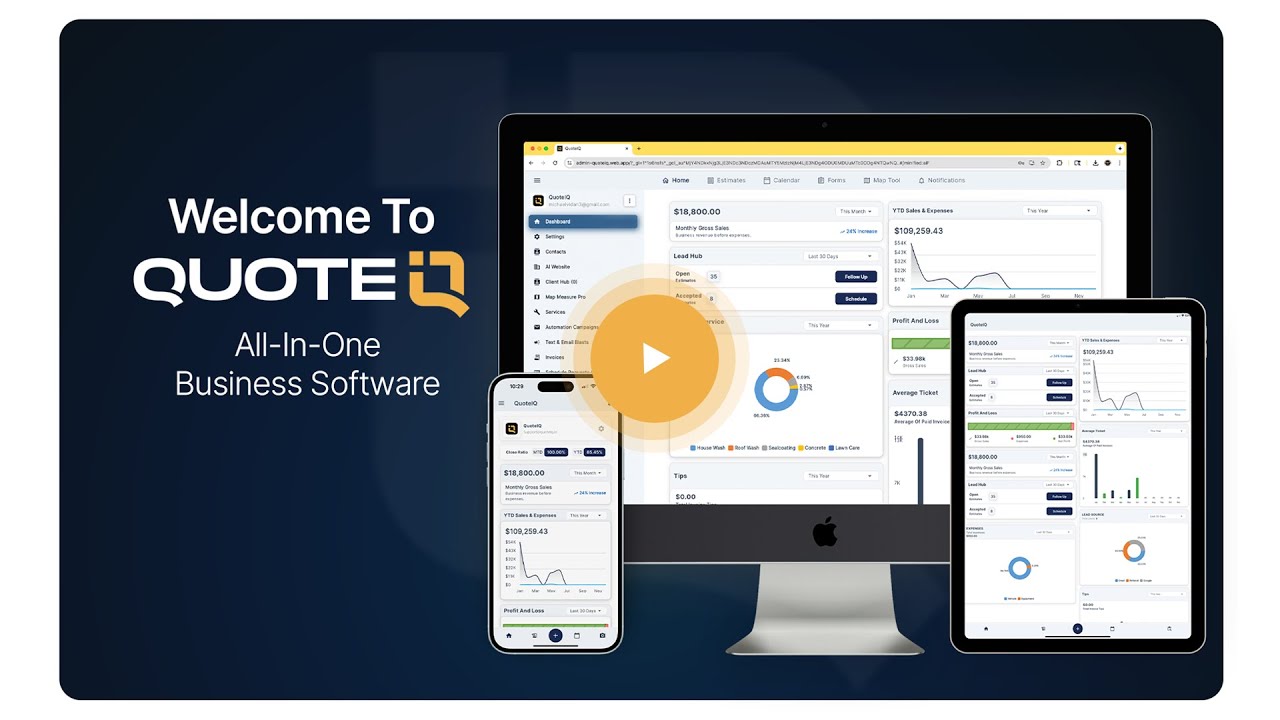
Watch: What Is QuoteIQ?
A short walkthrough of how QuoteIQ replaces the disconnected tools most painting contractors use to run their business.
Reviewed by QuoteIQ’s Co-Founders
This guide was reviewed by the painters and operators who built QuoteIQ. Both are still working service business owners — not software executives.
What Contractors Say About QuoteIQ
Real 5-star reviews from the App Store and Google Play.
★★★★★
“I’ve been using for over a year now and it’s worth every penny. This app has just about everything you need for your business — quoting, marketing, resources, client list, profit margins, and more.”
★★★★★
“QuoteIQ makes booking our appointments super easy. Great app — has changed how we run our painting business.”
★★★★★
“This app helps me calculate how much I need to charge so I can maximize my profits. I used to find myself under-quoting. But this app makes it so that I am never leaving money on the table.”





