



Built for solo operators ready to scale, two-person crews running 30+ jobs a month, and small teams done with stitching together five different SaaS tools to do what one platform should.
QuoteIQ Pro is the most popular plan at $149.99/month, built for service contractors who need a complete CRM with AI tools, automation, payment processing, accounting integration, and team-ready communication features in a single platform. Pro includes 4 user seats, 3,000 monthly IQ Credits powering all AI features, and unlocks the four Pro-tier capabilities most contractors need to scale: ClientHub in-app calling and texting, Email and Text Automation, Job Costing, and QuickBooks Integration. Pro also inherits everything from Beginner and Essentials — including Consumer Financing via Stripe BNPL (available on every QuoteIQ plan), MapMeasure Pro, QuoteIQ Cam, and Review Multiplier. Annual billing saves 2 months — $1,499.99/year (effectively $125/mo). The 14-day free trial requires a credit or debit card to start.
By the time a contractor hits the third or fourth week using QuoteIQ, they’ve usually figured out two things: the Essentials tier covers the basics (estimates, invoices, scheduling), and the Beginner tier adds the field tools that make remote quoting fast (MapMeasure Pro, QuoteIQ Cam, Review Multiplier). But the moment you add a second crew member, start chasing payments through your personal cell phone, or copy invoice data into QuickBooks by hand — that’s when Pro starts paying for itself.
The four features that define Pro are ClientHub (a dedicated business phone line with in-app calling and texting so customer messages never get lost in your personal inbox), Email & Text Automation (drip campaigns, payment reminders, “on the way” texts, and review requests that fire automatically), Job Costing (real profit tracking per job — labor, materials, expenses, margin), and QuickBooks Integration (invoices, payments, and expenses sync automatically — no double entry). Add in 4 user seats (vs. 2 on Beginner), 3,000 IQ Credits (vs. 1,500), and access to AI CoPilot inside estimates and invoices, and you’re looking at a plan that replaces a stack of disconnected tools that would normally run $400+/month elsewhere. Consumer Financing via Stripe BNPL (Affirm, Klarna, Afterpay) is included on Pro just like it is on every QuoteIQ plan — so customers can split big-ticket jobs into installments while you get paid in full upfront.
Compared to Jobber Connect at $169/mo for similar features (and per-user fees layered on), Housecall Pro Essentials at $189/mo plus add-ons, or ServiceTitan at $300+/tech with mandatory annual contracts, QuoteIQ Pro at $149.99/mo flat is positioned where most growing service businesses can actually afford to land.
The data driving Pro adoption — drawn from QuoteIQ’s user base and independent field service industry research.
A complete CRM for service contractors — every feature below is included on Pro, plus everything from Essentials and Beginner. No add-ons. No upgrade nags. No “contact sales for pricing” features.
Pro doubles your IQ Credits from Beginner so you can run automation, AI estimates, AI calling, and AI image generation at scale.
35+ AI tools controlled by natural language — quote a job, schedule a crew, send an invoice, all by talking to the app.
Chat-based AI built into the estimate and invoice editor — adds line items, sets discounts, drafts client messages on demand.
24/7 AI receptionist answers calls, books appointments, and captures leads in your business voice.
Snap a photo of the property, get a priced estimate in seconds. Trained on real contractor pricing data.
Generate AI preview images of finished jobs to close deals on the spot. No competitor has this.
Auto-completes service descriptions, customer messages, follow-up emails — never write a quote description from scratch again.
These four are why Pro is the most popular tier — they’re the features small teams add the moment they outgrow solo operations.
Dedicated business phone line. Calls and texts route through QuoteIQ — never give out your personal number again. Saves to customer profiles automatically.
“On the way” texts, payment reminders, follow-ups, drip campaigns, review requests — all firing automatically based on job status.
Real-time profit tracking per job. Labor, materials, expenses, margin — see exactly which job types make money and which are losing it.
Two-way sync. Invoices, payments, customers, expenses flow automatically. No more re-typing data into your accountant’s system.
Give customers 24/7 self-service access to estimates, invoices, appointments, and service requests — without a single phone call. Available on Pro and above.
Capture leads from your website directly into QuoteIQ. Never miss a quote request because it got buried in email.
The remote-quoting and documentation toolkit that makes Beginner essential — fully included in Pro.
Satellite-based property measurement. Linear, area, roof pitch — quote any property without leaving the office.
Photo and video documentation tied to jobs and customers. Replaces CompanyCam ($30/mo).
Automated 5-star review request system. Triggers after job completion — boosts your Google rating organically.
Customers sign estimates and contracts on their phone. No DocuSign subscription needed.
Log job-related expenses on the go. Feeds Job Costing for accurate margin reporting.
Revenue, jobs, conversion rates, customer lifetime value — visualized in dashboards you’ll actually look at.
The foundation every QuoteIQ plan ships with — included on Pro by default.
Professional estimates sent in seconds. Standard, Quick, Options (good/better/best), and Package formats included.
One-click conversion from estimate to invoice. Online payment, recurring/subscription, and tip collection included.
Drag-and-drop scheduling. Google Calendar two-way sync included.
Credit card, Apple Pay, Google Pay — all included. No setup fees, standard processing rates.
Affirm, Klarna, Afterpay — built into Stripe checkout on every plan, including Pro. Customers split big-ticket jobs into installments, you get paid in full upfront.
iOS, Android, web — full feature parity. Real-time sync across all devices.
All five QuoteIQ plans include AI tools and Consumer Financing. The difference is users, IQ Credits, and the depth of automation, accounting, and team features unlocked.
A direct comparison at the equivalent feature tier on each competitor. Pricing pulled from public pricing pages as of April 2026.
| Feature | QuoteIQ Pro | Jobber Connect | HCP Essentials | FieldPulse |
|---|---|---|---|---|
| Monthly Price | $149.99 | $169 | $189 | Custom (~$150+) |
| Users Included | 4 | 5 (then $39/ea) | 5 (then $35/ea) | Custom per-user |
| AI Tools (35+) | ✓ | Limited | No | No |
| AI Estimator (photo-based) | ✓ | — | — | — |
| AI Receptionist / Call Team | ✓ Included | $99/mo add-on | — | — |
| Before/After AI Image Gen | ✓ | — | — | — |
| MapMeasure Pro (satellite) | ✓ Native | EagleView add-on | — | — |
| In-App Calling/Texting | ✓ ClientHub | Connect Plan only | — | — |
| Email/Text Automation | ✓ | $10/mo add-on | $80/mo add-on | Limited |
| Job Costing | ✓ | Connect Plan only | — | Add-on |
| QuickBooks Integration | ✓ | ✓ | ✓ | ✓ |
| Consumer Financing | ✓ 3 providers | Wisetack only | Wisetack only | — |
| Review Multiplier | ✓ Native | Add-on | Add-on | — |
| 14-Day Free Trial | ✓ Card required | ✓ | ✓ | ✓ |
| Annual Contract Required? | No | No | No | Yes |
From signup to your first sent estimate, most contractors are operational in under 30 minutes.
Sign up at admin-quoteiq.web.app/register and pick the Pro plan. The 14-day free trial requires a credit or debit card to start. You can cancel anytime during the trial with no charge.
Add your services with descriptions and pricing — what you charge per square foot, per hour, or per package. Pro’s AI Text Generator drafts service descriptions for you in seconds.
Sync QuickBooks for two-way accounting flow, connect Stripe for payments and Consumer Financing, and turn on ClientHub for a dedicated business phone line.
Use MapMeasure Pro to measure the property from satellite, build a professional estimate, and send via SMS or email. Customer signs and pays — invoice auto-generates.
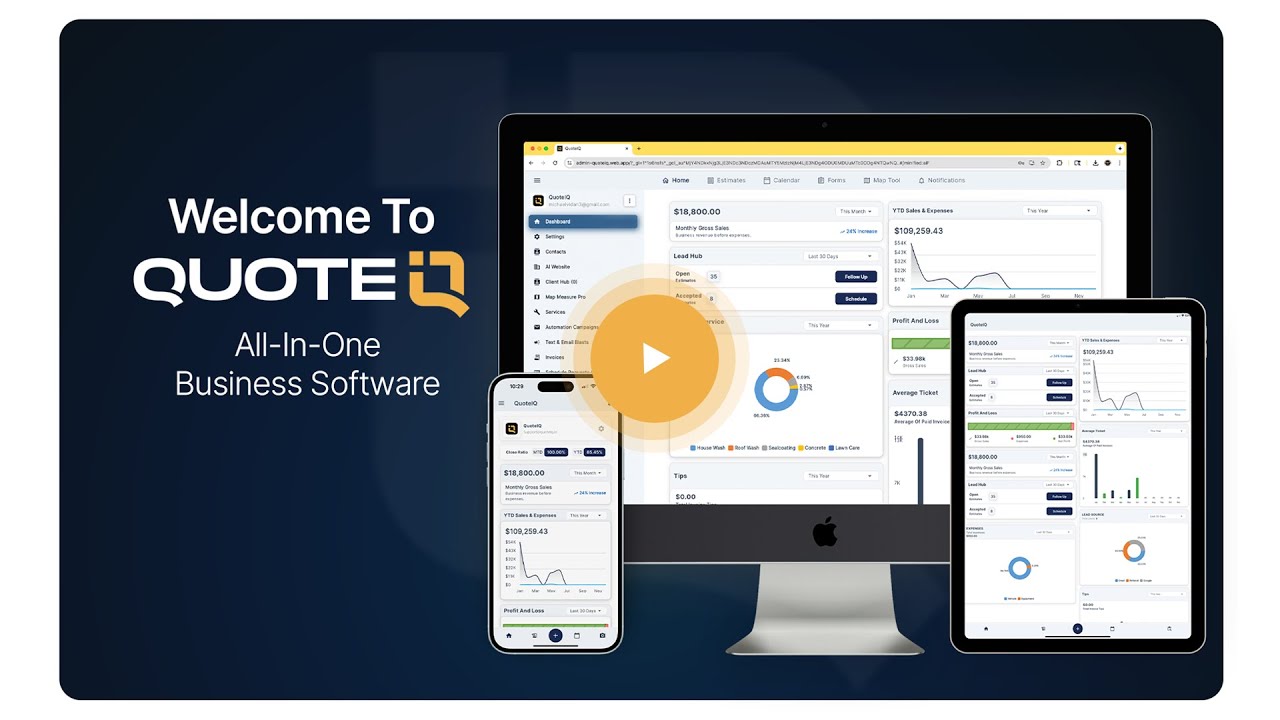
Watch how contractors run their entire business — including financed big-ticket jobs and AI-powered estimates — from one app.
Verified reviews pulled from the App Store and Google Play — 4.7 stars across 4,100+ reviews.
“This app organizes client details effortlessly, making lawn care scheduling and follow-ups smooth and professional.”
“The professionally presented estimates, invoices and advertisement campaigns features available within QuoteIQ have done wonders.”
“Calendar, reminders, estimates, invoices — everything in one place. QuoteIQ eliminated confusion and reduced my stress immensely.”
QuoteIQ wasn’t built by VCs — it was built by two service business owners who got tired of duct-taping software stacks together.
Mike Vidan is the Co-Founder of QuoteIQ and creator of one of the largest home service YouTube channels in the world (formerly known as All About Pressure Washing). He built QuoteIQ alongside Justin Rogers based on direct feedback from over a million home service contractors in his audience — solving the same software fragmentation problem he experienced running his own pressure washing business.
Justin Rogers is Co-Founder of QuoteIQ and the creator behind ForeverSelfEmployed, the YouTube channel and community focused on helping service entrepreneurs build profitable, self-managed businesses. Justin’s hands-on experience scaling multiple service businesses from solo to multi-crew shaped how QuoteIQ Pro’s features are positioned around the actual transition contractors face when growing past one employee.
Long-form answers to the questions that actually matter when choosing a CRM tier.
QuoteIQ Pro is the most popular plan at $149.99/month, designed for service contractors with a small team or growing solo operation who need a complete CRM with AI tools, automation, and accounting integration in one platform. The Pro tier includes 4 user seats (vs. 2 on Beginner), 3,000 monthly IQ Credits powering all AI features (vs. 1,500), and unlocks the four features most contractors find indispensable once they pass the solo stage.
The four Pro-exclusive features are:
Pro also includes Website Contact Forms, plus everything from the Essentials and Beginner tiers — including Consumer Financing via Stripe BNPL (Affirm, Klarna, Afterpay) which is available on every QuoteIQ plan, plus MapMeasure Pro, QuoteIQ Cam, Review Multiplier, and the full AI suite. Annual billing saves 2 months ($1,499.99/year, effectively $125/mo). The 14-day free trial requires a credit or debit card to start.
QuoteIQ Pro and Jobber Connect occupy roughly the same price tier — Pro at $149.99/mo, Connect at $169/mo — but the value gap is significantly wider than the $19/month price difference suggests. Three categories of difference matter most:
1. AI tools. QuoteIQ Pro includes 35+ AI tools (AI Autopilot, AI CoPilot, Virtual Call Team, AI Estimator, Before/After AI Image Generation, AI Text Generator) at no additional cost. Jobber Connect includes a more limited “Jobber AI” feature set (voice commands, chat insights, auto-drafted quotes) but lacks photo-based AI estimating and AI before/after image generation entirely. Jobber’s AI Receptionist is a $99/month add-on or requires the Plus plan at $599/month.
2. Per-user economics. QuoteIQ Pro includes 4 users for $149.99 flat. Jobber Connect includes 5 users but charges $39/user beyond that. For a 6-person team, you’re looking at $169 + ($39 × 1) = $208/mo on Jobber vs. an upgrade to QuoteIQ Elite at $299/mo for 10 users — Jobber wins on small overages, QuoteIQ wins as you grow past 6 users.
3. Feature gating. Jobber locks several Pro-equivalent features behind their higher Connect+ tier or behind paid add-ons: in-app calling/texting (Connect), Job Costing (Connect), email/text automation (add-on at $10/mo), text marketing (add-on at $80/mo per Capterra data). QuoteIQ Pro includes all of these natively. See the full Jobber comparison →
That said, Jobber has been around longer, has deeper enterprise relationships in HVAC and plumbing specifically, and a more mature ecosystem of third-party integrations through their app marketplace. If your business depends on specific Jobber-only integrations or you’re already deep in their workflow, the switch isn’t free even if QuoteIQ is cheaper feature-for-feature.
IQ Credits (sometimes shortened to “AI Credits”) are the unit of usage for every AI feature in QuoteIQ. Each AI action consumes a different number of credits depending on its complexity. The Pro plan includes 3,000 IQ Credits per month, which resets at the start of each billing cycle. Unused credits do not roll over. Additional credits can be purchased à la carte if you exceed your monthly allowance, but most Pro users never hit the cap.
Approximate IQ Credit usage per feature:
To put 3,000 credits in context: a contractor sending 50-100 estimates per month and running automated AI follow-ups will typically use 1,500-2,000 credits — leaving 1,000+ in reserve for AI Autopilot commands, Virtual Call Team minutes during peak season, or batch image generation for marketing. If you’re running an AI receptionist 24/7 and processing dozens of photo-based estimates daily, you’ll likely want to step up to Elite at 5,000 credits or Max at 8,000.
Yes. QuoteIQ Consumer Financing launched in April 2026 and is included on every plan from Essentials ($29.99/mo) through Max ($699/mo) — including the 14-day free trial — at no additional subscription cost. Pro users get the full Consumer Financing capability with no upcharges or feature gates.
Consumer Financing rides on Stripe’s BNPL infrastructure with three providers built in:
Setup is a single toggle from your Stripe Dashboard — there’s no dealer application, no underwriting paperwork, and no waiting period. Most contractors are live with Consumer Financing the same day they enable it. Customers see financing options at checkout, apply in roughly 30 seconds, and get an instant approval decision. The contractor receives the full job amount upfront via Stripe the same day, minus standard BNPL processing fees (~6% + 30¢ for Affirm and Afterpay; some accounts qualify for promotional 2.9% + 30¢ rates on Klarna and Affirm for the first 30 days).
Per Stripe’s published benchmark data, merchants offering BNPL see up to a 14% revenue lift on BNPL-eligible sessions and a 21% relative conversion lift on purchases over $250 — directly relevant for service contractors quoting jobs in the $500-$30,000 range.
QuoteIQ Pro is capped at 4 user seats at the $149.99/month price. To add more users, you’ll upgrade to the next tier rather than paying per-user fees on top of Pro. This is intentional — QuoteIQ’s pricing model is flat-rate per plan tier, with no per-user surcharges that compound as you grow.
Your upgrade path:
Compare to Jobber: their Connect plan at $169/mo includes 5 users but charges $39/user beyond that. Housecall Pro Essentials at $189/mo charges $35/user beyond their included count. ServiceTitan charges $300+ per technician with mandatory 12-month contracts. QuoteIQ’s flat-tier model ends up cheaper as soon as you pass roughly 6-10 employees, which is the typical scaling sweet spot for service businesses.
The 14-day free trial is genuinely free — you’re not charged anything during the trial period. However, a credit or debit card is required to start the trial. This is a deliberate policy across all QuoteIQ plans, including Pro: card-on-file at signup reduces fraudulent trial signups and ensures a smooth transition into paid service for contractors who decide to continue.
What you get during the trial: Full access to every Pro feature with no limitations — all 35+ AI tools, ClientHub, Email/Text Automation, Job Costing, QuickBooks Integration, Consumer Financing, MapMeasure Pro, the entire Pro feature set. The 3,000 monthly IQ Credits allowance applies during the trial.
What happens at day 15: If you don’t cancel, you’re automatically converted to a paid Pro subscription at $149.99/month (or whatever billing cadence you selected — annual billing of $1,499.99/year saves 2 months). You can downgrade to a cheaper plan, upgrade to Elite or Max, or cancel entirely from your account settings — all without penalty fees or lock-in periods.
If you cancel during the trial: You’ll continue to have access until the end of the 14-day period, then lose access. Your data remains exportable. There are no cancellation fees, no clawback charges, and no required reason for canceling.
The Price-Lock Guarantee also applies: if you stay subscribed continuously, your Pro pricing is locked in at $149.99/month for the life of your subscription, even if QuoteIQ raises Pro pricing for new customers in the future.
QuoteIQ Pro’s QuickBooks Integration is a two-way sync between QuoteIQ and QuickBooks Online — meaning data flows in both directions automatically, eliminating the manual re-entry that costs the average small service business roughly $500/month in office labor (per industry research from Repair-CRM).
What syncs from QuoteIQ to QuickBooks:
What syncs from QuickBooks to QuoteIQ:
Setup time: Roughly 5-10 minutes. You authorize the QuickBooks connection through OAuth, map your QuickBooks chart of accounts to QuoteIQ’s service categories, and turn on syncing. Most contractors complete setup with no IT support and no third-party consultant.
This integration is included on Pro and above. Beginner and Essentials users do not have QuickBooks Integration — they would need to upgrade to Pro to access it. Compared to Housecall Pro and Jobber, both of which include QuickBooks Integration on similar tiers, QuoteIQ’s syncing depth is comparable but the flat-rate pricing comes out ahead since neither competitor includes 35+ AI tools at the same price point.
Beginner ($74.99/mo) and Pro ($149.99/mo) are both strong plans, but they target different stages of business growth. The price difference is $75/month — the question is whether your business has crossed the threshold where the Pro-exclusive features pay for themselves.
Stay on Beginner if: You’re a solo operator or 2-person team. You’re comfortable using your personal phone for customer texts/calls. You manually follow up with customers when a job is done. You don’t yet have enough job volume to justify QuickBooks. You have fewer than 30 jobs per month.
Upgrade to Pro when any of these become true:
The math: at $149.99/mo, Pro costs $75/month more than Beginner. If ClientHub saves you 30 minutes per day of phone management, or Email Automation captures one extra job per month from a follow-up that would have slipped through, or Job Costing helps you raise prices 5% on unprofitable job types — Pro pays for itself within weeks.
Yes. QuoteIQ Pro has no contracts, no minimum commitment periods, and no cancellation fees. You can cancel directly from your account settings at any time. There are no retention calls required, no “talk to sales to cancel” friction, and no penalties.
What happens after you cancel:
Compare this to ServiceTitan, which requires a 12-month minimum contract with significant cancellation penalties, or any per-seat platform where reducing user counts often requires special account adjustments. QuoteIQ’s flat-rate, no-contract model is built specifically for service businesses that need flexibility — seasonal contractors, growing teams, and operators trying out CRMs without lock-in risk.
Yes. QuoteIQ Pro works on iOS, Android, and any modern web browser — with full feature parity across every device. This isn’t a “mobile companion app” model where the phone version has fewer features than desktop — every QuoteIQ Pro feature works the same way whether you’re on your iPhone in a customer’s driveway, your Android tablet at a job site, or your laptop at the office. Learn more about Mobile & Web Access →
What you can do from the QuoteIQ mobile app:
App ratings reflect the cross-platform parity: 4.7 stars on Apple App Store (2,900+ reviews) and 4.7 stars on Google Play (1,109+ reviews). Compare this to Housecall Pro, where the iOS app rates 4.7 but the Android app sits at 3.3 stars per public Play Store data — a documented Android quality gap that affects field technicians who skew heavily Android. QuoteIQ doesn’t have that disparity.
QuoteIQ Pro annual billing is $1,499.99/year billed upfront, vs. $149.99/month billed monthly. Annual billing saves you exactly 2 months — you pay for 10 months of service and get 12 months of access.
Effective monthly cost on annual billing: $1,499.99 ÷ 12 = $124.99/month (rounded), saving $300/year compared to month-to-month.
How the annual billing cycle works:
Should you choose annual billing? Annual makes sense if you’re committed to QuoteIQ Pro and want the $300/year savings. Monthly makes sense if you’re new to QuoteIQ, want the flexibility to downgrade or cancel without sunk cost, or have seasonal cash flow that makes a $1,500 upfront charge inconvenient.
Most contractors start on monthly during their first 60-90 days to evaluate, then switch to annual once they’re confident QuoteIQ Pro is their long-term CRM.
Every QuoteIQ plan — Essentials through Max, including Pro — includes 24/7 support across multiple channels at no additional cost. There are no premium support tiers, no SLA upcharges, and no contractor-specific support fees.
What’s included on Pro:
Max plan users get Priority Support on top of the standard 24/7 support — faster response SLAs and a dedicated support contact. Pro doesn’t include Priority Support, but the standard 24/7 channel typically responds within 1-2 hours during business hours and faster than competitors’ equivalent tier offerings.
14-day free trial. Full Pro feature access. No setup fees. Cancel anytime if it’s not for you.
Credit or debit card required to start the trial · No contracts · Cancel anytime · Price-Lock Guarantee





