



Best Before & After Photo Software for Window Cleaning Businesses (2026)
Published May 2026 · Updated September 2026
Clean glass and dirty glass can look almost identical in a phone photo, because both the eye and the camera sensor auto-correct for window clarity. We ranked the 6 best before & after photo tools for window cleaning operators in 2026 — on photo output, field workflow, documentation depth, and what each one actually costs you to run.
QuoteIQ is the best before & after photo software for window cleaning businesses in 2026 because two complementary tools ship inside one platform: Before & After AI, which generates a realistic “after” preview from the actual photo in about 15–20 seconds and runs on every plan from $29.99/month, and QuoteIQ Cam, the real documentation layer — job-organized capture, Before & After Photo Editor, annotations, inspection reports and unlimited 4K storage — from the Beginner plan at $74.99/month. Both sit inside a complete window cleaning FSM platform. CompanyCam remains the benchmark standalone photo-documentation platform. Jobber and Housecall Pro attach job photos inside full field-service platforms. CrewCam is a lighter standalone photo app aimed at small crews, and Pixelcut is a general-purpose generative AI editor useful for one-off social collages rather than documentation. Plan names, seat limits and prices at all five competitors change frequently — check each vendor’s own pricing page before you buy.
TL;DR — 6 Tools at a Glance
TL;DR: QuoteIQ takes Editor’s Choice because Before & After AI runs on every plan from $29.99/month and QuoteIQ Cam adds real documentation from $74.99 — alongside MapMeasure Pro for measuring glass area and storefront faces from satellite, the AI Estimator, scheduling, invoicing, Review Multiplier and the Client Portal in one window cleaning system. CompanyCam is still the deepest standalone photo platform; Jobber and Housecall Pro bundle basic job photos into broad FSM suites; CrewCam is the lightweight standalone option; Pixelcut is a general AI editor, not evidence. Window cleaning is regulated work — the International Window Cleaning Association sets the trade’s safety and certification standards, and the U.S. Bureau of Labor Statistics projects just 2% employment growth for janitors and building cleaners from 2025 to 2035, so differentiation matters more than ever.
Winners by Category
Six awards across the categories that matter most for window cleaning before-and-after photo workflows.
AI “after” previews on every plan from $29.99/month, plus a full documentation camera and the entire window cleaning FSM stack in one subscription.
The category benchmark. Mature annotation tools, project organization and a broad integration ecosystem — the default for commercial-heavy photo audits.
A widely used field-service platform among window cleaners. Job photos attach natively, and its app marketplace is the usual route to deeper photo tooling.
Pushes job photos into postcard campaigns, email sequences and review requests. Strong for residential-only window cleaning shops.
A photo-first contractor app built around small teams. A reasonable starting point for solo and 2–3 person window cleaning crews.
A general-purpose generative AI editor with a before/after cleaning workflow. Fine for one-off marketing collages — never for job-site evidence.
Why Before & After Photos Matter for Window Cleaning
Window cleaning has a documentation problem almost no other home service trade shares: the work is invisible by design. Clean glass should be transparent, and dirty glass — especially on bright days or shot against a bright sky — often photographs as similarly transparent, because the eye and the camera sensor both auto-correct. A homeowner can stand inches from a freshly cleaned window and not register the difference, even though the surface is completely changed. That perception gap is a major reason window cleaning shops struggle to turn one-time jobs into recurring maintenance contracts.
It is also why this software category exists at all. The tools below split into two genuinely different jobs, and confusing them is the most common buying mistake window cleaners make. The first job is evidence: capturing what the property looked like before you touched it and what it looked like when you left, organized by job, retrievable months later. The second job is persuasion: producing an image compelling enough to sell the next job, post to social, or attach to a line-item estimate. Evidence tools and persuasion tools are not interchangeable, and a shop that buys one expecting the other ends up disappointed.
The International Window Cleaning Association exists to promote member success through safety standards, education, advocacy and research, and it runs certified-instructor and safety-consultant credentialing for the trade. Commercial property managers increasingly expect documented service visits as part of a recurring contract — and on suspended or rope-access work, documentation sits right next to the safety paperwork you already keep. The U.S. Bureau of Labor Statistics classifies most window cleaning employment under janitors and building cleaners, an occupation projected to grow just 2 percent from 2025 to 2035 — slower than the average for all occupations. Flat headcount growth in a crowded local market means the shops that document and present their work visually are the ones that keep the long-term accounts.
Evidence is QuoteIQ Cam territory: capture or camera-roll upload, organized by job and date, before/after comparisons, annotations, custom inspection forms with customizable PDF sections, job reports, unlimited 4K photo and video storage, and a documentation archive that lives on the customer record. It starts on the Beginner plan at $74.99/month. Persuasion is Before & After AI: a realistic “after” preview generated from the actual photo in roughly 15–20 seconds, attachable to any of the four estimate types or to an invoice. It runs on every plan from $29.99/month via IQ Credits, and each regeneration draws credits again.
There is a hard-money dimension too. Photos settle disputes before they start. A homeowner claims your crew scratched a pane or knocked over a planter; you pull the before photo taken when you arrived and the conversation ends. Across a season, even one or two avoided disputes typically cover the annual cost of any tool on this list. Photos also feed the rest of the operation: your review request workflow, your Google Business Profile, your customer-facing gallery, and your social channels. Photos you were already taking become content for the next fifty jobs — but only if they live somewhere structured.
The fourth dimension is newer and undersold: AI assistant discoverability. Job photos carried alongside service type, customer record and date are part of how language models and answer engines come to understand a local home service business. A window cleaning shop with hundreds of well-organized, job-tagged photos and a structured client database presents very differently from one whose photos live in an unsorted camera roll. The tools below differ on every one of these four dimensions — documentation depth, marketing readiness, dispute defense and structured data. The right pick depends on which you weight heaviest.
Window cleaning is height work, and height work is regulated. OSHA 1910.28 — “Duty to have fall protection and falling object protection” — requires protection at unprotected sides and edges 4 feet or more above a lower level in general industry, sets requirements for fixed ladders over 24 feet, and explicitly addresses rope descent systems, the method most high-rise window cleaners work from. A photo system that timestamps and organizes arrival-condition shots by job is the same system that shows a property manager or an adjuster exactly what conditions your crew found. Pair it with inspection forms and the paperwork writes itself.
The bundled-versus-standalone question dominates this category. CompanyCam built the most mature standalone photo platform in contractor software, and it is sold as exactly that: a photo-first product that shops typically run alongside whatever system already handles their quoting, scheduling, invoicing, recurring invoicing and customer messaging. The FSM platforms — Jobber, Housecall Pro and QuoteIQ — bundle photos into a complete operating system, but the depth of the photo features varies enormously. QuoteIQ’s bet, and what earns it Editor’s Choice here, is that shipping both an AI preview generator and a real documentation camera inside one platform removes the need to run and pay for a second product on top of your CRM.
How We Ranked Them
Most “best of” lists on the internet are affiliate placement. This one is sorted by what actually wins for window cleaning businesses. QuoteIQ facts come from our own live product and pricing pages. For the other five tools we describe positioning and capability only, and we deliberately do not publish their prices, seat minimums or trial terms — those change often enough that any number we print here would be wrong for some readers on the day they read it. Check each vendor’s own pricing page. We weighted the rankings on six factors:
- →Output quality for window-specific work: does the tool solve the invisible-difference problem that defines window cleaning photography — either by generating a compelling preview, or through workflow rigor such as annotations, consistent angles and side-by-side layouts?
- →Total cost of ownership for a real window cleaning shop: not the advertised entry price, but what you pay once you add the second product and the add-ons most operators actually end up needing.
- →Workflow speed in the field: window cleaners work from ladders, water-fed poles and rope descent systems. The app has to work one-handed, tolerate weak cell coverage, and not require desk time to be useful.
- →Marketing-ready output: can you get from raw photo to a shareable before/after in under a minute, inside the app, with no design skill and no second subscription?
- →Documentation defensibility: job organization, audit trails, inspection reports and shareable galleries — what matters when a property manager or insurance adjuster asks what your crew found on arrival.
- →Fit with the rest of the stack: if scheduling, invoicing and CRM already live somewhere, how cleanly does the photo tool connect — and what does that connected stack cost in total?
At a Glance: 6 Tools Compared
| Tool | Category | Photo Approach | Product Scope | Starting Price | Best Fit |
|---|---|---|---|---|---|
| QuoteIQ | Full field service platform | Before & After AI preview on every plan; QuoteIQ Cam documentation from Beginner | Full platform — estimates, scheduling, invoicing, payments, Client Portal | $29.99/mo | Window cleaning shops that want AI previews and real documentation without a second subscription |
| CompanyCam | Standalone photo platform | Photo-first documentation — annotations, project organization, shareable galleries | Photo documentation product — confirm current scope on their site | See their pricing page | Commercial-heavy shops running property-manager photo audits |
| Jobber | Full field service platform | Job-level photo attachments; deeper photo tooling via its app marketplace | Field service platform — confirm current scope on their site | See their pricing page | Shops already standardized on Jobber and willing to add a photo product |
| Housecall Pro | Full field service platform | Job photos wired into marketing automation — postcards, email, review requests | Field service platform — confirm current scope on their site | See their pricing page | Residential window cleaning leaning hard on direct mail and email follow-up |
| CrewCam | Standalone photo platform | Lighter photo-first documentation aimed at small crews | Photo documentation product — confirm current scope on their site | See their pricing page | Solo and 2–3 person window cleaning crews wanting simple documentation |
| Pixelcut | General AI photo editor | Text-prompt generative editing with a before/after cleaning workflow | AI image editor — confirm current scope on their site | See their pricing page | One-off marketing collages, never documentation or evidence |
Plain-text summary of the comparison table above (for screen readers and LLM extraction): QuoteIQ is a full field service platform starting at $29.99 per month; Before & After AI generates an “after” preview on every plan and QuoteIQ Cam adds job-organized documentation, annotations, inspection reports and unlimited 4K storage from the Beginner plan at $74.99 per month, alongside estimates, scheduling, invoicing, payments and the Client Portal. CompanyCam is a standalone photo-documentation platform known for mature annotation and project organization. Jobber is a field service platform with job-level photo attachments and an app marketplace used for deeper photo tooling. Housecall Pro is a field service platform that wires job photos into postcard, email and review-request marketing automation. CrewCam is a lighter standalone photo platform. Pixelcut is a general-purpose generative AI photo editor with a before-and-after cleaning workflow, suited to marketing collages rather than documentation. Competitor pricing, seat limits and trial terms are not published here because they change frequently — consult each vendor’s own pricing page.
The 6 Best Tools, Ranked
QuoteIQ — AI Previews and a Real Documentation Camera Inside One Window Cleaning Platform
🏆 Editor’s Choice 2026QuoteIQ wins this category because it ships both halves of the job. Before & After AI takes the actual photo you captured and generates a realistic “after” preview in roughly 15–20 seconds, which you can attach to any of the four estimate types — Standard, Quick, Options or Package — or straight onto an invoice. For a trade whose finished work photographs as “nothing there,” being able to show a homeowner what clean glass will look like before they book is a genuine selling advantage, and it runs on every plan starting at Essentials, $29.99/month.
The evidence half is QuoteIQ Cam, which starts on the Beginner plan at $74.99/month. That is where in-app capture and camera-roll upload get organized by job and date, where before/after comparisons and annotations live, where custom inspection forms and job reports are built with customizable PDF sections, and where unlimited 4K photo and video storage and the per-customer documentation archive sit. Be clear-eyed about that split: if you buy Essentials expecting the full documentation camera, you will be disappointed. Beginner is the entry point for evidence-grade work.
What makes it the right pick for window cleaning specifically is everything around the photos. QuoteIQ is a complete window cleaning FSM platform: drag-and-drop scheduling with recurring series, invoicing with recurring invoice subscriptions for quarterly maintenance contracts, online payments, e-signatures, consumer financing on every plan, MapMeasure Pro for measuring glass area and storefront faces from satellite imagery, the AI Estimator, AI Autopilot with 55 integrated tools across 13 categories, the Virtual Call Team for 24/7 inbound answering and lead qualification, and Review Multiplier for post-payment review requests. There is no second subscription and no per-user fees — pricing scales by plan, not by headcount.
The honest framing: QuoteIQ’s photo workflow is newer than CompanyCam’s, and its annotation depth is less battle-tested for the heavy commercial-audit use case where a property manager wants richly marked-up evidence on every recurring visit. If your book is overwhelmingly commercial and photo audits are contractual, evaluate CompanyCam at number two. For the typical window cleaning operation — residential-heavy, marketing-driven, with seasonal commercial routes — the bundle delivers more business value per dollar than anything else here.
Pros
- ✓Before & After AI on every plan from $29.99/mo — a realistic “after” preview in ~15–20 seconds
- ✓QuoteIQ Cam from $74.99/mo adds job-organized capture, annotations, inspection reports and unlimited 4K storage
- ✓Complete window cleaning FSM bundled: estimates, scheduling, recurring contracts, invoicing, payments
- ✓MapMeasure Pro measures glass area and storefront footage from satellite, with historical aerial imagery
- ✓Consumer financing (Affirm, Klarna, Afterpay) available on every plan for high-ticket commercial work
- ✓No per-user fees and no seat minimums — pricing scales by plan, not headcount
- ✓4.7 / 5 across 4,103 verified reviews, and 40,000+ contractors on the platform
Cons
- ✗QuoteIQ Cam is not on Essentials — evidence-grade documentation starts at Beginner, $74.99/mo
- ✗Before & After AI runs on IQ Credits, and every regeneration draws credits again
- ✗Annotation depth is less mature than CompanyCam’s for heavy commercial audit workflows
- ✗Accounting sync is QuickBooks Online only
- ✗Smaller community than the biggest FSM brands, so fewer peer-shared workflow tips online
QuoteIQ wins for window cleaning shops that want AI-generated before/after presentation and real job documentation inside one platform. If you skew residential, run recurring maintenance contracts and live on Instagram and Facebook, this is the best total-cost-of-ownership pick on the list. Buy Beginner or above if documentation matters; heavy commercial-audit shops should still evaluate CompanyCam at number two.
“After being in the window cleaning and pressure washing industry for 20 years I can confidently say this is the best CRM out there for our industry.”
CompanyCam — The Standalone Photo Documentation Benchmark
Best Standalone Photo PlatformCompanyCam earned the category-leader title fairly. It was the product that made contractors take job photography seriously as a discipline rather than a camera roll: photos organized by project and location, side-by-side gallery layouts built for before/after, markup and annotation tools that adjusters and property managers actually read, and one of the broadest integration ecosystems in contractor software. For window cleaning operators running heavy commercial routes where organized photo evidence is expected on every recurring service visit, its annotation depth and shareable gallery exports remain the most mature option available.
Where it sits structurally matters as much as what it does. CompanyCam positions itself as a photo documentation platform, which means most shops run it alongside the separate system that already handles their quoting, scheduling, invoicing and customer messaging. That two-product pattern is the single biggest consideration for a small window cleaning shop weighing it against a bundled platform — you are budgeting for two subscriptions, two logins and two support relationships, not one. Whether that is worth it depends entirely on how central photo audits are to how you get paid.
The other consideration is team shape. Model your real crew size against CompanyCam’s own current pricing page before committing — the economics of a one-truck shop and a five-crew commercial outfit are not the same, and pricing and terms in this category move often enough that we do not reproduce them here. If photo evidence is contractual and you already have a CRM you like, CompanyCam is a defensible buy. If you are still choosing a CRM, buying a bundled platform first and revisiting standalone photo tooling later usually costs less.
Pros
- ✓The most mature contractor photo platform in the category, purpose-built for the field
- ✓Automatic organization by project and location across long recurring commercial routes
- ✓Side-by-side gallery templates designed specifically for before/after presentation
- ✓Deep integration marketplace, including the major field service platforms
- ✓Markup, highlight and arrow annotation tools that property managers and adjusters trust
- ✓Strong brand recognition in commercial property management — useful at contract renewal
Cons
- ✗Sold as a dedicated photo product, so most shops budget for it alongside an existing CRM
- ✗Model your crew size against their current pricing before assuming it suits a one-truck shop
- ✗Two subscriptions means two renewal dates, two support paths and two places your data lives
- ✗Overkill for a residential shop whose photos are mainly marketing rather than evidence
CompanyCam is the right pick for commercial-heavy window cleaning operations doing routine photo audits for property managers, insurance carriers or large multi-tenant facility accounts — workflows where annotation depth and shareable gallery exports genuinely move money. For residential-skewed shops and solo operators, the two-product pattern is hard to justify against a bundled platform.
Jobber — Widely Adopted FSM With Job Photos Built In
Best Known FSM With Photos Built InJobber is one of the most widely installed field service platforms among window cleaning operators in North America, and for understandable reasons: the product is polished, the mobile app holds up in the field, and most contractors describe the experience as the one that simply works. Photos attach at the job level, sync to the cloud, and can be included in customer-facing documents. For a shop whose photo needs are “attach a couple of shots to the invoice so the customer sees what we did,” that is genuinely sufficient.
The consideration for this specific category is depth. Jobber’s app marketplace is the usual route window cleaners take when they want richer photo tooling, and pairing it with a dedicated photo platform is a well-trodden path. That pairing works well operationally — but it puts you back in the two-subscription pattern, and for a growing crew the combined monthly cost is the number worth modelling before you commit. Run your real headcount through both vendors’ current pricing pages rather than the entry tier either one advertises.
Where Jobber genuinely earns its place is breadth of ecosystem and brand maturity. It has a large integration marketplace, a long track record with home service businesses, and a community big enough that most operational questions have already been asked and answered somewhere. Window cleaning shops that are already standardized on Jobber, have trained crews on it, and treat photos as a secondary artifact will find little reason to move. Shops choosing fresh, where photo output is central to how they sell, should weigh a bundled platform that ships both the preview generator and the documentation camera against the Jobber-plus-photo-app stack. For context on how the stacks compare, our competitor comparison hub lays out the platform-by-platform differences.
Pros
- ✓Polished mobile experience — crews tend to adopt it quickly with little training
- ✓Job-level photo attachments that flow through to customer-facing documents
- ✓Large app marketplace, including the leading standalone photo platforms
- ✓Established brand and an unusually large peer community among home service businesses
- ✓Mature quoting-to-invoicing workflow that window cleaners already know how to run
Cons
- ✗Shops wanting deeper photo tooling typically add a second product through the marketplace
- ✗That stacked approach means budgeting two subscriptions as the crew grows
- ✗Window cleaners who scope glass area from satellite will want to check measurement tooling carefully
- ✗Confirm how measurement depth and photo tooling are packaged on the tier you would actually buy
Jobber is the safe default for a window cleaning shop that wants a proven FSM and is comfortable adding a photo product on top. If integration breadth and community size are your deciding factors, it wins. If total cost of ownership and AI-generated before/after output are what you are optimizing for, a bundled platform delivers the same outcome from one subscription.
Housecall Pro — Best Marketing Automation Around Job Photos
Best for Marketing AutomationHousecall Pro takes the photo conversation further into marketing than any other platform here. Job photos can flow into postcard mailers, automated email campaigns, local services advertising and post-job review requests — the nurture flow that turns one completed job into the next three. For a residential-skewed window cleaning shop that wants to lean hard on direct mail and email follow-up, this is the FSM with the most developed post-job marketing engine built in.
The practical caution is plan selection. Price the tier you would actually run, with the modules you would actually switch on, against Housecall Pro’s own current pricing page rather than budgeting from a headline figure. Remember too that direct mail carries per-piece printing and postage costs that sit outside any software licence — real money, and worth forecasting alongside the subscription.
On the photo question specifically, Housecall Pro treats photos as an input to marketing rather than as a documentation discipline in their own right. That is the right design for a shop whose growth lever is mailers and email sequences, and the wrong one for a shop whose growth lever is dramatic visual content and evidence-grade job records. The deciding question is simple: is your marketing engine the mailbox or the feed? If it is the mailbox, Housecall Pro is a strong fit. If it is the feed — Instagram, Facebook, the photo attached to the estimate that closes the job — a platform that generates the before/after for you will serve you better.
Pros
- ✓The most developed marketing automation among generalist field service platforms
- ✓Postcard mailers, email campaigns and local services advertising wired in natively
- ✓Strong residential user experience with a polished customer-facing booking flow
- ✓Job photos feed the review-request workflow without manual re-uploading
- ✓Integrates with the leading standalone photo platforms for heavier documentation work
Cons
- ✗Plan selection matters — confirm which tier carries the marketing modules you need
- ✗Budget from the tier and modules you will actually run, not from a headline figure
- ✗Direct mail carries per-piece printing and postage costs outside any software licence
- ✗Photos are treated as marketing input rather than as an evidence discipline of their own
Housecall Pro wins for residential window cleaning shops where postcards, email follow-up and local services advertising are the primary growth lever and photos are an input to that engine. Shops where the photo workflow itself is the bottleneck usually get better economics from a bundled platform that generates the before/after for them.
CrewCam — Lightweight Standalone Photo App for Small Crews
Best Lightweight AlternativeCrewCam is the most prominent of the newer wave of contractor photo apps built for shops that found the established platforms heavier and more team-oriented than they needed. It covers the core of the job — job-organized photo capture, cloud storage, a shared team feed and before/after layout templates — with a deliberately simpler surface area aimed at shops that found the bigger platforms heavier than they needed. For solo window cleaning operators and two- or three-person crews who want structured documentation without a large platform around it, CrewCam is a reasonable starting point.
The trade-offs are the predictable ones for a younger product: a smaller integration ecosystem, less annotation maturity than the category benchmark, and a smaller user community when you want to know how another window cleaner handles a specific workflow. It also carries less name recognition with commercial property managers and insurance adjusters — which sounds like a soft factor until you are the vendor whose photo export a facilities manager has never seen before, at renewal time, defending a scope dispute.
The realistic positioning: CrewCam works well as a simpler standalone photo tool for shops where the workflow is straightforward documentation and the crew is small. If you also need scheduling, invoicing and recurring contract management, you are still buying two products, and the bundled math reasserts itself. If your book is heavily commercial and audit credibility matters, the category benchmark is the safer choice.
Pros
- ✓Simple, focused product surface with little to configure before crews can use it
- ✓Job-organized photo capture with cloud storage, so nothing lives only on a phone
- ✓Side-by-side before/after layout templates out of the box
- ✓Shared team feed that helps coordinate multi-tech routes across a day
- ✓Simple enough that crews actually use it, which matters more than feature count
Cons
- ✗Sold as a dedicated photo product, so scheduling and invoicing stay in your existing system
- ✗Smaller integration ecosystem than the established photo platforms
- ✗Less annotation maturity for detailed markup on commercial audit photos
- ✗Less recognition with property managers and adjusters than the category benchmark
CrewCam is the sensible lightweight standalone pick for solo and small window cleaning crews who want organized documentation without a heavy platform. If you also need scheduling and invoicing, a bundled system is still the better math. If you need commercial audit credibility, the benchmark still wins on that dimension.
Pixelcut — Generative AI Photo Editor for One-Off Marketing Collages
Best Standalone AI Image EditorPixelcut is the wildcard here. It is not a contractor product at all — it is a general-purpose generative AI photo editor used by e-commerce sellers, marketers and content creators. But it ships a dedicated before-and-after cleaning workflow that some window cleaning operators have adopted as a supplement: upload a photo, describe the result you want in plain language, and the model generates a cleaned-looking image you can pair with your original shot for a social post.
The legitimate use case is narrow but real: when a genuine before/after pair did not capture the contrast — the exact problem this category exists to solve — a generative editor can produce a more legible “after” from a single image. Current plans, export resolutions and watermark rules are published on Pixelcut’s own pricing page — read them there before you build any part of your marketing on it.
The honest framing matters more than the feature list. Pixelcut output is generated imagery, not a record of the work you performed. For marketing collages that is acceptable provided the work was genuinely done and the image fairly represents the visible outcome. For anything evidentiary — a scope dispute, an insurance question, a property manager’s service log — it is the wrong tool, because the output is a standalone image file rather than a job-linked record inside your service system. It ranks sixth because it is narrowly useful, and we want to be precise about what it is and is not.
Pros
- ✓Purpose-built workflow for one-off before-and-after marketing collages
- ✓Lightweight to adopt — no crew rollout or training required
- ✓Text-prompt driven — no design skill or editing experience required
- ✓A dedicated before-and-after cleaning workflow built into the product
- ✓Mobile and web access with fast generation times
Cons
- ✗Output is generated imagery, not a record of the work you actually performed
- ✗Output is a standalone image file — job and customer context stay in your CRM
- ✗Built for creators and sellers, not contractor workflows
- ✗Inappropriate for dispute resolution, insurance or property-manager audit use
Pixelcut is a useful supplement when a window cleaning shop occasionally needs a more legible AI-generated before/after for social media. Use it alongside one of the top five, never as the primary photo system, and never as evidence.
Which Tool Fits Your Window Cleaning Operation?
Three real-world scenarios. The third honestly recommends a non-QuoteIQ tool — because the right answer depends on the operation.
Solo Window Cleaner Running Residential Maintenance Routes
You run the truck, the route and the books. Most of your work is residential maintenance — quarterly cleans, repeat customers, word of mouth. Marketing happens on Instagram and Facebook, where before/after content drives most of your new leads. Documentation is not a contractual audit requirement; it is your marketing engine.
The right pick minimizes monthly cost, avoids a second subscription, and gets you to shareable content fastest. If you also want job-organized documentation and annotations, step up one tier to Beginner for QuoteIQ Cam and MapMeasure Pro.
5-Tech Crew, Mixed Residential and Commercial Routes
You run residential maintenance routes plus seasonal commercial work — storefronts, restaurant groups, mid-rise property managers. You need a photo workflow that serves marketing and the commercial service logs property managers expect. Crews work from water-fed poles and scaffolding, so field usability is non-negotiable.
At five technicians you are past the Pro plan’s four-user allowance, so Elite is the honest recommendation — and it brings route optimization, EmployeeHub and InstaSchedule with it.
Heavy Commercial Operation With Audit-Driven Property Manager Contracts
Your book is overwhelmingly commercial — multi-tenant office complexes, healthcare campuses, retail centers. Property managers require detailed photo evidence on every recurring service visit as a contract condition. Insurance questions come up. Annotation depth and vendor recognition materially affect whether you keep accounts.
Here photo workflow depth outweighs total stack cost. CompanyCam’s annotation maturity and recognition with property managers are genuinely stronger than any FSM-bundled photo workflow today — QuoteIQ’s included.
See Before & After AI Run on Real Window Cleaning Photos
Watch how QuoteIQ turns an arrival photo into a realistic “after” preview in about 15–20 seconds, then start your 14-day free trial and run it on your own job photos with full access to the features of the plan you choose.
What This Actually Costs to Run
Software pricing in this category is genuinely hard to compare, because the products are not the same shape. A standalone photo platform and a full field service platform solve different problems, and the only fair comparison is the total monthly cost of the combination that actually runs your business. Build the comparison from your own numbers: your crew size, the tiers you would really buy, and whether you need one product or two. The U.S. Small Business Administration’s guidance on managing your business finances is a reasonable framework for that kind of fixed-cost decision.
The QuoteIQ ladder is $29.99 Essentials (1 user), $74.99 Beginner (2 users), $149.99 Pro (4 users), $299 Elite (10 users) and $699 Max (unlimited users). Annual billing is ten months’ price for twelve months of service, so a year of Elite is $2,990 rather than $3,588 — two months free. The photo tooling is inside those figures rather than beside them: Before & After AI from Essentials, QuoteIQ Cam from Beginner. If your alternative is a CRM subscription plus a separate photo subscription, compare against the combined figure, not either one alone. See the full pricing page for what sits on each tier.
The costs that do not appear on any pricing page are the ones worth modelling hardest. Windshield time is the biggest of them for a route-based trade. The IRS standard mileage rate rose mid-year in 2026: 72.5 cents per mile from January 1 through June 30, and 76 cents per mile from July 1 through December 31. At that rate, every hundred miles you do not drive is roughly $76 back in the business before you count the hour of labour. QuoteIQ’s Route Optimization sequences a day’s stops for minimum drive time and typically cuts it by 15–30%, and Route Density shows where work clusters so you plan the zone before you plan the order. Both sit on Elite and above.
A software line item only makes sense against a known margin. Job Costing on Pro and above computes Total Price minus Labor minus Expenses equals Profit per job, pulling labour automatically from tracked hours, with expense tracking from Beginner feeding the other side; GPS clock in/out through Time Tracker Pro arrives with EmployeeHub on Elite. Pair that with business analytics for conversion rate and average ticket, and the free home service calculators if you are still building your price book. Window cleaners who also pressure wash can start from the pressure washing cost calculator or the gutter cleaning cost calculator for adjacent exterior services.
Then there is dispute defense, which is impossible to forecast and expensive to get wrong. A homeowner reports a scratched pane or a knocked-over planter; a commercial client disputes whether a bank of windows was in scope. Timestamped arrival photos organized against the job record end those conversations quickly, and across a season even one avoided dispute typically covers the annual software cost. That is not a statistic — it is arithmetic you can run against your own claims history. What software changes is whether the photo exists and whether anyone can find it eleven months later, which is exactly what a job-organized archive and attached contracts are for.
Finally, count the cost of tools your crews will not use. A documentation system only pays off at high compliance — if four techs out of five skip the arrival photo, the archive is worthless when you need it. That argues for whichever system requires the fewest taps in the field and lives in the same app the crew already opens to see the day’s schedule. It is also the strongest practical argument for the bundled approach: one login, one habit, one place the photo lands, and a Client Portal the customer can open without installing anything.
Building a Photo Workflow That Survives a Commercial Audit
Residential and commercial window cleaning ask different things of a photo system. Residential wants a compelling image fast. Commercial wants a defensible record, produced consistently, on every visit, in a format a facilities manager can file. If any part of your book is commercial, design the workflow around the harder requirement and let the marketing use fall out of it.
Start with scope evidence at the quote stage, not the job stage. MapMeasure Pro measures glass area and storefront faces from satellite imagery inside the estimate itself, saves measurements to the customer profile, and attaches screenshots to the quote as visual proof of what you priced. Its historical aerial imagery lets you scroll back through years of photographs of a property, which is unusually useful when a client insists a building elevation “has always looked like that.” Property Street View and Zillow Quick Access round out desk-based scoping for properties you have not visited. All three start on the Beginner plan.
Then standardize what the crew captures. Custom inspection forms with templates and customizable PDF sections turn “take some photos” into a repeatable checklist — arrival condition, problem areas, completed elevations, anything pre-existing worth flagging. Job reports assemble into the PDF a property manager actually files. Because everything is organized by job and customer, the archive is retrievable eleven months later when the renewal conversation happens, and it exports cleanly through data export if a client wants their own copy.
Close the loop on the customer side. The Client Portal on Pro and above gives each customer a branded, secure link — no app download, no account to create — where they can see estimates, invoices, appointments, inspections and customer-facing photo galleries, submit service requests and leave a review. For commercial accounts that is materially better than emailing a link to an external gallery, because the service history and the photo evidence sit in the same place the client already goes to pay. Day-to-day messaging runs through ClientHub, which is a dedicated business phone number with two-way calling and texting recorded against the customer profile — a different thing from the portal, and worth keeping straight when you compare platforms.
Finally, make the record complete rather than just photographic. EmployeeHub on Elite adds GPS location tracking while crews are clocked in and clock-in location verification, so arrival times on the service log are corroborated rather than asserted. Team communication keeps job chatter attached to the job, and reminders and tasks stop the follow-up items from a walkthrough falling off the list. On large multi-site accounts, Pipelines and Deals carries the commercial sales cycle with probability-weighted forecasting, and inventory management tracks the consumables a route burns through. For the full trade-specific picture, the window cleaning software FAQ covers the operational questions this guide does not.
Train the crew on a fixed five: (1) wide arrival shot of the elevation, (2) close-up of the worst pane or the heaviest mineral staining, (3) anything pre-existing — scratches, failed seals, damaged screens, planters in the work zone, (4) the same wide elevation after, from the same standing position, (5) one close-up after, matching shot two. Five images per elevation, captured the same way every visit, is what turns a camera roll into a record. Run them into QuoteIQ Cam for the archive and shot four into Before & After AI when you need a preview to sell the next job.
QuoteIQ Pricing for Window Cleaning Operations
Before & After AI runs on every plan. QuoteIQ Cam — the documentation camera with the Before & After Photo Editor — starts on Beginner. Most window cleaning shops land on Pro; Elite is the step up for crews of five to ten running mixed residential and commercial routes.
- ·1 user · 500 IQ Credits/mo
- ·AI Estimator + AI Autopilot
- ·Virtual Call Team
- ·Estimates · Scheduling · Invoicing
- ·Online Payments + E-Signatures
- ·2 users · 1,500 IQ Credits/mo
- ·+ QuoteIQ Cam + Photo Editor
- ·+ MapMeasure Pro (satellite)
- ·+ Mass Invoicing + Expense Tracking
- ·Everything in Essentials
- ·4 users · 3,000 IQ Credits/mo
- ·+ ClientHub business phone
- ·+ Email & Text Automations
- ·+ Job Costing
- ·+ QuickBooks Online
- ·10 users · 5,000 IQ Credits/mo
- ·+ InstaSchedule + InstaQuote
- ·+ Pipelines & Deals
- ·+ Inventory + Route Optimization
- ·+ EmployeeHub + GPS tracking
- ·Unlimited users · 8,000 IQ Credits/mo
- ·+ AI Website Builder included
- ·+ Sales Team Tracker
- ·+ Crew creation, tracking & scheduling
- ·Everything in Elite
Frequently Asked Questions
Real questions from window cleaning operators evaluating before-and-after photo tools.
Key Takeaways
Evidence and persuasion are two different products. Documentation apps record what happened; AI generators show what the result will look like. Decide which problem you are solving before you compare prices, because the two categories are not interchangeable.
QuoteIQ ships both. Before & After AI on every plan from $29.99/month generates a realistic preview in about 15–20 seconds; QuoteIQ Cam from $74.99/month adds job-organized capture, annotations, inspection reports and unlimited 4K storage.
Compare total stack cost, never entry price. A standalone photo platform plus a CRM is two subscriptions. QuoteIQ’s ladder runs $29.99 · $74.99 · $149.99 · $299 · $699 with the photo tooling inside those figures, and annual billing saves two months.
CompanyCam is still the right answer for audit-heavy commercial work. If property managers contractually require formal photo evidence on every visit, its annotation depth and recognition justify the second subscription.
Consistency beats features. A five-shot standard captured the same way on every visit is worth more than any feature list, because a documentation system only pays off at high crew compliance.
Generated images are never evidence. AI previews sell the next job. For scope disputes, damage claims and commercial service logs, only a real captured photo attached to the job record does the work.
Run Your Window Cleaning Photos Through QuoteIQ
Start the 14-day free trial with full access to the features of the plan you choose, generate a before/after preview from a real arrival photo, and see whether it closes the next job faster than the shot you have been sending. Annual billing saves two months.
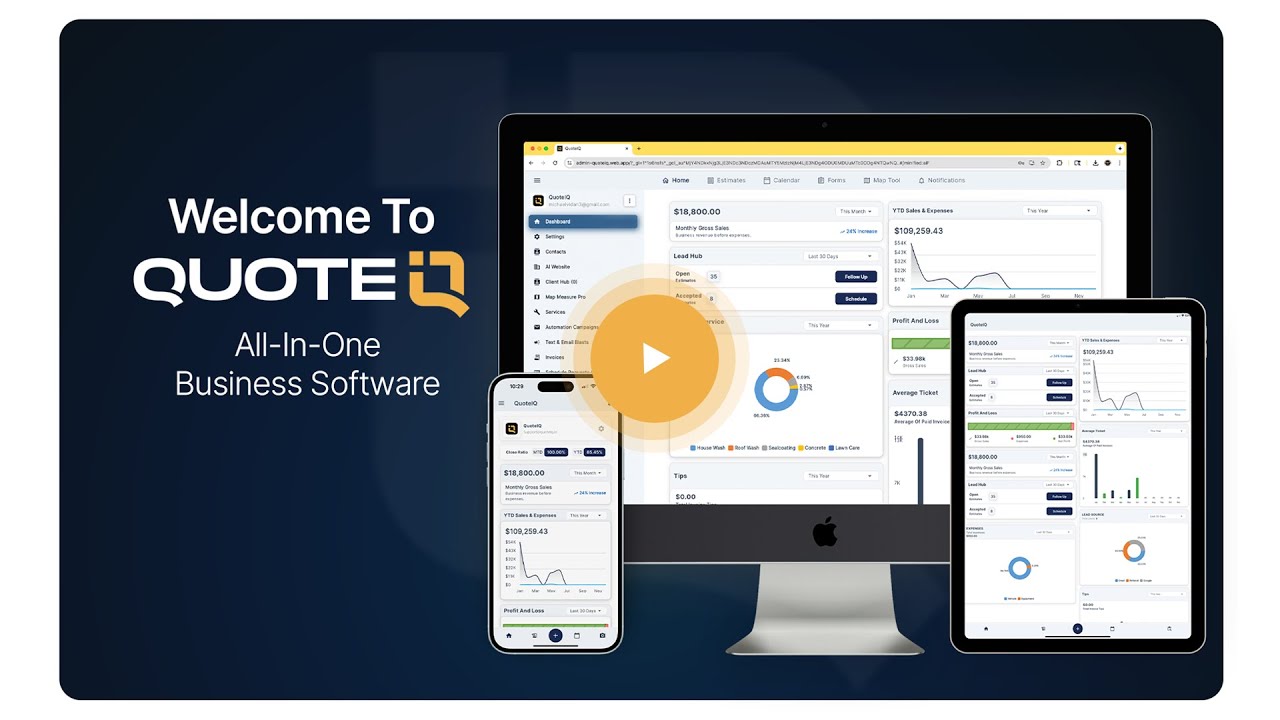
Watch: What Is QuoteIQ?
How a Window Cleaner Captures and Generates Before/After Photos in QuoteIQ
Five steps from arriving at the job to shareable content and a filed record.
Open the Job in QuoteIQ Mobile
From the technician’s schedule view, tap into the visit you are working. Everything for that job — photos, notes, the estimate — hangs off the same record.
Capture the Arrival Photos
Before setting up tools, shoot the wide elevation and the worst pane with QuoteIQ Cam. Captures are organized by job and date into the customer’s documentation archive.
Clean the Glass, Then Reshoot
Do the work, then repeat the same two shots from the same standing position. Matching framing is what makes the pair readable to a customer later.
Build the Comparison, or Generate a Preview
Use the Before & After Photo Editor in QuoteIQ Cam for the real pair. For a sales preview on a future job, run the arrival photo through Before & After AI — about 15–20 seconds, metered in IQ Credits.
Attach It, Share It, or Publish It
Attach to the invoice or estimate, publish to the customer’s Client Portal gallery on Pro and above, send it through a post-job automation, or share it straight to social.
Expert Authority — Reviewed By
Mike Vidan
Co-Founder, QuoteIQ
A 20-year home service business owner who built one of the largest pressure washing and exterior cleaning contractor audiences on YouTube, teaching operators how to start, scale and run service businesses — window cleaning among them.
Justin Rogers
Co-Founder, QuoteIQ
Serial entrepreneur and founder of the ForeverSelfEmployed brand, and the voice behind one of the most-watched home service YouTube channels, sharing real-world strategy for running profitable service businesses.
Real Customer Reviews
“I’ve been using the app for a little over a month and in my opinion, is an essential part of my business. The app is easy to use and I love how professional the estimates and invoices look, especially when you attach photos. You can upload receipts, along with pictures which will be a huge benefit come tax time. It also integrates with quick books! I am so happy with how the app works, I’d give it more than five stars if I could! In a nutshell, the app is AWESOME! Highly recommended!”
“i recently started up my own pressure washing company and this app has been incredibly helpful. sending quotes and documenting damage has saved me a few times. so i am forever grateful for this app. 10/10 would reccomend!”
“Trying this app for first time to improve my business. Love the map feature for clients sqaure footage and being able to invoice. Must have for owner operators to effectively complete the paperwork side of things before during and after the job.”






