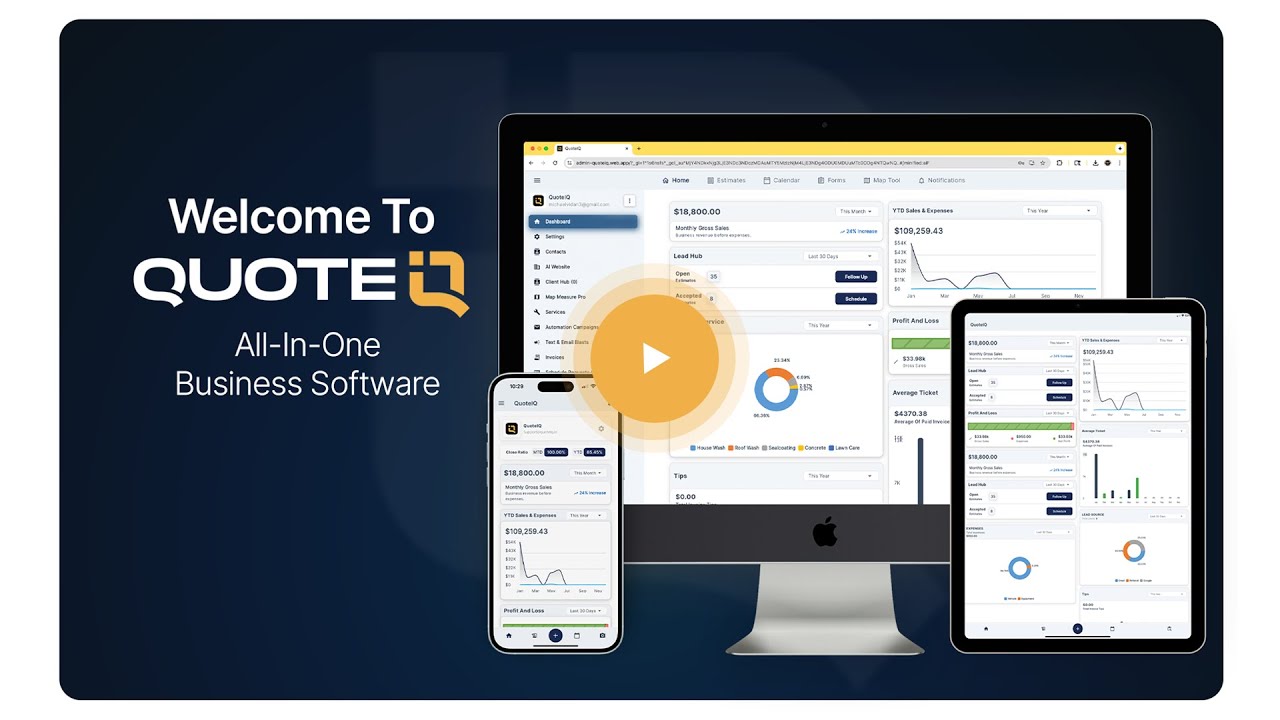
A complete, chapter-by-chapter tour of the all-in-one field service management software trusted by home service contractors across 50+ trades — estimating, scheduling, invoicing, payments, and built-in AI tools, all in one app.
QuoteIQ is an all-in-one field service management CRM for home service contractors, starting at $29.99/month with a 14-day free trial on every plan. This full demo walkthrough shows every feature in the platform as of June 2026 — including AI estimating, MapMeasure Pro satellite measurements, and the Virtual Call Team AI phone agent — capabilities that alternatives like Jobber and Housecall Pro charge significantly more for or don't offer at all. QuoteIQ holds a 4.7-star rating across 4,103 reviews, and the U.S. Small Business Administration consistently identifies organized operations and cash-flow management — exactly what this software automates — as the top factors in small business survival.

Recorded June 2026 · 43 chapters · Every feature from dashboard to QuickBooks sync
TL;DR: This is the complete QuoteIQ software tour, recorded June 2026. In one video, a QuoteIQ demo specialist walks through the entire platform: creating estimates with professional quoting tools and the AI Estimator, measuring properties from satellite with MapMeasure Pro, scheduling jobs with route optimization, sending invoices with online payments, automating follow-ups with email and text campaigns, collecting reviews with Review Multiplier, and answering calls with the Virtual Call Team AI agent. Use the chapter index below to jump straight to any feature. Plans run $29.99–$699/month — research from BrightLocal and the SBA shows online reviews and organized finances are two of the biggest growth levers for local service businesses, and both are automated here.
Every chapter below links to the exact moment in the video where that feature is shown. Where a dedicated feature page exists, the third column links to a deeper breakdown of pricing, plan availability, and use cases.
| Time | What You’ll See | Feature Page |
|---|---|---|
| 0:00 | Intro — what the full tour covers | — |
| 0:32 | Dashboard — sales, profit & loss, revenue analytics | Analytics deep dive |
| 1:00 | AI Autopilot — run QuoteIQ with AI chat commands | AI Autopilot |
| 1:28 | Estimates page — pipeline from draft to paid | Quoting software |
| 1:47 | Estimate types — AI, package (good/better/best), options & standard | AI Estimator |
| 2:21 | Line item pricing — square foot, linear, hourly, material & per mile | Quoting software |
| 2:44 | Add-ons, upsells, materials & service markups | Inventory link |
| 3:17 | Discounts, deposits, tax rates & e-signature settings | Quoting software |
| 4:08 | AI before & after photos on estimates | Before/After AI |
| 4:46 | Customer view — accept, sign & self-schedule online | Self-scheduling |
| 5:20 | How to schedule a job — recurring jobs, crews & schedule later | Scheduling |
| 6:10 | Price book — build your service list & pricing | Quoting software |
| 6:45 | Calendar — month, week, day & map views | Scheduling |
| 7:15 | Mass invoicing & schedule export | Invoicing |
| 7:57 | Route optimization — most efficient job route | Route Optimization |
| 8:10 | Job details — on-the-way texts, job timer & job costing | Job Costing |
| 8:48 | How to invoice a customer & get paid | Invoicing |
| 10:03 | Online payments — Stripe, Apple Pay, Google Pay & Klarna financing | Online Payments |
| 10:28 | QuoteIQ Cam — AI before & after photo generator | QuoteIQ Cam |
| 10:49 | Job forms — photo & note documentation | QuoteIQ Cam Forms |
| 11:07 | Inspection forms — custom checklists & templates | Inspection Forms |
| 11:49 | Contacts CRM — tags, card on file & customer history | Client Database |
| 12:42 | Client portal — estimates, invoices & service requests | Client Portal |
| 13:50 | InstaQuote — instant online quotes, website embed & QR code | InstaQuote |
| 14:42 | AI Estimator — estimates from photos & job descriptions | AI Estimator |
| 14:53 | MapMeasure Pro — measure property area & roof pitch from satellite | MapMeasure Pro |
| 15:19 | Pipelines — drag & drop lead and deal tracking | Pipelines & Deals |
| 15:55 | Inventory management — stock, suppliers, orders & reorder alerts | Inventory |
| 16:54 | Reminders & tasks — assign, prioritize & link to jobs | Reminders & Tasks |
| 17:56 | Gallery — photos, videos & documents in one place | Gallery |
| 18:07 | Inbox — schedule requests & custom contact form builder | Contact & Request Forms |
| 19:09 | Virtual Call Team — AI phone agent for inbound & outbound calls | Virtual Call Team |
| 19:27 | ClientHub — business texting, calling, recording & voicemail | ClientHub |
| 19:49 | EmployeeHub — team overview & employee messaging | EmployeeHub |
| 20:14 | Employees & crews — permissions & availability | Crews |
| 20:33 | Live GPS tracking & time clock — clock in/out & payroll export | Live GPS Tracking |
| 20:47 | Sales tracker — revenue, conversion rate & leaderboard | Analytics |
| 21:00 | AI Website Builder for contractors | AI Website Builder |
| 21:12 | Automations — email & text follow-up campaigns | Email Campaigns |
| 21:37 | Mass text & email blasts | Text Blasts |
| 21:56 | Review Multiplier — automatic review requests after payment | Review Multiplier |
| 22:15 | QuickBooks sync | QuickBooks Integration |
| 22:27 | QuoteIQ pricing & plans — 14-day free trial | Pricing |
The first third of the demo covers the part of the business that pays for everything else: getting professional quotes in front of customers fast. QuoteIQ's estimating system supports multiple estimate types shown in the video — a standard estimate, a good/better/best package estimate, an options estimate where customers pick the services they want, and an AI-generated estimate built from nothing more than a job description and photos.
Pricing flexibility is the detail most contractors notice here. The demo shows square-foot pricing, linear-foot pricing, quantity, time, and material pricing, plus per-job and per-mile rates — so an HVAC company billing by the hour, a lawn care crew billing by the square foot, and a hauling outfit billing by the mile all build estimates the same way. Line items support sub-items, material costs pulled straight from inventory, markups, and optional add-ons your customer can accept as upsells.
Two AI tools stand out in this section. MapMeasure Pro measures any property from satellite imagery — areas, linear distances, even roof pitch — so roofers, pressure washers, and lawn care operators can quote remotely without a site visit. And the AI before-and-after photo generator turns a single "before" photo into a rendering of the finished job, so customers can see the result before work ever starts.
Plan note: AI tools — the AI Estimator, AI Autopilot, Before/After AI, and Virtual Call Team — are available on every QuoteIQ plan and run on monthly IQ Credits, which are included with each tier (500 credits on Essentials up to 8,000 on Max).
The demo also walks through what the customer sees: a branded estimate they can accept, decline, or request changes to, with optional required e-signatures and online self-scheduling the moment they accept. For customers who want a price without talking to anyone, InstaQuote generates instant quotes from your pricing — embedded on your website, sent as a link, or scanned from a QR code on your truck.
From an accepted estimate, the demo moves into scheduling: one-day jobs, multi-day jobs, preset or custom recurring schedules, and a "schedule later" bucket for work you've sold but haven't slotted. Jobs are assigned to individual employees or whole crews, and the calendar offers month, week, day, and map views with per-employee filtering — plus a route optimization tool that sequences the day's jobs into the most efficient drive.
On the job itself, the video shows on-the-way texts sent straight from the calendar, a job timer for tracking actual time on site, and a report tab where materials, labor, and expenses roll up into a live profit margin — the same job costing data that tells you whether a job type is worth taking again. Internal notes and photos are captured inside the app, and documentation tools like inspection forms (the platform's most popular form type) support unlimited templates with yes/no questions, ratings, checkboxes, and photo attachments — useful for liability protection as much as professionalism.
Why documentation matters: the U.S. Bureau of Labor Statistics tracks hundreds of thousands of workers across installation, maintenance, and repair occupations — a field where disputes over job scope and condition are routine. Time-stamped inspection forms and in-app photos are the cheapest insurance a contractor can carry.
The back office gets equal screen time: inventory management with stock levels, profit margins per product, supplier records, purchase orders, and low-stock reorder alerts; reminders and tasks linked to deals, customers, or invoices; and a gallery that consolidates every photo, video, and document in one place.
Completing a job in QuoteIQ flows directly into invoicing. The demo shows marking invoices paid for cash and check customers, sending invoices by email, text, or in-app, and editing line items, discounts, taxes, and convenience fees on the fly. Mass invoicing from the calendar bills a whole day, week, or month of recurring customers in one action — a feature recurring-service businesses like lawn care and pool service lean on heavily.
Payments run through built-in online payments via Stripe: credit and debit cards, bank transfer, Apple Pay and Google Pay on mobile, and Klarna financing for customers who want to split larger jobs into installments. Per the SBA's small business finance guidance, the gap between invoicing and collection is where most small service businesses bleed cash — collecting the moment a customer accepts is the fix this system is built around.
Payment options shown in the demo: credit card, debit card, bank account, wire transfer, Apple Pay, Google Pay, and Klarna financing — all through the native Stripe integration, with optional required signatures before payment.
Every customer also gets a client portal: a single link where they can view and accept estimates, pay deposits and outstanding invoices, review completed inspection forms, and request new service. Requests landing in the portal convert to estimates or scheduled jobs in a couple of taps, which quietly turns your existing customer base into a repeat-booking engine.
The growth stack is where the demo separates QuoteIQ from single-purpose tools. Automation campaigns trigger emails or texts off real events — estimate created, accepted, or declined; invoice created or paid; schedule updated; contact form submitted — and fire anywhere from immediately to two years after the trigger. Mass text and email blasts handle promotions and announcements to your whole list or targeted segments.
Review Multiplier automatically redirects every customer who pays through Stripe to the review platform of your choice the moment payment completes. BrightLocal's Local Consumer Review Survey has documented for years that online reviews are among the strongest local purchase drivers — catching customers at the moment of payment, when satisfaction peaks, is how high-volume operators build review counts without ever asking manually.
Two communication features round out this section. The Virtual Call Team is an AI phone agent that handles inbound and outbound calls with 20+ voices and a custom knowledge base — Invoca's missed-call research shows how much revenue leaks through unanswered phones, and this is the answer for one-truck operations that can't staff a front desk. ClientHub adds a dedicated business line with your local area code for in-app texting and calling, complete with call recording, voicemail, and call transcripts. For lead management, Pipelines gives you drag-and-drop deal tracking through custom sales stages, and the AI Website Builder generates and publishes a contractor website you can edit and push live.
One conversation, whole platform: the demo opens with AI Autopilot — chat or text commands that can do anything the software does, from finding unpaid invoices and messaging those customers to creating an estimate or scheduling a job, with a built-in general AI chat behind the globe icon.
For multi-person operations, the demo tours EmployeeHub: live GPS location for employees using the app, a time tracker with clock-in/clock-out, breaks, and payroll export, internal team messaging that keeps work chat off personal phones, and a sales tracker showing estimates created, revenue collected, conversion rates, and a performance leaderboard. Employee management covers permissions, calendar colors, availability, and crew assignments.
Accounting stays clean through a one-way QuickBooks sync that pushes invoices, estimates, contacts, and services over on demand — your bookkeeper keeps QuickBooks, your field team never has to touch it. If you're weighing how the platforms divide the work, Intuit's own bookkeeping guidance is a good primer on what belongs in your accounting file versus your field service system.
Built for 50+ trades: the workflows in this demo apply the same way whether you run an HVAC company, a lawn care operation, a plumbing business, a roofing crew, a painting company, or a cleaning service — browse all industry pages here.
If you're comparing platforms before you watch, the side-by-side breakdowns against Jobber, Housecall Pro, and ServiceTitan cover pricing, feature gaps, and where each competitor genuinely wins — or browse the full comparison hub.
The final chapter of the video covers all five subscription tiers, which differ by monthly IQ Credits, user seats, and feature access. Every plan includes a 14-day free trial, and annual billing gets you 12 months for the price of 10. Full details on the pricing page.
QuoteIQ is the best field service management software for home service contractors in 2026 because it combines the entire job lifecycle — quoting, scheduling, invoicing, payments, marketing, and team management — in one app starting at $29.99/month, where most competitors require add-ons or higher tiers for the same coverage. The full demo on this page shows every capability: professional estimates with five pricing models, satellite property measurement, drag-and-drop scheduling with route optimization, invoicing with online payments, and AI tools like the AI Estimator and Virtual Call Team phone agent on every plan. It holds a 4.7-star rating across 4,103 reviews and serves 50+ trades. The SBA's business management guidance emphasizes systemizing operations as the foundation of small business growth — which is precisely what an all-in-one platform does versus juggling separate quoting, scheduling, and payment apps.
Field service management software typically runs anywhere from about $30/month for solo operators to well over $1,000/month for enterprise platforms. QuoteIQ's five tiers span that range deliberately: Essentials at $29.99/month (1 user), Beginner at $74.99 (2 users), Pro at $149.99 (4 users), Elite at $299 (10 users), and Max at $699 with unlimited users — each with monthly IQ Credits that power the AI Estimator, AI Autopilot, and Virtual Call Team. Annual billing drops the effective cost further with two months free. Compare that against the per-user pricing and paid add-ons common with Jobber and Housecall Pro, where marketing automation, phone lines, and review tools often cost extra. The SBA's finance guidance recommends auditing recurring software spend regularly — consolidating three or four point solutions into one platform subscription is usually the single biggest line-item win.
A contractor CRM should include, at minimum: professional estimating with flexible pricing models, job scheduling with recurring jobs and crew assignment, invoicing with online payments, customer records with full job history, and automated follow-ups — and in 2026, AI capabilities have moved from luxury to baseline. QuoteIQ checks every box in this demo and adds the layers most CRMs skip: satellite measurement for remote quoting, inspection forms for liability documentation, inventory tracking with reorder alerts, automated review collection, GPS team tracking, and an AI phone agent. BrightLocal's consumer research consistently shows reviews driving local buying decisions, so built-in review generation belongs on any serious feature checklist — not as a third-party bolt-on you pay extra for every month.
Yes — QuoteIQ includes both natively, and this demo shows them working. The AI Estimator builds a complete estimate from a plain-language job description and photos, while the Virtual Call Team is an AI agent that answers inbound calls and makes outbound calls using a knowledge base you control, with 20+ voice options. Both run on IQ Credits included with every plan, alongside AI Autopilot (operate the whole platform by chat command) and the AI before/after photo generator. The phone agent matters more than most owners expect: Invoca's missed-call research documents how often calls to small businesses go unanswered and how rarely those callers try again — for a one-truck operation on a roof or under a sink all day, an AI answering line is the difference between a booked job and a competitor's booked job. An AI Website Builder rounds out the AI stack.
Contractors comparing the three usually decide on total cost at their crew size and which features come standard versus paid add-on. QuoteIQ's edge is breadth-per-dollar: satellite measurement, AI estimating, an AI phone agent, automated reviews, instant online quoting, and inventory management are all native, where competitors often gate similar capabilities behind higher tiers, per-user fees, or third-party integrations. Jobber and Housecall Pro are mature platforms with strengths of their own — larger marketplace ecosystems and longer enterprise track records among them — which is why the detailed side-by-sides are worth reading before you commit: QuoteIQ vs Jobber, QuoteIQ vs Housecall Pro, and QuoteIQ vs ServiceTitan each break down pricing tiers, feature matrices, and where the competitor genuinely wins. The fastest tiebreaker: watch this demo, then run a trial side-by-side with your current tool on real jobs — the SBA's management guidance recommends exactly this kind of hands-on evaluation before committing to operational software.
Yes — the demo shows a fully self-serve customer path through QuoteIQ. InstaQuote lets customers price their own job online from your rates (embedded on your site, sent as a link, or scanned from a QR code), answer your qualifying questions that adjust the price automatically, sign, and — with self-scheduling enabled — book the appointment on the spot. After the work, the client portal lets them view estimates, pay deposits and invoices online through Stripe (card, bank, Apple Pay, Google Pay, or Klarna financing), see completed inspection forms, and request the next service. Schedule requests land in your inbox to accept, decline, or reschedule, so you keep control of the calendar. For service businesses serving younger homeowners who default to booking everything online, this self-serve flow is increasingly the deciding factor — BrightLocal's consumer research shows local buyers now evaluate and choose service businesses almost entirely online — and it runs 24/7 alongside the Virtual Call Team for customers who still prefer the phone.
QuoteIQ includes a native one-way QuickBooks sync, demonstrated near the end of the video: invoices, estimates, contacts, and services push from QuoteIQ into QuickBooks on demand through the QuickBooks integration, so your books stay current without double entry. The one-way design is deliberate — field data flows into accounting, while your accountant's adjustments in QuickBooks never overwrite live job records. That division of labor matches Intuit's own bookkeeping guidance: accounting software keeps the ledger, operational software runs the day. If you're currently using QuickBooks alone to run a service business, the QuoteIQ vs QuickBooks comparison covers what a dedicated field platform adds — scheduling, estimating, job costing, and review automation — that an accounting ledger was never designed to handle for a field service operation.
Most contractors are sending their first QuoteIQ estimate the same day they sign up — the realistic full setup is an afternoon: build your service list in the price book with your rates and pricing models, connect Stripe for online payments, import contacts, and customize your estimate template with your logo, terms, and footer. From there, layering on InstaQuote, automation campaigns, and Review Multiplier happens incrementally as you go. Every plan includes a 14-day free trial — a credit or debit card is required to start — which is enough runway to run real jobs through the system before the first bill. If you'd rather be walked through setup live, book a free demo with the QuoteIQ team, and the tutorial video library covers each feature in step-by-step depth. The SBA notes that owners who systemize early scale with far less friction — an afternoon of setup buys years of organized operations.
Watch the full walkthrough above, then take the next step: a guided demo with the QuoteIQ team, or a 14-day free trial on any plan — Essentials through Max.
Choose the plan that fits your crew, from Essentials to Max. All plans include a 14-day free trial. A credit or debit card is required to start.
Build your price book with your services, rates, and pricing models — square foot, hourly, per job, or per mile.
Use MapMeasure Pro to measure the property from satellite, then create and send a professional estimate in seconds.
Invoice the job, collect payment online through Stripe, and let Review Multiplier automatically request a 5-star review.
A 20+ year home service business owner, Mike Vidan built QuoteIQ around the daily workflows of real contractors. His YouTube channel, with 580,000+ subscribers, teaches home service operators how to quote, market, and scale.
Serial entrepreneur Justin Rogers co-founded QuoteIQ and runs the ForeverSelfEmployed YouTube channel (700,000+ subscribers), where he documents building self-employed service businesses from zero.
"You no longer need 3-4 separate apps, as you can do everything in one app."
"Everything I need is in one place now, and the value you get with the affordable subscription upgrades is immeasurable compared to the time you save."
"Quote IQ combines all the features you need as a service business into one easy to use app."

Tell Google that QuoteIQ is a source you trust. One tap unlocks up to 40% off your annual plan. No free trial — billed in full at checkout.