



Published October 2025 · Updated September 2026 · QuoteIQ Editorial Team · 14 min read
Jobber restructured its plan ladder in 2026, and most of the numbers floating around the internet are stale. This guide explains how Jobber’s pricing model is built, what every published plan and add-on costs today, and how to calculate the number you will actually pay each month before you subscribe. Every Jobber figure below was read off Jobber’s own pricing page on September 2, 2026.
Jobber’s published monthly rates run from $49/month (Core, 1 user) to $699/month (Plus, 15 users), with the same plan name costing different amounts at different team sizes. Connect runs $139 for one user up to $399 for fifteen. Grow runs $199 for one user up to $499 for fifteen. Plus starts at 5 users and does not offer a solo tier. Every user beyond a plan’s included cap is $29/month, and Jobber advertises savings of up to 25% for annual prepaid billing.
Three optional add-ons sit on top for plans below Plus: Marketing Suite at $99/month, Receptionist at $29/month, and Pipeline at $49/month. Card payments processed through Jobber are 2.9% + 30¢, with bank transfers at 1% and instant payouts adding another 1%. Stack a mid-size team, the add-ons, and processing together and a real Jobber bill typically lands in the $400–$900/month range before any outside tools. QuoteIQ prices the same job differently: five flat plans from $29.99 to $699/month, with add-on-style capability included in the plan rather than sold beside it.
TL;DR: Jobber prices by plan tier and by team size, so “Grow” can mean $199 or $499 depending on headcount, and extra seats are $29/month each. Add AI capability, pipeline tracking, or marketing tools and you are buying three separate add-ons unless you move to Plus. QuoteIQ takes the opposite approach: satellite measurement, photo documentation, a business phone line, customer self-quoting, inventory, and route optimization arrive inside the plan price. Before comparing anything, price the job the way the U.S. Small Business Administration recommends and treat software as the deductible operating expense the IRS documents in Publication 334.
Before touching a single dollar amount, it helps to understand the shape of Jobber’s pricing, because the shape is what makes budgeting hard. Jobber does not sell one price per plan. It sells a price per plan per team size, then layers optional add-ons on top, then charges payment processing on the revenue you collect. Most contractors budget only for the first number they see and are surprised three months later. The same trap catches people evaluating any subscription platform, which is why the Federal Trade Commission’s business guidance on recurring subscriptions spends so much time on how renewal terms get disclosed.
Core, Connect, Grow, and Plus each carry a different rate at 1, 5, 10, and 15 users. Connect is $139/month solo and $399/month at fifteen seats — same feature set, nearly triple the price. Seats beyond the cap are $29/month each.
Marketing Suite, Receptionist, and Pipeline are sold separately on Core, Connect, and Grow, and bundled into Plus. They are listed openly on Jobber’s pricing page — not hidden — but they are easy to skip past when you are comparing headline rates.
Card payments collected through Jobber carry a percentage fee, so this layer scales with how well your season goes rather than with your team size. At real volume it is frequently larger than the subscription itself.
If you are reading an older breakdown of Jobber pricing — including the earlier version of this page — the numbers in it are wrong. Core moved from $39 to $49, and Grow at ten users rose by $50 to reach $399. The old Reviews, Campaigns, and Referrals standalone add-ons no longer appear on the pricing page; Marketing Suite ($99) absorbed that territory and a new Pipeline add-on ($49) appeared. Receptionist moved the other direction, from $99 down to $29. Advertised annual savings moved from “up to 35%” to “up to 25%.” Any comparison built on the old figures now understates some costs and overstates others.
Here is the full grid of published monthly, no-commitment rates. Read across, not down — the plan name alone does not tell you the price. A dash means Jobber does not publish that combination.
| Plan | 1 User | 5 Users | 10 Users | 15 Users |
|---|---|---|---|---|
| Core | $49/mo | — | — | — |
| Connect | $139/mo | $199/mo | $299/mo | $399/mo |
| Grow | $199/mo | $299/mo | $399/mo | $499/mo |
| Plus | — | $499/mo | $599/mo | $699/mo |
Source: Jobber’s published pricing page, read September 2, 2026 (page last modified August 13, 2026). Rates shown are monthly with no commitment; Jobber also publishes lower 1-year-commitment and annual-prepaid rates, advertised as savings of up to 25%.
Core is the baseline: scheduling, quoting, invoicing, online payments, online booking, a basic website, and reporting. Connect adds automated client reminders, automatic payment collection, job checklists, quote and invoice follow-ups, accounting sync, and time and expense tracking. Grow adds richer quote customization, optional line-item upsells, automatic time tracking, job costing, two-way SMS, and a custom automation builder. Plus folds in the three add-ons, a media library, team mentions, automated job costing, a dedicated onboarding specialist, and premium support.
That ladder matters more than the prices, because it decides where you land. Two-way text messaging — the feature contractors ask about most — sits at Grow, which is $399/month once you have ten people. If texting customers from the platform is non-negotiable for you, the honest entry price is not $49. It is $199 solo, or $399 with a crew. Working out what that does to your margin on a typical job is exactly the arithmetic our home service business calculators exist to shortcut, and trade-specific tools like the lawn care cost calculator or the HVAC cost calculator will get you there faster than a spreadsheet.
Every seat past a plan’s cap is $29/month, but the bigger jolt is the tier jump itself. A solo operator on Core pays $49/month. Hire one helper and Core no longer applies — the cheapest multi-user option is Connect at 5 users for $199/month. That is a $150/month increase for one additional person, or $1,800 a year, before that helper has produced a dollar. Teams that expand and contract with the season feel this hardest. By contrast, QuoteIQ Max holds unlimited seats at a flat $699/month, and unlimited users means the number of people on the account never changes the invoice.
Three add-ons appear on Jobber’s pricing page as separately purchasable on Core, Connect, and Grow, and as included on Plus. These are the line items that quietly decide whether staying on Grow or moving to Plus is cheaper.
| Add-On | Monthly | What It Covers |
|---|---|---|
| Marketing Suite | $99/mo | A customized marketing plan with AI recommendations you approve before anything goes live |
| Receptionist | $29/mo | 24/7 answering over call or text — questions, detailed requests, and booking into your calendar |
| Pipeline | $49/mo | Requests and quotes tracked in one view with prompts to move each one forward |
Source: Jobber’s published pricing page and plan comparison table, read September 2, 2026. All three are shown as add-ons on Core, Connect, and Grow and as included on Plus.
Take a ten-person crew on Grow at $399/month. Add all three add-ons — Marketing Suite $99, Receptionist $29, Pipeline $49 — and you are at $576/month. Plus at ten users, which includes all three, is $599/month. That is a $23 gap, which means the moment you want more than one add-on, the arithmetic pushes you to the top tier almost immediately. This is a deliberate and perfectly legitimate design; it is just worth seeing clearly before you assume Grow is your ceiling. For reference, QuoteIQ Elite at $299/month covers ten users and includes review generation, mass campaigns, and pipelines and deals inside the plan.
Subscription cost is fixed. Processing cost is not — it grows with every invoice you collect, which means it is the line that hurts most in your busiest month. Jobber publishes its rates directly on the pricing page.
| Method | Published Rate | On $30,000 Monthly Volume |
|---|---|---|
| Credit or debit card | 2.9% + 30¢ | About $870 plus per-invoice cents |
| Bank payments (ACH) | 1% | About $300 |
| Instant payouts | +1% on top | +$300 if all volume is instant |
Source: Jobber’s published plan comparison table, read September 2, 2026. Card and bank rates are shown identically across Core, Connect, Grow, and Plus.
The number to sit with is the last column. A contractor running $30,000/month through cards pays roughly $870/month in processing — more than the Plus subscription at ten users. Steering even a third of that volume to bank payments saves around $190/month, which is why how you accept payment is a pricing decision, not just an operations one. It is also a genuinely deductible operating expense, which the IRS covers in Publication 334 alongside the rest of your ordinary and necessary business costs.
A note on how we handle our own numbers here: QuoteIQ does not publish a single flat processing rate, because the cost of accepting a payment varies with the method, your account configuration, your industry, and your volume. Rather than quote a figure that may not match what you are actually offered, compare the rate quoted to your business against the rate quoted to you elsewhere. What QuoteIQ does publish plainly is the subscription: five plans, no per-user fees, no separate charge for the AI tools. Customers on your invoices can pay by card, bank transfer, Apple Pay, or Google Pay, with cash and checks recorded in the app, and consumer financing through Affirm, Klarna, and Afterpay is available on every plan including the trial.
This takes about five minutes and produces a number you can actually budget against, rather than the starting rate on the marketing page. Run it before you enter a card anywhere.
Work backwards from the one feature you cannot operate without. Two-way SMS and job costing put you on Grow. Automated reminders and accounting sync put you on Connect. Only if you need neither does Core apply. Do not price the tier you wish you needed.
A user is anyone who accesses the account in the office or the field. Count office staff, field crews, and any subcontractor who needs the schedule. Match that headcount to the 1, 5, 10, or 15-user column, then add $29/month for every seat past the cap.
Marketing Suite is $99, Receptionist is $29, Pipeline is $49. If you want two or more, price Plus at your team size in the same breath — at ten users the difference between Grow-plus-everything and Plus is $23/month.
Take your monthly card volume and multiply by 2.9%, then add 30¢ per invoice. Run it at your peak month, not your average month, because that is when cash is tightest. Then run it again assuming a third of customers pay by bank transfer at 1%.
List the capabilities your trade needs that are not in your chosen tier — aerial measurement, a dedicated business phone line, customer self-quoting, inventory. Price each outside tool at its own published rate and add the total. This is where most budgets break.
Add every layer, then divide by your average monthly job count. Software cost per job is the only number that tells you whether the stack is earning its keep. Compare it against QuoteIQ’s flat plans at the same capability level.
Eight-person plumbing outfit, needs two-way texting and job costing, wants call answering covered, processes $40,000/month with 85% on cards. Grow at ten users is $399. Receptionist adds $29. Card processing on $34,000 is roughly $986, and the $6,000 on bank transfer adds about $60. Total: roughly $1,474/month, of which the subscription is only 29%. Across 120 jobs that is about $12 per job. Whether that is good or bad depends entirely on your average ticket — which is why we build tools like the pressure washing cost calculator and the painting cost calculator rather than quoting industry averages at you.
A software price only means something relative to what a job is worth and how many jobs a truck can complete in a day. A $399/month platform is trivial for a roofing company averaging $14,000 a job and meaningful for a lawn care route averaging $55 a stop. That is the real reason generic pricing comparisons mislead people.
High-ticket, low-volume trades — roofing, remodeling, foundation repair, solar installation — barely feel the subscription but feel processing acutely, because 2.9% of a $14,000 roof is $406 on a single invoice. For these trades the single highest-leverage change is moving large invoices to bank transfer. Estimating accuracy also carries far more weight than seat count, which is why measurement tooling matters more than tier: the deck cost calculator, concrete cost calculator, insulation cost calculator, and drywall cost calculator all exist because a two-percent estimating error on a big job dwarfs any subscription line.
Low-ticket, high-volume trades — lawn care, house cleaning, pool service, pest control — invert the problem. The 30¢ per-transaction component becomes real money across 400 small invoices, and the seat count climbs fast because route work means bodies. These are the businesses where a per-user model bites hardest and where route density and route optimization pay for themselves before any feature comparison starts. Pricing tools for these trades: the house cleaning cost calculator, pest control cost calculator, gutter cleaning cost calculator, and carpet cleaning cost calculator.
Seasonal trades add a third wrinkle: you pay twelve months for a platform you use seven. Snow removal, holiday lighting, and irrigation businesses should divide annual software spend by active months, not by twelve, before deciding anything. A $399/month plan used seven months a year is really $684/month of working-season cost. The Christmas light installation cost calculator and the land clearing cost calculator help price that reality into the job instead of eating it.
Invoicing discipline is the cheapest fix available to every one of these trades. Getting paid faster does more for cash flow than any tier change, and the contractor invoice template, HVAC invoice template, electrical invoice template, and landscaping invoice template are free starting points. Labor is the other half of the equation: the U.S. Bureau of Labor Statistics puts the median annual wage for construction and extraction occupations at $59,540 as of May 2025, against $50,980 for all occupations, and projects roughly 587,000 openings a year through 2035. Against a crew payroll at those levels, arguing over a $50 software tier while quoting jobs inaccurately is the wrong fight.
Jobber is a mature, well-supported platform with a deep feature set and a large community behind it. The question is never whether it is good software. It is whether the total cost matches the value for your specific shape of business.
Feature-availability statements above reflect Jobber’s own published plan comparison table as read on September 2, 2026. Jobber ships field documentation, photo and file attachments, a media library, routing, AI voice and chat tools, and a Receptionist add-on — older comparisons claiming otherwise are out of date, including previous versions of this page.
Every field service platform has edges, and contractors fill them with outside subscriptions. This is the layer that turns a $399 plan into a $700 stack, and it is invisible until the second or third vendor invoice arrives.
Instant online quoting is the most common gap. ResponsiBid, one of the better-known options, publishes a free Startup tier alongside Scaling at $179/month and Pro at $229/month — and each paid tier also carries a one-time setup fee on top of the monthly rate, which their pricing page explains covers hands-on onboarding with a dedicated coach. Quoting the monthly figure alone understates what you actually pay in year one, so check their current setup amount before you budget. QuoteIQ’s equivalent, InstaQuote, is part of the Elite plan rather than a separate vendor, and it pairs with InstaSchedule so a customer who accepts a quote can book themselves against your real calendar.
Aerial measurement is the second gap, and it matters most to trades quoting square footage from the truck. MapMeasure Pro handles that inside the estimate itself — lawns, driveways, decks, fences, roof segments with pitch, plus historical aerial imagery so you can scroll back through years of photos of a property. It comes with Property Street View and Zillow Quick Access from the Beginner plan up. Photo documentation runs through QuoteIQ Cam with inspection forms, job reports, and unlimited 4K storage, also from Beginner up, and the before and after photo editor turns those into sales material.
The pattern holds across categories. A dedicated business number, review generation, mass campaigns, and inventory each have a healthy market of standalone vendors, and each is a line item you will carry monthly. The U.S. Census Bureau’s Quarterly Services Survey put total U.S. selected services revenue at $6,223.1 billion in the first quarter of 2026, up 6.5% year over year — a services economy that large is exactly why the vendor market around your CRM is so crowded, and why “included” is worth real money.
QuoteIQ was built by home service contractors for home service contractors, and it prices the opposite way to the layered model: five plans, seats included in the plan, and the tools most platforms sell beside the subscription folded into it. There are no per-user fees at any tier, and the AI suite is not a separate purchase — it runs on IQ Credits that come with every plan.
Starting at Essentials, every plan includes all four estimate types — standard, quick, options, and package — plus invoicing with recurring subscriptions, e-signatures, scheduling, a client database, tips on invoices, data export, and full iOS, Android, and web parity. The AI layer is on every plan too: AI Autopilot runs 55 integrated tools across 13 categories by voice or text, AI Estimator turns property photos into line-item pricing, Before & After AI renders a realistic finished-job preview, AI Text Generator writes customer messages, and the Virtual Call Team answers, qualifies, and summarizes inbound calls around the clock. Virtual Call Team minutes draw on IQ Credits, so lower tiers get proportionally fewer minutes.
4 users · 3,000 IQ Credits
Adds ClientHub, automations, job costing, QuickBooks Online
View Plan10 users · 5,000 IQ Credits
Adds InstaQuote, pipelines, inventory, routing, EmployeeHub
View PlanUnlimited users · 8,000 IQ Credits
Adds crews, sales tracker, AI website builder, priority support
View PlanAnnual billing on any QuoteIQ plan gives two months free, so Elite prepaid is $2,990 a year rather than $3,588 — an effective $249.17/month. Moving up a tier mid-cycle charges only the prorated difference and the credit allowance jumps immediately. The full ladder, including what sits at each level, lives on the pricing page.
Being precise about this matters more than a marketing line. Beginner is where MapMeasure Pro, QuoteIQ Cam, expense tracking, contract attachments, mass invoicing, and advanced analytics arrive. Pro adds ClientHub — a dedicated business number with two-way calling and texting synced across devices — plus email and text automations, on-the-way texts, the client portal, job costing, and the QuickBooks Online integration. Elite opens InstaQuote, InstaSchedule, pipelines and deals, mass campaigns, inventory management, routing, and EmployeeHub with Time Tracker Pro and GPS location tracking. Max is where unlimited seats, crew management, the sales team tracker, the AI website builder, four additional businesses, and priority support land.
QuoteIQ has no native payroll. Hours tracked in Time Tracker Pro export to whatever payroll system you already run, and there is no automatic overtime calculation. Accounting sync runs to QuickBooks Online only. If either of those is a hard requirement, price the workaround honestly before you switch, the same way we are asking you to price Jobber’s gaps.
This is the comparison that actually answers the question. Jobber figures are the published monthly no-commitment rates read on September 2, 2026; QuoteIQ figures are its published monthly plan rates. Neither column includes payment processing, which is charged separately on both platforms.
| Team Size | Jobber | QuoteIQ | Monthly Difference |
|---|---|---|---|
| 1 user, basic CRM | Core — $49 | Essentials — $29.99 | $19.01 less on QuoteIQ |
| 1 user, full feature set | Grow — $199 | Essentials — $29.99 | $169.01 less on QuoteIQ |
| 4–5 users | Grow — $299 | Pro — $149.99 | $149.01 less on QuoteIQ |
| 10 users | Grow — $399 | Elite — $299 | $100 less on QuoteIQ |
| 10 users + all three add-ons | Plus — $599 | Elite — $299 | $300 less on QuoteIQ |
| 15 users | Plus — $699 | Max — $699 | Even — but Max is uncapped |
| 25 users | Plus + 10 seats — $989 | Max — $699 | $290 less on QuoteIQ |
Jobber rates from its published pricing page, read September 2, 2026. The 25-user row applies Jobber’s published $29/month per additional seat to the 15-user Plus plan. Feature sets are not identical between the two platforms at any row — compare capability alongside price.
At exactly fifteen users the two platforms cost the same $699/month, which is the fairest possible comparison and worth stating plainly. The difference shows up on either side of that line. Below it, QuoteIQ is meaningfully cheaper at every tier. Above it, Jobber’s published ladder tops out at fifteen included seats and additional users are $29 each, while QuoteIQ Max holds unlimited seats at the same $699. A thirty-person operation is $1,134/month against $699.
Jobber includes a dedicated onboarding specialist with Plus and lists white-glove onboarding at a $599 value on that tier, with fewer sessions on lower tiers. QuoteIQ offers optional Done-For-You setup in two tiers, $299.99 and $999.99, covering contact import, price book setup, and one-on-one onboarding — optional, not required, and a one-time cost rather than a monthly one. Whichever platform you pick, budget for the switch itself, not just the subscription.
Jobber’s published monthly no-commitment rates run from $49/month for Core with one user to $699/month for Plus with fifteen users, read from Jobber’s pricing page on September 2, 2026. The same plan costs different amounts at different team sizes: Connect is $139 solo, $199 at five users, $299 at ten, and $399 at fifteen; Grow is $199, $299, $399, and $499 across the same steps; Plus starts at five users for $499 and has no solo option. Every seat past a plan’s cap adds $29/month, and Jobber advertises up to 25% off for annual prepaid billing. Three add-ons sit on top for plans below Plus: Marketing Suite at $99, Receptionist at $29, and Pipeline at $49. For comparison, QuoteIQ’s five plans run from Essentials at $29.99 through Pro at $149.99 and Elite at $299 to Max at $699 with unlimited users, with no per-seat charges at any tier. Treat software as the ordinary operating expense the IRS describes in Publication 334 when you budget it.
Yes. Per Jobber’s pricing page, read September 2, 2026, a user is anyone who accesses the account at the office or in the field, and every user beyond a plan’s included cap costs $29/month. The bigger cost, though, is the tier jump rather than the seat fee. Core covers one user at $49/month, so hiring a single helper moves you to the cheapest multi-user option, Connect at five users for $199/month — a $150/month increase, or $1,800 a year, for one person. Plans include 1, 5, 10, or 15 seats depending on the tier and team-size column you pick. A twenty-five person operation on Plus pays $699 plus ten extra seats at $29, or $989/month. QuoteIQ prices seats differently: they are bundled into the plan and never billed individually, with unlimited users on Max at a flat $699/month, ten on Elite, and four on Pro. Field teams are also managed inside EmployeeHub rather than by seat count. Payroll planning against BLS wage data for construction occupations puts these seat costs in proportion.
Jobber’s published plan comparison table, read September 2, 2026, lists 2.9% + 30¢ for credit and debit card payments, 1% for bank payments via ACH, and an additional 1% for instant payouts. Those card and bank rates are shown identically across Core, Connect, Grow, and Plus, so the tier you choose does not change them. The practical consequence is that processing scales with revenue rather than headcount: a contractor running $30,000/month in card volume pays roughly $870/month in processing, which exceeds the Plus subscription at ten users. Steering even a third of that volume to bank transfer saves around $190/month. QuoteIQ does not publish a single flat processing rate, because the cost of accepting a payment varies with method, account configuration, industry, and volume — compare the rate actually quoted to your business. What QuoteIQ does include on every plan is online payments, invoicing, recurring invoice subscriptions, tips at checkout, and consumer financing through Affirm, Klarna, and Afterpay. The SBA’s guidance on managing business finances is a sensible place to start on cash flow.
Three, as published on Jobber’s pricing page on September 2, 2026: Marketing Suite at $99/month, which builds a customized marketing plan with AI recommendations you approve before anything goes live; Receptionist at $29/month, which answers calls and texts around the clock and can book jobs into your calendar; and Pipeline at $49/month, which tracks requests and quotes in one view. All three are sold separately on Core, Connect, and Grow, and are included on Plus. That inclusion drives the crossover: Grow at ten users is $399, and adding all three brings you to $576, against $599 for Plus at ten users with everything bundled — a $23 gap. Note that older articles listing Reviews, Campaigns, and Referrals as separate $39 and $29 add-ons are out of date; those no longer appear on the pricing page. QuoteIQ’s comparable capabilities are inside the plan: Review Multiplier, mass text and email campaigns, pipelines and deals, the Virtual Call Team, and email and text automations. The FTC’s guidance on recurring subscriptions is worth reading before you stack add-ons anywhere.
Yes. Jobber’s pricing page, read September 2, 2026, describes a 14-day free trial that gives you the Grow plan’s feature set for the duration. When the trial nears its end Jobber prompts you to enter billing information, and its published FAQ states that nothing is deleted if the account expires before you do. After the trial you choose a paid plan starting at $49/month for Core. QuoteIQ also runs a 14-day free trial, structured slightly differently: it grants full access to the features of the plan you choose, so you evaluate the exact tier you intend to buy rather than a higher one you would then lose. A credit or debit card is required to start. One trial applies per person, per business, and per payment method, and it converts to the selected plan’s rate unless you cancel before it expires. You can begin on any tier — Essentials, Beginner, Pro, Elite, or Max — and sending proposals during the trial does not draw IQ Credits. The FTC’s business guidance on free-trial conversions explains what to look for in any trial’s terms.
For a genuinely solo operator who needs scheduling, quoting, invoicing, and online payments and nothing else, Core at $49/month is a fair price for a mature, well-supported platform with a large partner marketplace. The value question changes at two specific moments. The first is your second hire, when Core stops applying and the cheapest multi-user path is $199/month. The second is your second add-on, when the $23 gap between a loaded Grow plan and Plus at ten users makes the top tier nearly automatic. Past either line, the honest comparison is not $49 against $29.99 — it is a four-layer bill against a flat one. QuoteIQ at $29.99 includes the full AI suite, all four estimate types, e-signatures, and scheduling on the entry plan, with MapMeasure Pro and QuoteIQ Cam arriving at Beginner for $74.99. Price your own jobs first with the home service business calculators — software cost per job is the only number that settles this. The SBA’s cost-benefit framing is a useful method for the decision.
At matched team sizes QuoteIQ is lower at every step below fifteen users and identical at fifteen. One user on basic CRM: Jobber Core $49 against QuoteIQ Essentials $29.99. Ten users: Jobber Grow $399 against QuoteIQ Elite $299, or $599 for Jobber Plus with its three add-ons bundled against the same $299. Fifteen users: both platforms land on $699. Above that the models diverge — Jobber’s published ladder tops out at fifteen included seats with $29 per additional user, so twenty-five people costs $989, while QuoteIQ Max stays at $699 with unlimited seats. The capability sets are not identical at any row, so compare what you actually need rather than the price alone: QuoteIQ includes satellite measurement, customer self-quoting, inventory, and a dedicated business phone line in-plan, while Jobber ships a deeper third-party marketplace and native payroll-partner integrations that QuoteIQ does not have. Full breakdowns of every platform we get compared to live on the comparison hub, and Census services data shows how crowded this vendor market has become.
Work backwards from your one non-negotiable feature rather than forwards from price. Per Jobber’s published plan comparison, read September 2, 2026: Core at $49 covers scheduling, quoting, invoicing, payments, and online booking for one user. Connect, $139 solo up to $399 at fifteen users, adds automated client reminders, automatic payment collection, job checklists, follow-ups, accounting sync, and time and expense tracking. Grow, $199 to $499 across the same team sizes, is where two-way SMS, job costing, automatic time tracking, and the custom automation builder appear — which is why most growing crews land there rather than on Connect. Plus, $499 to $699, bundles the three add-ons plus a media library, automated job costing, dedicated onboarding, and premium support. Then price the same requirement on the other side: two-way texting sits in ClientHub on QuoteIQ Pro at $149.99, job costing is on the same tier, and route optimization plus inventory arrive at Elite. Whichever way you go, the FTC’s subscription guidance is worth a read on renewal terms.
A walkthrough of the plan ladder, the add-on layer, and what contractors actually end up paying each month.
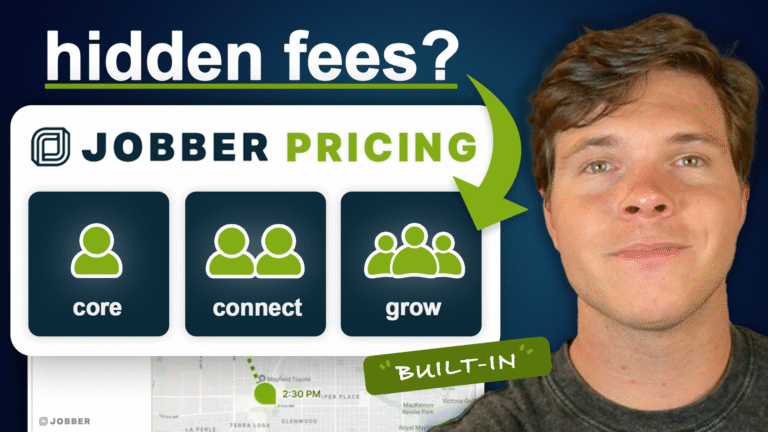
Changing platforms mid-season is the thing contractors dread most, so here is the actual sequence. Most operators are quoting from the new system within a day and fully moved inside a week.
Pick the plan that matches your headcount and your one non-negotiable feature, then start the 14-day free trial. The trial gives full access to the features of the plan you choose, so you are testing the exact tier you would buy. A credit or debit card is required to start.
Bring a CSV out of your old CRM and let AI Smart Import map the columns, or import straight from your phone contacts. Rebuild your price book once, properly, so every future estimate inherits it. Optional Done-For-You setup covers this for you at $299.99 or $999.99.
Run live work through it. Measure a property in MapMeasure Pro, build the estimate, send it for e-signature, and convert it to an invoice. Three real jobs tell you more than a month of feature comparison.
Move payment collection over once quoting and scheduling are stable, configure payout and bank details in settings, then cancel your previous subscription and any outside tools it required. Count the outside tools in your savings — that is where most of it lives.
QuoteIQ was founded on September 21, 2022 in Savannah, Georgia by two people who ran home service businesses before they built software for them. Pricing guidance on this site is reviewed against that operating experience.
More from both on the QuoteIQ insights hub, and a full look at the platform on the features overview.
I have been using quoteiq for a year and a half now and I can’t express enough how easy/User friendly it is to use. I have tried a couple other crm’s and though they also had a lot of features they were hard to navigate and had a poor layout. I get tons of compliments from customers on how professional my quotes look and how easy it is to make payments. Also the cost of quoteiq is second to none, by far most affordable. I highly recommend!!
Josh Shaffer
Last time, I started a business, keeping track of my expenses, customers, payments, upcoming jobs, and scheduling was a pain, and it was spread over 4 different apps. Everything I need is in one place now, and the value you get with the affordable subscription upgrades is immeasurable compared to the time you save.
Brandon Kingston
This is awesome. It has all the features I needed to start my business. At one point, I made a suggestion about the app to Mike, but he then replied, in minutes, explaining where the future was located. It’s quite easy to use as well. Download and use. The subscription is worth every penny!
Luis Sanchez
The advertised starting price is never the whole bill — on any platform, ours included. Run the six-step worksheet, price your gaps honestly, then compare it against a flat plan with every seat included.
Or see every QuoteIQ plan side by side · all competitor comparisons · ServiceTitan pricing calculator
Every Jobber figure on this page was read from Jobber’s own published pricing page on September 2, 2026 (that page reported a last-modified date of August 13, 2026). ResponsiBid plan rates were read from ResponsiBid’s published pricing page on the same date. Competitor pricing changes without notice — verify against the vendor’s own pricing page before making a decision.

Tell Google that QuoteIQ is a source you trust. One tap unlocks up to 40% off your annual plan. No free trial — billed in full at checkout.





