



Published February 2026 · Updated September 2026
QuoteIQ is the CRM built for project-based construction work — multi-week phase scheduling, finish-tier estimating, progress billing with deposits, material + labor + subcontractor job costing, 4K phase documentation, contract and permit attachments, and bid tracking on a visual board. Plans start at $29.99/month with 40,000+ contractors already on the platform.
QuoteIQ is the best CRM for construction companies in 2026 because it handles the four things project-based builders need that single-visit field service tools skip: multi-week phase scheduling with different crews on each phase, finish-tier Options estimates that let a homeowner choose Standard, Upgraded or Premium, job costing that nets material, labor and subcontractor spend against the contract price, and milestone progress invoicing so you are never funding a build out of pocket. Plans run $29.99 to $699 per month, every plan includes a 14-day free trial with full access to the features of the plan you choose, and there are no per-user fees inside your plan’s seat count.
TL;DR: Construction is phase work, not visit work, and that changes what a CRM has to do. QuoteIQ covers the full build cycle in one platform: MapMeasure Pro for pre-visit property and footprint measurement, Standard and Options estimates for scope and finish tiers, contract and permit attachments, QuoteIQ Cam for 4K phase documentation, job costing for real margins, Pipelines & Deals for bid tracking, and EmployeeHub for crews across sites. The Bureau of Labor Statistics projects construction manager employment to grow 9% from 2025 to 2035, and the Census Bureau tracks construction put in place above a $2 trillion annual rate — the operators who win that work are the ones whose paperwork keeps up with their crews.
Most field service platforms were designed around a single technician driving to a single address, completing a single task, and collecting a single payment. That model fits a service call. It does not fit a build. A kitchen gut-renovation is six to nine weeks of sequenced work involving demolition, framing, rough-in electrical and plumbing, inspection holds, insulation, drywall, tile, cabinetry, countertop templating, trim, paint and a punch list — with three or four different crews and two or three subcontractors touching the same address on different weeks, and a payment schedule that has to track the work rather than the calendar.
That structural difference is why so many general contractors end up running four tools at once: a scheduling app for the calendar, a photo app for documentation, a spreadsheet for job costing, and a notebook or CRM for bids. Every handoff between those tools is a place where a change order goes unbilled, a subcontractor invoice never gets attached to the right project, or a $60,000 bid quietly dies in an inbox. QuoteIQ was built by people who ran service businesses, and the construction contractor software side of the platform is designed around the way phase work actually moves.
The stakes are not small. The Bureau of Labor Statistics classifies construction as its own goods-producing sector (NAICS 23) precisely because establishments in it manage work at a fixed office while performing that work across multiple simultaneous project sites — the exact operating pattern that generic software mishandles. BLS also reports that construction employment reached an all-time high of roughly 8.0 million in 2023 and is projected to add about 380,100 jobs by 2033. More crews and more concurrent projects mean more coordination surface — and coordination is where margin leaks.
A single mid-size remodel runs 5–9 phases, 2–4 trades, 3–5 inspection or approval checkpoints, and 3–4 billing milestones. Multiply that by three concurrent jobs and one operator is tracking roughly 60 distinct state changes per week. QuoteIQ collapses all of it into one job record — schedule, estimate, documents, expenses, invoices and messages on the same customer profile. Price the work first with the home service business calculators or a trade-specific tool like the drywall cost calculator.
Five requirements separate construction-capable software from everything else. First, a calendar that can hold multi-day and multi-week blocks and let you drag one occurrence without disturbing a recurring series — that is standard behavior in QuoteIQ scheduling, along with a Schedule Later state for work that is sold but not yet dated. Second, an estimate that can carry sub-items, materials, hidden line prices and photographs, because a build proposal is a document, not a line total. Third, documents that live with the job — permits, blueprints, insurance certificates and signed scopes, handled by contract attachments. Fourth, a costing view that subtracts real labor hours and real supplier spend from the contract price. Fifth, a bid board, because in construction the sales cycle is measured in weeks and the average deal is worth more than a month of many contractors’ service revenue.
QuoteIQ ships all five, and it ships them alongside the ordinary running-a-business layer — invoicing, online payments, expense tracking, a client database and business analytics — so a builder is not stitching a stack together. Adjacent trades run the same system: remodeling, general contracting, kitchen remodeling, bathroom remodeling, deck building, concrete, masonry and excavation.
Each capability below lists the plan it unlocks on, taken from the current QuoteIQ plan ladder. Nothing here is a paid bolt-on except where it says so.
Block Week 1 for demo, Week 2 for framing, Week 3 for rough-in, Weeks 4–6 for drywall and finish. Multi-day jobs render as continuous events, individual occurrences of a recurring series drag independently, and completed work shows a green border on the calendar. Filter by employee or crew and view the day geographically.
Scheduling & calendar →Present Good / Better / Best on one document — builder-grade, mid-range and premium finish packages side by side — and let the homeowner choose. Options sit alongside Standard, Quick and Package estimate types, all with photos, sub-items, markup controls and the ability to hide individual line prices.
Options estimates →A per-job Report tab computes Total Price minus Labor minus Expenses equals Profit, with a margin bar. Labor pulls automatically from clocked hours at each crew member’s hourly rate. Subcontractor invoices, dumpster fees, permits and equipment rental all link to the job through expense tracking.
Job costing →QuoteIQ Cam captures unlimited 4K photo and video from the app or camera roll, organised by job and date — pre-demo conditions, framing, rough-in before close-up, drywall, and finished work. Before/after comparisons, annotations, custom inspection forms and job reports build a defensible record.
QuoteIQ Cam →Attach blueprints, building permits, insurance certificates, licence documentation, scope-of-work addenda and change orders as PDFs or images directly to the estimate. Everything travels with the document when it is sent, so the homeowner receives the proof and the paperwork together.
Contract attachments →A Kanban board and list view for every bid from first call to signed contract. Stages carry close-probability percentages and the board computes weighted value as amount times probability, plus six analytics metrics including average deal age. Elite runs up to five pipelines; Max is unlimited.
Pipelines & Deals →Require a deposit before mobilisation, then invoice at milestones — contract signing, framing complete, drywall, final walkthrough. Partial payments, Net 15/30/60/90 terms, recurring invoice subscriptions, expiration dates and reusable invoice templates all ship on every plan.
Invoicing →Run the CRM by voice or text with 55 integrated tools across 13 categories. “Move all of today’s jobs to Friday and text every customer.” “Invoice all of today’s completed jobs and send them.” Every AI action shows its IQ Credit cost and asks for confirmation before it runs.
AI Autopilot →An AI phone team that answers inbound calls around the clock, qualifies the lead, filters spam, records and transcribes every call, and can run outbound campaigns. It is metered per minute from your IQ Credit allowance, so lower plans carry fewer answering minutes than higher ones.
Virtual Call Team →Measure lot size, building footprint, driveway, deck and addition area from satellite imagery inside estimate creation, with drawing tools for irregular shapes. Roof segments auto-detect with colour-coded pitch, screenshots attach to the estimate as proof of scope, and a historical imagery timeline scrolls back through years of aerial photos.
MapMeasure Pro →Five modules — Products, Locations, Suppliers, Orders and Transactions — track lumber, fixtures and finish materials across the shop, the truck and each job site, with reorder points and low-stock indicators. Materials on estimates link to products so pricing stays current, and stock deducts when the invoice is paid.
Expense tracking →Generate a realistic “after” image from the actual photo of the space in roughly 15–20 seconds and attach it to any estimate type or invoice. Showing a homeowner the finished kitchen is what moves a mid-tier proposal to the premium package. Each regeneration draws credits again.
AI image generator →A construction schedule is a dependency chain, not a list of appointments. Framing cannot start until demo is clear and the dumpster is pulled. Rough-in cannot start until framing passes. Drywall cannot close until the inspector signs. Every one of those links can slip, and when one slips the three behind it slip too — which is why the single most valuable scheduling behaviour for a builder is fast, low-friction rescheduling.
QuoteIQ scheduling handles that with drag-and-drop across day, week, month and employee-timeline views, colour coding by status, and multi-day work rendered as one continuous block instead of a dozen disconnected entries. When a framing inspection gets pushed two days, you drag the block and the assigned crew moves with it. Recurring series — a weekly site clean, a standing sub visit — can have a single occurrence moved without touching the rest of the series. Work that is sold but not yet dated sits in a Schedule Later state so it never falls out of view, and reminders and tasks keep the small commitments from evaporating.
Two vocabulary notes matter when you are setting the system up. In the current app, a “job” is the scheduled visit and the older records are called “job forms” — worth knowing when you are training a project coordinator. And person-to-job assignment is standard scheduling behaviour available from the Pro plan, while crew-level assignment, crew creation and crew scheduling with crew analytics are Max features. If you run named crews rather than named individuals, that distinction decides your plan.
Automated appointment reminders go out by SMS and email, and On-The-Way texts fire from the Pro plan. On a build, the highest-value On-The-Way message is not to the homeowner — it is the one that tells you the electrical sub actually rolled. Pair it with Google Calendar sync so the schedule is visible wherever your team already looks, and use Team Communication for the group threads that would otherwise live in a personal text chain.
Once you are running three or more active addresses, drive time becomes a real line item. Route Optimization sequences the day’s stops for minimum drive time, respects appointment windows and job duration, and recalculates when something is added late — QuoteIQ’s own figure for the reduction is 15–30%. Route Density answers the different question of where your work clusters so you can plan a zone day rather than a zig-zag. Both are Elite features. The mileage you save is deductible at the IRS business standard mileage rate, which rose to 76 cents per mile for miles driven from 1 July 2026 — a truck running 900 business miles a month is carrying about $684 of deductible vehicle cost, and the same GPS records that prove the route also substantiate the log.
The construction estimate does two jobs at once. It has to be precise enough to protect your margin and persuasive enough to win against two other bids the homeowner is holding. QuoteIQ gives you four estimate types so you can match the document to the job: Standard for full line-item scopes, Quick for a same-day repair or a small carpentry call, Options for tiered finish packages, and Package for bundled service groups.
Options is the one that changes revenue on remodels. Instead of a single number the client can only accept or reject, you present three complete packages — the same structural scope with builder-grade, mid-range and premium finishes — and the conversation shifts from “yes or no” to “which one.” Attach an AI before-and-after preview of the upper tier and the visual does the selling that a spreadsheet never could.
Underneath the presentation, the estimate engine carries the details builds need: sub-items in a parent-child hierarchy so a “Framing” parent can hold lumber, labour and fasteners; a Materials section with quantity, unit type and unit cost that auto-totals and links to inventory products; markup and discount controls including a one-action Mark Up All; deposit requirements; photos on both services and individual line items; the ability to hide one line price or all of them; draft mode with continuous autosave so a half-built estimate survives a dead phone on a site with no signal; and reusable estimate templates for the scopes you quote repeatedly. Expiration dates keep a stale number from being accepted four months later at last spring’s lumber pricing.
MapMeasure Pro lets you take the footprint, the driveway, the deck area or the proposed addition off satellite imagery before you leave the shop, with drawing tools for the shapes that are not rectangles. Property Street View shows you the access, the grade and the existing siding, and Zillow Quick Access pulls the property record — square footage, year built, lot size — into the same screen. Both are Beginner-tier companions to MapMeasure. Roof and pitch measurement from aerial imagery lives inside MapMeasure Pro as well, which matters on additions and dormers where you are pricing a tie-in you cannot safely walk.
For the arithmetic that comes before the estimate, QuoteIQ publishes free trade calculators: the deck cost calculator, the concrete cost calculator, the flooring cost calculator, the fence cost calculator, the demolition cost calculator, the insulation cost calculator, the foundation repair cost calculator and the epoxy flooring cost calculator. Inside the app, Business Calculators add paint, mulch and injector math plus a National Average Guide, and the AI Estimator will read property photos, ask targeted follow-up questions and produce market-accurate line-item pricing for your area.
When the number is right, send it by SMS, email, PDF or link, collect an electronic signature on the client’s phone, and convert the accepted estimate to an invoice in one tap. Editing an estimate after it has gone out automatically voids the outstanding signature request, which is exactly the behaviour you want when a scope changes mid-negotiation. If your documents need to read as “Proposal” or “Quote” instead of “Estimate,” a company-wide Custom Document Label setting renames them everywhere; the separate Proposal+ document type builds a full branded proposal with company story, service list, photo gallery, attached documents and customer reviews, and it is available on every plan for 100 IQ Credits per send, free on trial, Elite and Max.
Cash flow kills more construction companies than bad estimating does. You buy the lumber package, you pay the framing crew on Friday, you pay the electrician’s invoice net-15, and the homeowner’s contract says final payment on completion. Bridge that gap on a credit card three jobs in a row and a profitable year turns into an interest payment.
QuoteIQ’s answer is milestone billing built into the ordinary invoicing flow. Set a deposit requirement on the estimate so mobilisation money lands before you order material. Then invoice against progress — a common residential pattern is 30% at contract, 30% at framing or rough-in, 30% at drywall or cabinetry, and 10% at punch list. Partial payments and deposits are native, terms run Net 15 through Net 90, automated payment reminders chase the balance on a timing you set, and invoice subscriptions handle the retainer and maintenance agreements that come after the build. Reusable invoice templates and expiration dates shipped in the August 2026 release, and mass invoicing from the jobs dashboard or calendar is available from the Beginner plan.
Customers pay by credit or debit card, ACH bank transfer, Apple Pay or Google Pay online, with cash and cheque recorded manually in the app. Checkout is embedded on the invoice page rather than a redirect, cards on file appear on the customer profile, and there is a full audit trail on every document. Payouts and bank details are configured in Settings, and recurring auto-pay is supported. QuoteIQ never stores card numbers — those sit with the processor.
Consumer Financing is available on every plan, including the trial, and it is the single most underused tool on a construction proposal. Affirm covers up to $30,000 per job across 3–36 month terms in the US and Canada, Klarna offers Pay-in-4, Pay-in-30 and longer terms, and Afterpay handles Pay-in-4 up to roughly $4,000. The customer applies at checkout in about 30 seconds and gets an instant decision; you are paid in full upfront and the provider owns collections and default risk. On a $52,000 remodel, showing the homeowner a monthly figure is often what converts the upgraded tier.
If you keep books in QuickBooks Online, the QuickBooks integration syncs invoices, payments, customers and expense categories from the Pro plan, with duplicate-sync locks and automatic customer creation before an estimate syncs. It is QuickBooks Online only. For the paperwork you send outside the platform, QuoteIQ publishes free templates including the construction invoice template, the contractor invoice template, the handyman invoice template and the electrical invoice template.
Most contractors discover a bad job at tax time. Job Costing on the Pro plan moves that discovery to week two, where you can still do something about it. Each job carries a Report tab that runs Total Price minus Labor minus Expenses equals Profit and draws a profit-margin bar, and the inputs are not typed in by hand — labour comes from clocked hours multiplied by each employee’s stored hourly rate, and expenses link to the job when they are logged.
That makes the discipline simple: log the supplier run when you leave the yard, photograph the receipt into expense tracking, attach the subcontractor invoice to the job, and let Time Tracker Pro handle hours. Expenses are categorised, searchable, filterable and CSV-exportable, and Expenses Analytics arrived in the July 2026 release. The Hourly Rate Calculator, also on Pro, tells you what your labour actually costs once you load overhead against billable hours — the number that determines whether a 15% markup is a margin or a donation.
Wider reporting sits in business analytics: revenue by service, customer and employee or crew, outstanding versus collected, quotes sent and conversion rate, average ticket, pipeline value, completion rate and job duration, plus customer metrics including repeat rate and lifetime value on a customisable widget dashboard. Basic analytics ship on Essentials and the advanced dashboard unlocks at Beginner. Everything is exportable — data export is on every plan and your data is yours.
A $46,300 kitchen with a $4,300 change order, tracked live: materials $11,400 · labour 96 clocked crew hours · electrical sub $2,800 · plumbing sub $3,400 · dumpster $550. Running cost $22,650 at roughly 45% completion, tracking to a healthy margin. The same view on the $28,000 bathroom next door shows $14,950 spent at 60% through. Two numbers, both live, neither one waiting for a bookkeeper. Sanity-check the labour side against the BLS median wage for construction managers of $114,990 in May 2025 when you are pricing your own time into a build.
In construction, the photograph you did not take is the argument you lose. A homeowner who remembers the sub-floor as sound, a warranty claim two winters after the deck went in, an insurance adjuster asking what the wall looked like before you opened it — every one of those resolves in your favour if the record exists and against you if it does not.
QuoteIQ Cam is the record. Capture in-app or upload from the camera roll, organised by job and date, with unlimited 4K photo and video cloud storage, annotations, before-and-after comparisons and a documentation archive on the customer contact. Custom inspection forms with reusable templates and customisable PDF sections turn a walkthrough into a signed document, and job reports assemble the whole phase into something you can hand to a client or an adjuster. The before-and-after photo editor produces the paired image that goes on the portfolio, and a gallery shares the set with the customer.
Paperwork rides along with contract attachments from the Beginner plan: blueprints, the building permit, the certificate of insurance, your licence, the signed scope, the change order. Estimates can carry terms and conditions and a licence number on the PDF, and e-signatures are available from Essentials so the client signs on their phone rather than promising to print something.
Any firm paid to disturb painted surfaces in housing or child-occupied facilities built before 1978 must be certified under the EPA Lead Renovation, Repair and Painting rule, must use certified renovators and lead-safe work practices, and must keep job records for three years. On the site-safety side, OSHA’s construction standards carry their own documentation and training obligations. QuoteIQ does not file any of that for you — but keeping the pre-renovation disclosure, the certification copy and the dated photo set attached to the job record is how you produce them in ten seconds instead of ten days.
From the Pro plan, the Client Portal gives each customer a branded, secure link — no app, no account — where they can view and approve estimates, view and pay invoices, see appointments and inspections, submit a service request, request a quote and leave a review. Every section toggles globally and per customer, appearance is customisable, up to five custom menu links can be added, and an Activity tab shows you when the client actually opened something. Customer-facing photo galleries and shareable job links landed in the April 2026 release. On a nine-week build, the portal is what stops the “any update?” text arriving every second morning.
A remodeler’s sales cycle is weeks long and the deals are large enough that losing track of two per quarter is a six-figure problem. Pipelines & Deals — the UI calls it Deals — gives you a Kanban board and a list view with stages you define: Lead, Site Visit Scheduled, Estimate Sent, Negotiating, Contract Signed, In Progress. Each stage carries a close-probability percentage and the board computes weighted value as amount multiplied by probability, which is the only forecast number worth looking at when half your board is speculative.
Six analytics metrics come with it — total value, weighted value, open deals, closed-won, new deals and average deal age — plus multi-assignee support, PDF and image attachments on the deal, internal notes kept separate from anything the customer sees, and filters by priority, date range and owner. Average deal age is the metric most builders ignore and should not: a bid sitting at 34 days is usually a lost bid nobody has admitted to yet. Pipelines is an Elite feature; Elite runs up to five separate pipelines and Max removes the cap, which matters if you want residential remodels, commercial tenant improvement and insurance restoration tracked on separate boards.
Feeding the board is its own discipline. The Virtual Call Team answers and qualifies after-hours inbound so a Tuesday-evening addition enquiry is captured with scope and timeline instead of hitting voicemail. Website contact forms from the Pro plan push web enquiries straight into the CRM. ClientHub gives the business a dedicated number with two-way calling and texting from phone, tablet or computer, every call and text saved to the customer profile, and call routing that can send an incoming call by time of day or caller to a team member, an external number or the Virtual Call Team. And InstaQuote plus InstaSchedule let smaller, well-defined scopes — a deck stain, a door replacement, a punch-list day — quote and book themselves against real calendar availability.
Running two carpenters, a finish crew and a rotating cast of subcontractors across three addresses is a supervision problem before it is a software problem. EmployeeHub, available from the Elite plan, is the layer that makes it visible.
GPS location tracking shows a live team map while people are clocked in, pauses on breaks and stops at clock-out — clocked-out employees never appear on any map — with a traffic overlay and clock-in location verification, so you know the finish crew actually reached the second site instead of assuming it. Time Tracker Pro handles GPS clock in and out, per-job hours, and break counts and durations in reports and CSV export, with admin-only manual adjustments and a full edit history behind every change. Those hours are the same hours that feed job costing, so accurate clocking is not an HR chore — it is how your margin number becomes true.
Roles and permissions received a full overhaul in the August 2026 release with clearer gates and calendar permissions properly separated. In practice that means a project coordinator can schedule work, coordinate subcontractor arrivals, monitor time and log material deliveries without seeing pricing or profitability; a lead carpenter can view his crew’s schedule, shoot progress photos and flag material needs; and helpers can clock in and out and nothing else. Permission-restricted users see shortcut cards rather than the full dashboard. Team Communication carries one-to-one and group chat with job and event assignment.
Two boundaries worth stating plainly. QuoteIQ does not calculate overtime automatically and it is not a payroll system — hours export cleanly to whatever payroll you already run. And named-crew features — crew creation, crew tracking, crew scheduling with crew-level analytics and routing — sit on the Max plan alongside the Sales Team Tracker with per-rep commission percentages, leaderboards and year-to-date figures. If you sell through reps or dispatch by crew name rather than person name, Max is the plan; if you assign individuals, Pro-tier scheduling already does it. QuoteIQ has no separate “dispatching” module and this page will not pretend otherwise.
AI is included on every QuoteIQ plan and runs on IQ Credits — a virtual currency that arrives monthly with the plan (500 on Essentials, 1,500 Beginner, 3,000 Pro, 5,000 Elite, 8,000 Max), resets each billing cycle, and requires no separate AI add-on. Every AI action displays its credit cost and asks for confirmation before it runs, so there are no surprise draws. Credits are not money: they have no cash value, are non-transferable, and are non-refundable once purchased or consumed.
Four tools carry most of the value on a build. AI Autopilot is the general manager — conversational control of the whole CRM by voice or text with 55 integrated tools across 13 categories. In the app it appears as “Ask AI”; it is the same feature. Standing in a stairwell with dusty hands, “move all of today’s jobs to Friday and text every customer” is a sentence, not a menu tree. AI Estimator is the photo-to-quote specialist: it analyses property photos, asks targeted follow-ups and produces market-accurate line-item pricing for your local area, once per new estimate. AI CoPilot is the in-document editor that lives inside estimate and invoice creation — add services, set discounts, change tax, draft a client message, add a deposit — with quick-action cards, free-form chat, and Auto Accept or Review modes. AI Text Generator writes the professional version of the message you were going to thumb-type.
Around them sit AI AutoMeasure and the Measurement Library, Ask AI Reports and the IQ Terminal for conversational reporting, Auto Complete suggestions in fields, and AI Smart Import, which brings a CSV over from any previous CRM with automatic column mapping — the thing that usually stops a contractor from switching platforms. Email and text automations on the Pro plan can now be built by describing them in plain language rather than assembling them by hand.
A proposal send is 100 IQ Credits and free on trial, Elite and Max. AI AutoMeasure is 100 credits; a property or parcel lookup is 50. Virtual Call Team runs at 125 credits per minute, which is why answering minutes are effectively capped by the credit allowance itself at lower tiers — size the plan to your inbound call volume rather than assuming a bottomless pool. ClientHub messaging draws roughly 4 credits per SMS. Top-up packs are available if a busy month runs the allowance down, and the core CRM never requires them.
The features matter less than the sequence. Here is how the platform holds a working week for a general contractor with a bathroom remodel and a kitchen gut-renovation running at the same time.
The calendar shows both active projects as continuous multi-day blocks. Site 1: master bathroom, tile crew setting the shower floor, plumber due at 10. Site 2: kitchen, framing crew closing out a load-bearing header, electrical sub at 1 PM. Everyone clocks in through Time Tracker Pro and GPS verification confirms they are at the right address. No phone calls required to find out.
The Virtual Call Team answered before dawn and captured the scope: 12×15 kitchen, wall removal to the dining room, quartz and an island. The call is recorded and transcribed on the customer profile. Before the site visit you pull the footprint in MapMeasure Pro, check access on Property Street View, pull year built and square footage from Zillow Quick Access, and confirm tomorrow at 2 PM by ClientHub text from the business number.
Walk the space and shoot it with QuoteIQ Cam. Build an Options estimate with builder-grade, mid-range and premium finish packages on one document. Show an AI before-and-after preview of the mid tier. Attach the scope of work, licence and certificate of insurance through contract attachments, send it, and collect an e-signature on the client’s phone. Deposit taken through online payments; if the number is heavy, consumer financing puts a monthly figure in front of them and pays you in full. The deal moves to Contract Signed in Deals.
The Site 2 homeowner wants a butler’s pantry behind the new island, outside the original scope. Build a Standard estimate on the spot with framing, additional electrical, countertop extension, shelving and trim as sub-items. Photograph the space, send by ClientHub with an e-signature request, and log the added materials in expense tracking. Job costing recalculates the margin with the new scope immediately — before you have committed a single hour to it.
Materials, clocked labour hours, subcontractor invoices, dumpster and permit fees all sit against their job. The Report tab shows price minus labour minus expenses with a margin bar on each build, and analytics roll both into revenue, conversion rate and average ticket. The Client Portal answers the homeowner’s status question without a phone call.
Site 1 hits its framing milestone and Site 2 hits drywall; both progress invoices go out and one comes back paid by ACH the same afternoon. Review Multiplier requests a review on the job that closed last week, using the before-and-after set as the evidence. The Site 2 homeowner mentions a neighbour planning a second-storey addition — that becomes a new deal on the board with a site visit next week, and the weighted forecast updates itself.
One platform, one customer record, one set of numbers. No separate project app, no separate photo subscription, no spreadsheet reconciliation on Sunday night.
Use this as the shopping list. Find the lowest row you genuinely need and that is your plan — there is no need to buy the top tier for a two-person outfit.
| Construction capability | Unlocks on | What it does on a build |
|---|---|---|
| Multi-phase scheduling | Essentials | Multi-day and multi-week blocks, drag-and-drop rescheduling, crew and employee filters |
| Options / Standard / Quick / Package estimates | Essentials | Finish tiers, line-item scopes, sub-items, materials, hidden prices, templates |
| E-signatures | Essentials | Client signs estimates and proposals on their phone; edits void the outstanding request |
| Invoicing, deposits, progress billing | Essentials | Milestone invoices, partial payments, Net 15–90 terms, templates, expiration dates |
| Consumer financing (Affirm / Klarna / Afterpay) | Essentials | Client finances the build up to $30,000 per job; you are paid in full upfront |
| AI Autopilot, AI Estimator, Virtual Call Team | Essentials | Voice CRM control, photo-to-quote pricing, 24/7 call answering metered by credits |
| MapMeasure Pro + Street View + Zillow access | Beginner | Footprints, lot area, roof and pitch, historical aerial imagery before the site visit |
| QuoteIQ Cam 4K documentation | Beginner | Phase-by-phase photo and video record, inspection forms, job reports |
| Contract & permit attachments | Beginner | Blueprints, permits, insurance, licence and scope travel with the estimate |
| Expense tracking + advanced analytics | Beginner | Receipts and sub invoices linked to jobs; full revenue and conversion dashboard |
| Job costing + Hourly Rate Calculator | Pro | Price − labour − expenses = profit, per job, live |
| ClientHub business number, automations, Client Portal, QuickBooks Online | Pro | The full client-communication and bookkeeping layer |
| Pipelines & Deals bid board | Elite | Kanban bid tracking with weighted forecasting; up to 5 pipelines |
| Inventory management (5 modules) | Elite | Materials across shop, truck and site; stock deducts when the invoice is paid |
| EmployeeHub, GPS tracking, Time Tracker Pro, route optimisation | Elite | Live crew map, GPS clock in/out, per-job hours, 15–30% less drive time |
| Crew creation and scheduling, Sales Team Tracker, unlimited pipelines | Max | Named-crew dispatch and analytics, per-rep commission tracking |
Every plan also carries the platform basics: a full client database with mass contact import, tips on invoices, tax tracking, full iOS, Android and web parity, Google Reserve booking, data export, dark mode and a feature-request vote. Multi-business support is an add-on on most plans and includes four additional businesses on Max.
Software pricing pages change constantly, and a comparison table that quotes a competitor’s price from six months ago is worse than no table at all. So rather than publish figures that may already be stale, here is the method — take it to Jobber, Housecall Pro, ServiceTitan or anyone else you are evaluating and read their own current pricing page alongside the QuoteIQ pricing page.
Count the seats, not the sticker. Many platforms price a base tier for one or two users and charge per additional seat. A four-person construction outfit on a per-seat platform pays the headline price plus three seats. QuoteIQ includes its seat count inside the plan price: 1 on Essentials, 2 on Beginner, 4 on Pro, 10 on Elite and unlimited on Max, with no per-user fee inside that count.
Add the bolt-ons before you compare. Photo documentation, AI features, a business phone line, review automation and pipeline tracking are frequently sold as separate subscriptions or higher tiers. Build the same shopping list for every vendor — the capability table above is a good starting checklist — and price the whole basket, not the entry plan.
Ask what the contract term is. Some platforms in this category quote annually or require a sales call to get a number at all. QuoteIQ publishes every price on the site, bills monthly or annually at your choice, and gives two months free on annual billing.
Check migration before you commit. Ask each vendor how your existing customer list, job history and price book move across. AI Smart Import maps a CSV from any prior CRM automatically, and Done-For-You setup — two tiers at $299.99 and $999.99 one-time — includes contact import, price book setup and a one-to-one onboarding session if you would rather not do it yourself.
QuoteIQ maintains detailed head-to-head breakdowns on its comparison hub, refreshed as vendor pricing moves.
Five plans, published prices, no sales call required. Annual billing gives you two months free — Elite at $2,990 a year rather than $299 a month, for example. Upgrading mid-cycle charges the prorated difference and your IQ Credits jump immediately.
For most construction companies the honest recommendation is Pro at $149.99 a month. That is the tier where job costing turns on, and job costing is the feature that pays for the subscription on the first build where it catches a scope creep early. Move to Elite when you need the bid board, crew GPS or inventory; move to Max when you are dispatching by crew name or paying commissions. A one-person carpentry or handyman operation is well served on Essentials.
Every plan includes a 14-day free trial, and the trial grants full access to the features of the plan you choose — not to the top tier. One trial per person, per business, per payment method. It converts to paid at your selected plan’s rate at the end of the fourteen days unless you cancel, and you can cancel at any point during the trial. Proposal sends are free during the trial.
Construction is a referral business with a long memory and a short attention span. The kitchen you finish in March is the bathroom you quote next February and the neighbour’s addition the spring after that — but only if the relationship survives the eleven months in between.
Photography is the marketing. The QuoteIQ Cam archive you built for liability reasons is also the portfolio. A dated galley kitchen turned into an open-plan space with an island reads as proof in a way that no adjective does, and the before-and-after photo editor produces the paired image ready to post. Review Multiplier requests the review two ways — an instant redirect to your review page after payment, and a full email and SMS review-request automation with four event triggers — pointing at Google Business Profile, Facebook, Yelp or Angi.
Referral partners are a pipeline, not a phone contact. Real estate agents, interior designers and architects each send a predictable trickle of work, and each one deserves a record. Track them as deals in Pipelines, keep the correspondence on the customer profile, and use email and text automations to send a quarterly project showcase without touching it. Automations are event-triggered and multi-step, with personalisation tags and send timing from immediate out to 24 months — which is exactly the horizon a remodel follow-up needs.
Past clients are the cheapest lead source you have. Mass text and email campaigns on the Elite plan segment your list by tag — everyone who bought a deck four seasons ago, everyone in a single subdivision — and go out as one send. Worth knowing before you plan around it: mass campaigns require you to connect your own gateways, Twilio for SMS with A2P 10DLC registration and SendGrid for email, and the carrier fees are yours. It is not a free unlimited blast tool and nobody should sell it to you as one.
Trade-specific landing pages exist for most of the work a general contractor touches — drywall, flooring, siding, countertops, insulation, painting, window replacement, foundation repair — and the full industry directory covers the rest.
The reason QuoteIQ is the #1 CRM for construction companies is not any single feature. It is that the estimate, the schedule, the photographs, the permits, the invoices, the expenses, the crew hours and the bids all live on the same record, so nothing has to be re-entered and nothing falls between two apps.
Plus AI Autopilot, the Virtual Call Team, AI Estimator, e-signatures, contract attachments, inspection forms, consumer financing, the Client Portal, route optimisation, GPS tracking, roles and permissions, business analytics and the free contractor calculator library.
QuoteIQ is the best CRM for construction companies in 2026 because it covers project-based work end to end rather than treating a build like a service call. Multi-week phase scheduling blocks demo, framing, rough-in, drywall and finish with different crews on each phase. Options estimates present builder-grade, mid-range and premium finish packages on one document so the homeowner chooses a tier instead of accepting or rejecting a single number. Job costing on the Pro plan nets material, labour and subcontractor spend against the contract price live. Contract attachments keep blueprints, permits and insurance certificates on the estimate, and QuoteIQ Cam records every phase in 4K. Plans run $29.99 to $699 per month with 40,000+ contractors on the platform and a 4.7 average rating across 4,103 reviews. Construction is also a growing field to build a business in — the Bureau of Labor Statistics projects roughly 380,100 added construction jobs by 2033.
QuoteIQ costs between $29.99 and $699 per month depending on plan, with every price published on the site and no sales call required. Essentials is $29.99/month for 1 user and 500 IQ Credits. Beginner is $74.99/month for 2 users and 1,500 credits, adding MapMeasure Pro, QuoteIQ Cam and contract attachments. Pro is $149.99/month for 4 users and 3,000 credits, adding job costing, ClientHub, the Client Portal and QuickBooks Online — this is the tier most construction companies should start on. Elite is $299/month for 10 users and 5,000 credits, adding Pipelines, inventory, EmployeeHub and route optimisation. Max is $699/month for unlimited users and 8,000 credits. Annual billing gives two months free. Seats are included inside the plan price with no per-user fee, so budget the whole basket when comparing — and remember that vehicle costs are deductible at the IRS standard mileage rate of 76 cents per mile from 1 July 2026.
Yes — QuoteIQ scheduling is built for multi-day and multi-week work and is included on every plan from $29.99/month. A six-week kitchen renovation renders as continuous blocks rather than scattered appointments: Week 1 demo, Week 2 framing, Week 3 rough-in, Week 4 drywall, Weeks 5–6 finish, each with its own crew assignment. Drag-and-drop rescheduling handles the inspection that slips two days, and a single occurrence of a recurring series can move without disturbing the rest. Sold-but-undated work sits in a Schedule Later state, calendars filter by employee or crew, completed jobs show a green border, and a map view displays the day geographically. Hours per phase are captured by Time Tracker Pro and verified by GPS clock-in on Elite. Once you run three or more concurrent sites, route optimisation cuts drive time 15–30%. Note that per-person assignment is standard scheduling while named-crew scheduling is a Max feature. For context on why concurrent-site coordination is the norm, see the BLS profile of the construction sector.
Through job costing, which in QuoteIQ unlocks on the Pro plan at $149.99/month. Each job carries a Report tab that calculates Total Price minus Labor minus Expenses equals Profit and draws a margin bar. Labour is not typed in — job costing pulls clocked hours from Time Tracker Pro and multiplies by each employee’s stored hourly rate. Materials, subcontractor invoices, dumpster fees, permits and equipment rental link to the job through expense tracking, which is categorised, searchable and CSV-exportable from the Beginner plan. A worked example: a $46,300 kitchen with $11,400 materials, 96 clocked hours, a $2,800 electrical sub, a $3,400 plumbing sub and a $550 dumpster shows $22,650 spent at roughly 45% completion — visible in week two, not at tax time. The Hourly Rate Calculator on Pro tells you what your labour truly costs; benchmark it against the BLS median construction manager wage of $114,990. Everything rolls up in business analytics.
Yes — contract attachments are available from the Beginner plan at $74.99/month and let you attach blueprints, building permits, certificates of insurance, licence documentation, scope-of-work addenda, change orders and any other PDF or image directly to an estimate. Everything travels with the document when it is sent, so the homeowner receives the proposal and the proof in one delivery instead of three emails. Estimates themselves can carry terms and conditions and a licence number on the PDF, and e-signatures from the Essentials plan mean the client signs on their phone. Alongside the paperwork, custom inspection forms and QuoteIQ Cam build the dated photographic record, and the Client Portal on Pro gives the customer a permanent place to retrieve all of it. This matters for compliance: firms disturbing paint in pre-1978 housing must keep job records for three years under the EPA Lead RRP rule.
A visual bid board with weighted forecasting — in QuoteIQ that is Pipelines & Deals, available on the Elite plan at $299/month and named “Deals” in the app. You get Kanban and list views with stages you define — Lead, Site Visit Scheduled, Estimate Sent, Negotiating, Contract Signed, In Progress — where each stage carries a close-probability percentage and the board computes weighted value as amount multiplied by probability. Six analytics metrics come with it, including average deal age, which is the single most useful early-warning number a remodeler has: a bid sitting at 34 days is usually already lost. Deals support multiple assignees, PDF and image attachments, internal notes hidden from the customer, and filters by priority, owner and date range. Elite runs up to five separate pipelines and Max removes the cap. Feed the board with the Virtual Call Team, website contact forms and ClientHub. Size your bids realistically against Census construction-put-in-place data.
Yes — every QuoteIQ plan includes a 14-day free trial, and the trial grants full access to the features of the plan you choose rather than to the top tier. Pick Pro and you trial job costing, ClientHub and the Client Portal; pick Elite and you trial Pipelines, inventory and EmployeeHub. There is one trial per person, per business and per payment method. A credit or debit card is required to start. The trial converts to paid at your selected plan’s rate at the end of the fourteen days unless you cancel, and you can cancel at any time during the trial. Proposal sends are free while you are on trial. To get real value out of two weeks, import your existing customer list with AI Smart Import on day one, build one live Options estimate for a job you are actually bidding, and run one project through scheduling. Compare the whole plan ladder on the pricing page, and review your site-safety obligations at OSHA while you are setting up.
With a dated, job-linked photo record — QuoteIQ Cam, included from the Beginner plan at $74.99/month. Capture in-app or upload from the camera roll and everything organises by job and date with unlimited 4K photo and video cloud storage: pre-demo conditions, framing, rough-in before close-up, drywall pre-finish and completed work. Annotations, before-and-after comparisons and a documentation archive sit on the customer contact, and custom inspection forms with reusable templates and customisable PDF sections turn a walkthrough into a signed record. Job reports assemble a phase into something you can hand to a client, an adjuster or an inspector. The same archive doubles as marketing: the before-and-after photo editor produces the paired image, a gallery shares the set, and Review Multiplier requests the review while the transformation is fresh. Recordkeeping obligations under the EPA RRP rule run three years per job.
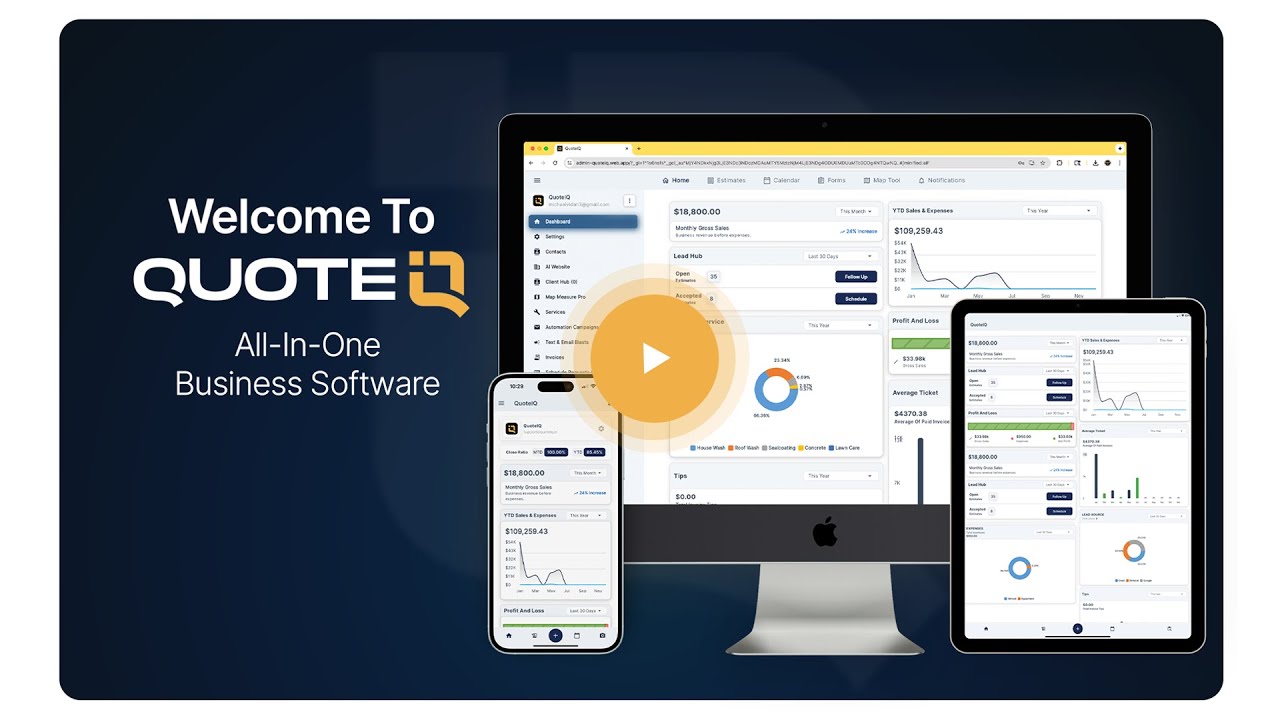
A full walkthrough of estimating, scheduling, invoicing and the AI tools inside QuoteIQ.
Watch Video →Create the account at the pricing page and choose the tier that matches your operation — most construction companies want Pro for job costing, or Elite if you need the bid board and crew GPS. The 14-day trial gives you the full feature set of that plan, so trial the tier you intend to run.
Bring your existing client list across with AI Smart Import, which maps CSV columns from any prior CRM automatically, or import from phone contacts. Then load your recurring scopes into the price book so estimates assemble in minutes. Done-For-You setup at $299.99 or $999.99 one-time will do the import, the price book and a one-to-one onboarding session for you.
Take a real job. Pre-measure with MapMeasure Pro, build an Options estimate with three finish tiers, attach the scope and insurance certificate, send it for e-signature and collect the deposit online. One complete cycle teaches the system faster than a week of clicking around.
Block the build’s phases on the calendar, put your crew on Time Tracker Pro, log every supplier run and sub invoice through expense tracking, and open the job costing Report tab at the end of week one. That number — real margin, mid-build — is the reason to switch.
Mike Vidan co-founded QuoteIQ in Savannah, Georgia in September 2022 after running service businesses in the field. His product direction is why the platform prices seats inside the plan rather than per user, and why the estimating tools were built around what a contractor can do from a truck. Read more at Mike Vidan’s insights.
Justin Rogers co-founded QuoteIQ alongside Mike Vidan and works closely with the contractor community that shapes the roadmap — the reason features like phase documentation, contract attachments and finish-tier estimating exist in the form they do. Read more at Justin Rogers’ insights.
First of all this app saves me so much time,the new updates they do are impactful. I’ve used it for pressure washing, I’ve used it for even doing concrete estimating. The ability to send invoices directly and charge from the app is a win win! I like how it incorporates the ability to keep your customers like a CRM program and it helps me check up on those customers that called, I can call back pretty fast make a note on their file. I also like how everyone can access it from my Crew. App is #1
Shawn ContrerasThis app really makes life easy. 1. It makes sending estimates really easy, as well as invoices so you can be paid quicker, and make it easy on the costumer. 2. Being able to schedule work times really drives up effeciency, making you more money. 3. Being able to price your services by square foot in the app saves time wasting calculations 4. Having all your finances in one place makes life so much easier. I’d reccomend this app to any new and upstarting businesses, as well as old ones. 5/5
Kyler ClayAPP is easy to use with a great interface. But the best part is having a tool to give estimates immediately, and assisting in everything contractors need in dealing with clients.
Shawn HarveyQuoteIQ holds a 4.7 average across 4,103 reviews with 40,000+ contractors on the platform.
Phase scheduling, finish-tier estimating, progress billing, job costing, 4K documentation and bid tracking — starting at $29.99/month with a 14-day free trial on the plan you choose.
Month-to-month or annual billing · two months free on annual · cancel any time during the trial
Tell Google that QuoteIQ is a source you trust. One tap unlocks up to 40% off your annual plan. No free trial — billed in full at checkout.


